MeetNGreet

MeetNGreet
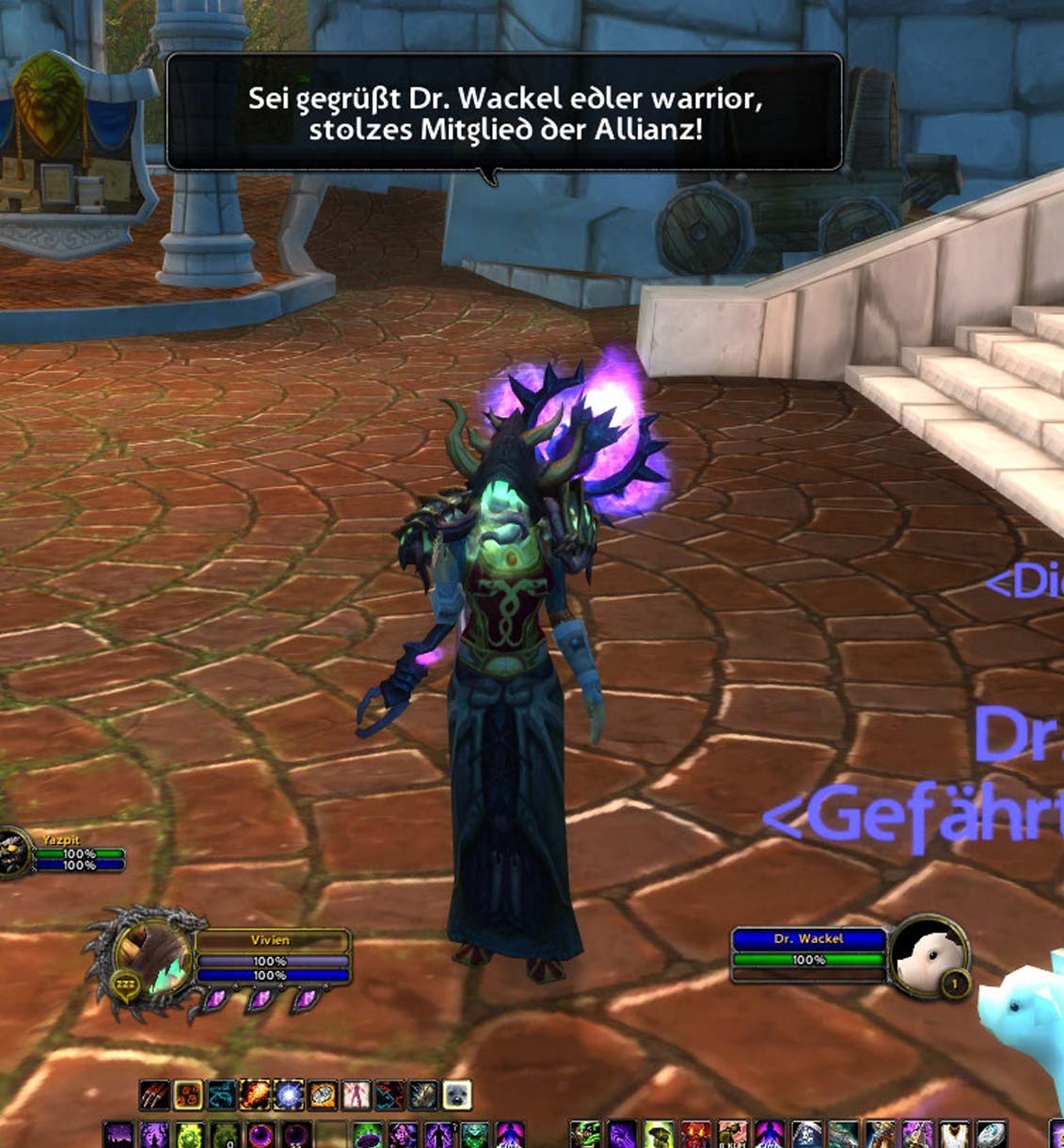
<p>this is an example of how the greeting would look like</p>

this is an example of how the greeting would look like
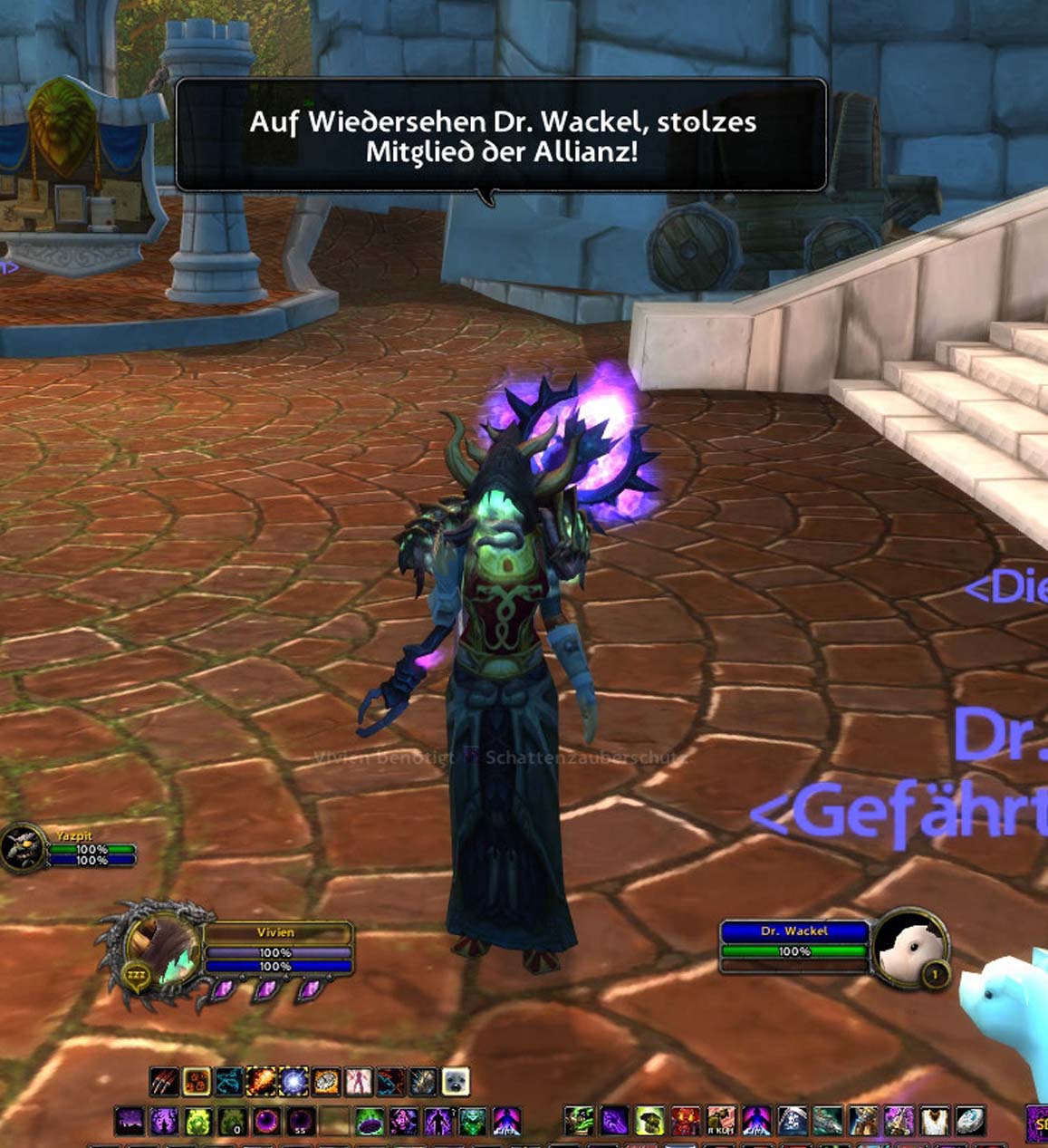
<p>this is an example of how the farewell would look like</p>

this is an example of how the farewell would look like
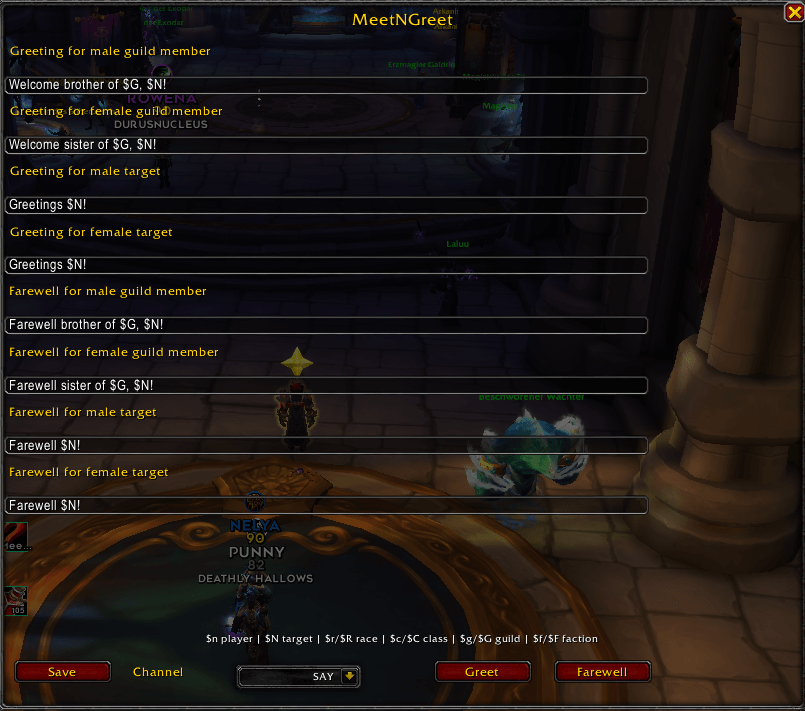
new ingame menu.png

new ingame menu.png

Description

MeetNGreet - TwoButtonCommunication

We are back for Midnight! And for WoW Forever! 

Localizations are in English, German, Frensh and Spanish
 

English:

Description: The purpose of this small mod is to quickly and easily greet other players. It also allows for farewell messages.

It allows you to define standard texts with placeholders for race, class, etc so that you have the adequate greeting for every situation. The addon will also differentiate between group members, enemies and corpses. It will adjust it's behavior accordingly.

Usage:

  • Create a macro for greet with the following contents: "/run MeetNGreet:Greet()" drag the macro into the interface to start the greeting.
  • Create a macro for farewell with the following contents: "/run MeetNGreet:Farewell()" drag the macro into the interface to start the saying farewells.

Options:

  • Options are editable with /mng 

You can add the following actions in the menu window ingame:

  • $n = Playername
  • $N = Targetname
  • $r = Playerrace
  • $R = Targetrace
  • $c = Playerclass
  • $C = Targetclass
  • $g = Playerguild
  • $G = Targetguild
  • $f = Player fraction
  • $F = Target fraction

___________________

German:

Beschreibung: Dieses kleine Addon soll helfen auf einfache und schnelle Art andere Spieler in der WorldOfWarcraft zu begrüßen und zu verabschieden!

Dazu können Standardtexte mit Platzhalten für die Rasse, Klasse usw genutzt werden die dann zu jeder Gelegenheit passen. Außerdem unterscheidet das Addon zwischen Gildenmitgliedern, Feinden und Toten und reagiert dementsprechend.

Nutzung:

  • Erstellt ein Macro mit folgendem Inhalt: /run MeetNGreet:Greet() für das Begrüßen
  • Erstellt ein Macro mit folgendem Inhalt: /run MeetNGreet:Farewell() für das Auf Wiedersehen sagen.

Optionen:

  • Optionen können über /mng aufgerufen werden.

Du kannst folgende Funktionen ingame im Menü ändern:

  • $n = Spielername
  • $N = Targetname
  • $r = Rasse des Spielers
  • $R = Rasse des Targets
  • $c = Klasse des Spielers
  • $C = Klasse des Targets
  • $g = Gilde des Spielers
  • $G = Gilde des Targets
  • $f = Fraktion des Spielers
  • $F = Fraktion des Targets

MeetNGreet Team
profile avatar
  • 8
    Projects
  • 4.8K
    Downloads
Donate

More from UllivonBoedefeldView all

  • Stylish Notifications project image

    Stylish Notifications

    Cinematic, customizable notifications for level-ups, achievements, bosses, quests, world quests, scenarios and delves.

    • 97
    • October 14, 2026
  • Seen It Already project image

    Seen It Already

    Seen It Already removes WoW’s “New” settings markers and the notification dot after you open the Options menu once per character. New hints may appear again after a major game update.

    • 62
    • October 14, 2026
  • Professions - Learn It All - A New Take project image

    Professions - Learn It All - A New Take

    Adds a “Learn All” button to profession trainers. Learn every available and affordable profession skill with one click, including newly unlocked ranks. Shows the total number of learning steps and their full cost.

    • 39
    • October 14, 2026
  • XP Bubbles project image

    XP Bubbles

    XP Bubbles is a lightweight circular XP and reputation tracker with rested XP, progress bubbles, mouseover reputation view, custom animations, movable UI, and automatic hide options for combat and mounts.

    • 274
    • October 14, 2026
  • Stylish Notifications project image

    Stylish Notifications

    Cinematic, customizable notifications for level-ups, achievements, bosses, quests, world quests, scenarios and delves.

    • 97
    • October 14, 2026
  • Seen It Already project image

    Seen It Already

    Seen It Already removes WoW’s “New” settings markers and the notification dot after you open the Options menu once per character. New hints may appear again after a major game update.

    • 62
    • October 14, 2026
  • Professions - Learn It All - A New Take project image

    Professions - Learn It All - A New Take

    Adds a “Learn All” button to profession trainers. Learn every available and affordable profession skill with one click, including newly unlocked ranks. Shows the total number of learning steps and their full cost.

    • 39
    • October 14, 2026
  • XP Bubbles project image

    XP Bubbles

    XP Bubbles is a lightweight circular XP and reputation tracker with rested XP, progress bubbles, mouseover reputation view, custom animations, movable UI, and automatic hide options for combat and mounts.

    • 274
    • October 14, 2026