MB Assist
- By
Visual helper for manual multiboxing: colored glowing borders show each follower's status at a glance, plus quick invites, mute toggle, big health/mana view and auto window sizing – no input broadcasting or automation.
MB Assist is a helper for manual multiboxing in WoW Forever. When you're playing several characters at once, it's hard to keep an eye on all the small windows. This addon puts the important information right where you can see it, without playing anything for you.
There's no key broadcasting and no automation. Every action is still done by you.
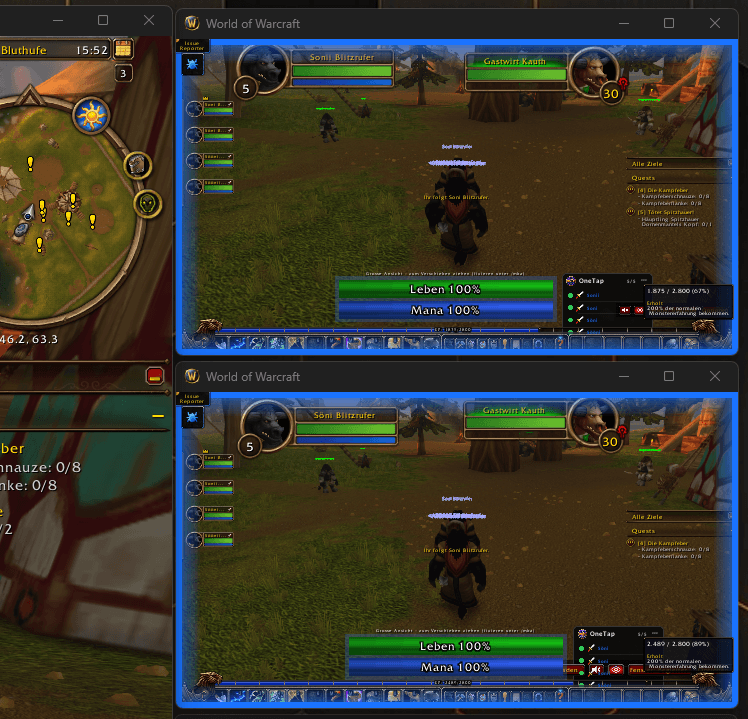
Status borders
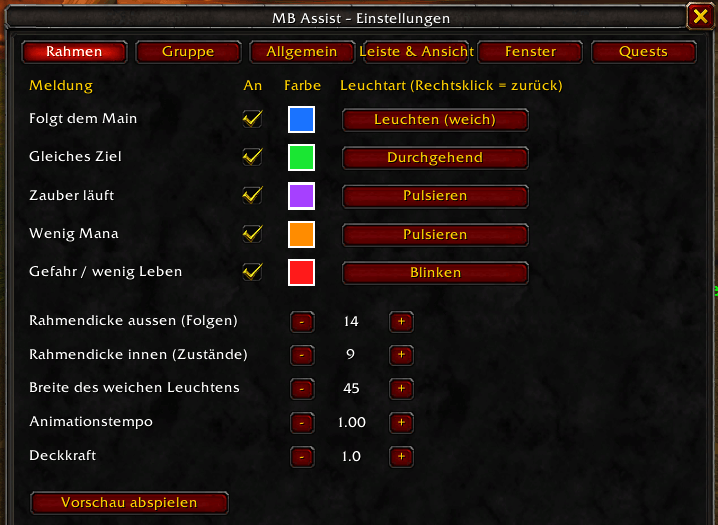
Each follower window gets a colored border. The outer border shows when the character is following your main. The inner border lights up for the most important thing happening right now: low health or aggro, low mana, casting, or having the same target as your main. Colors and effects (solid, pulse, blink, glow, rainbow or a running light) can be set for each one.
Full-size quest windows
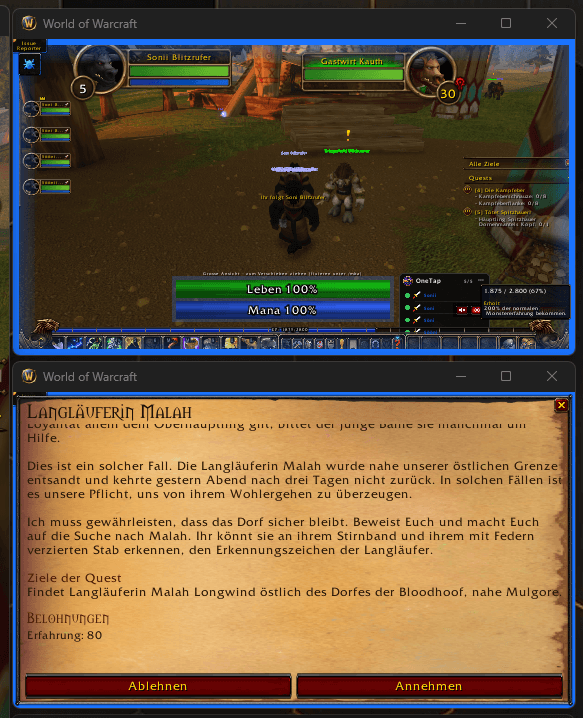
The default quest frame is hard to read in a small window. MB Assist can show quests and NPC dialogs across the whole window instead, in the familiar parchment style, with big text, big reward icons and big buttons. You still accept, choose rewards and turn in quests yourself.
Big health and mana bars
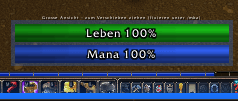
Large, movable bars for each character. While they're on, chat and minimap can be hidden to keep the small windows clean.
Control bar
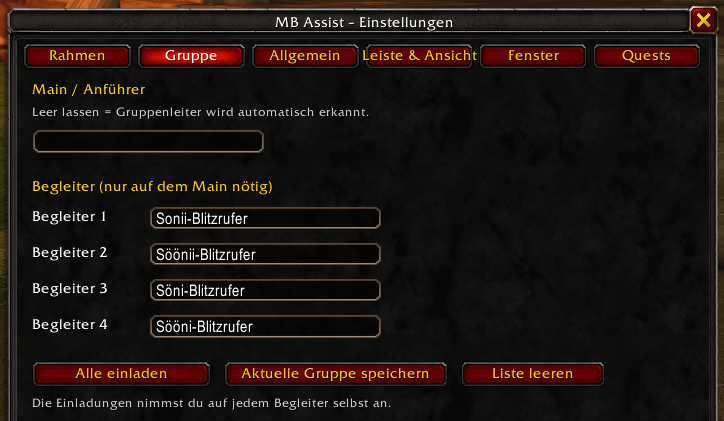
A small, scalable bar with the things you need most: invite your followers, save your current group, mute the client, toggle the big bars, change the window size and open the options. You can hide any button you don't use.


Window sizes
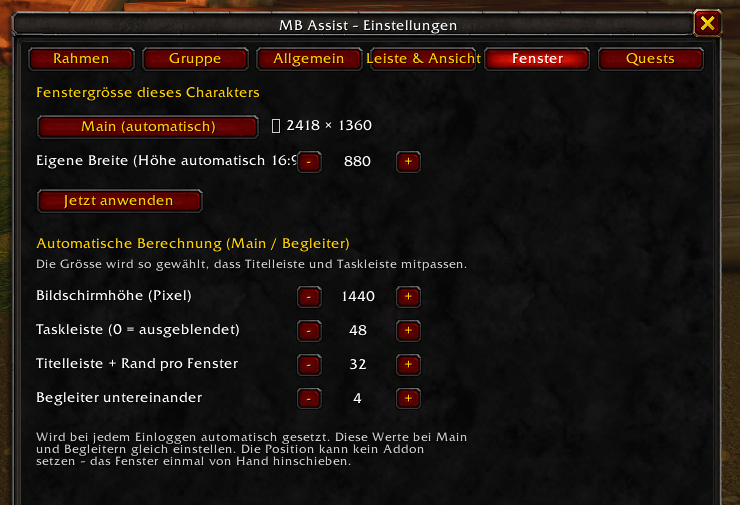
Set a size for your main and for your followers. MB Assist calculates sizes that fit your screen, including title bars and taskbar, and applies them every time you log in.
Extras
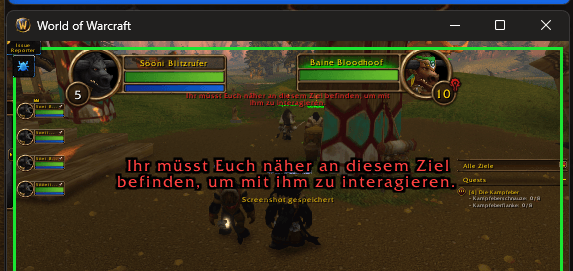
Big error messages in the middle of the screen, a warning when your bags are almost full, and a reminder for Shamans when their totem is missing.
Setup
Install the addon on every character, then type `/mba` or open Options → AddOns → MB Assist. Settings are saved per character.
The interface is currently in German.
MB Assist Team