Marquee - Title Manager
- By
Search, filter and favorite your titles right in Blizzard's Character window, and give each transmog outfit its own title.
Description
Marquee – Title Manager
A simpler way to choose your title, right inside Blizzard's Character window.
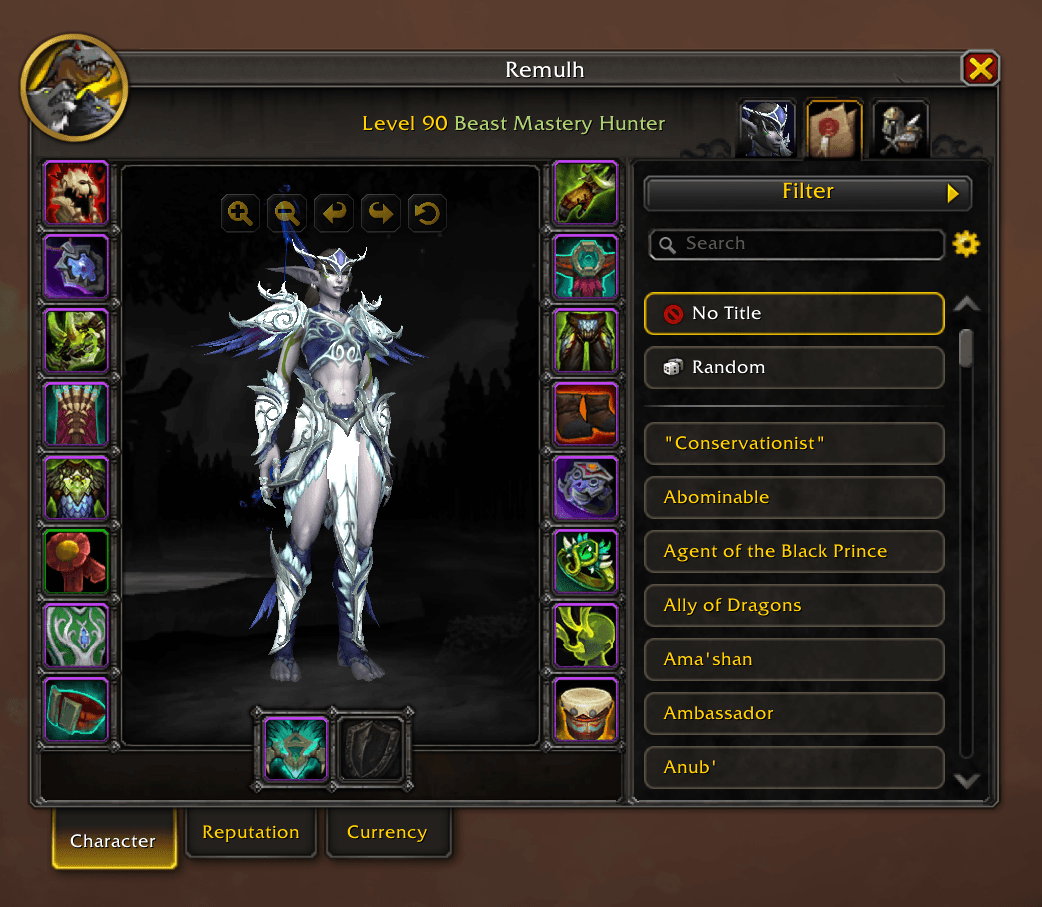
Marquee improves the Titles list that's already in your Character window. There's no new window to learn: it looks and feels like the rest of the game, and adds what the list is missing.
Find your titles
- Search your titles by name.
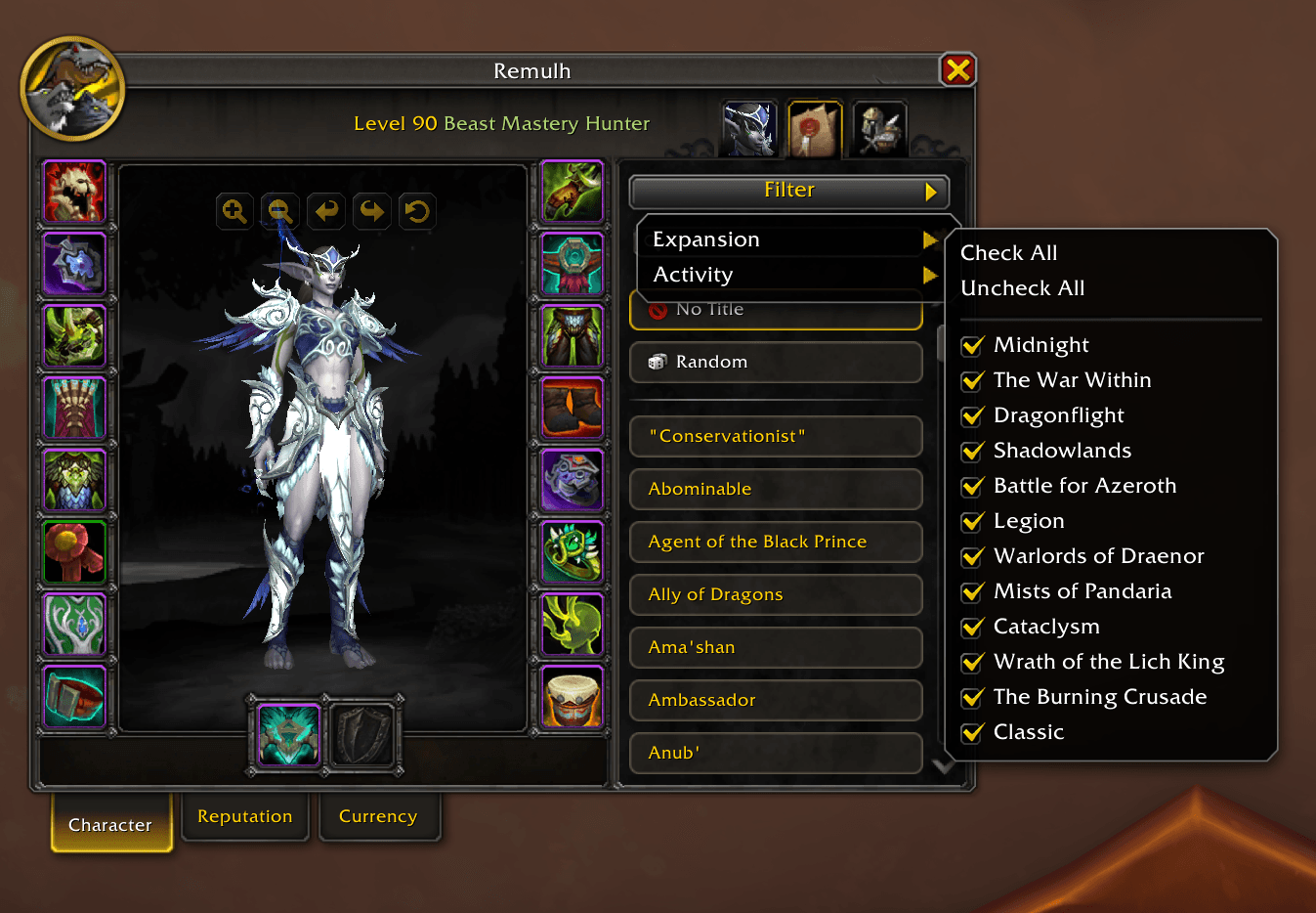
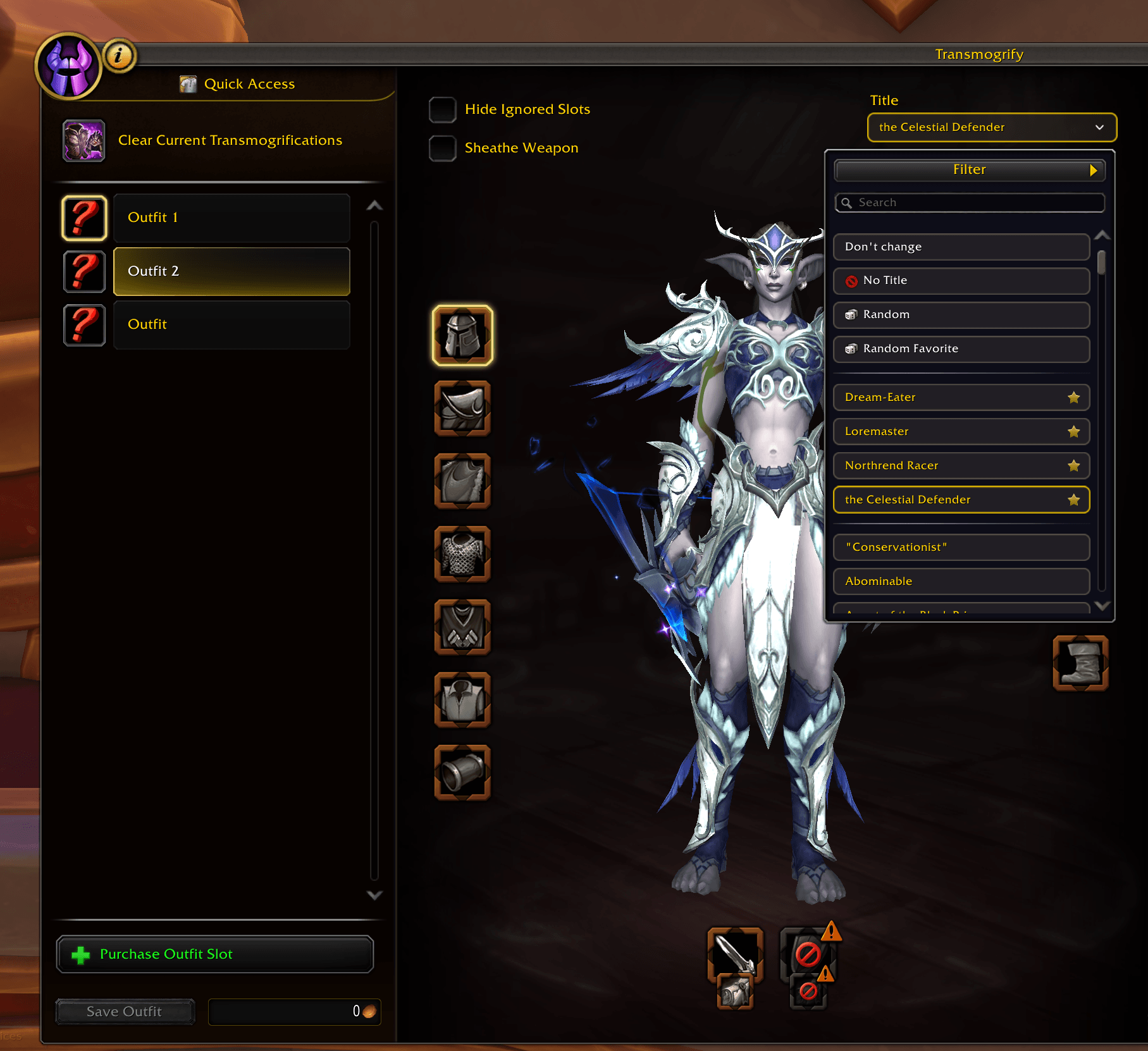
- Filter by expansion (Classic to Midnight) and by activity: raids, dungeons, Delves, PvP, world events, reputation, quests, exploration, professions, pet battles, Skyriding and more. Works like the Pet Journal's Filter button, with a reset button while a filter is on.
- Clear cards. Every title is a card, the one you wear has a gold outline, and long titles show in full when you point at them.
Favorites
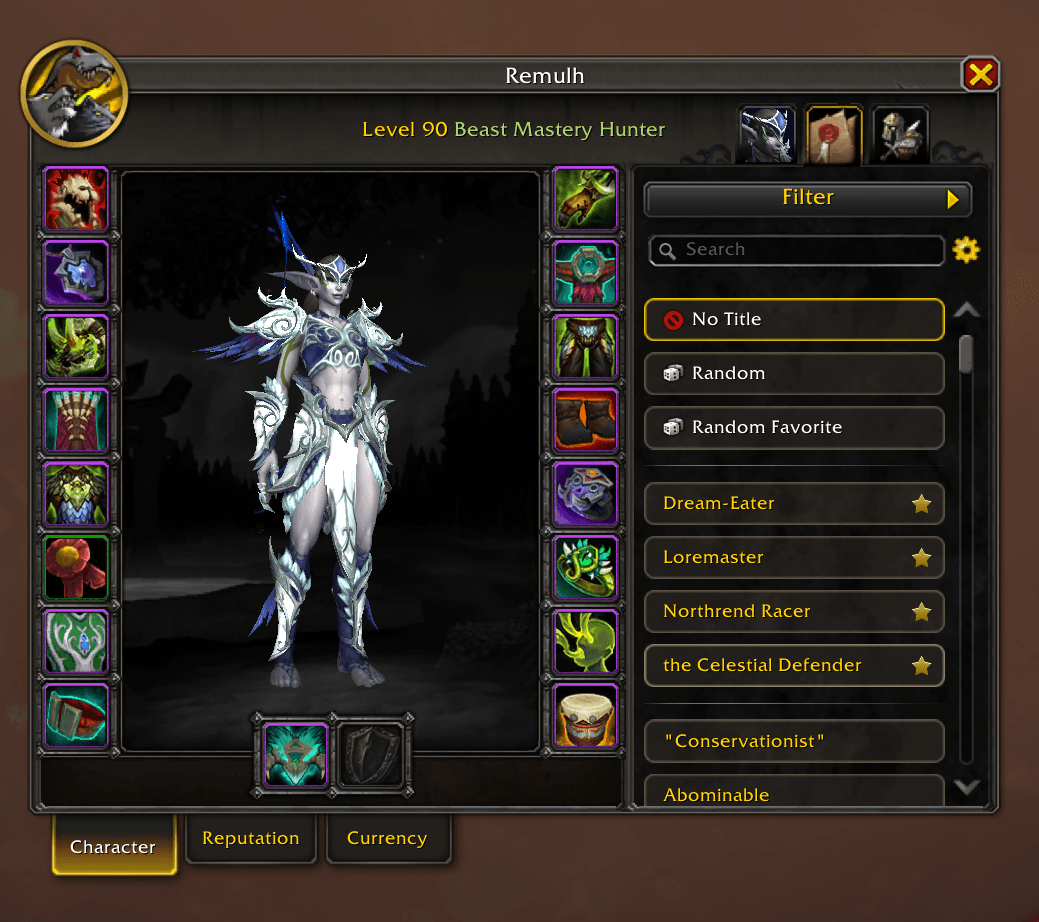
- Click the star on a title to make it a favorite. Favorites come first, right after No Title.
- Shared or per character. Favorites are shared by all your characters, and any character can switch to its own list from the gear next to the search box. Both lists are kept.
Random titles
- Random and Random Favorite at the top of the list wear a random title, or a random favorite, with one click.
/marquee randomand/marquee random favoritedo the same, so you can put them in a macro.
A title for each outfit
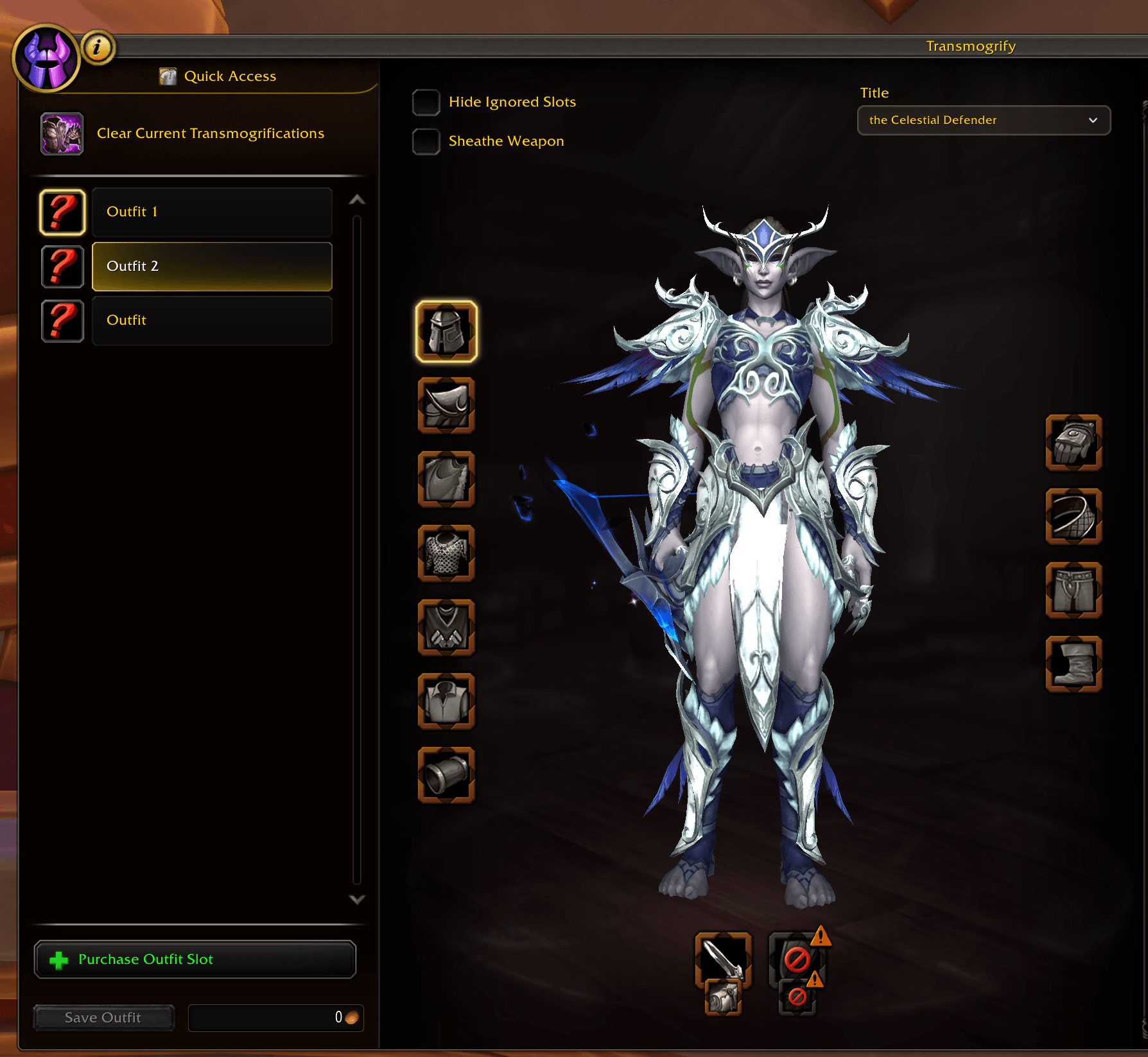
- Pick a title per transmog outfit. In the transmog window, Title at the top right of the character preview shows the outfit's title. Click it to choose one from the same list, with filters, search and favorites. "No Title", "Random" and "Random Favorite" work too.
- Put the outfit on, wear its title. In the transmog window, or with the outfit on Blizzard's action bars (click or key binding).
- The outfit's tooltip shows its title.
The game only lets addons change your title from a click or key press. Outfits the game switches to on its own don't change your title, and neither does using an outfit while it's on cooldown.
Languages
English, Deutsch, Français, Italiano, Русский.
Help with translations is welcome! If your language is missing or a text reads wrong, leave a comment or open an issue or pull request on GitHub.
Commands
/marquee: open the Character window on the Titles list/marquee random: wear a random title/marquee random favorite: wear a random favorite title/marquee debug: turn debug messages on or off
Notes
- Marquee works with Blizzard's own Titles list and transmog window and doesn't replace them.
- Outfit titles work with Blizzard's action bars. Other action bar addons (Bartender, Dominos, ElvUI) aren't supported yet.
Feedback, bug reports and ideas are welcome in the comments or on GitHub.
Marquee - Title Manager Team