Lineup - Pet Battle Teams
- By
Save, import and load pet battle teams right inside Blizzard's Pet Journal, with groups, Xu-Fu/Rematch imports and an automatic leveling queue.
Description
Lineup – Pet Battle Teams
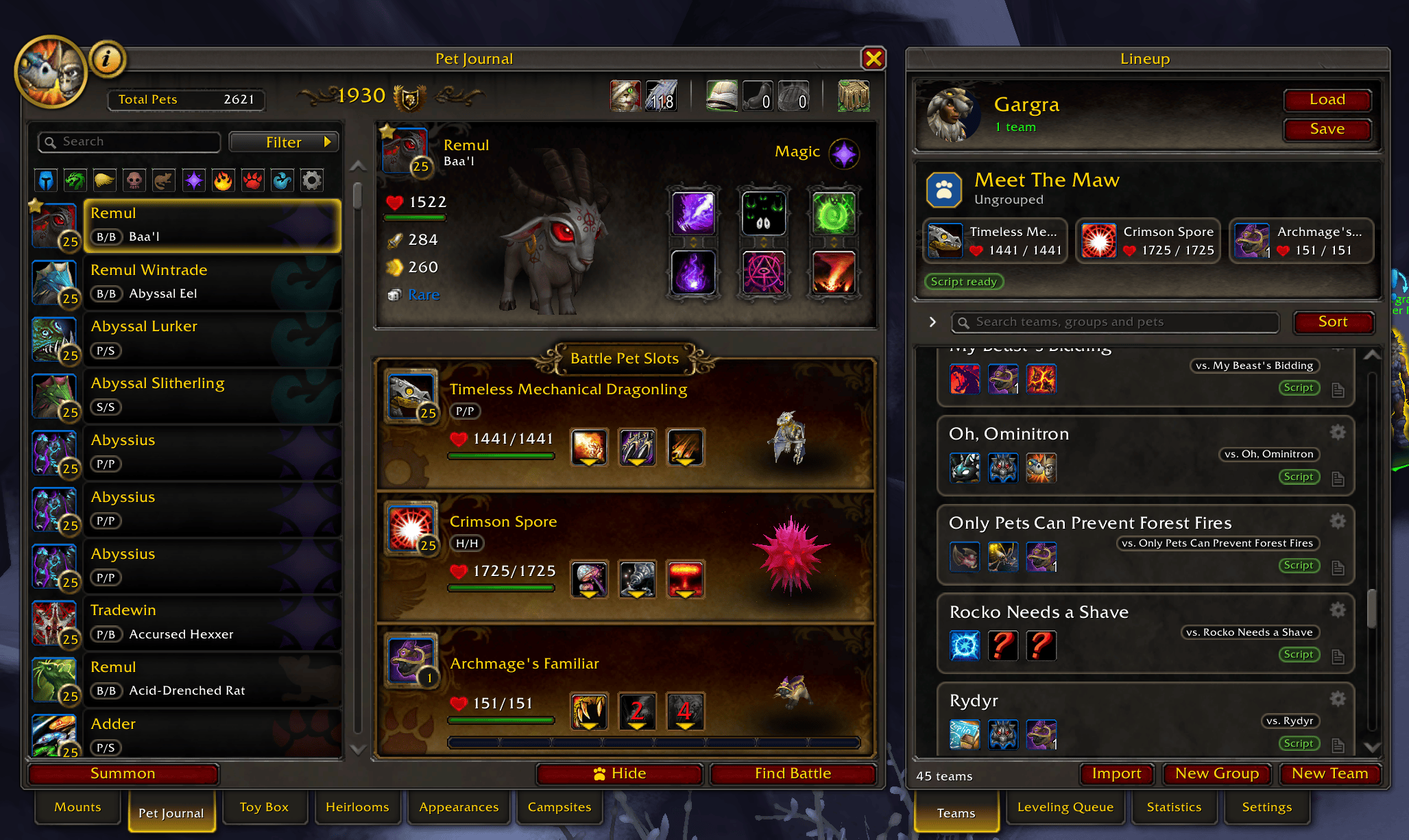
Lineup helps you save and load pet battle teams. It adds a window next to Blizzard's Pet Journal. The journal itself works like before, with a few extra things added.
What it does
- Teams: save your three pets and their abilities as a team, and load it with one click.
- Targets and notes: give a team the tamer or wild pet it's for, and notes on how to win. Target that tamer and Lineup shows its teams. It can also load the team for you.
- Groups: sort your teams into groups, and search by team name, target or pet.
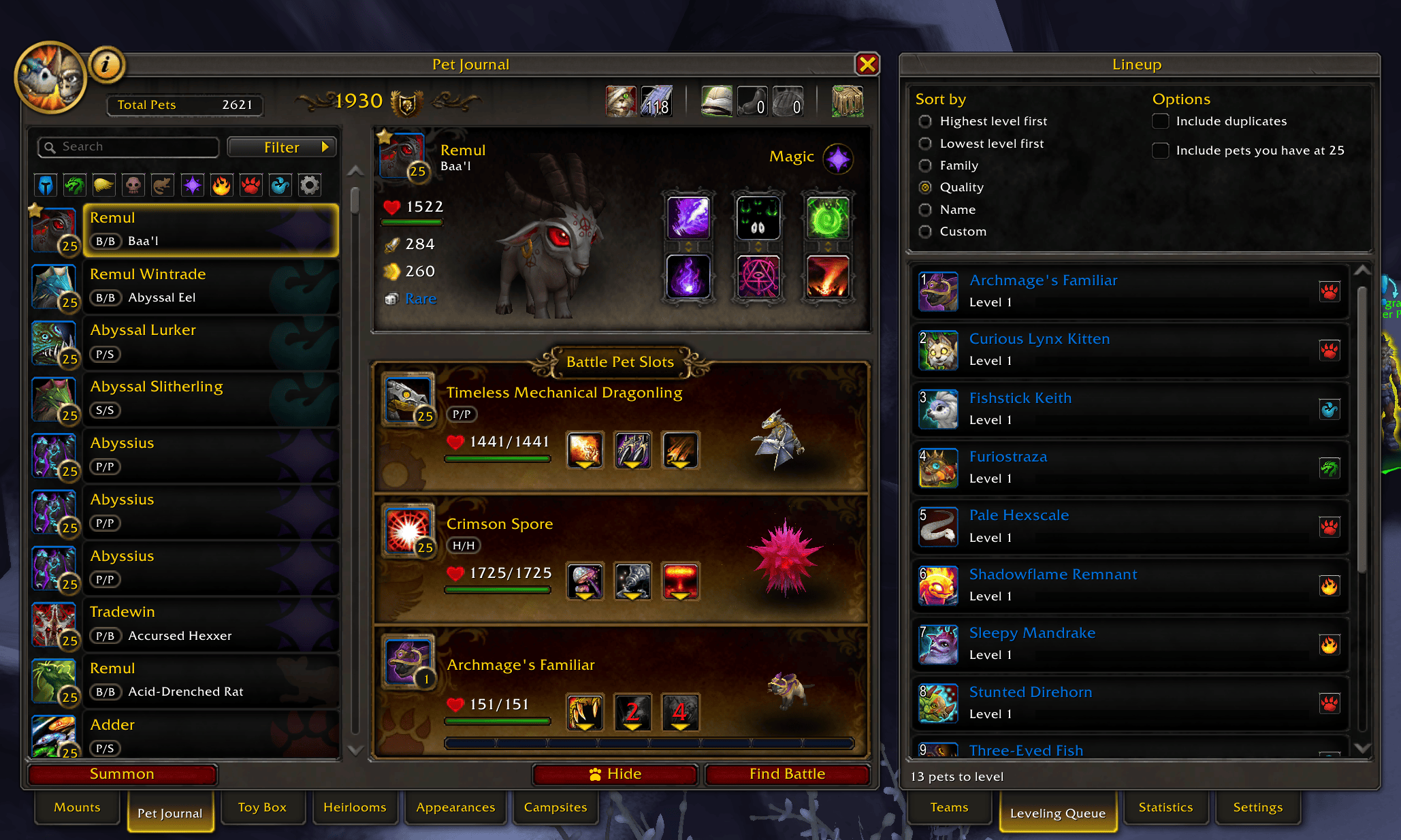
- Leveling: a team can take the next pet from your leveling queue, or a random level 25 pet.
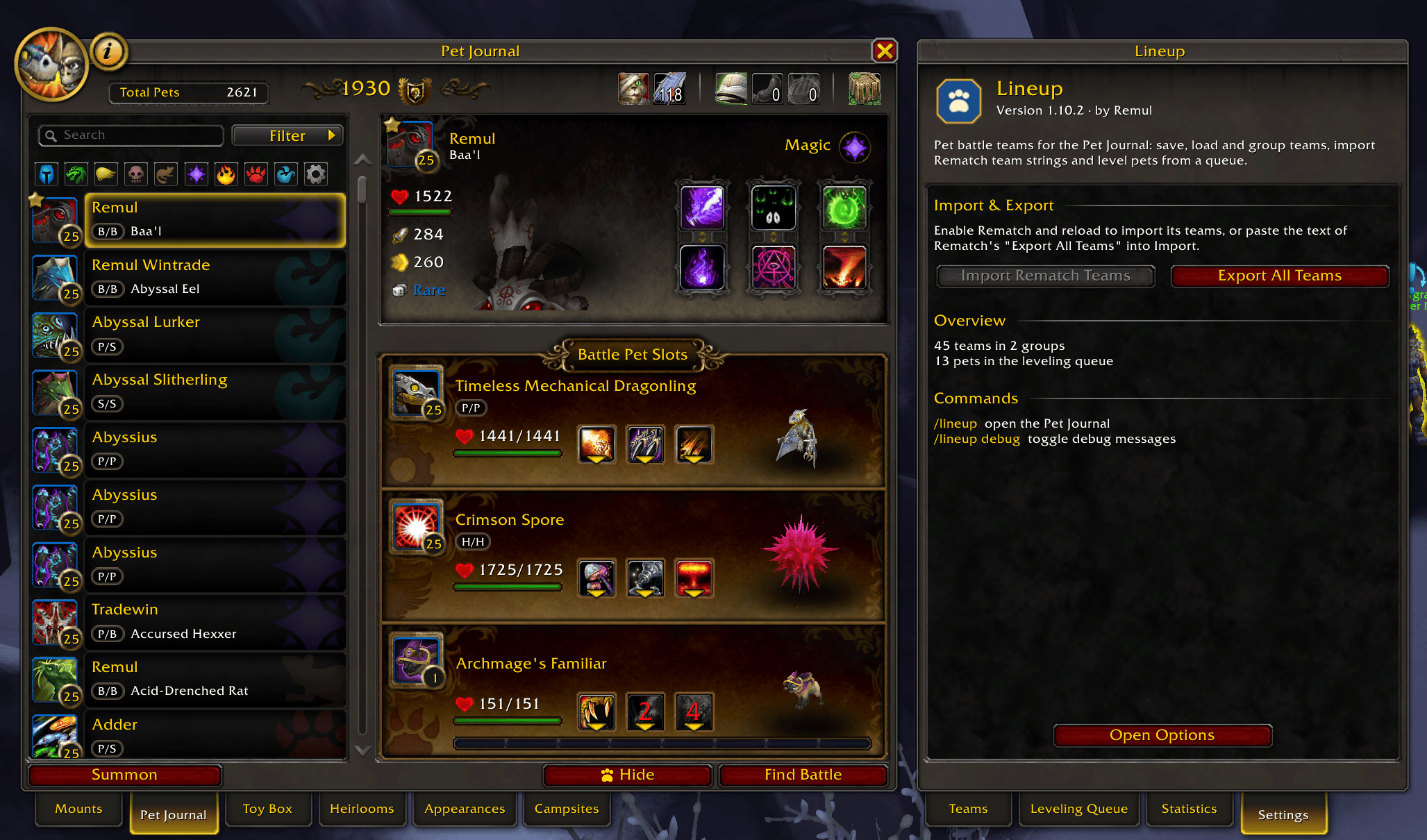
- Import: paste teams from Xu-Fu's Pet Guides and other sites, one or hundreds at once. Coming from Rematch? Import all your Rematch teams in one go.
- Export: share a team, a group or all your teams.
- Scripts: with Pet Battle Scripts installed, a team's script runs from the Auto button in battle.
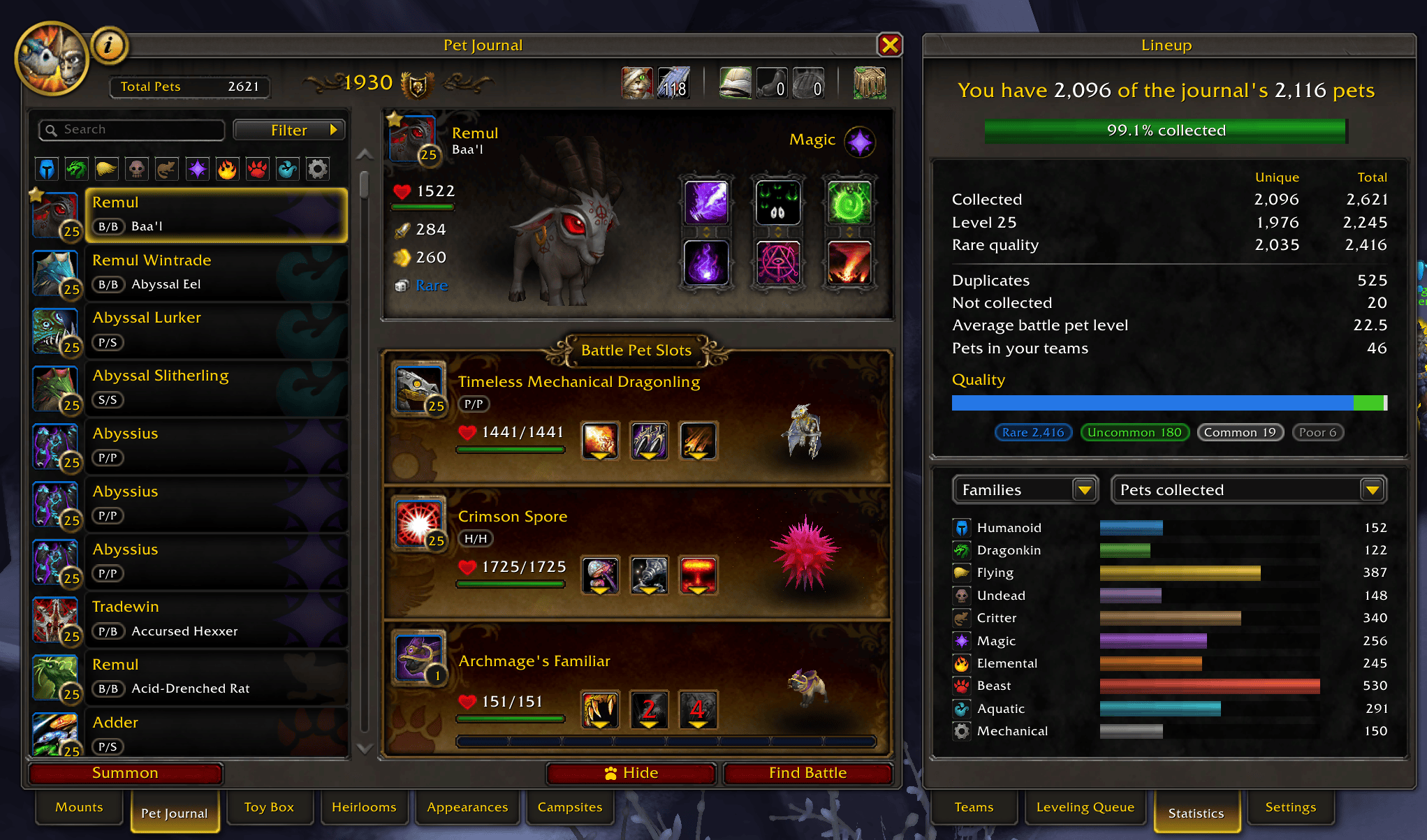
- Statistics: see how much of your collection you have, and how many pets are level 25 or rare.
In the Pet Journal
- Filter pets by family with a row of icons above the list.
- More filters: strong or tough against a family, breed, level, duplicates and more.
- Each pet's breed (like P/S) shows below its name.
- Hide pets you never want to see: right-click a pet, then Hide.
- A toolbar with Revive Battle Pets, bandages, the Safari Hat, pet treats and a random favorite pet. Revive glows when one of your pets is hurt.
How to use it
Open the Pet Journal (Shift+P, Pets tab) or type /lineup.
Lineup's settings are in Blizzard's Options, on the AddOns tab.
Good to know
- Coming from a version before 1.9.0? Teams from older versions don't carry over. Export them with your old version first.
Languages
English, Deutsch, Français, Italiano, Русский.
Is your language missing, or does a text read wrong? Let me know in the comments or on GitHub. Help with translations is welcome.
Questions, bugs or ideas? Leave a comment or open an issue on GitHub.
Lineup - Pet Battle Teams Team