MacroUI
- By
Visual macro builder for WoW Forever: learned spells, modifiers, mouseover targeting, and cast sequences
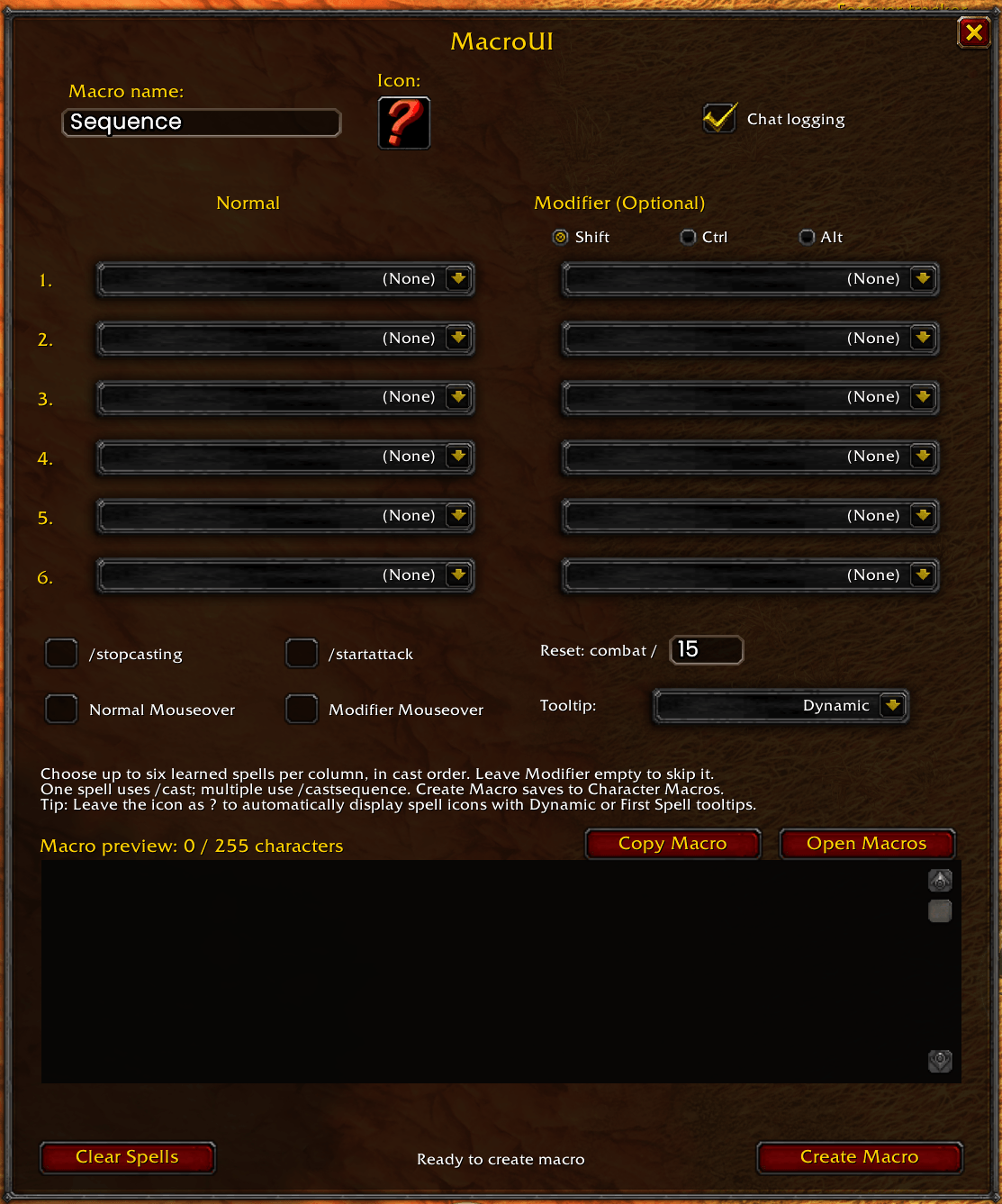
MacroUIscreenshot.png
Description
# MacroUI — Visual Macro Builder for WoW Forever
Helps you build World of Warcraft macros through a visual interface instead of typing every command by hand. Choose spells you have learned, set optional modifiers and targeting behavior, then preview the resulting macro before creating it.
## Features
- Select up to **six learned spells** for the Normal action and six for an optional Modifier action.
- Choose **Shift, Ctrl, or Alt** for the modifier column.
- Generates `/cast` for a single spell or `/castsequence` for multiple spells.
- Separate **Normal Mouseover** and **Modifier Mouseover** options, with normal-target fallback where applicable.
- Optional `/stopcasting` and `/startattack` commands.
- **Dynamic, First Spell, or None** tooltip modes, plus an icon picker. Keep the icon as `?` for automatic spell icons.
- Live macro preview and **255-character limit** indicator.
- Creates character-specific macros and provides an **Open Macros** shortcut (built-in macro window behavior may vary by client).
- Copy Macro selects the preview text; press **Ctrl+C** to copy it.
- Movable window, minimap launcher, optional chat logging, and `/muidebug` diagnostics.
## Compatibility
Designed for **WoW Forever**, Interface **16001**. Other WoW clients are not confirmed supported.
## Using MacroUI
Choose spells in the Normal column. Optionally select spells in Modifier and choose Shift, Ctrl, or Alt. Set Mouseover, tooltip, and other options as desired. Review the generated code and click **Create Macro**. You can also use **Copy Macro** and press Ctrl+C to paste the text manually into the built-in macro editor.
**Notes:** MacroUI generates macros; it does not automatically cast spells. Mouseover targeting for cast sequences is only added when the selected spells have compatible targeting behavior. WoW macros are limited to 255 characters.
## Commands
- `/mui` — open/close MacroUI
- `/muidebug` — print diagnostic information
MacroUI Team