Lumen Forever
- By
Never lose your cursor again: a customizable glowing ring and trail that follow your mouse.
lumen1.JPG
lumen2.JPG
lumen3.JPG
lumen4.JPG
lumen5.JPG
Description
Lumen
Never lose your cursor again.
Lumen puts a soft ring around your mouse cursor and leaves a fading trail behind it, so you can always find it in a crowded fight, on a big monitor, or against a bright spell effect. It's all yours to style: colour, shape, glow, trail, motion.
There are no bars, buttons or icons on your screen, just the effect. Type /lumen to open the settings.
Built for World of Warcraft: Forever, and the TOC also lists current retail and the Classic flavours.
The ring
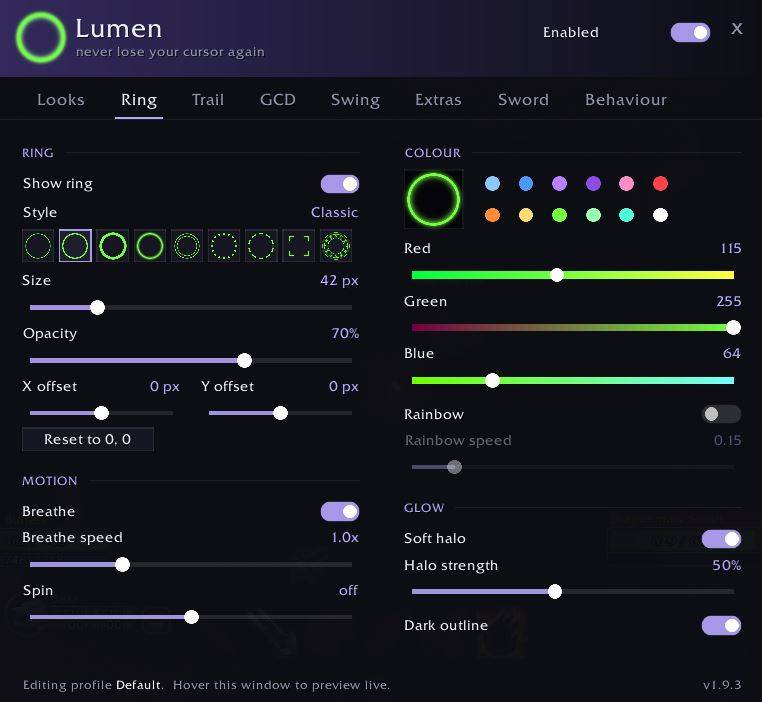
Nine styles: Hairline, Classic, Bold, Soft Glow, Double, Dotted, Dashed, a target-lock Reticle, and a turning circle of Runes, chosen from a row of live previews.
Any colour you like. Drag the red, green and blue sliders, tap one of twelve swatches, or switch on Rainbow and it drifts slowly through every hue.
Make it breathe with a gentle pulse, or set it spinning (Dotted, Dashed and Runes look great turning slowly). A soft halo gives it a glow, and a faint dark outline keeps it readable over snow, fire and bright spell effects.
X and Y offset sliders let you move it off the click point, for example over the body of the gauntlet instead of its fingertip.
The trail
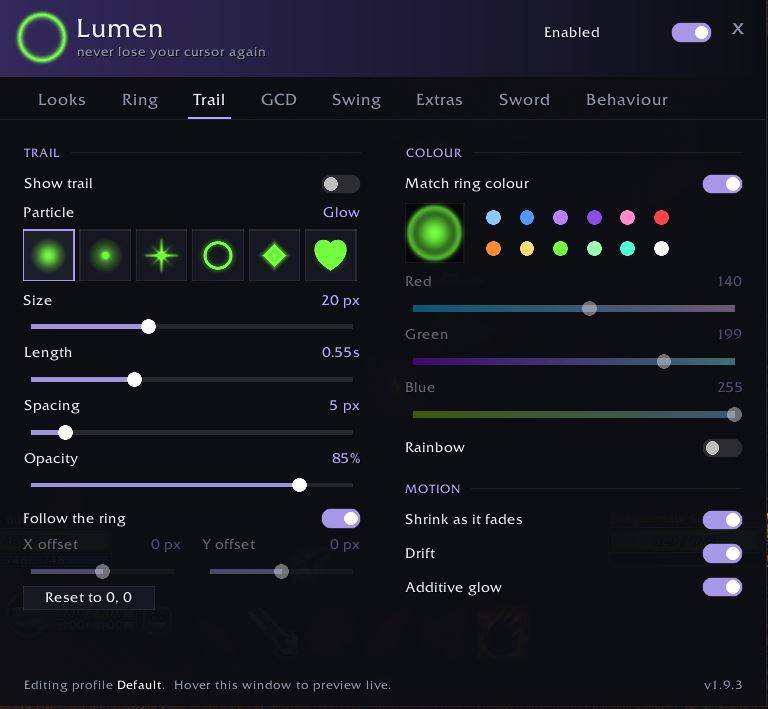
Six particle types: Glow, Spark, Star, Bubble, Diamond and Heart.
Tune how long particles linger, how far apart they sit (a smooth ribbon or a dotted path), their size and opacity. The trail can match the ring's colour, use its own, or turn into a rainbow ribbon where every particle takes the next hue. Particles can shrink as they fade, or drift away like embers. The trail follows your ring by default, or you can give it its own X and Y offset.
GCD ring
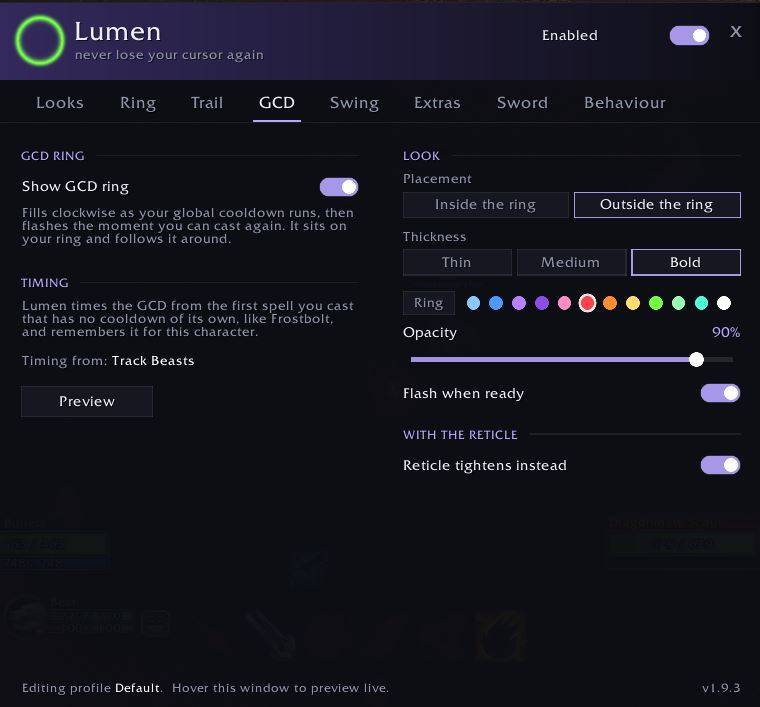
A second ring that fills as your global cooldown runs and flashes the moment you can cast again. It sits inside or outside your main ring, follows it around, and comes in thin, medium or bold, in your ring's colour or any other. With the Reticle style, the brackets can close in on the cursor instead.
It has its own GCD tab (or type /lumen gcd), with a Preview button so you can see it without casting anything.
Swing timer
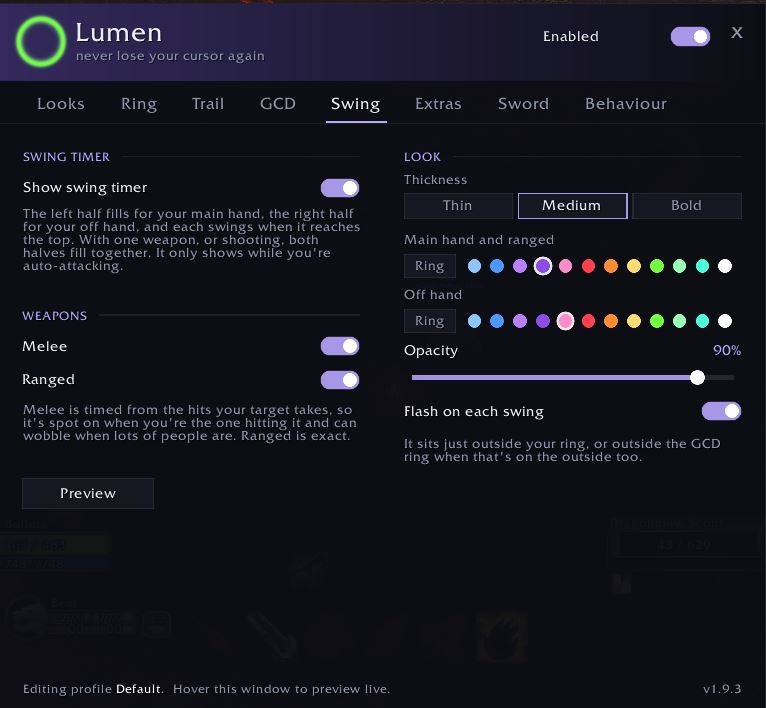
A ring around everything else that fills as your next auto-attack comes round. The left half is your main hand and the right half your off hand, and each one swings as it reaches the top. With one weapon, or while you're shooting, both halves fill together. It only shows while you're auto-attacking.
Ranged (Auto Shot and wands) is exact. Melee locks onto your swings within a couple of hits and ignores your pet and other players hitting the same target. Pick its thickness, a colour for each hand and its opacity on the Swing tab (or type /lumen swing).
Extras
Two more effects that sit on your ring and move with it:
- Sonar: rings ripple outward every few seconds or when you shake the mouse
- Spotlight: dims the game world around your cursor while your UI stays bright, either all the time or just for a moment after a shake
Did someone say….?
Flip one switch on the Sword tab and your cursor's gauntlet is holding a sword, with a crackling ball of lightning in the blade and a jagged lightning bolt trailing behind it as you move. Your rings, trails and extras step aside while it's out and come straight back when you put it away.
The lightning ball and trail can each be switched off, the lightning can take any colour, and the sword's position, length and angle are all adjustable. The defaults are set for a 32 x 32 cursor.
Shake to flare
Lost it anyway? Give the mouse a quick wiggle and the ring swells up so you spot it instantly, then settles back. Sonar and Spotlight react too.
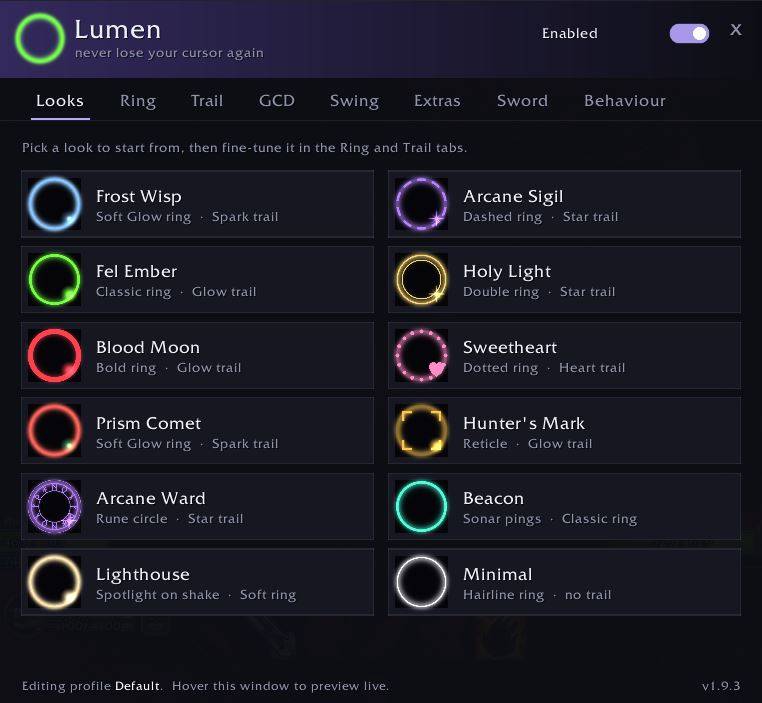
Ready-made looks
Not sure where to start? Pick one of twelve looks and fine-tune from there:
Frost Wisp · Arcane Sigil · Fel Ember · Holy Light · Blood Moon · Sweetheart · Prism Comet · Hunter's Mark · Arcane Ward · Beacon · Lighthouse · Minimal
Stays out of your way
- Hides while you hold a mouse button to steer the camera, when the real cursor is hidden too
- Can show only in combat
- Can fade out when the mouse sits still, and comes back the moment you move it
Profiles
Save your setup as a named profile and pick it on any character from the dropdown on the Behaviour tab. Characters on the same profile share it, so a tweak on your main shows up on your alts. Create a new profile as a copy of the current one or from defaults, and delete one with two clicks. Everyone starts on Default.
Commands
| Command | What it does |
|---|---|
/lumen |
open the settings window |
/lumen toggle |
switch Lumen on or off |
/lumen reset |
reset the current profile to the default look |
/lumen gcd |
open the GCD ring settings |
/lumen swing |
open the swing timer settings |
/lumen cursortest |
a small window for lining up the sword with your cursor |
/lumen gcdtest |
print each global cooldown's length in chat, to check the GCD ring's timing |
/lumen help |
list the commands |
/cursorfx works too.
Backup
Lumen remembers your settings on its own. If you want a backup, press Save to file on the Behaviour tab and paste the text into Interface\AddOns\Lumen\Settings.lua. That file is used as the Default profile if your saved settings are ever lost.
After updating Lumen, fully restart the client rather than using /reload.
Installing
Drop the Lumen folder into Interface\AddOns\.
If you've put a backup in Settings.lua, keep a copy before updating, because the new version comes with a blank one. Your normal saved settings aren't affected.
Bug reports and ideas for new ring or trail styles are very welcome.
Lumen Forever Team