LuckyoneUI + Damage Meter & Quality of Life
- By
All WoW versions (including Forever) - ElvUI & Standalone
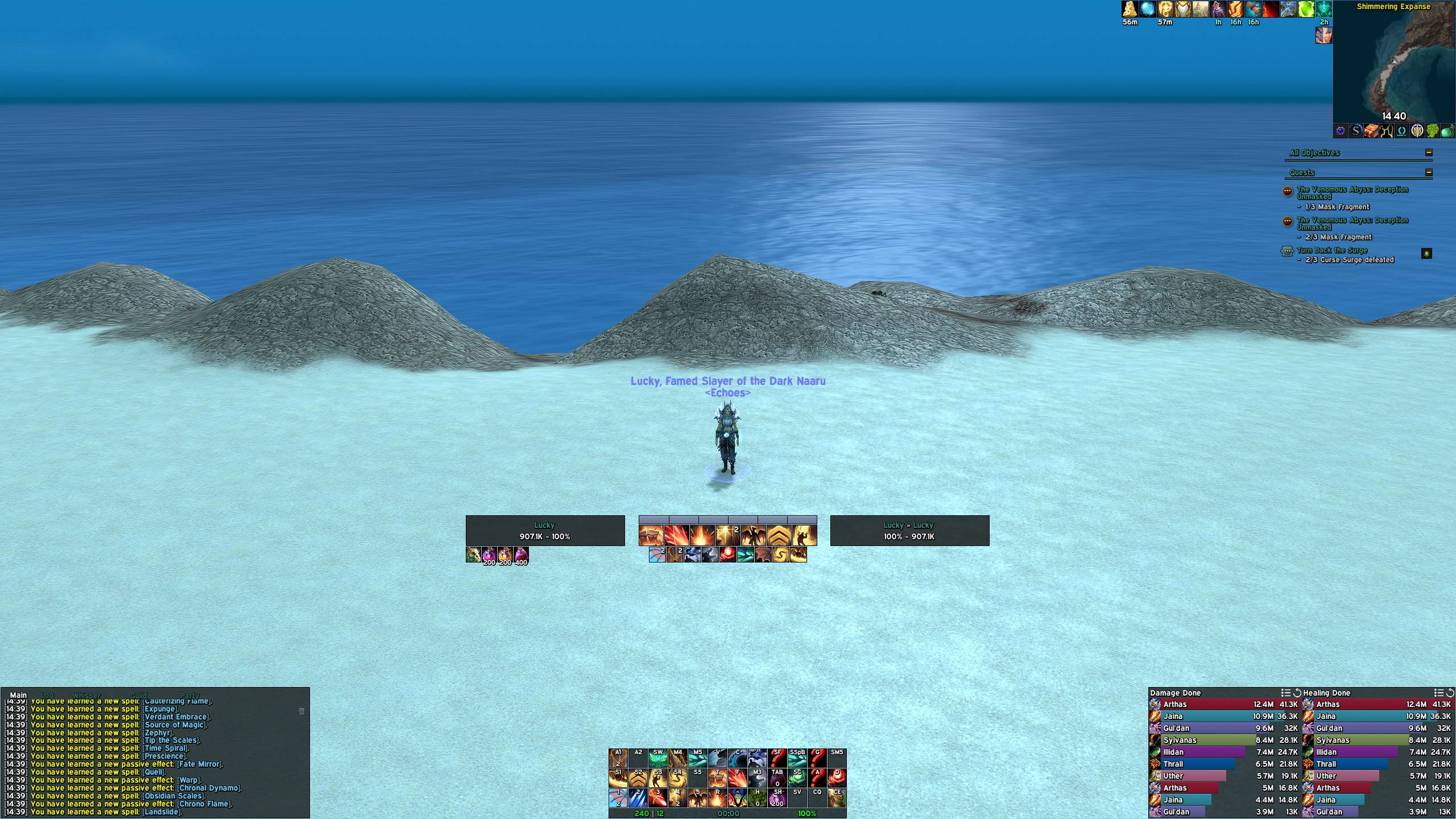
Main layout (DPS & Tanks)
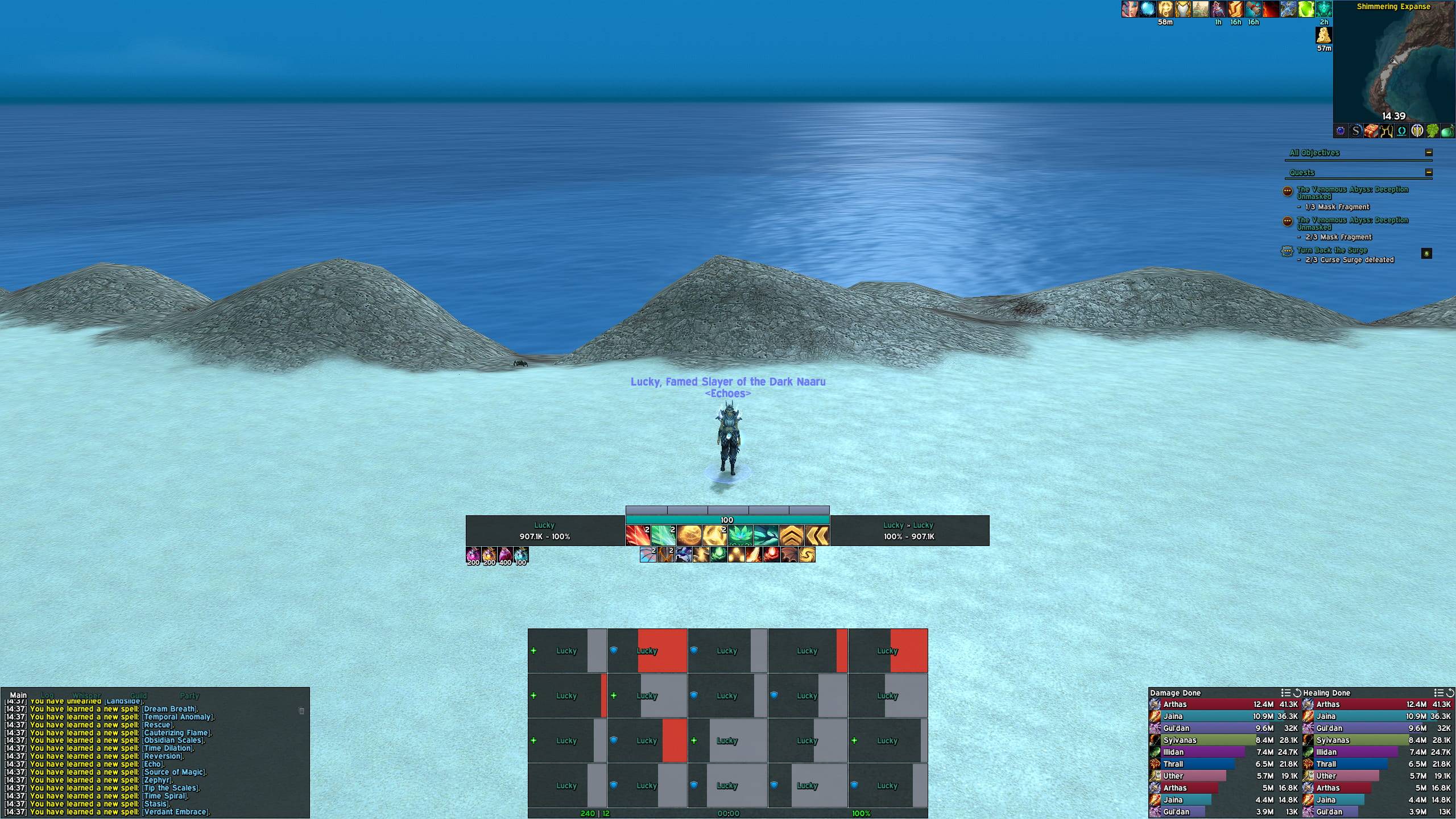
Healing layout
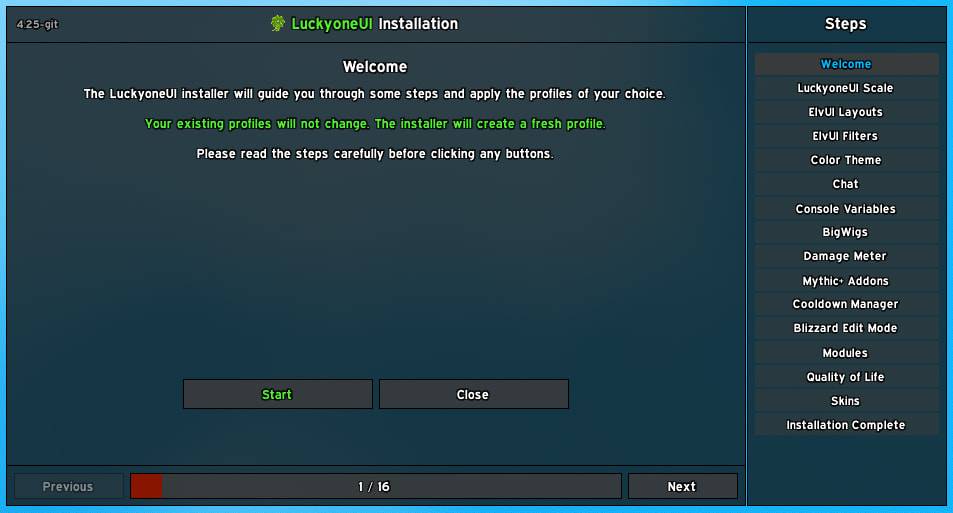
Ingame installer (Optional)
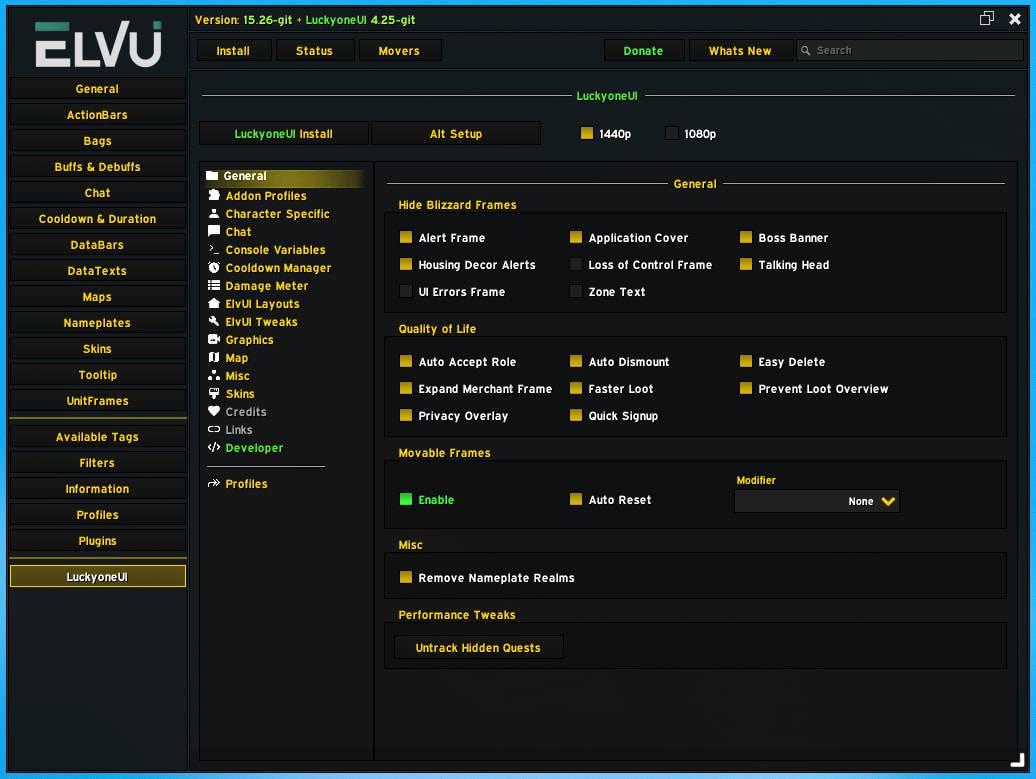
Ingame config (Options)
Description




Suggested optional dependencies
• The core features and profile imports work without ElvUI. Layouts will not.
• LuckyoneUI requires the most recent version of ElvUI for the full experience.
• Download link: Get ElvUI on the official website
• Note: ElvUI is also available in the WowUp client and Wago app.
Supported game versions
• Retail, WoW: Forever, Mists, TBC and Classic. All in one download.
• WoW: Forever is supported since the beta. Layouts, aura filters and tags are tuned for its Classic game systems.
Gameplay and UI support
• Twitch link: Luckyone1996 on Twitch
• YouTube link: LuckyoneWoW on YouTube
Homepage
• Everything about me in one place. Addons, guides, my setups and more.
• Website link: Luckyone.dev Website
Important note
• Everything listed further down this page is disabled by default.
• I am a big fan of giving users the control. You enable what you want.
• Updating my Addon will never automatically enable a new feature by default.
ElvUI installer
• The most optimized ElvUI layouts possible. For all roles. No exceptions.
• Aura filtering lists. Updated for 40 specs. Every season.
• Lightweight tags used for everything. Every text on frames is custom.
• Themes available for dark mode and class colored layouts. Your choice.
• Mythic raidframe handling. Benched people beyond group 4 are hidden.
• Alt setup button. One click loads your existing profiles in every supported Addon.
• Option to pick a different texture for targeted nameplates.
• Option to pick a different texture for focused nameplates.
• Option to pick different absorb and heal absorb textures for unitframes and nameplates.
• DataText width tweaks that follow your active layout and spec profile.
• Copy chat frame tweaks. Custom font and size, set with sliders or a resize button.
ElvUI skins
• Addons: Attune, Auctionator, BigWigs (/keys and queue timer), BugSack
• Addons: ForeverDungeonJournal, KeystoneLoot, LFG Bulletin Board, Nova Instance Tracker
• Addons: Nova Spell Rank Checker, Nova World Buffs, Plumber (House list), Premade Groups Filter
• Addons: RCLootCouncil, RXPGuides, Simple Addon Manager, Simulationcraft
• Addons: Tabardy, WhatsTraining
• Blizzard: Cooldown Settings viewer, Developer Console
The core features
• Custom damage meter with hundreds of settings based on Blizzards native combat data API
• Damage meter extras: Multiple windows per content type, bookmarks, death log at your cursor, test mode
• Unregister and hide useless Blizzard elements (Alert frame, Boss banner, Housing alerts)
• Hide the Loss of Control frame, UI errors ("Out of range") and zone text
• Restore mouseover tooltips for party and raid applicants even if you are not the leader
• Hide the talking head frame but keep sounds and voicelines functionality
• Style the Blizzard friends list (Class colors, levels, faction icons, realm names)
• Style the Blizzard Objective Tracker (Fonts, colors, header underline, status bars, skins)
• Wide quest log for Classic to show the quest list and details side by side
• Automatically dismount when pressing skyriding abilities on the ground
• Automatically accept role checks during signup
• Automatically fill in the delete text when destroying items
• Block the loot list frame from showing after boss kills and keystones
• Automate advanced combat logging based on instance type and difficulty
• Streamer privacy overlay for the guild and community frame, full and minimized (Click to show chat)
• Double click to quickly signup for parties and raids without confirmation
• Remove realm names and the (*) indicator from friendly names in dungeons and raids
• Option to increase the speed of autolooting items
• Movable Blizzard frames for all game versions
• Double the size of vendor frames to display 4 rows of items instead of 2
• One click toggles with descriptions to disable useless graphic effects in the game
• Clean minimap addon button bar which supports LibDBIcon minimap buttons
• Reveal unexplored areas on the world map (Fog of war) in a color of your choice
• Lightweight replacement for entering combat and leaving combat floating text
• Favorite list with autofill on the mailbox to quickly send mail
• Profile management for your LuckyoneUI settings (Select, Import, Export)
Optimized Addon profiles
• Baganator, BigWigs, BuffReminders
• Chattynator, Details, ElvUI
• MPlusTimer, Northern Sky Raid Tools, PermoksAccountManager
• Platynator, Plumber, SkironCooldownManager
Shared media
• Included Fonts: Expressway and Geist (Bold, Light, Medium, Regular, Semi Bold)
• Included Textures: Luckyone Bubbles and Luckyone Focus
Chat commands
• /lucky bars -> Swap Blizzard ActionBars to ElvUI ActionBars and vice versa
• /lucky config -> Opens the ingame options
• /lucky install -> Run the installation process
• /lucky minimap -> Hide or show the minimap icon
• /lucky untrack -> Remove all tracked quests, including hidden, to boost performance
• /luckydebug on -> Disables all Addons except ElvUI and LuckyoneUI for troubleshooting
• /luckydebug off -> Re-Enables all Addons disabled by the command above
• /vault and /weekly -> Open your great vault in retail to check weekly progress
LuckyoneUI + Damage Meter & Quality of Life Team

Owner