LP Suite by LeyendPlays
- By
Take the LeyendPlays look part by part, now with the game windows
Description
Buffs and debuffs that keep updating in combat, modern unit frames, a cleaner chat and a tidy screen, for World of Warcraft: Forever.
Available in English and Spanish (Español incluido): switch the language from the LP window.
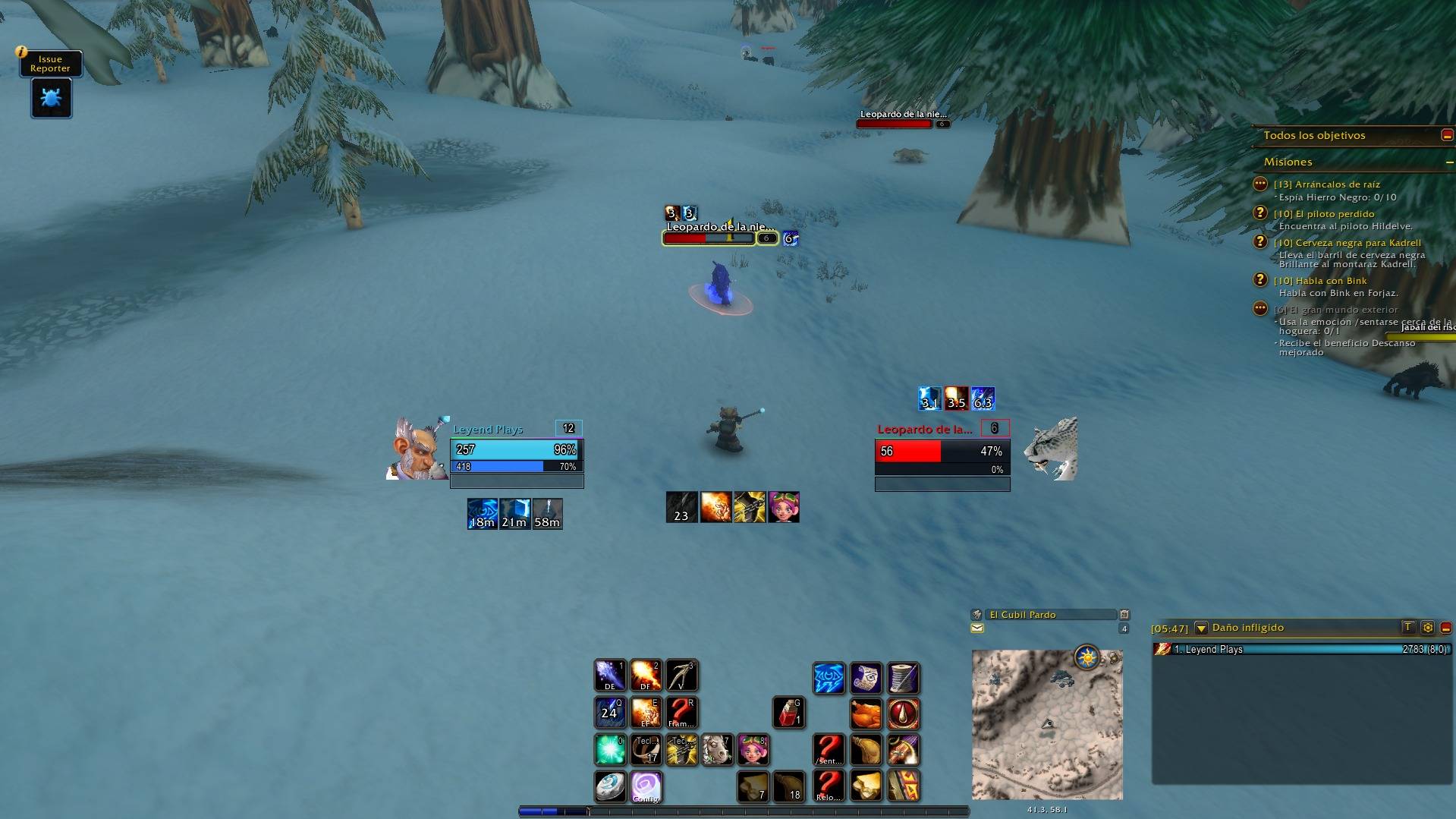
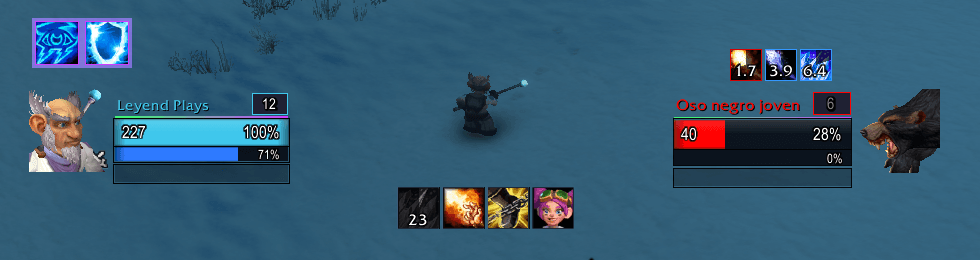
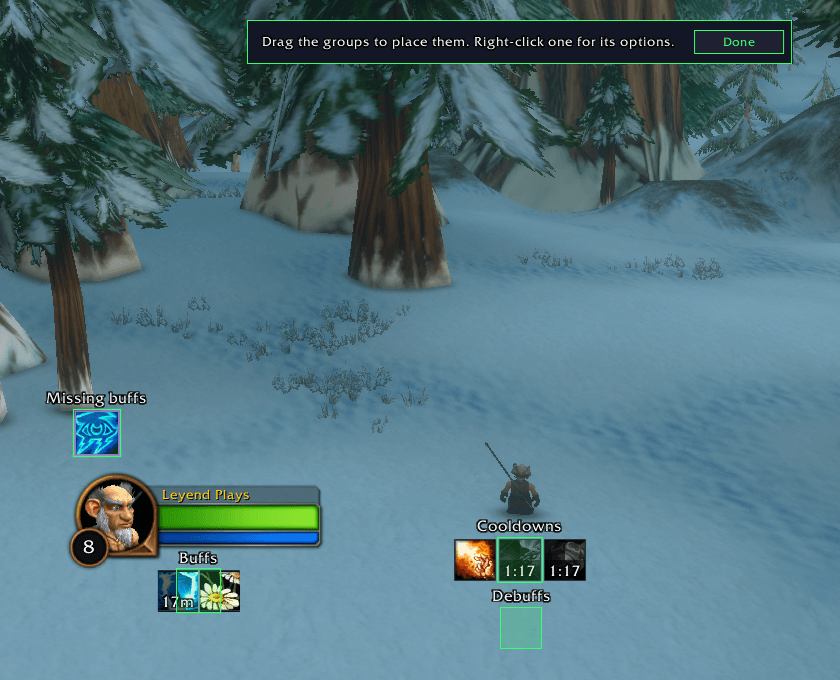
In this client the game hides auras from addons during combat. LP draws your buffs and debuffs with Blizzard's own aura display, so they keep appearing, counting down and disappearing in the middle of a fight, with the LP look.
Latest: LP Suite 1.16.0 - New module, LP Rares: every rare creature of the open world on your world map and minimap; hover one for its level and its green or better loot, click it to hover each item's full tooltip. Before it, 1.15.0: a combo points and energy bar in LP Frames for rogues and cat druids.
Why LP
- Works in combat. Buffs, debuffs, cooldowns and timers keep updating while you fight.
- Light on your frame rate. Event-driven: nothing runs every frame, and the game itself draws the timers.
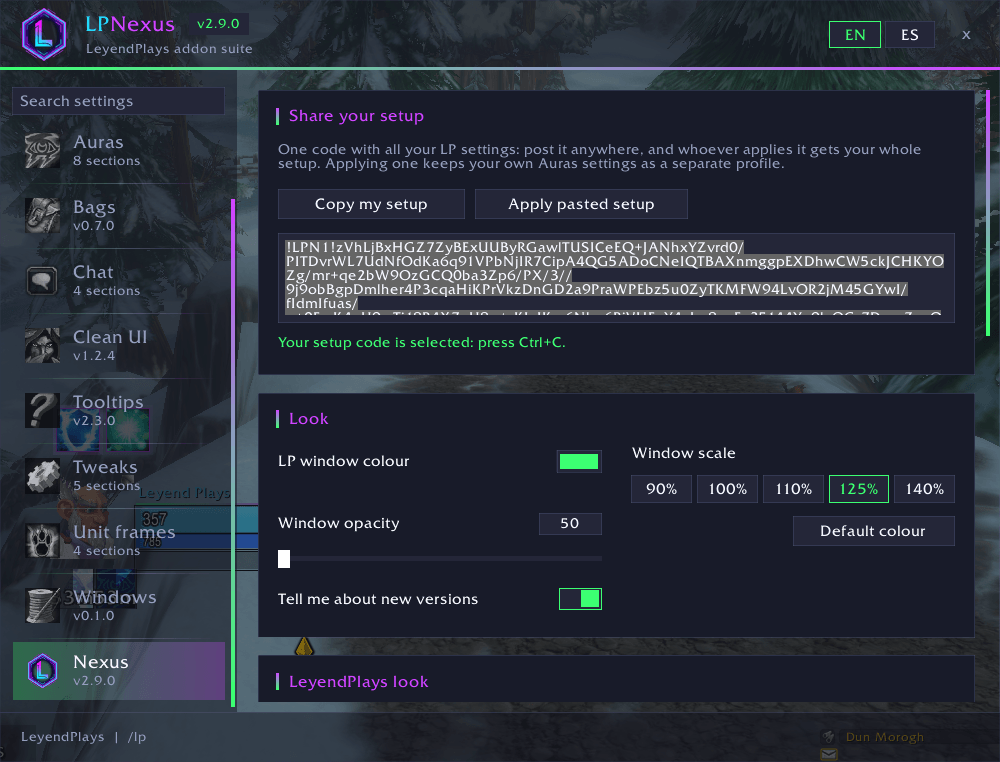
- One window for everything. Type
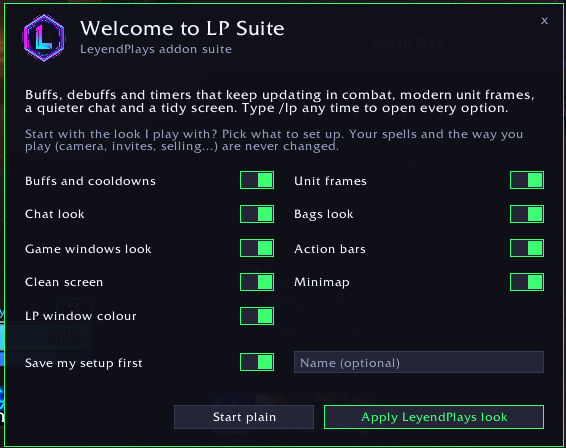
/lp: every module, a search box, profiles per character, and one code to share your whole setup. - The LeyendPlays look in one click. On first install a welcome window offers the author's own setup, part by part. Your spells and the way you play are never changed.
- A new character in two clicks.
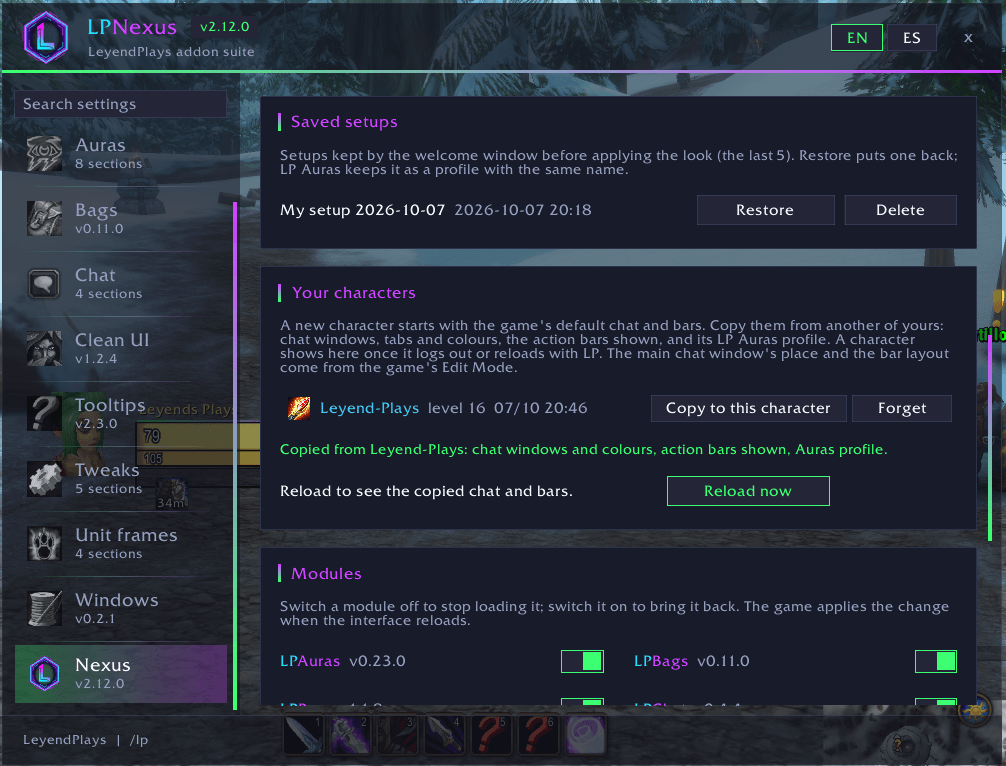
/lp, Nexus page, Your characters: copy chat windows and tabs, chat colours, the action bars shown and the LP Auras profile from another of your characters, then reload. - Your setup is never lost. Tick "Save my setup first" in the welcome window (give it a name if you like) and yours is kept before the new look is applied. To go back:
/lp, Nexus page, Saved setups, then Restore (click twice to confirm). The last 5 are kept;/lp welcomeopens the window again. - Every option explained. Hover any option or button for a short tooltip.
- Always up to date. Install with the CurseForge app to get every update automatically; LP also tells you in game when someone in your group, raid or guild has a newer version.
What's inside
LP Nexus (/lp)
- The LP window: every module, a search box for any option, English or Spanish, window size and opacity, your accent colour.
- One code to share your whole setup, the welcome window with the LeyendPlays look, and your saved setups to go back.
- Your characters: a new character starts with the game's default chat and bars. On the Nexus page, pick one of your other characters and click Copy to this character (twice, to confirm), then Reload now. It copies:
- its chat windows and tabs: names, font size, background colour and opacity, lock and docking, which messages and channels each one shows, and where extra windows sit;
- its chat colours and class-coloured names;
- which action bars are shown (bars 2 to 8);
- its LP Auras profile (from another class, you get your own class's spell lists).
- Not copied: the main chat window's place and the bar layout, which come from the game's Edit Mode (Esc > Edit Mode, pick your layout once on each character), nor key bindings, macros or what sits in each action button.
- A character shows in the list once it logs out or reloads with LP; Forget takes it off. LP only writes the game's own saved chat and bar settings, the same ones the game's menus change, and never in combat.
LP Auras (/lpauras)
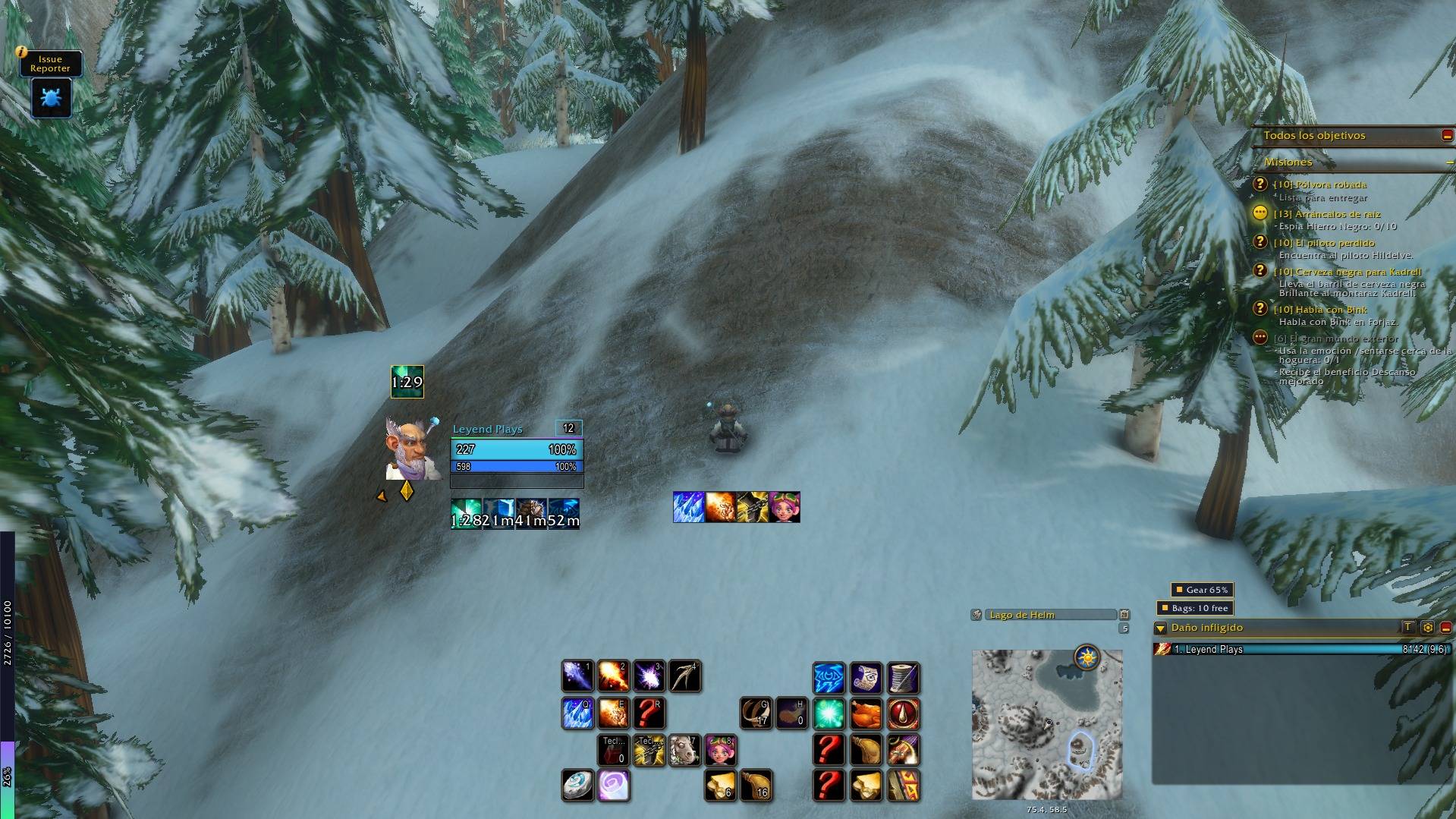
- Buff and debuff timers as icons or bars, with a short time format that fits small icons (1h, 36m, 6m, 42, 3.2).
- Your tracked buffs first; debuffs coloured by type (magic, curse, disease, poison).
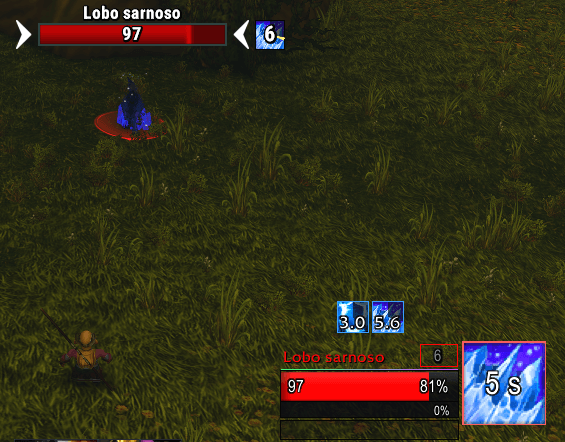
- Your target's debuffs and buffs with their time left in numbers, also in combat; yours first, or only yours. Magic buffs you can purge or steal stand out in blue. Hide the game's own target icons (they have no numbers) if you like.
- Your focus's debuffs with their time left: watch your crowd control while you fight another target.
- Weapon enchants first in your buff line with their time left: shaman imbues, poisons, oils and sharpening stones.
- Cooldown icons with charges; grey while on cooldown, blue when you lack mana; a flash when the spell is ready, with an optional sound (Alert or Ready, volume 40-100, off by default).
- Missing-buff alerts: click to cast the buff back on yourself, with a warning before one runs out. Shamans are also warned when the weapon has no imbue.
- Your buff on allies: a key you choose casts a spell for friends (your group buff by default, any class) on the player under the mouse, in combat too. Out of combat, an ally's tooltip says when your buff is missing.
- Starting lists for every class, with your racials, ready on every new character and updated with one click.
- Grow in any direction, several rows, any size; drag the groups where you want.
LP Frames (/lpframes)
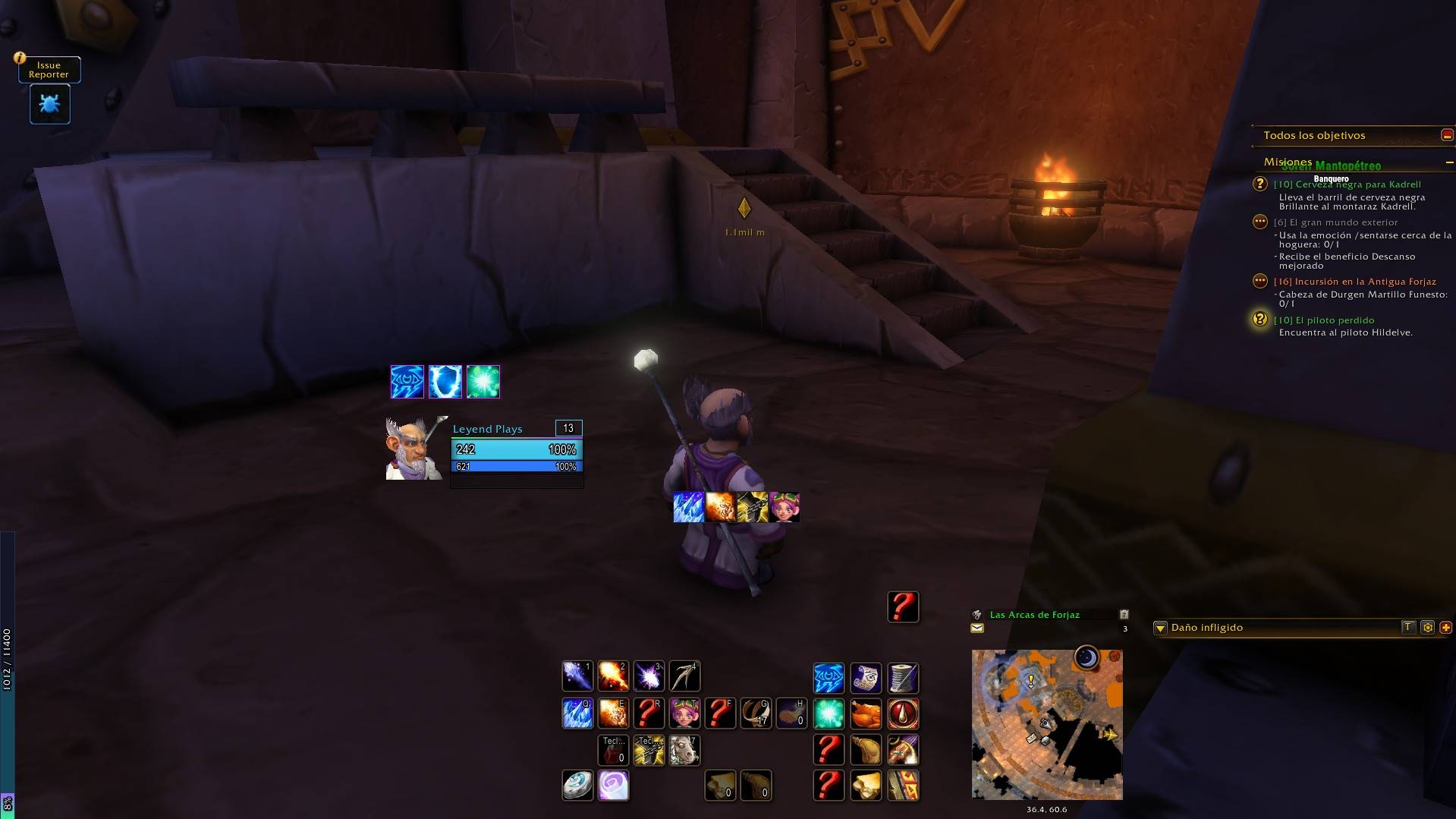
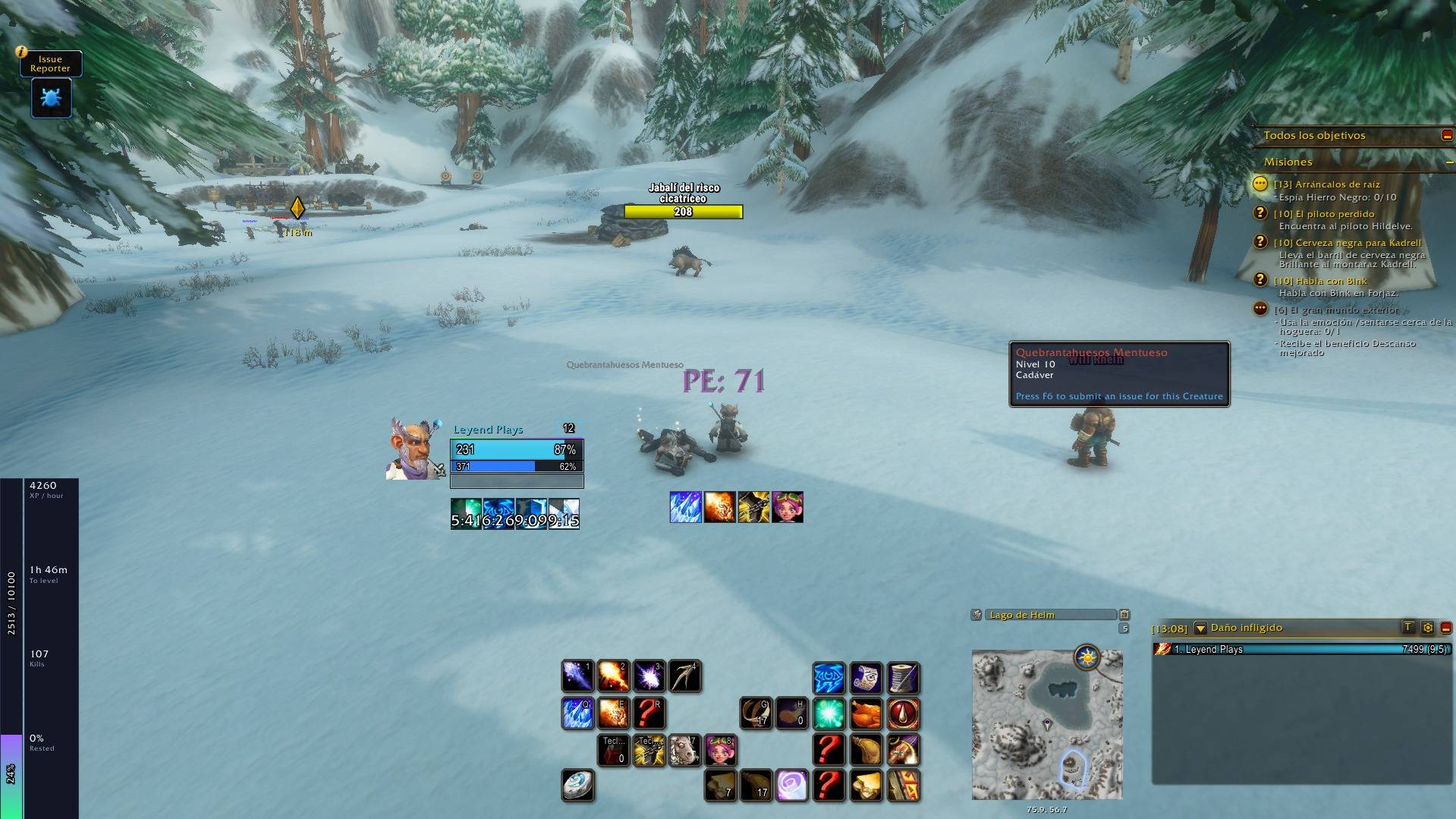
- The LP look for your player, target, target of target, focus and pet frames: Neon Dark, Clean or Game.
- Health by class, by health or one colour; health and power texts (%, value, both, or value / max) that never overflow.
- Square, round or hexagon portraits, class icons, or an animated 3D portrait.
- Cast bar inside the frame, coloured your way; casts that cannot be interrupted stay grey.
- Target and focus fade when they are beyond your longest-range spell.
- Crowd control on the portrait: while your target is stunned, feared, polymorphed or rooted, the spell's icon covers its portrait with the seconds left, also in combat.
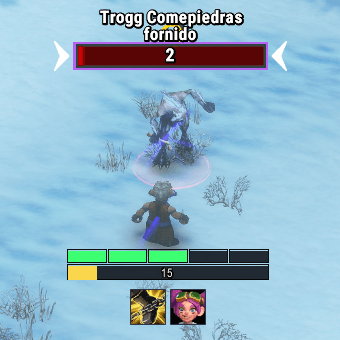
- Combo points and energy bar: one box per combo point, filling as you gain them (the last one in magenta: finisher ready), and your energy under it. Shown while you use energy; Shift + drag it anywhere.
- Elite, rare and boss marked with the LP badge or the game's dragon; hide the name, level, PvP icon or resting animation.
LP Chat (/lpchat)
- Font, outline, background and clean edges; hide the side buttons and scroll bar.
- Short channel names, class colours everywhere, spam filter and keyword highlight.
- No fading, longer history kept after a reload, and a copy window.
- Shift + wheel jumps to the first or last line, Ctrl + wheel moves a page.
- Quiet chat: the chat stays hidden until your mouse moves over it, you type, or someone whispers you or writes in your party or raid.
- Web addresses become links you can copy; own opacity for the chat tabs.
LP Bars (/lpbars)
- Opacity per action bar, shown always, on mouseover or only in combat.
- No gold glow when you press a key; hide empty slots and the bar arrows.
- Red icon when your target is out of range; hide key and macro texts.
LP Bags (/lpbags)
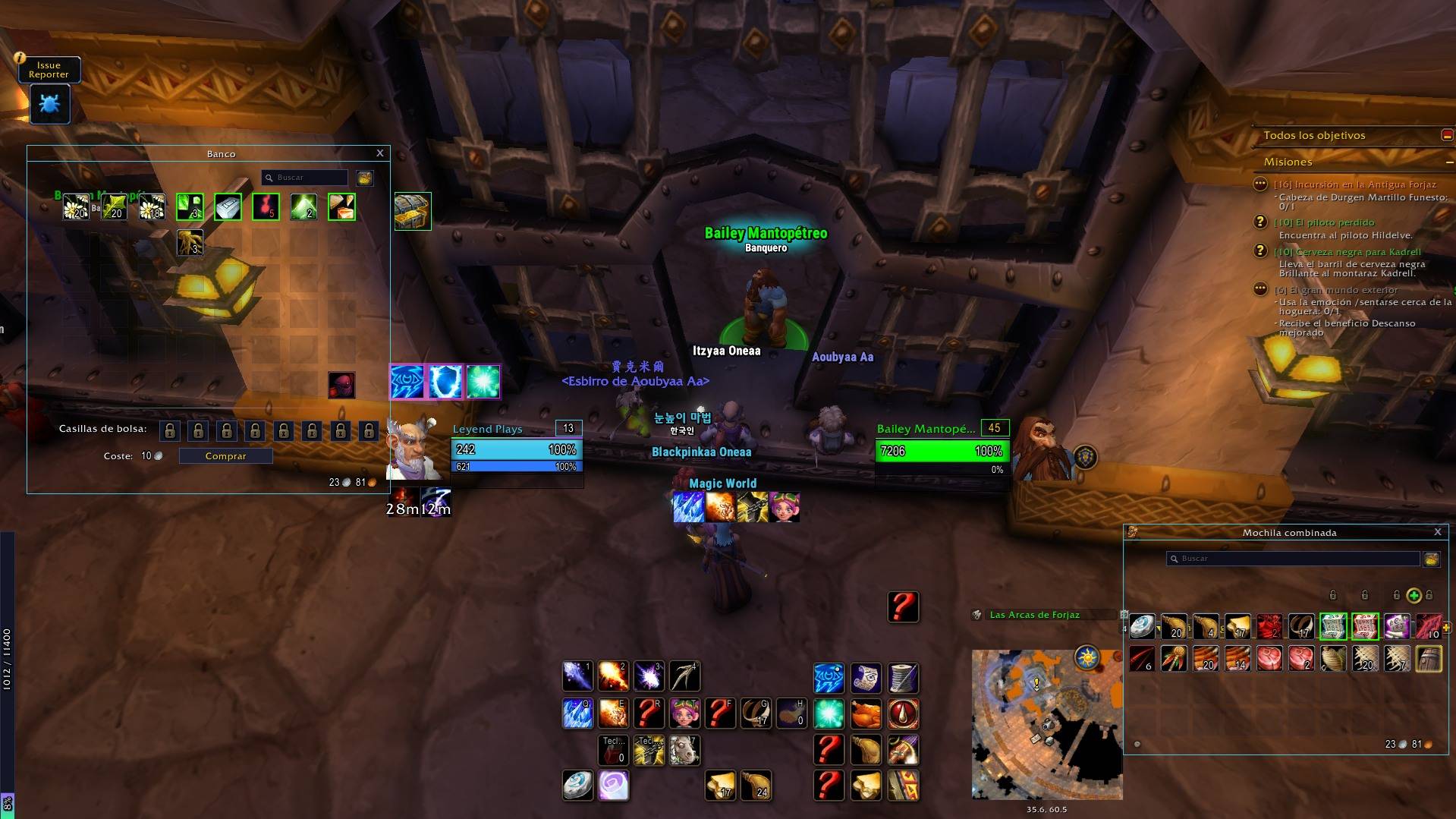
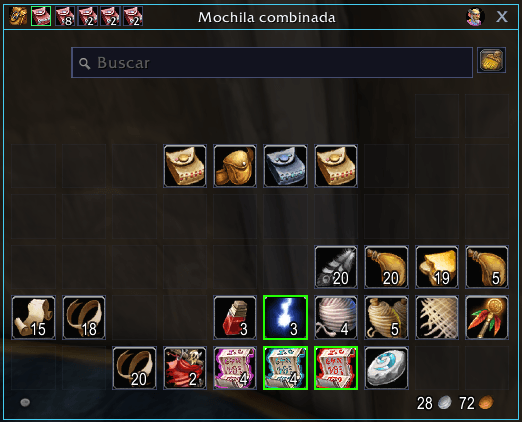
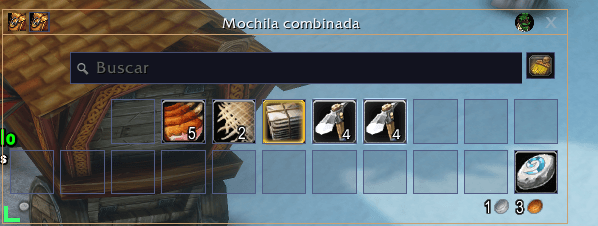
- The game's bags and bank in a clean, flat look, combined or separate, with the game's search, sort, money and bag menu kept.
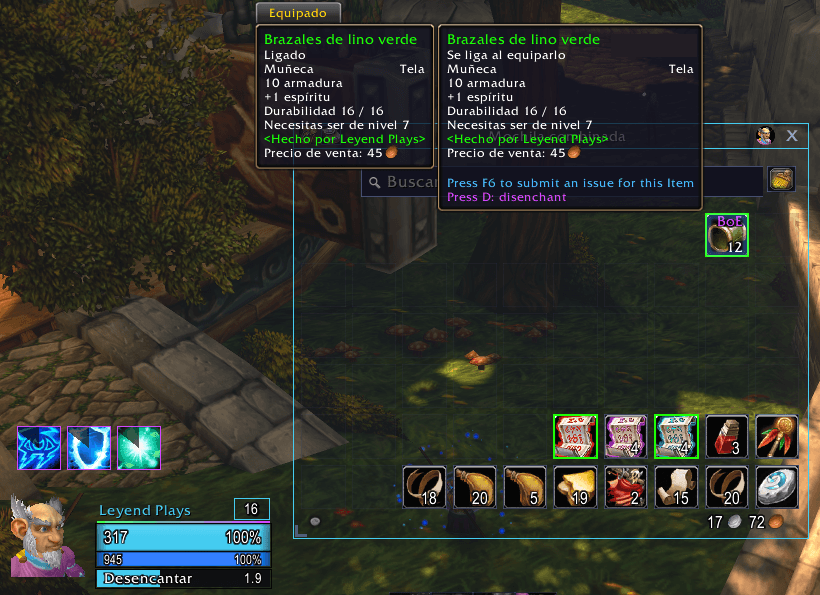
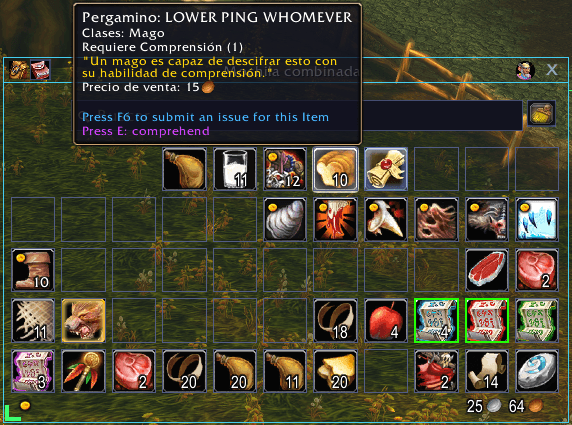
- Item level on gear, stronger quality borders, a red tint on what your class cannot use, the junk coin always shown and a BoE mark.
- The value of your junk and of everything in your bags; the keyring docked to the combined bag.
- Background opacity and colour (LP, Light, class or your own), border colour, empty slots shown or hidden and how visible the slot borders are.
- Move the bags anywhere by their title bar; they stay there.
- Bag size: make the bags and the keyring bigger or smaller; merchant and bank windows too.
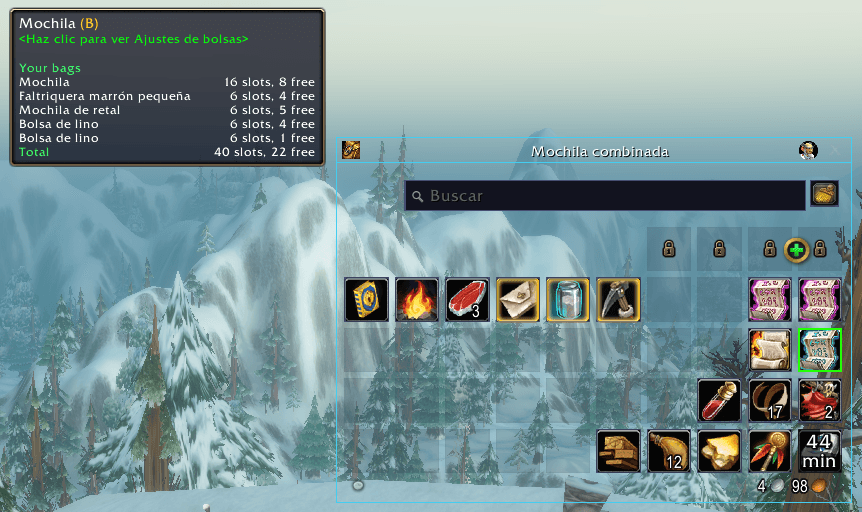
- Point at the small bag icon to see every bag with its slots and free slots.
- Your bags in the title bar: a small button next to the bag icon shows your four bags right in the bag window. Drop a new bag on an old one to swap them.
- Columns: drag the corner mark at the combined bag's bottom left (or use the slider) for 6 to 20 columns.
- Hearthstone in the corner (off by default): your hearthstone always goes back to the bottom-right slot of your bags, also after sorting them.
- LP order when sorting (off by default): the sort button places your items from the bottom-right corner, one category after another: hearthstone, quest items, potions and bandages, food and drink, other consumables, reagents, trade goods by kind, recipes, gear, everything else and grey junk last.
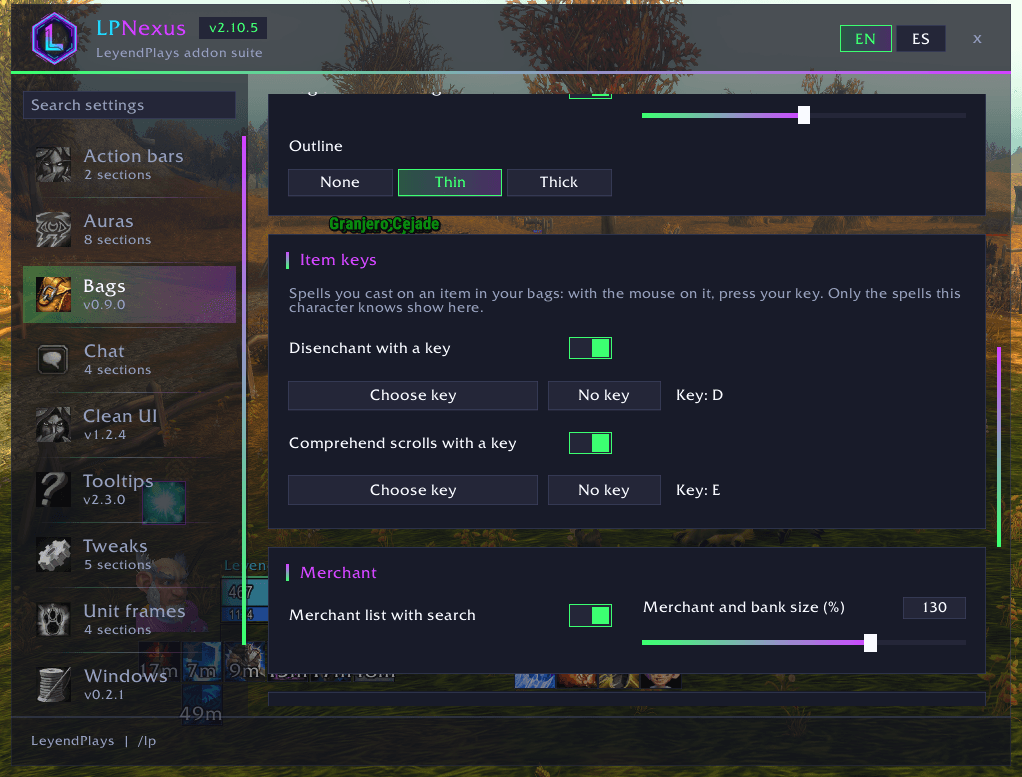
- Item keys: point at an item in your bags and press your key: disenchant green, blue or purple gear, comprehend the untranslated "Scroll: ..." items, pick a locked box (rogues) or feed your pet (hunters). One key per spell, only the spells your character knows show; out of combat, and the keys work as before everywhere else.
- Merchant list: everything a merchant sells in one scrolling list with a search box, instead of pages of ten. Buying works as in the game.
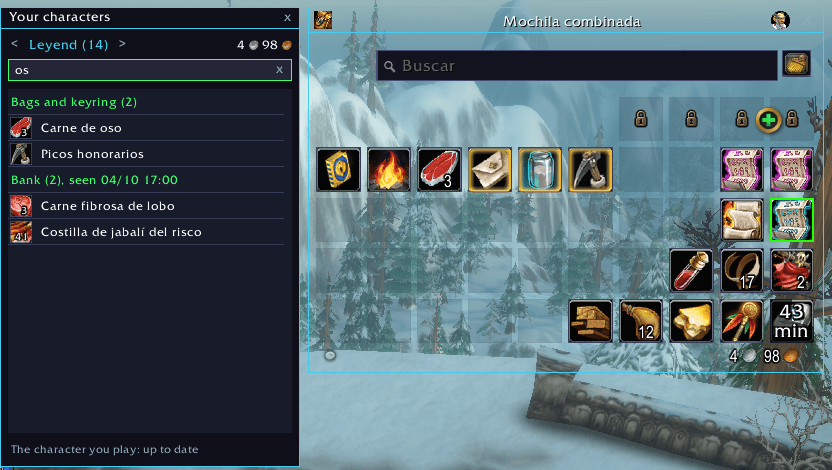
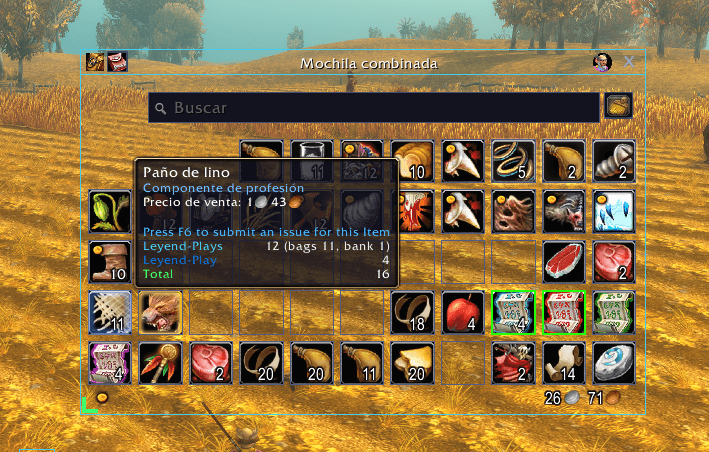
- Your characters: what each of your characters carries in the bags, keyring and bank, from any of them, with a search box (portrait button on the bags, or
/lpbags alts). Every item's tooltip also shows how many each of them has, and the total.
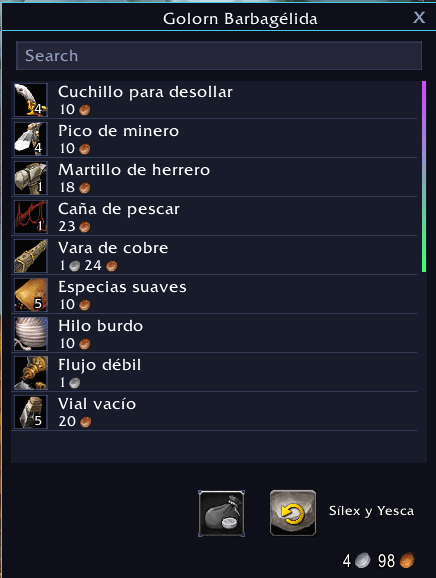
LP Panels (/lppanels)
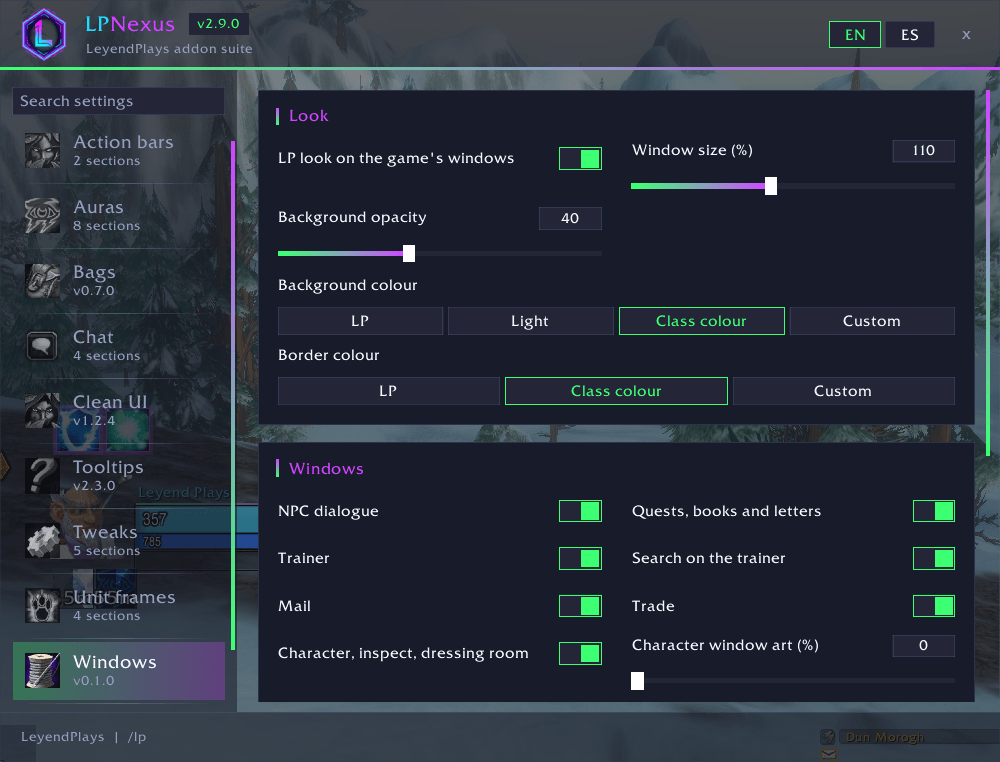
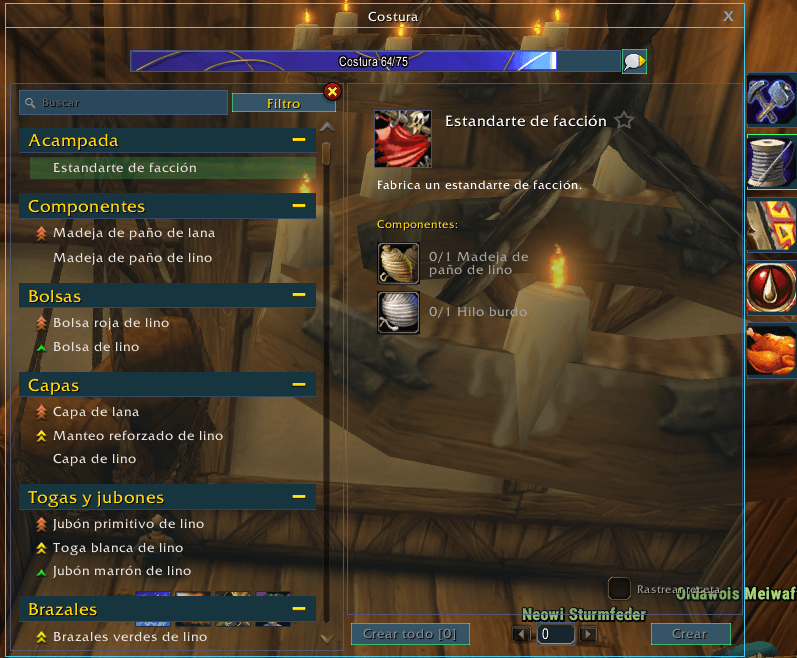
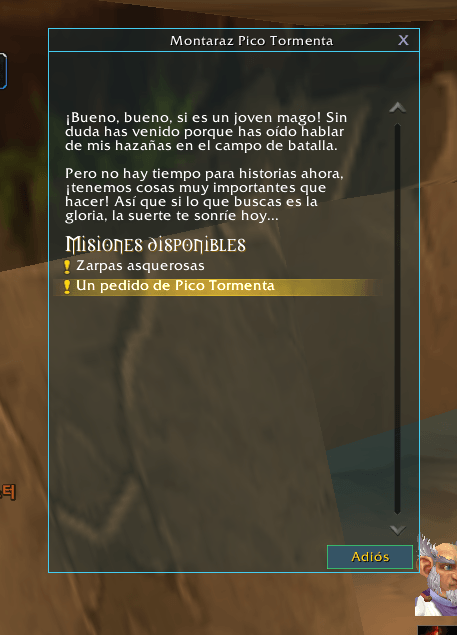
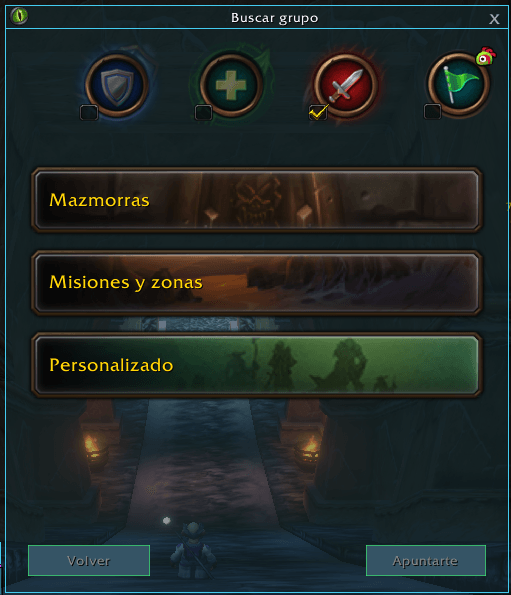
- The game's other windows in the LP look, one switch per kind: NPC talk, quests and books, trainer, mail, trade, character, friends and guild, auction house, macros, group finder, professions and the Esc menu.
- Window size (80-150 %), background opacity and colour, border colour; the character window's art from flat to the game's.
- A search box on the trainer's list.
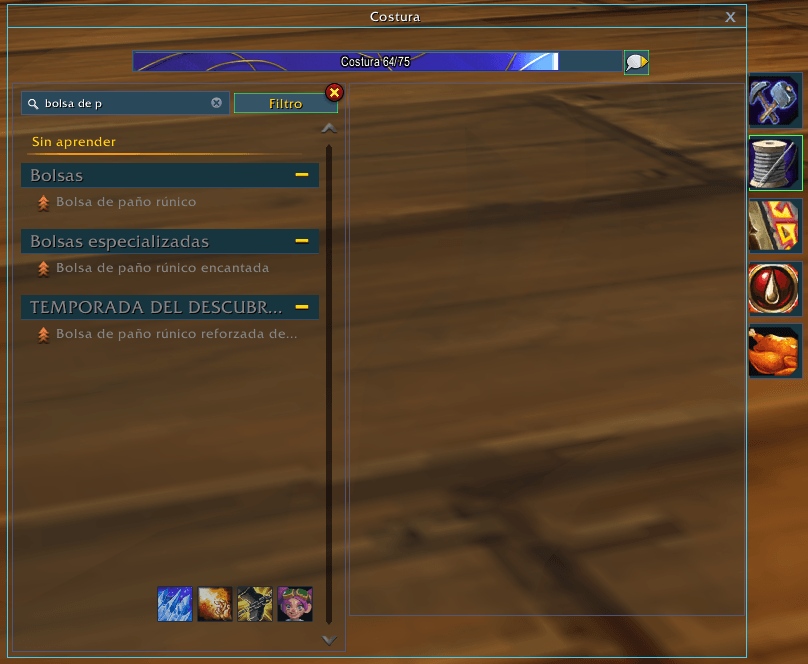
- Professions: every profession's window flat and clean, see-through with the background opacity. Show unlearned recipes (at the end of the window's Filter menu): the recipes you have not learned yet appear in grey under their own heading, and the search box finds them too.
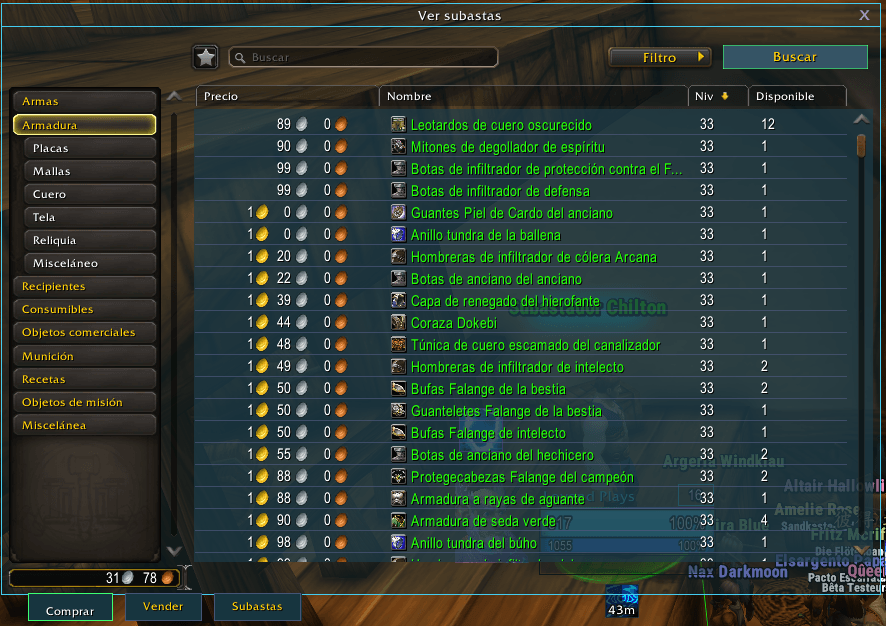
- Auction house: lighter lists in your panel colour with a thin line between rows, and an item level column on Weapons and Armor that sorts by item level.
- The game's own light-text setting for quests and dialogue as a switch, so they match the dark look.
LP Map (/lpmap)
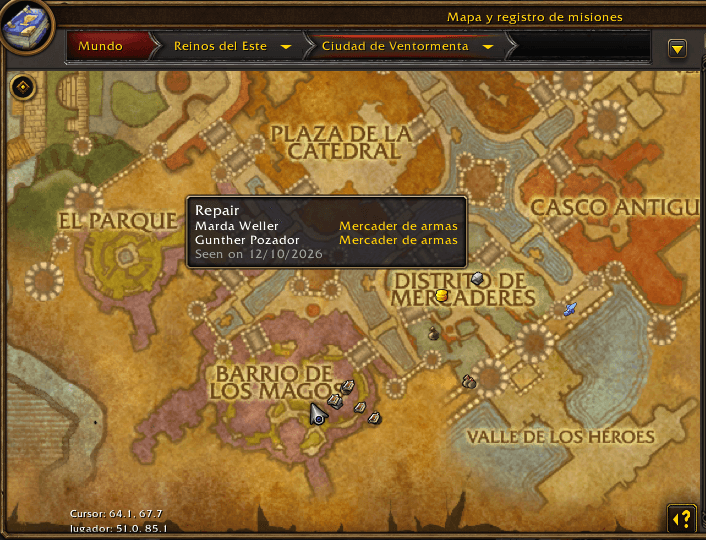
- The game does not tell addons where its NPCs stand, so your world map learns as you play: talk to a vendor, a trainer, the bank or the auction house, or open a mailbox, and its icon stays on the map for all your characters.
- Flight masters show on city maps from the game's own data.
- Hover an icon for the NPC's name, title and the day you saw it; NPCs of the same kind side by side share one icon.
- Choose what to show, the icon size (icons keep their size when you zoom the map) and forget a map's places.
LP Rares (/lprares)
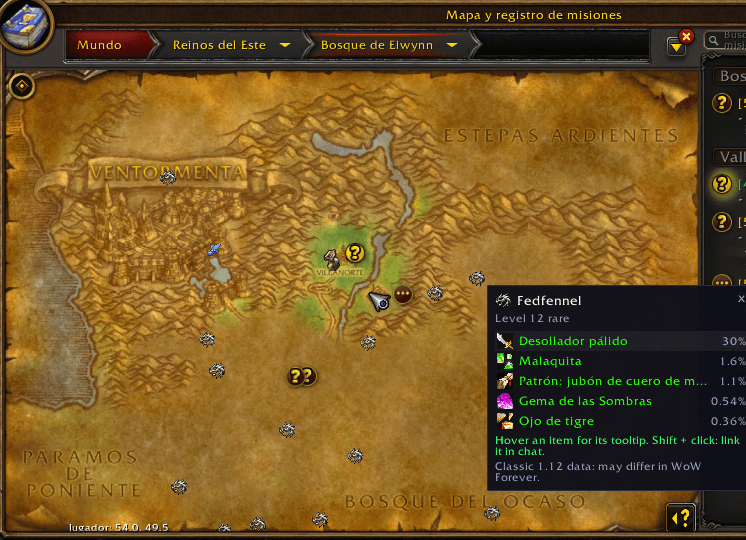
- Every rare creature of the open world as a small silver dragon on the world map, and on the minimap when it is near you (it follows the minimap's zoom, rotation and shape).
- Hover one for its name, level and the loot it can drop that is green or better, with its chance.
- Click it for a small list: hover any item for its full tooltip, Shift + click to link it in chat.
- A rare by a zone border shows on both maps. Places and loot come from Classic 1.12 data, so WoW Forever may differ, and its new zones are not covered yet.
- LP Rares is licensed under the GNU GPL version 2, because its data comes from the VMaNGOS world database (GPL-2.0); the rest of LP Suite is All Rights Reserved.
LP Clean (/lpclean)
- Micro menu, bag bar and experience bar: show, show on mouseover, or hide.
- Hide the red error messages ("Out of range", "Not ready yet"...) and, separately, the Lua error window.
LP Tooltips (/lptooltips)
- No tooltips in combat; hold Shift, Ctrl or Alt to see one anyway.
- Creature loot: point at a creature out of combat to see what you have looted from its kind and how often, learned from your own kills.
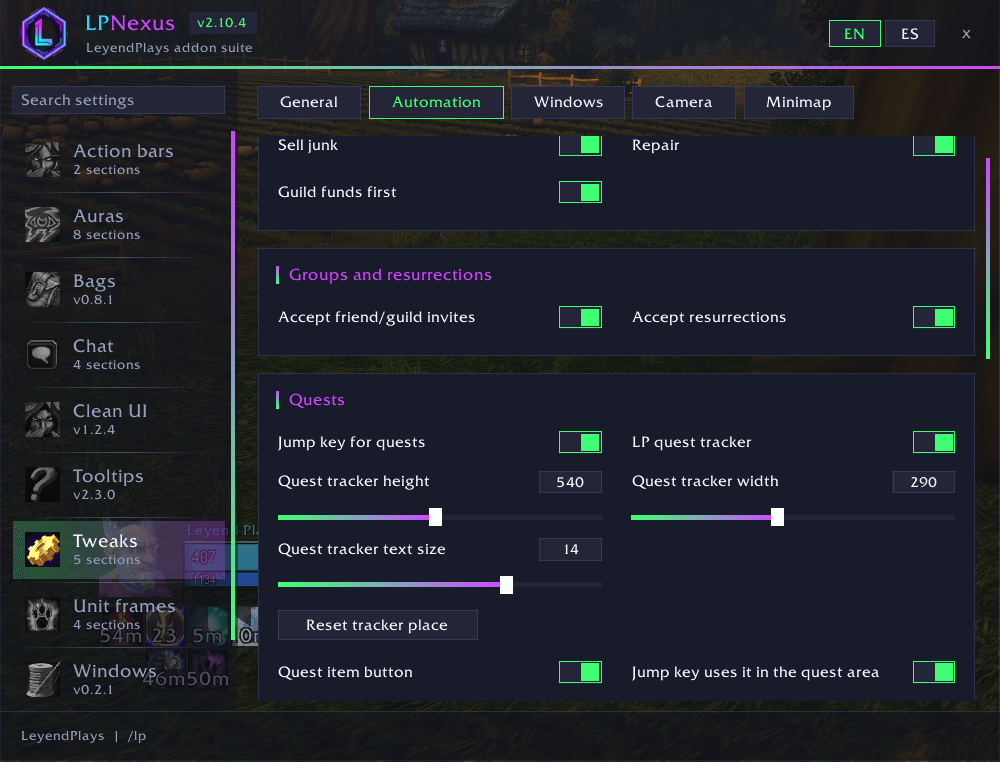
LP Tweaks (/lptweaks)
- Sell junk and repair at vendors (guild funds first if you want).
- Accept group invites from friends and guild, accept resurrections, skip movies you have already seen.
- Square minimap; hide the zoom buttons, the clock and other addons' minimap buttons.
- Quest arrow: turns on the game's own hidden marker that points to the quest you follow, with the distance. Plus the game's coordinates under the minimap.
- Move any game window, professions included; it opens where you left it.
- Camera: remember your zoom, a fixed zoom distance, or lock the mouse wheel zoom.
- Levelling bar: a thin XP bar, horizontal or vertical, that unfolds into XP per hour, time to level, kills to level and rested XP.
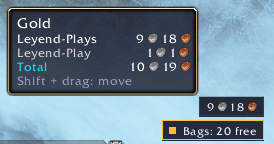
- Gear and bags warnings: small labels when your gear wears out or your bags fill up; or keep your free bag slots always in sight.
- Your gold always in sight (off by default): a small label by the minimap; point at it for your other characters' gold and the total.
- Mailbox: "Take gold" and "Take all" buttons, leaving cash-on-delivery mail.
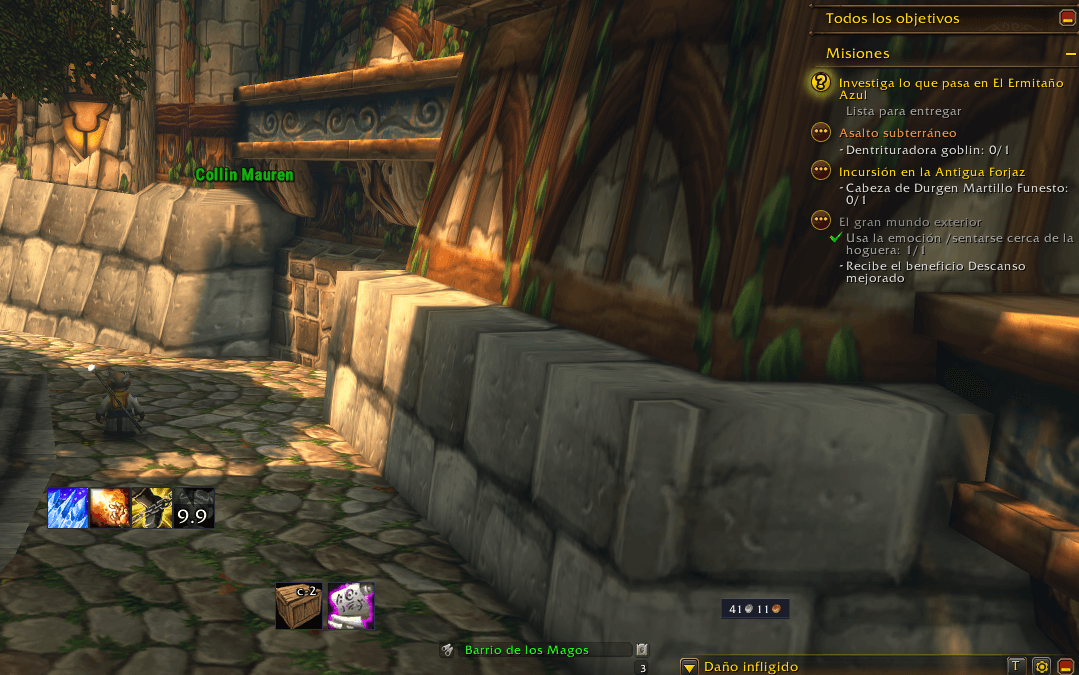
- Space for quests (off by default): your jump key accepts, continues and completes quests, takes quests from an NPC's list and picks an NPC's only talk option, like a flight master's ride. At the mailbox it opens all your mail.
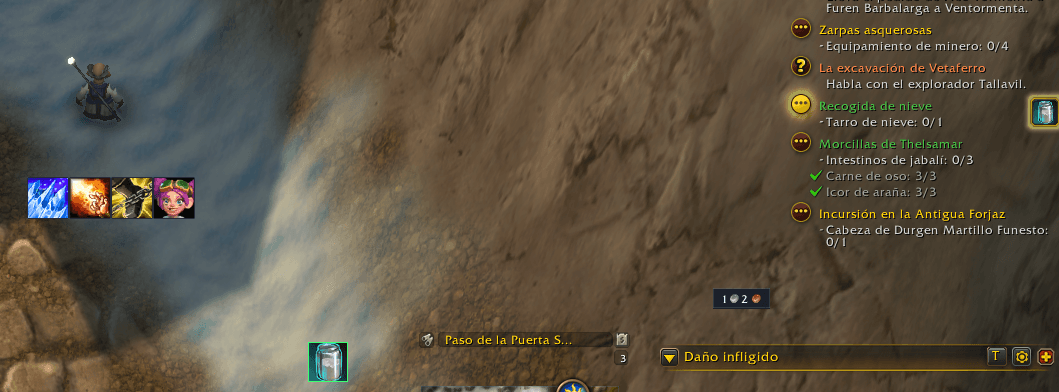
- Quest item buttons (off by default): the item of your quest (a jar to fill, a torch to light...) on a button you can place and size: click it or press a key of your own, also in combat. It lights up inside the quest's area, where Space can use it too. The quest items in your bags that have a Use: effect follow it in a row, for the many quests that do not name their item.
- Point at the sun or moon by the minimap to see the time to day or night.
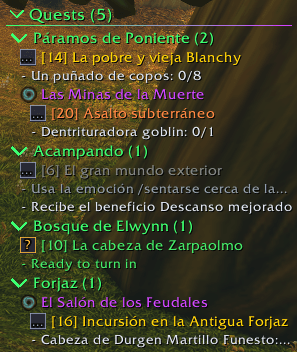
- LP quest tracker (off by default): every quest in your log as a tree in place of the game's tracker: the zone you are in first, then the other zones by level, each dungeon inside its zone, with every objective. Fold a zone with its arrow, click a quest to open it, click its icon for the map arrow; height, width and text size to your taste.
What's next
- More ideas from the comments: tell us what you would like next.
Ideas and requests are welcome in the comments; they are added when time allows.
Support LP
LP is free and always will be. If it makes your game better and you want to help keep it going, a small donation pays for the hours behind every update. Thank you!
LP Suite by LeyendPlays Team