
LootTrackr
- By
Records every loot roll and every drop, in raids, dungeons, Mythic+ and delves, plus your Great Vault picks and, if you want, every gold and currency change.
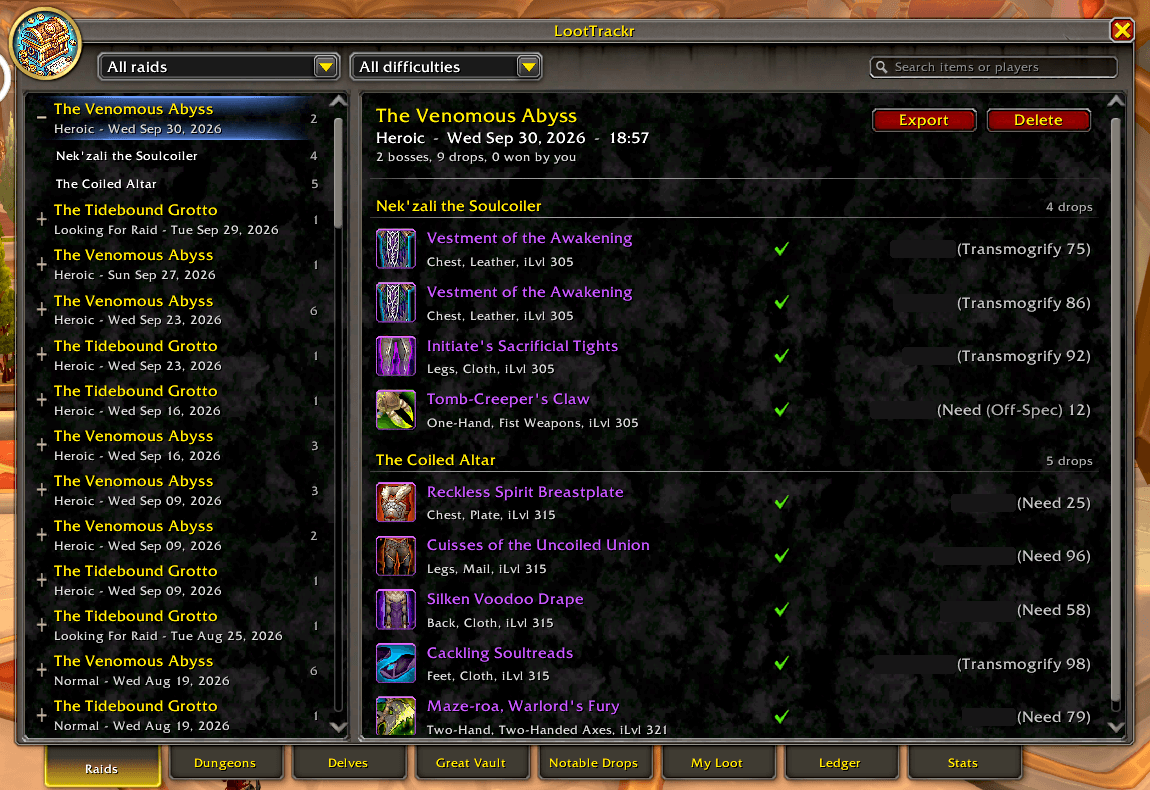
loottrackr-2-raids.png
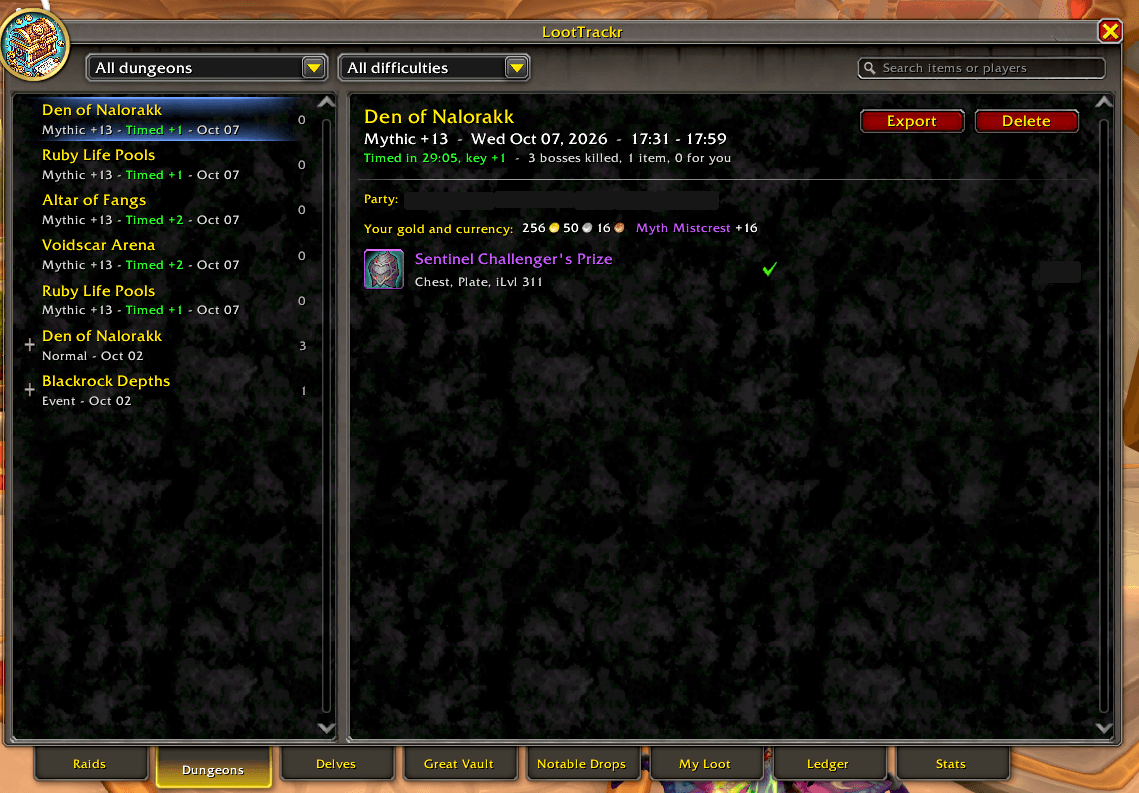
loottrackr-1-dungeons.png
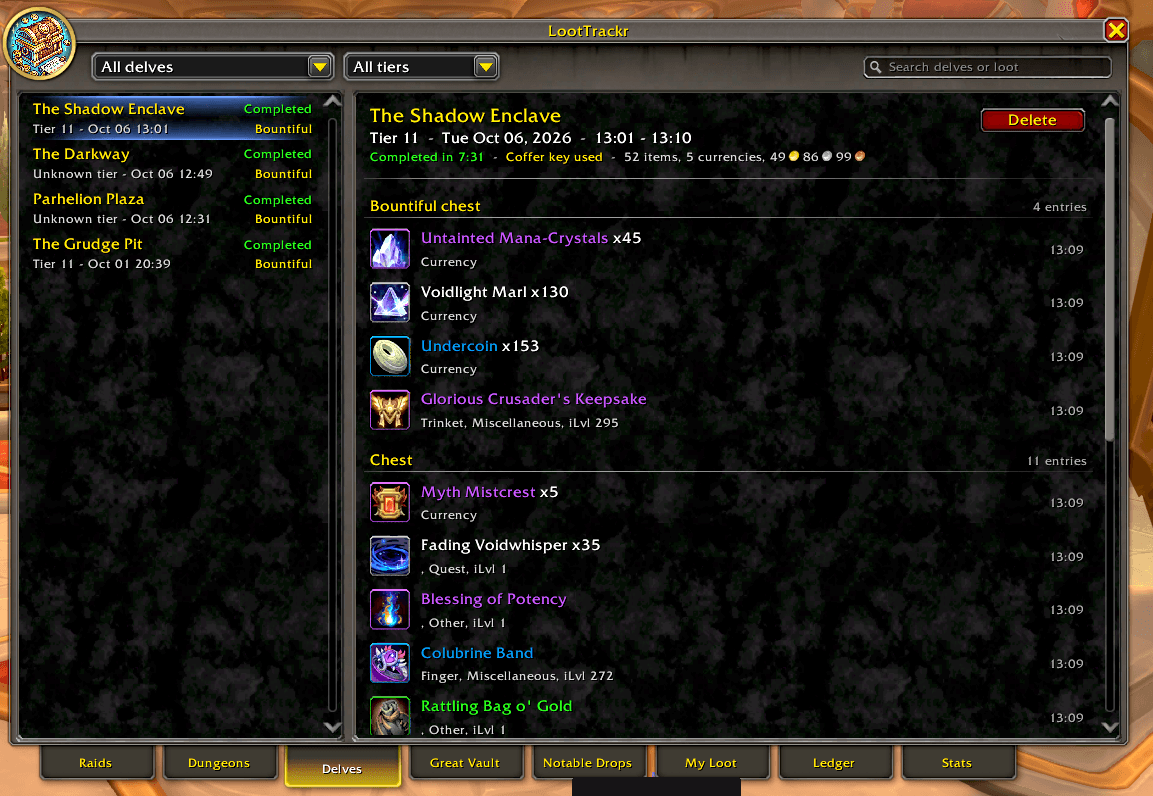
loottrackr-3-delves.png
Description
LootTrackr
LootTrackr remembers your loot so you don't have to. Who won what in last week's raid, what dropped in your Mythic+ key, which chest a delve item came from, what you passed on in the Great Vault: it's all recorded as you play, and searchable later.
It's built to do one thing well: loot. It stays fast and light, with no hitches and no clutter.
What it records
- Raids: every loot roll, with who rolled what, who won, and each boss's drops.
- Dungeons and Mythic+: your party, the bosses and everyone's loot. Keys show their level, whether you timed them and how far they upgraded. Holiday bosses and dungeon finder rewards are included.
- Delves: each run's tier and loot, split between the normal chest and the bountiful chest.
- Great Vault: each week's vault exactly as it was laid out, with what you took, what you passed on and which slots were never filled. Item levels are coloured by upgrade track.
- Notable drops: BoEs, mounts, pets, toys, recipes, tier tokens and bonus roll wins, whoever gets them.
- My Loot: everything you loot anywhere, and where it came from. Gold, currencies and vendor purchases are optional.
- Ledger (optional): every change to your gold and currencies, and what it was for: loot, quests, vendors, repairs, upgrades, the auction house, mail, trades. An upgrade paid in gold and crests is one line, and the totals always match your real balance.
On item tooltips
- How often an item has dropped, when it was last seen, who last won it and when you last looted it.
- Whether you've collected its appearance.
- Whether you already own a mount, pet, toy, heirloom or piece of decor, and when you looted it.
Using it
/ltopens the window, with a tab for each kind of loot, plus filters and search./lt settingslets you turn each kind of tracking on or off on its own.- Right-click anything to delete it. Every list can be exported as CSV.
- Old history can be deleted automatically after the age you choose.
Updating from 1.x
Your data is converted the first time you log in, and a backup is kept for 30 days: /lt backup shows it, and /lt backup restore puts it back. Everything new starts turned off, so nothing changes until you choose. Turn on what you want in /lt settings.
LootTrackr Team
