LootTrackerTBC
- By
LTTBC1.png
LTTBC2.png
LTTBC3.png
LTTBC4.png
LTTBC5.png
Description
LootTrackerTBC
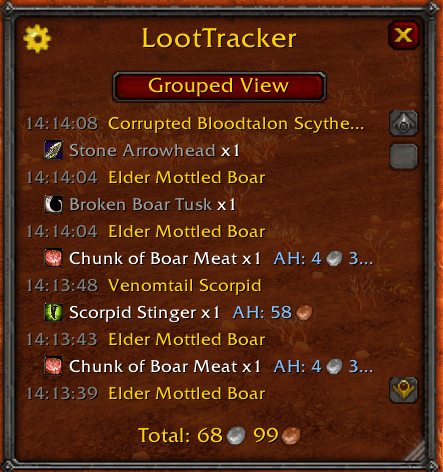
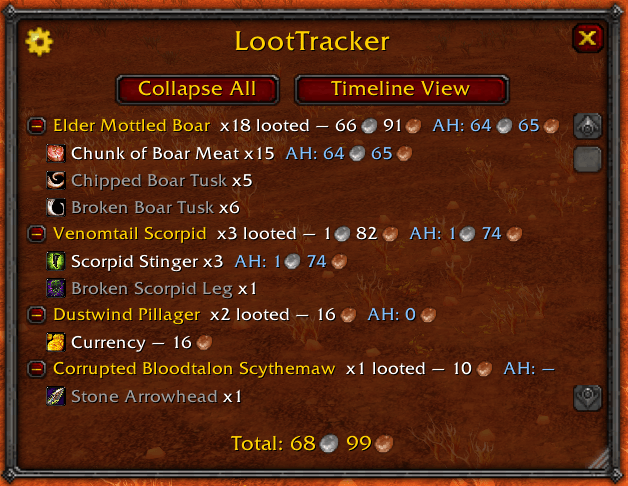
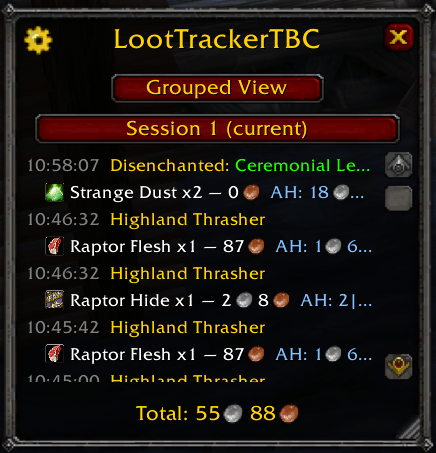
Heya, Folks. Ever wanted a clean view of all the loot you collected during your gold farming sessions? LootTrackerTBC keeps a running tally of everything you loot — organized by the NPC or gathering node it came from — and shows you what it's all worth at a vendor.
For WoW TBC Anniversary (2.5.6)… Classic Era Coming soon :)
What it does
LootTrackerTBC
Tracks everything you loot — grouped by source, item, or disenchant result — and shows what it's worth. For World of Warcraft: TBC Anniversary (2.5.6).
What it does
- Groups loot by source. Every mob, gathering node, and disenchanted item gets its own entry with its combined value and item breakdown.
- Three ways to view it. Grouped (by source), Item (aggregated across all sources), or Timeline (a chronological log). Cycle between them with one button.
- Disenchant tracking. Items you disenchant show up as their own "Disenchanted:
<item>" group, same as any mob or node. A "Show disenchants only" toggle scopes any view down to just those. - Auction house values, if you have Auctionator. With Auctionator installed, items show AH price alongside vendor price and the grand total blends the two. No Auctionator (or it's disabled)? Everything still works, just without that column — and you'll get a note if it's installed but disabled rather than values silently vanishing.
- Multiple sessions. Start a new session anytime without losing the last one, then switch between past sessions to compare runs — no more wiping everything just to isolate a farming run.
- Gold/hr, shown alongside the vendor/AH breakdown when you hover the total.
- Hide items you don't care about. Right-click any item to exclude it from lists and totals everywhere; manage what's hidden from the options menu.
- Counts only your loot. Group-loot rolls you don't win, and other players' pickups, aren't counted.
- Everything is saved per character and survives logging out.
Getting started
- Copy the
LootTrackerTBCfolder intoWorld of Warcraft\_anniversary_\Interface\AddOns\. - Enable LootTrackerTBC in the AddOns list at character select.
Using it
| I want to… | Do this |
|---|---|
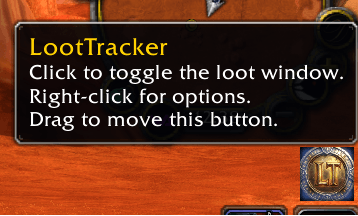
| Open or close the tracker | Click the bag icon, or type /lt |
| Switch between Grouped / Item / Timeline | Click the view button at the top |
| Expand or collapse one group | Click its name |
| Collapse or expand everything | Collapse All / Expand All |
| See only what you've disenchanted | Options > Show disenchants only |
| Hide an item | Right-click it |
| Manage hidden items | Options > Manage Hidden Items |
| Start a new session | Click the session button > Start New Session… |
| View a past session | Click the session button and pick one |
| Reset or delete a session | Options — label reads Reset current session or Delete this session depending on which you're viewing |
| See the value/gold-per-hour breakdown | Hover Total |
| Open the options menu | Gear icon, or right-click the bag icon |
| Move or resize the window | Drag it, or drag the bottom-right grip |
The list sorts itself by value, so your most profitable sources are always at the top.
Options
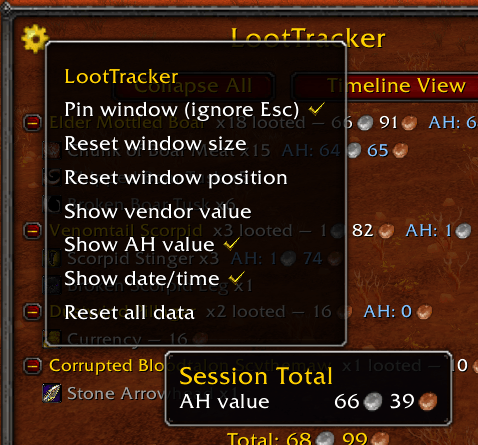
Click the gear icon (top-left of the window), or right-click the bag icon:
- Pin window (ignore Esc) — keeps the tracker open through Esc, handy while farming.
- Reset window size / position
- Show vendor value / Show AH value / Show date-time — toggle those columns.
- Show disenchants only — scope every view to disenchant results.
- Manage Hidden Items — browse and unhide anything you've hidden.
- Reset current session / Delete this session — wording depends on whether you're viewing the live session or a past one.
Good to know
- Group-loot rolls you don't win aren't counted; pickpocketing and gathering are.
- Crafting doesn't count — only drops, gathering, and disenchanting.
- A mob may briefly show as
NPC #1234until its name is known. - Newly seen items may take a moment to show their name and price.
Feedback welcome — bugs, likes, dislikes, all of it. I'm always looking to improve this.
LootTrackerTBC Team