LootHawk | Wishlist and Roll Reminder
Create lists of items you want and get notified in various, configurable ways when an item you want is being rolled on in dungeons or raids and keep track of what you've gotten.
Never miss a drop you've been waiting for. LootHawk watches every roll in your group and alerts you the instant an item on your wishlist hits the loot window — so you're never the person who tabbed out and missed rolling on their best-in-slot.
🔔 Alerts You Can't Miss
LootHawk's job is to make sure the right drop never slips past you.
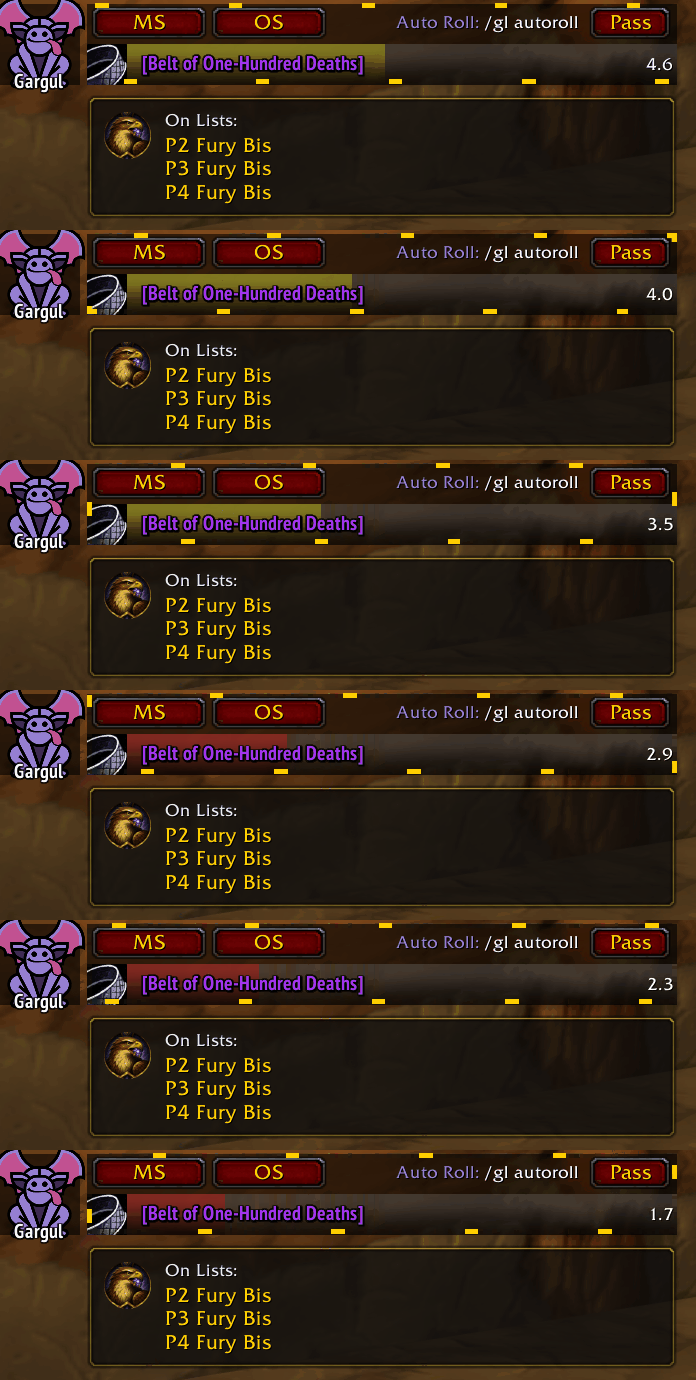
- Watches every roll in your group and fires the moment a wishlisted item appears — no more scanning loot windows yourself.
- Works with Gargul and standard Group Loot automatically, whichever your group uses.
- Triple alert — a pop-up toast, a sound, and a glowing border around the roll window, each one individually toggleable so you get exactly the alerts you want and none you don't.
- Need-aware notifications — the alert only lists the wishlists where you still need the item, so it's instantly clear whether this one's for you.
- Roll-window companion panel shows which of your lists the dropped item belongs to, right beside the roll buttons.
📋 Wishlists & Completion Tracking
Build your lists once, and LootHawk turns them into an automated checklist.
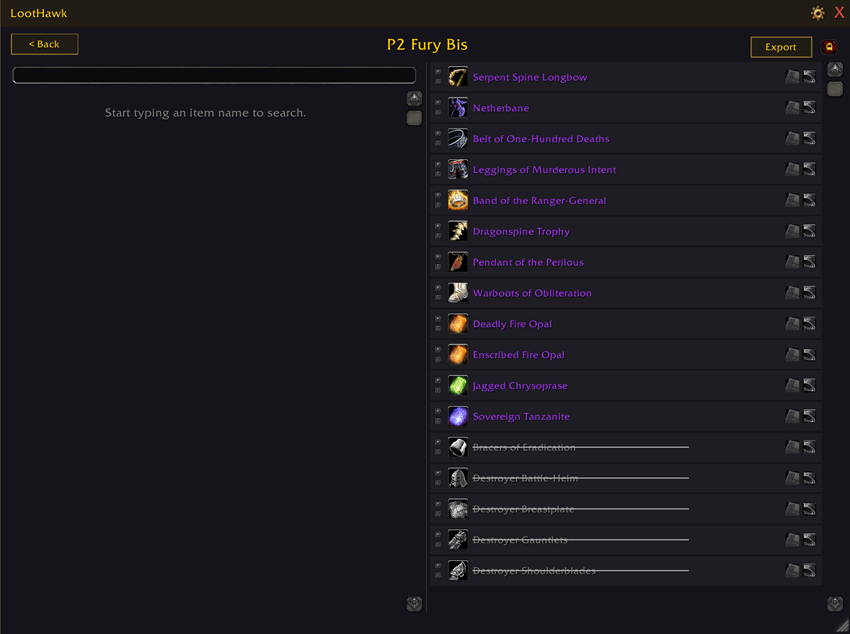
- Multiple wishlists for whatever you're working toward — main spec BiS, offspec BiS, cosmetic BiS, recipes, consumables, whatever you need.
- Fast search makes building a list effortless — just type an item's name and add it.
- Automatic completion tracking — it's not just a list, it's a checklist that maintains itself. Once you have an item (counting your bags and equipped gear), LootHawk marks it complete and grays it out, so your list always reflects what you still need.
- Always-notify override — even if LootHawk considers your item completed on a list, you can decide to still be notified if it drops again.
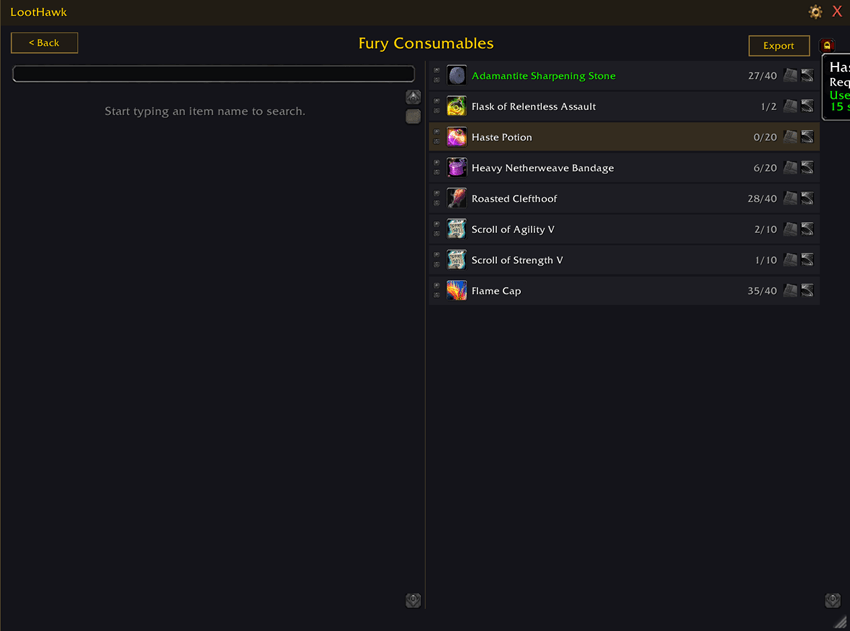
- Quantities and progress — want three of something? Track it as 2/3 until you're done.
- Optionally sort finished items to the bottom so your active wants stay front and center.
- Per-item notes for reminders, context, or anything you want to jot down.
- Import and export any list to share with friends or move it between characters.
🎯 Smarter Gear Decisions
- Drop-source tooltips — hover any item in your wishlist view to see which boss and zone it comes from, including whether a dungeon piece drops on Normal & Heroic or Heroic only.
- Tier-token awareness — if you have an item on your wishlist and you're holding the tier token that turns into it, LootHawk makes it obvious by glowing that item on your wishlists.
- Boss tooltips reveal which of your wishlists a boss's drops appear on, so you know what to roll on before the pull.
🎨 Make It Yours
LootHawk is built to be customized — there's a deep settings menu for controlling exactly what you see and where you see it.
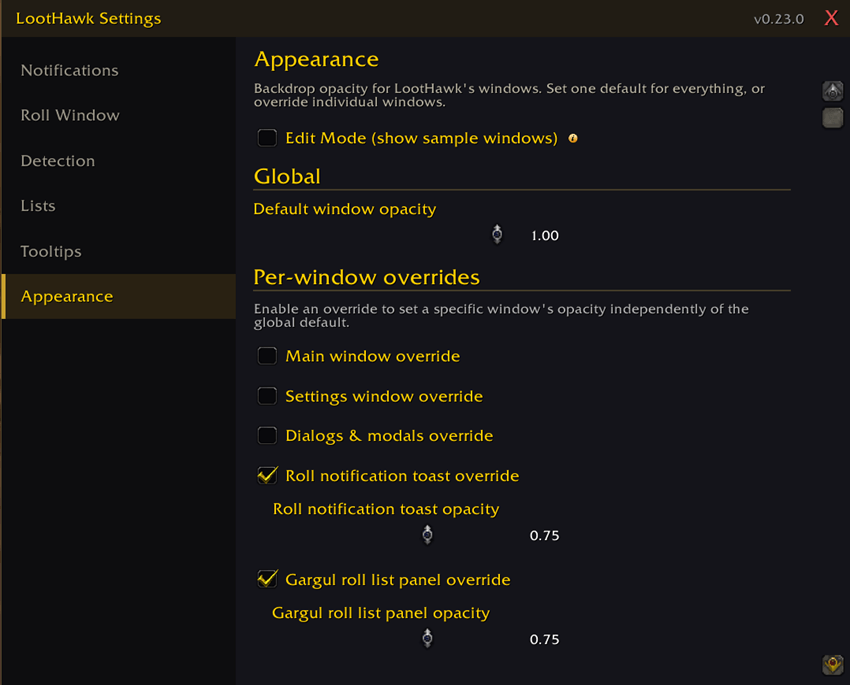
- Clean, themeable windows with adjustable opacity — one look for everything, or fine-tune each window independently.
- Edit Mode to drag windows wherever you want them and preview opacity without waiting for a real roll.
- Five tooltip styles, from a stripped-down clean look to the full works with AtlasLoot integration.
- Minimap button and tidy, sidebar-organized settings that keep all those options easy to find.
🤝 Plays Nicely With Others
Gargul and AtlasLoot integrations activate when those addons are present — and quietly get out of the way when they're not.
📊 Pawn Integration (optional)
- Upgrade percentages in your lists — pick one of your imported Pawn scales per list and see a +X% tag on gear Pawn rates as an upgrade.
- Sort by upgrade % — biggest upgrades on top, then gear that isn't an upgrade, then everything else.
- Steps aside cleanly when Pawn isn't installed.
🧩 Built to Grow
LootHawk is built on a modular foundation designed to support more expansions over time. Currently it supports TBC Anniversary, with room to expand to other Classic releases down the road.
Getting Started
- Type
/lhto open LootHawk or left click the minimap button to open LootHawk - Type
/lh settingsor right click the minimap button to configure it - Create your lists and LootHawk takes over from there!
Important Note on AI
This addon was made as an experiment. I'm a software developer by trade, but I wanted to do a project to see how strong Claude could be at creating something with only design/vision input instead of code input from a user. Thus, this addon was designed by me, but entirely coded by Claude. If you are squeamish at all about AI, that's understandable. Feel free to not use this addon. But, it is just a one-man, hobby project, and I chose to make an addon because A) I've always wanted this addon for myself and B) it seems like just making an addon with AI is something helpful to everyone rather than harmful, hopefully.
The LootHawk | Wishlist and Roll Reminder Team