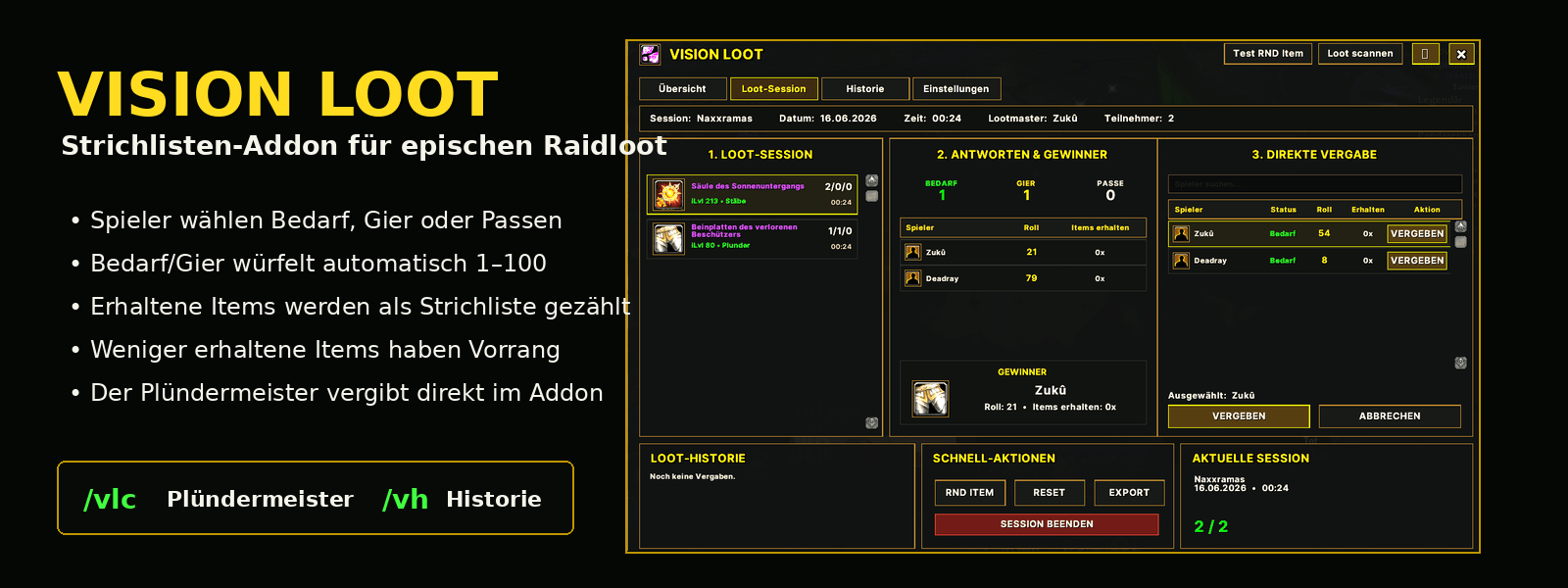
visionloot_04_banner_real.png
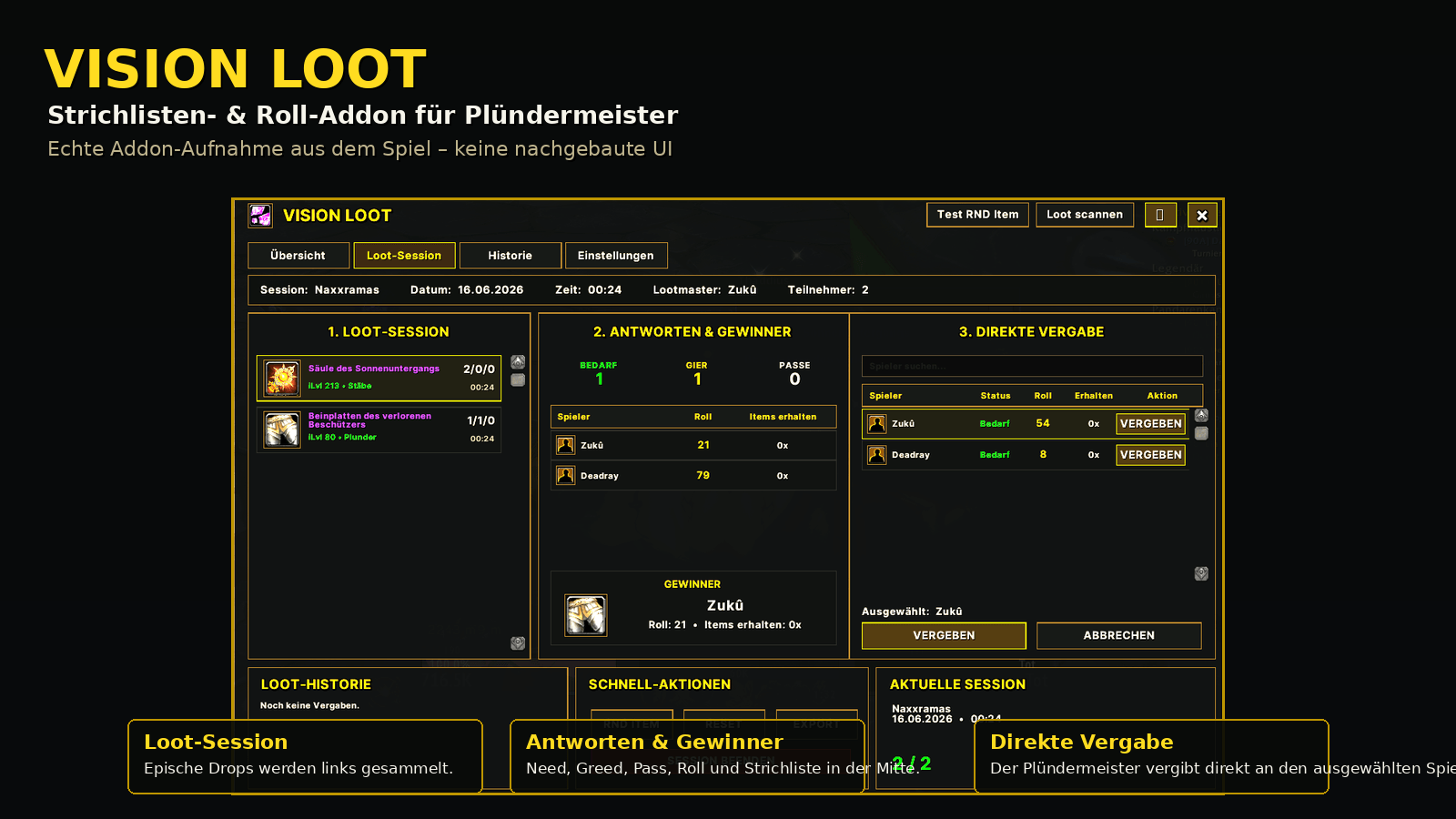
visionloot_01_masterlooter_real.png
Description
1. What is Vision Loot?
- Vision Loot is a loot add-on for World of Warcraft Classic / MoP Classic.
- It is designed for groups or raids using Master Looter.
- The add-on automatically starts a loot session when the Master Looter opens a loot window containing at least one epic item.
- Green, blue, or lower-quality items are ignored.
- Players receive a response window where they can choose one option per item:
- Need
- Greed
- Pass
- When a player selects Need or Greed, the add-on automatically rolls a number from 1 to 100.
- The roll is announced in raid chat.
- The Master Looter can then see:
- all responses
- all rolls
- received item counts
- suggested winners
- The Master Looter can award loot directly through Vision Loot.
2. Basic Concept
- Vision Loot uses clearly separated roles.
Master Looter
- The Master Looter can:
- use
/vlc - enable or disable Vision Loot
- scan loot
- start loot sessions
- view player responses
- view suggested winners
- award items
- view the history
- end sessions
- use the export function
- reset session data
- open the settings
- use
Normal Players
- Normal players can:
- receive response windows for items
- choose Need, Greed, or Pass
- roll automatically
- open the history with
/vh
- Normal players cannot:
- open
/vlcas a management window - manage loot sessions
- scan loot
- award items
- change settings
- end sessions
- reset data
- generate test items
- open
- For normal players, the following tabs are locked or greyed out:
- Overview
- Loot Session
- Settings
- Only the History tab is available to normal players.
3. Add-on Activation for the Master Looter
- When a player becomes the Master Looter, Vision Loot asks:
- “Use VisionLoot?”
- There are two options:
- Yes
- No
Yes
- If the Master Looter selects Yes, Vision Loot runs normally.
- This means:
- epic loot automatically starts a session
- the main window opens for the Master Looter
- players receive response windows
- rolls are processed
- items can be awarded through Vision Loot
No
- If the Master Looter selects No, Vision Loot is not used automatically for the current Master Looter phase.
- This means:
- no automatic popup appears
- no automatic loot session starts
- no automatic distribution happens through Vision Loot
- the normal WoW loot system remains usable
- The Master Looter can activate Vision Loot again later.
4. When Does a Loot Session Start Automatically?
- A loot session only starts when all of the following conditions are met:
- the player is the Master Looter
- Vision Loot was enabled with Yes
- the normal WoW loot window is opened
- the loot window contains at least one epic item
- the add-on correctly detects the item as epic
- If the loot window only contains green or blue items, nothing happens:
- no main window opens
- no response window opens
- no session starts
- no raid chat spam is sent
- no broadcast is sent to players
5. Player Response Window
- When the Master Looter scans epic loot, players receive a response window.
- If there are multiple items, the window shows:
- “Respond to all items”
- For each item, the player sees:
- item icon
- item name
- item quality
- item level
- item type, such as cloth, leather, mail, plate, or trinket
- buttons for Need, Greed, and Pass
- The player clicks one button directly for each item.
- There is no additional submit button.
6. Need, Greed, and Pass
Need
- When a player clicks Need:
- the item is marked as Need
- the add-on automatically rolls from 1 to 100
- the roll is announced in raid chat
- the player cannot click again for that item
Greed
- When a player clicks Greed:
- the item is marked as Greed
- the add-on automatically rolls from 1 to 100
- the roll is announced in raid chat
- the player cannot click again for that item
Pass
- When a player clicks Pass:
- the item is marked as Pass
- no roll is made
- the player cannot receive the item
- the player cannot click again for that item
7. Multiple-Click Protection
- Each player can only respond once per item.
- After Need, Greed, or Pass has been selected:
- the buttons for that item are locked
- a second click is not possible
- no second roll is generated
- no duplicate response is sent
- Once all visible items have been answered, the response window closes automatically.
8. Automatic Closing
- The response window has a timer of 5 minutes.
- If a player does not respond, they remain listed as Waiting in the evaluation.
- The Master Looter cannot award the selected item while relevant players are still marked as Waiting.
- The window can also be closed with ESC.
9. Player Status in the Master Looter Window
- In the Direct Award area, the Master Looter can see each player’s status.
- Possible status values are:
- Need
- Greed
- Pass
- Waiting
- Not usable
Need
- The player wants the item and selected Need.
Greed
- The player wants the item, but only as Greed.
Pass
- The player passed and cannot receive the item.
Waiting
- The player has not responded yet.
- As long as a player is marked as Waiting, awarding the item is locked.
Not Usable
- The player cannot use the item according to the add-on filter.
- This can happen because of the wrong armor type.
- Examples:
- Mage, Warlock, Priest: Cloth
- Rogue, Druid: Leather
- Hunter, Shaman: Mail
- Warrior, Paladin, Death Knight: Plate
- Players marked as Not Usable do not need to respond.
- Players marked as Not Usable cannot receive the item.
10. Winner Logic
- Vision Loot calculates a suggested winner.
- The winner logic is:
- Need wins over Greed
- within the same response type, the player with fewer already received items is preferred
- if both players have received the same number of items, the higher roll wins
- Example:
- Player A:
- Need
- Roll 95
- already received 2 items
- Player B:
- Need
- Roll 50
- already received 1 item
- Winner:
- Player B
- Player A:
- Player B wins because they have received fewer items.
- The roll only decides when the number of already received items is equal.
11. Item Count / Received Items
- Vision Loot counts how many items a player has received through the add-on.
- The table may show values such as:
0x1x2x3x
- This number is included in the winner calculation.
- If one player has already received more items than another player, the player with fewer received items is preferred.
12. Awarding Items
- The Master Looter selects an item from the loot list on the left.
- The center and right areas then show the matching responses and candidates for that exact item.
- The Master Looter can select a player and click AWARD.
- Important requirements:
- the normal WoW loot window must stay open
- the player must really be the Master Looter
- the selected player must be a valid loot candidate
- players with Pass cannot receive the item
- players marked as Not Usable cannot receive the item
- awarding is locked while relevant players are still marked as Waiting
- When AWARD is clicked, Vision Loot attempts to select the correct WoW Master Loot candidate.
- The item is awarded using the real WoW loot function.
- After a successful award:
- the item is removed from the active loot list
- the item is written to the history
- the player’s received item count is increased
- the award is announced in raid chat
- Example announcement:
Zukû receives [Itemname] with roll 87 – received: 2x
13. Raid Chat Announcements
- Vision Loot uses raid chat when the player is in a raid.
- When a player selects Need or Greed, the roll is announced.
- Example:
[Vision Loot] Zukû rolls Need on [Itemname]: 87
- When an item is awarded, the winner is announced.
- Example:
[Vision Loot] Zukû receives [Itemname] with roll 87 – received: 2x
14. Loot History
- The history stores previous item awards.
- It shows:
- time
- item
- winner
- roll
- received item count
- Normal players can view the history.
- The quick command is:
/vh
15. Commands
/vlc
- Opens the Vision Loot main window.
- Only the Master Looter can fully use this command.
- If a normal player enters
/vlc, they receive a message saying that/vlcis only available to the Master Looter.
/visionloot
- Alternative command for
/vlc. - Also only works fully for the Master Looter.
/vh
- Opens the history directly.
- This command is intended for normal players.
/vlc ja
- Enables Vision Loot for the Master Looter.
- This can be used if the Yes/No prompt was skipped or if Vision Loot should be enabled later.
/vlc yes
- Same function as
/vlc ja.
/vlc nein
- Disables Vision Loot for the current Master Looter phase.
- Vision Loot will not open automatically.
/vlc no
- Same function as
/vlc nein.
/vlc reset
- Resets the current session.
- Useful if old test data or duplicate entries are present.
- This command is intended only for the Master Looter.
/vlc debug
- Shows debug information about Master Looter detection.
- This command is useful if the add-on detects the Master Looter incorrectly.
16. Tabs in the Main Window
Overview
- Only active for the Master Looter.
- Shows general information about the current session.
Loot Session
- Only active for the Master Looter.
- Shows:
- current drops
- responses
- rolls
- winners
- direct award controls
- current session data
History
- Available to the Master Looter and normal players.
- Players can open this area directly with
/vh.
Settings
- Only active for the Master Looter.
- Normal players cannot use this tab.
17. Quick Actions
- The main window contains quick actions.
RND Item
- Generates a test item.
- Only available to the Master Looter.
Reset
- Resets the current session.
- Only available to the Master Looter.
Export
- Exports the loot history.
- Only available to the Master Looter.
End Session
- Ends the current session.
- Only available to the Master Looter.
18. Tooltip Function
- When a player or the Master Looter hovers over an item, the normal WoW tooltip is shown.
- The tooltip works through:
- item name
- item icon/image
- The tooltip is attached to the left side of the icon.
- This prevents it from appearing directly over the response window.
19. Duplicate Items and New Boss Loot
- Vision Loot separates new loot windows from old loot windows.
- When a new boss is looted, a new clean loot session should be created.
- Items from the previous boss should not be carried over into the new session.
- At the same time, the add-on protects against importing the same loot window multiple times.
- This is necessary because WoW can trigger several loot events in quick succession.
20. Requirements
- For Vision Loot to work correctly:
- the Master Looter must have the add-on installed
- players who should receive response windows must also have the add-on installed and enabled
- the group or raid must use Master Looter loot mode
- the normal WoW loot window must remain open while awarding items
- the loot window must contain at least one epic item for Vision Loot to start automatically
21. What Happens If a Player Does Not Have Vision Loot?
- If a player does not have Vision Loot installed or enabled:
- they do not receive a response window
- they cannot automatically send Need, Greed, or Pass
- they cannot roll automatically
- they may appear as Waiting or without a valid response depending on the session status
- they cannot be cleanly included in the automatic Vision Loot evaluation
- For fair loot distribution, all raid members should have Vision Loot installed and enabled.
22. Recommended Raid Flow
- Set the raid to Master Looter.
- The Master Looter receives the question:
- “Use VisionLoot?”
- The Master Looter clicks Yes.
- The boss is killed.
- The Master Looter opens the loot window.
- Vision Loot checks whether epic items are present.
- If epic loot is found, the session starts automatically.
- Players receive their response window.
- Players choose Need, Greed, or Pass for each item.
- Vision Loot rolls automatically for Need and Greed.
- The Master Looter waits until all relevant players have responded.
- The winner is calculated.
- The Master Looter clicks AWARD.
- Vision Loot awards the item, writes it to the history, and announces the award in raid chat.
- The Master Looter continues with the next item.
23. Short Summary
- Vision Loot is a Master Looter add-on for epic raid loot.
- Only the Master Looter manages loot.
- Players only respond to items.
- Normal players only have access to the history.
/vlcis for the Master Looter./vhis for players to open the history.- Green and blue items are ignored.
- Epic items start a session automatically.
- Need and Greed trigger automatic rolls.
- The winner is calculated based on:
- Need or Greed
- received item count
- roll value
- Items are awarded through the real WoW Master Loot function.
- The history stores all awards.
The Vision Loot Team