LooseLooks
Pick a graphics look for WoW Forever in one click: Lush Cinematic, Crisp & Vibrant or Dark & Gritty. Your own settings always come back.
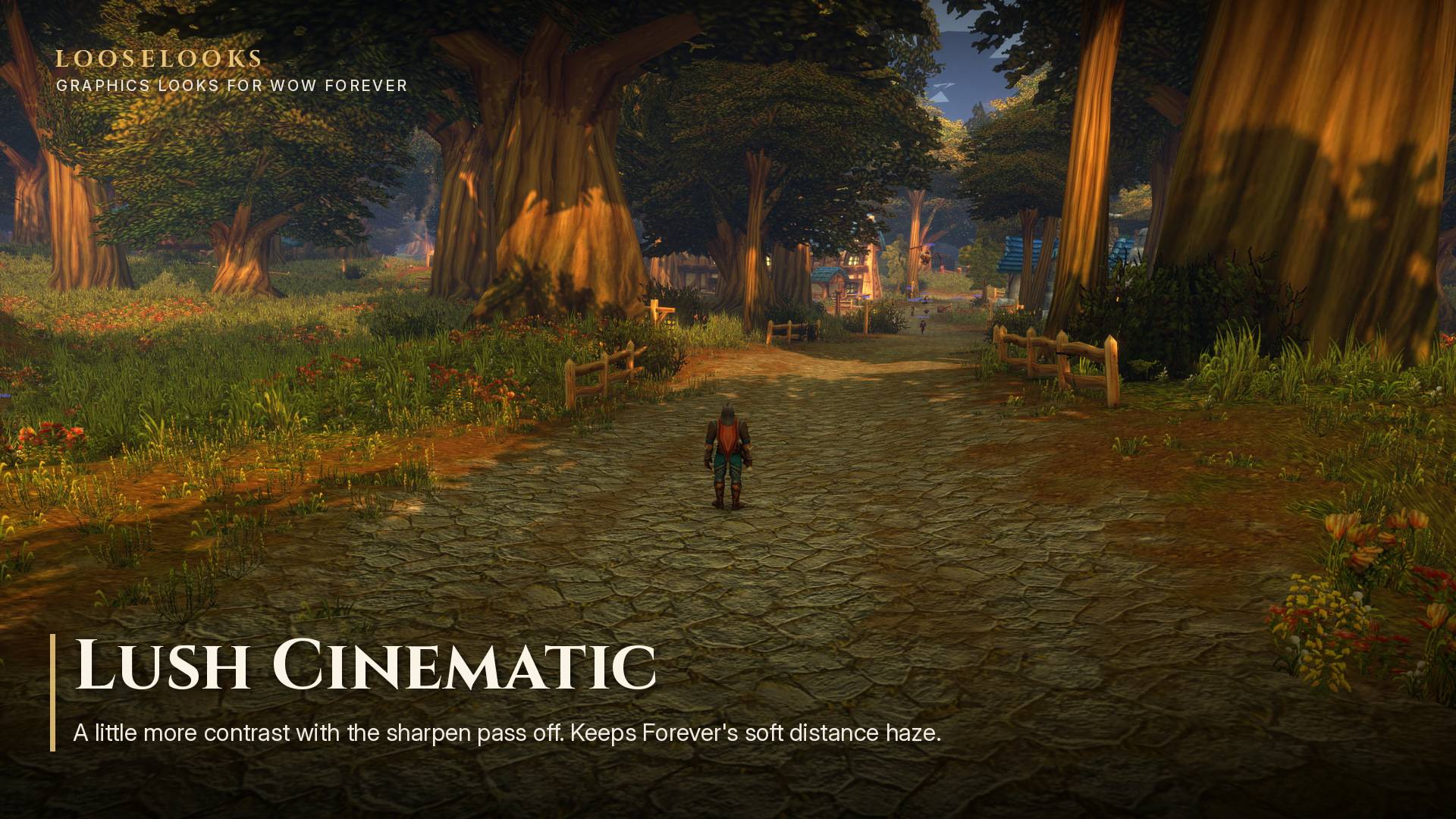
A little more contrast with the sharpen pass off. Keeps Forever's soft distance haze.
Description


One click, new look. Your own settings always come back.
Loose Looks changes the look of the picture in one click: brightness, contrast, gamma, and the sharpen pass. Type /looks, or click Loose Looks in the addon button by the minimap. Pick a look, check its preview, and press Apply. No digging through the Graphics panel.
Don't like it? Restore my settings puts back what you had before your first look.
- Lush Cinematic. A little more contrast with the sharpen pass off. Keeps Forever's soft distance haze.
- Crisp & Vibrant. A sharpen pass with brighter, punchier colour.
- Dark & Gritty. Full-strength sharpening and heavy contrast for a darker, harsher world.
Your quality settings are never touched
A look sets only Brightness, Contrast, Gamma, and the two sharpen settings (ResampleSharpness and ResampleAlwaysSharpen). Loose Looks never changes a graphics quality setting. Shadow Quality, Liquid Detail, Particle Density, SSAO, Depth Effects, Compute Effects, Texture Resolution, Spell Density, Projected Textures, Secondary Lighting, View Distance, Environment Detail, Ground Clutter, Render Scale, and the Raid and Battleground column stay as you set them, whichever button you press.
Also in the mix
- Apply sets the selected look. The line at the bottom says how many settings the game took, and names any it refused.
- Restore my settings is the undo. It puts back the brightness, contrast, gamma, and sharpen settings you had before your first look. Hover it to see the date those settings were saved.
- Blizzard defaults sets those same five settings to the game's default. Restore my settings undoes that too.
- Export gives you a share string (
LL1:orLL0:) for the selected look, or for your current five settings. - Import reads a friend's string and adds it to the list as your own look. It does nothing until you press Apply. A string made by 0.1.3 or earlier still imports, without its quality settings. Keep up to 12 imported looks. Delete removes one.
- Mid-pull? It waits. A look, a restore, or Blizzard defaults asked for in combat goes through when combat ends.
- Your Graphics panel still wins. Move Brightness, Contrast, or Gamma there and the look shows as changed. Loose Looks never sets it back on its own. Press Apply to use the look again.
- One PC, one look. Graphics settings are shared by every character on the PC. Press Restore my settings before you remove the addon, because the game keeps the last look otherwise.
/looks opens the window. /looks restore puts your settings back without the window, in case a look makes the screen hard to read.
Loose Looks is part of the Loose addon family, with LooseButtons and LooseBags.
Built for WoW Forever (not Classic-era). Free, full source.
LooseLooks Team