Description
📖 Library Books
Your pocket librarian for WoW Forever
Track all 40 Library books, see exactly where to find them, know whether you can survive the trip - and watch the Library quests fill up.


✨ Why you'll like it
Library Books turns the hunt for the Library collection into a clean, readable checklist - set inside an open book that matches your faction. No spreadsheets, no alt-tabbing to guides.
📚 The Book
A single window with five tabs:
| Tab | What you get |
|---|---|
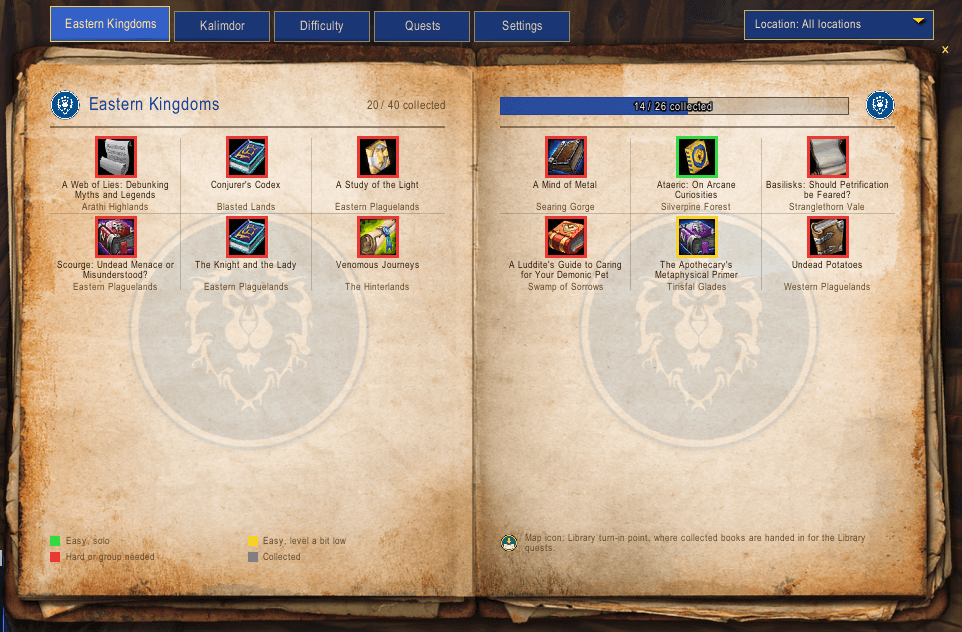
| 🏰 Eastern Kingdoms | Every book of the continent as an icon grid, two pages, divider lines between icons |
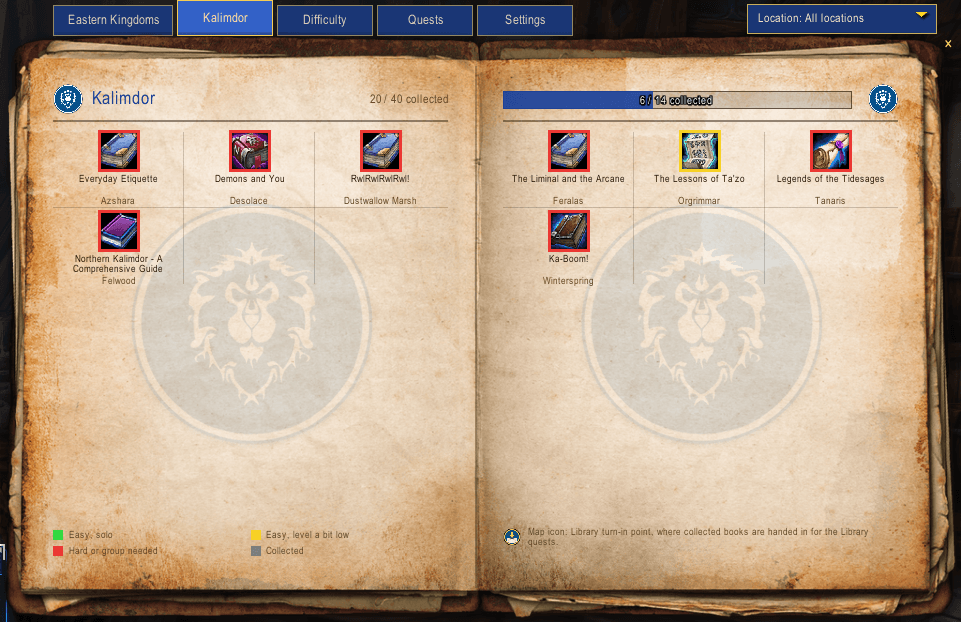
| 🌴 Kalimdor | The same for Kalimdor - with a progress bar for this tab in the page header |
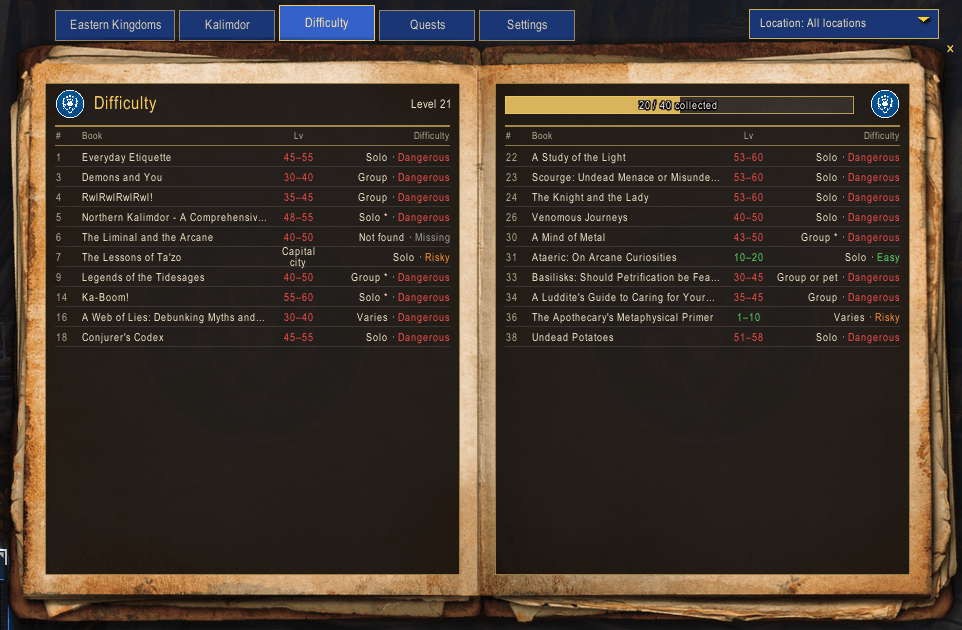
| ⚔️ Difficulty | All 40 books in one table: zone levels, mode (solo / group / varies) and a rating for your level |
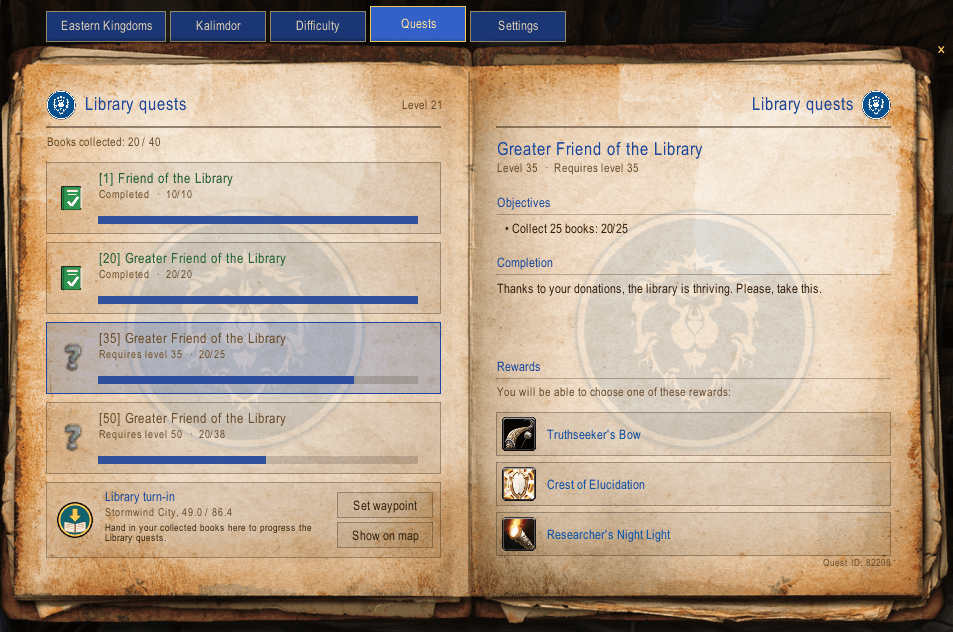
| 📜 Quests | The four Library quests, styled like the quest log, with live progress and reward previews |
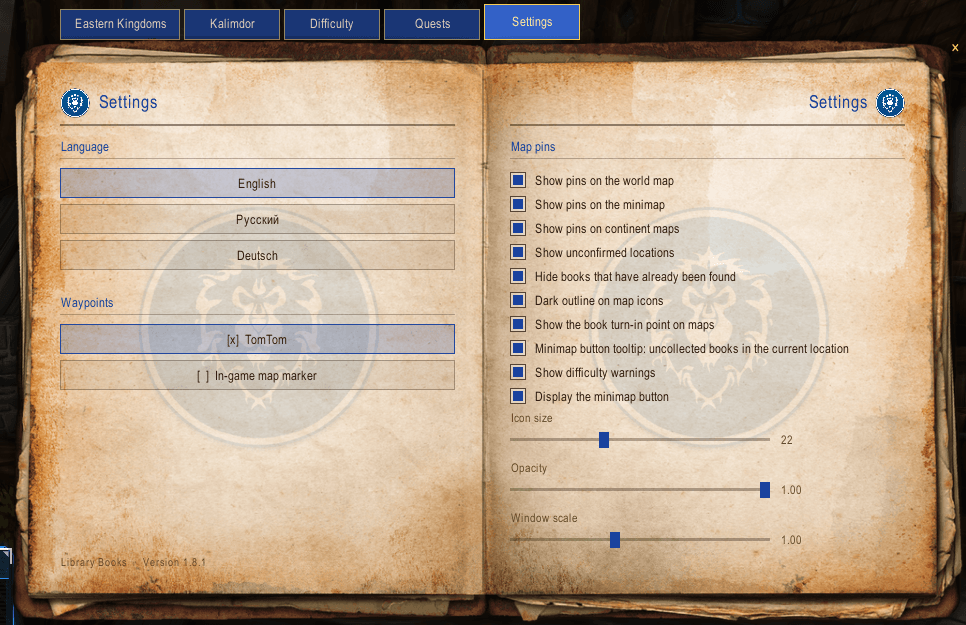
| ⚙️ Settings | Language, waypoint system, map options, sliders |
Colour-coded icons
Books use their original in-game icons, framed by a border that tells you what you're in for:
| Border | Meaning |
|---|---|
| 🟩 Green | Easy - safe to solo |
| 🟨 Yellow | Easy in principle, but your level is a bit low for a carefree solo |
| 🟥 Red | Hard, or you need a group |
| ⬜ Gray icon | Already collected |
Hover any icon for the full tooltip: location, monster levels, difficulty, warnings and a short, hand-written description of how to get the book.
🧭 Never lose the way
- Waypoints: choose TomTom or the in-game map marker - one click on an icon sets it. If TomTom isn't installed, the addon falls back to the in-game marker automatically.
- Map pins: books appear on the world map, zone maps, continent maps and the minimap.
- Only books you haven't found yet are shown.
- Extra spawn spots are drawn smaller and paler; entry points (for example crypts or climbs) get their own marker.
- Clean dark outline that follows the icon's shape - can be switched off.
- Highlight pulse: set a waypoint or use Show on map and the spot pulses on your maps so you can't miss it.
- Book turn-in point: a dedicated icon marks where to hand in your books - Stormwind for Alliance, Undercity for Horde (only your own faction's location is shown).
📍 Location filter & "what's here?"
- Use the Location filter above the book to narrow the lists to a single zone.
- If you're standing in a zone with books, the uncollected ones are listed first and highlighted in gold.
- Hover the minimap button to see the uncollected books of your current location with their difficulty colours (can be disabled).
⚖️ Smart difficulty
Library Books compares your character level with the monster level range of each zone and adapts:
- Solo books are rated Easy / Fair / Risky / Dangerous for your level.
- Group content is flagged - and you're warned if even a group would be underlevelled.
- "Hard" books are rated as if the zone's monsters were a few levels higher.
- Minimum level requirements (for example Geomancy) are enforced.
- Hostile-faction territory (for example enemy capitals or towns) triggers a warning.
📜 Library quests, at a glance
Track progress on all four Library quests in a quest-log style page:
| Quest | Books needed | Unlocks at level |
|---|---|---|
| Friend of the Library | 10 | 1 |
| Greater Friend of the Library | 20 | 20 |
| Greater Friend of the Library | 25 | 35 |
| Greater Friend of the Library | 38 | 50 |
See your progress bar, the completion text and the reward choices (with item tooltips) - and whether a quest is locked, available, ready to turn in or done.
🌍 Languages
English (default), Русский and Deutsch - switch at any time inside the addon, no reload required. Book descriptions, quest texts, tooltips and settings are fully translated.
ℹ️ Russian and German book titles are unofficial translations. Sub-zone names stay in English, as they appear in the game.
⚙️ Settings
- Language (EN / RU / DE)
- Waypoints: TomTom or in-game map marker
- Show pins on world map / minimap / continent maps
- Show unconfirmed locations
- Hide books that have already been found
- Dark outline on map icons
- Show the book turn-in point on maps
- Minimap button tooltip: uncollected books in the current location
- Difficulty warnings on/off
- Minimap button on/off
- Icon size, opacity and window scale
🎮 Controls
| Action | Result |
|---|---|
| Click a book icon or map pin | Set a waypoint |
| Shift + Click | Mark a book as collected / undo (useful if a book can't be detected automatically) |
| Right-click a book icon or map pin | Show the spot on the world map |
| Left-click minimap button | Open / close the book |
| Right-click minimap button | Open settings |
| Drag minimap button | Move it around the minimap |
Slash commands
/lb                 open or close the book
/lb settings        open the settings tab
/lb lang en|ru|de   change language
/lb map             print current map ID and position
/lb clear           remove the active waypoint
/lb reset           reset window position
/lb minimap         show or hide the minimap button
Aliases: /lbooks, /librarybooks
❓ FAQ
How does the addon know which books I have? It reads the turn-in quest flags of the books. For books that can't be detected, Shift-click an icon to mark it yourself.
A book is missing on my map - why? Collected books are hidden from the maps on purpose. Locations that are not confirmed in WoW Forever are hidden unless you enable them in the settings.
Why is a book yellow even though it's "easy"? Your character's level is a little below the comfortable range of that zone. The tooltip tells you the zone's levels.
Can I turn off the minimap tooltip list? Yes - it's an option in the settings.
LibraryBooks Tracker Team

Owner