LFGuild
- By
A "looking for guild" board for WoW: Forever. Guildless players publish a short profile, recruiters browse and filter them, guilds post their own cards. Works player-to-player, no website needed.
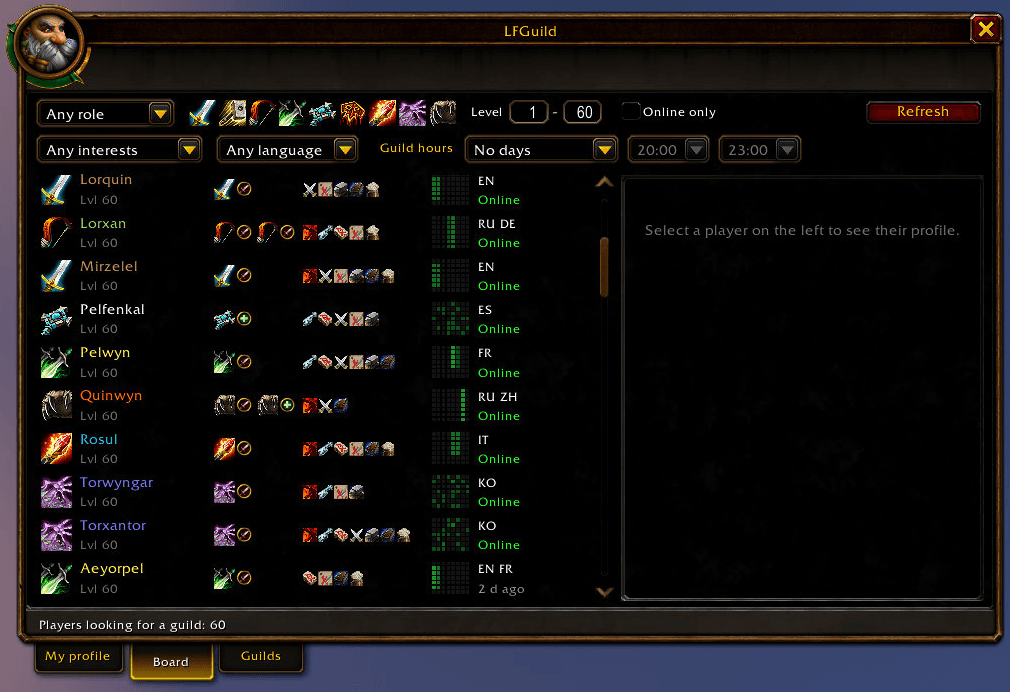
01-board.png
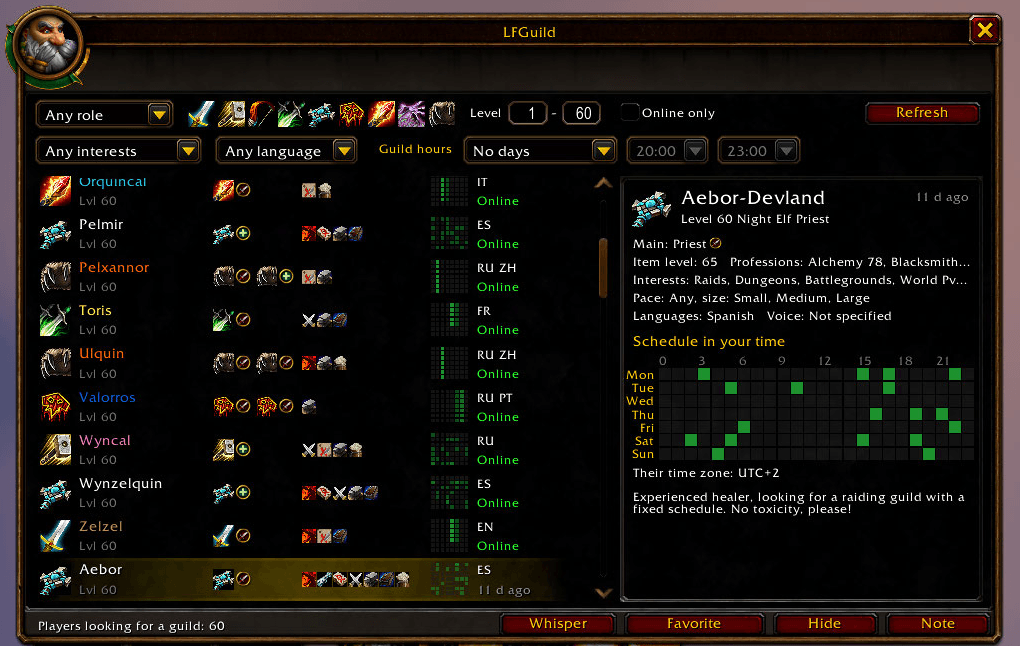
02-player-detail.png
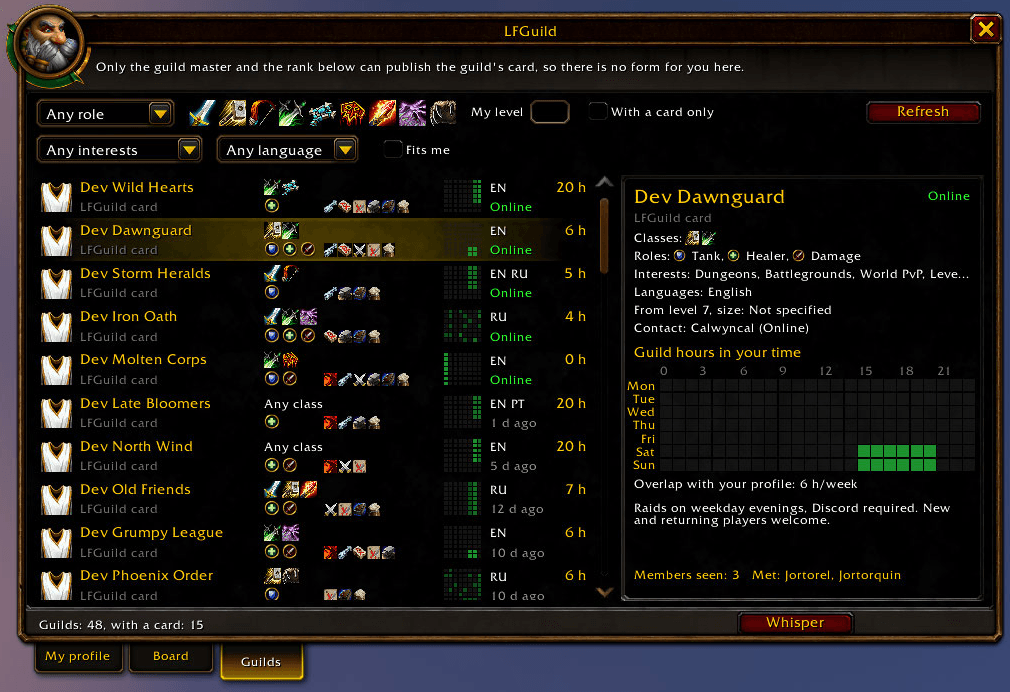
03-guilds.png
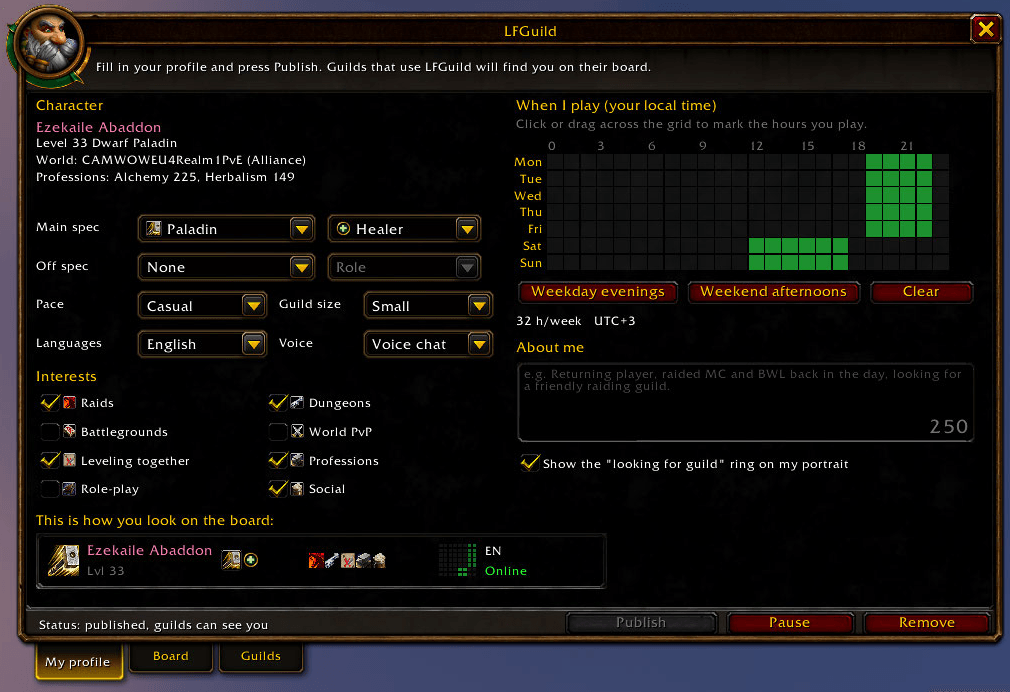
04-my-profile.png
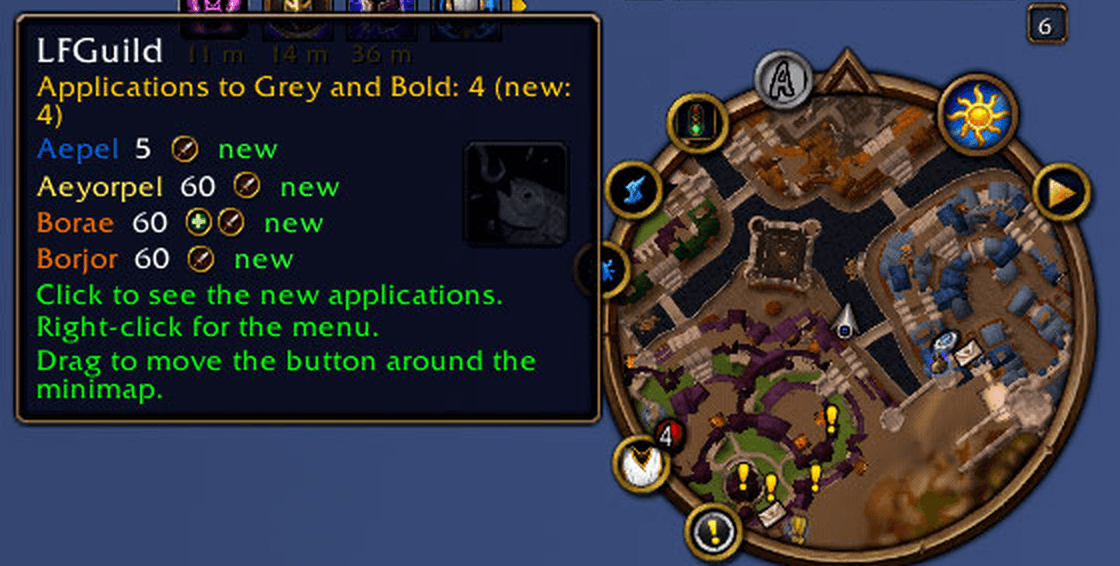
05-minimap-badge.png
Description
LFGuild is a "looking for guild" board inside World of Warcraft: Forever.
Players without a guild publish a short profile in about 30 seconds. Guilds publish a card that says who they are looking for. Everyone running the addon sees the players and guilds of their own ruleset and faction, with playing hours shown in their own time zone, and gets in touch with one click.
For players looking for a guild
- Class, level and professions are filled in automatically.
- Pick your main and off spec, the pace and size of guild you want, your interests (raids, dungeons, battlegrounds, world PvP, leveling, professions, RP, social), languages and voice chat.
- Paint your playing hours on a 7 × 24 grid in your local time. Others see them in theirs.
- Browse the Guilds tab: recruiting guilds with the classes and roles they need, their raid hours and how many of those hours overlap with yours. The "Fits me" filter leaves the guilds that want your class, role and level and play at your hours.
- Press Apply on a guild's card and its recruiter gets your application, or whisper them a ready-made message.
- A green ribbon on your portrait (three styles) and a line in your tooltip show other LFGuild users that you are looking. You can switch the ribbon off at any time.
- Pause or remove your profile whenever you like. It pauses by itself when you join a guild.
For recruiters
- The guild master and the rank below publish the guild's card: wanted classes and roles, minimum level, interests, languages, size, raid hours and a short note.
- Applications arrive on the minimap button as a red counter, like unread messages. Open the list to whisper an applicant, invite them to the guild, read their profile or dismiss the application.
- On the Board, filter seekers by role, class, level, interests, languages and online status, and sort them by how many hours overlap with your raid times.
- Open a full profile, whisper with an editable template, or invite to your guild with one click.
- Favorites, hidden players and private notes stay on your computer.
How it works
Addons cannot use the internet, so profiles and guild cards travel between players who have LFGuild installed, over a hidden addon channel and whispers, within Blizzard's limits. Boards never mix rulesets or factions. What you have seen stays on your board for 14 days. Guilds that have no card yet but were seen on other players are listed too, marked as such. The addon never sends a chat message or an invite without your click.
Good to know
- An application goes to the character who published the guild's card. If they are offline, it is delivered the next time you are both online.
- Apply is available to characters without a guild, for guilds that have a card.
- The board fills up as more players on your realm install the addon.
Commands: /lfguild opens or closes the window; the minimap button does the same and can be dragged around the minimap or hidden. Ribbon style, per-frame ribbon toggles, the tooltip line and the minimap button are in Options → AddOns → LFGuild.
Languages: English, Russian. Includes ChatThrottleLib (public domain).
LFGuild Team