Healer Traffic Light
- By
A traffic light for your healer's mana: GO, careful or STOP. Shows when the healer is drinking. Works in combat.
ezgif-592cb84af563460a.gif
Screenshot 2026-11-07 172702.png
Screenshot 2026-11-12 191158.png
Description
Healer Traffic Light
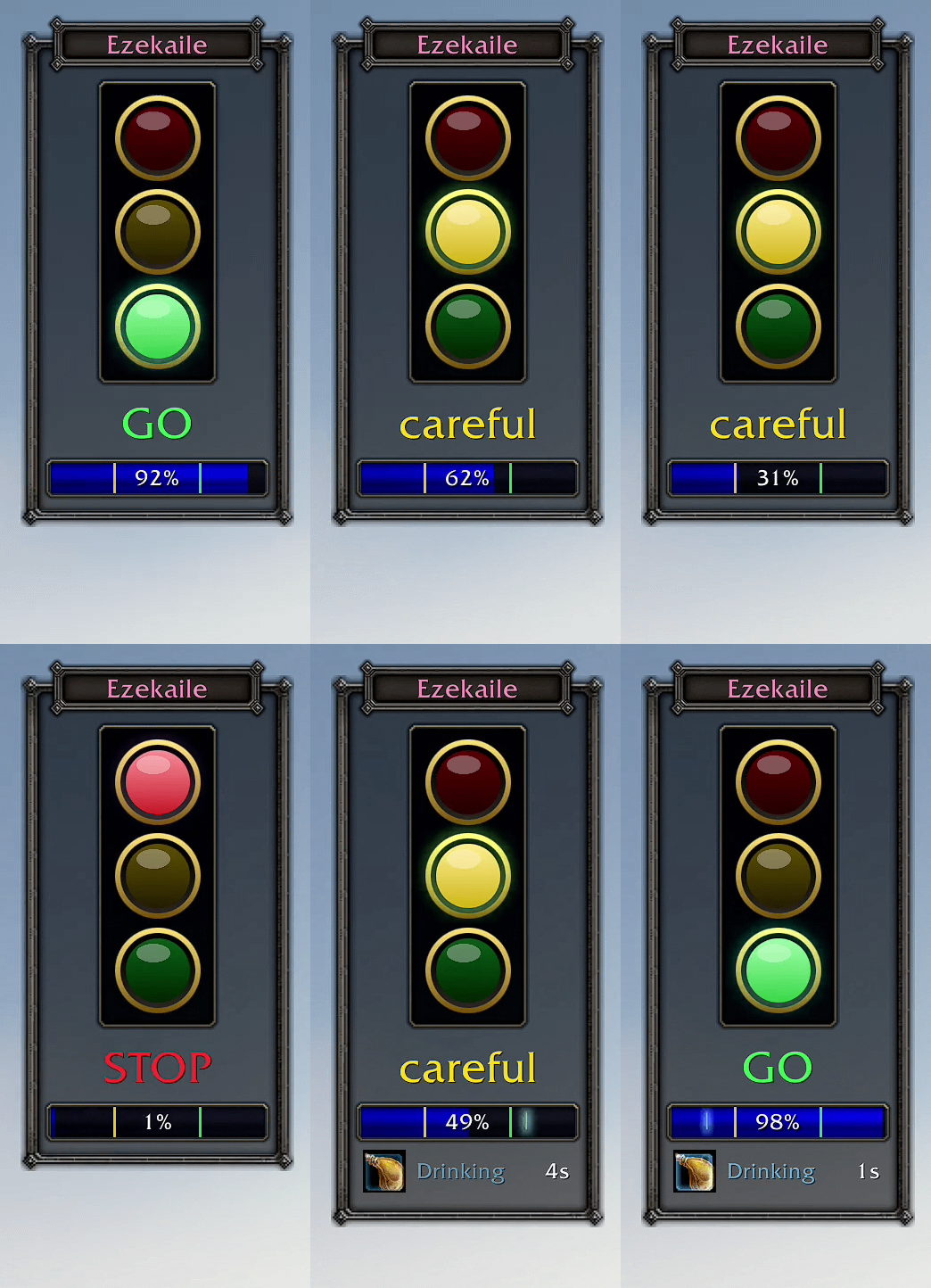
One glance tells the whole group whether it's safe to pull. Healer Traffic Light shows your party healer's mana as a traffic light:
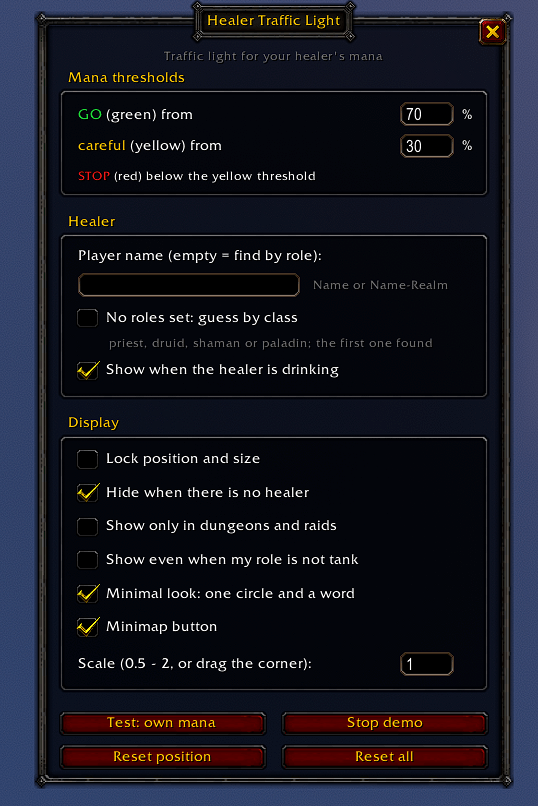
- GO (green): the healer has 70% mana or more
- careful (yellow): 30% to 70%
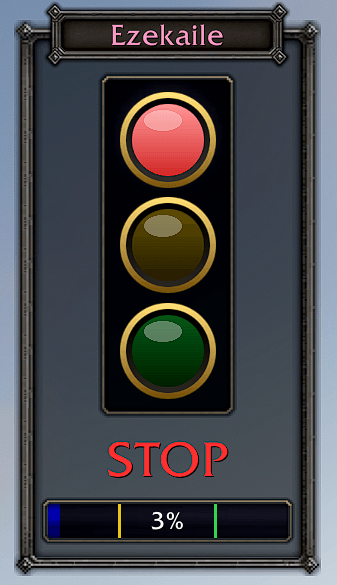
- STOP (red): below 30%
It's for the whole group: the tank knows when to pull, DPS know when to wait.
Features
- Finds the healer by itself. Uses the assigned group role. You can also type the healer's name, or let the addon guess by class (priest, druid, shaman or paladin) when nobody has set roles.
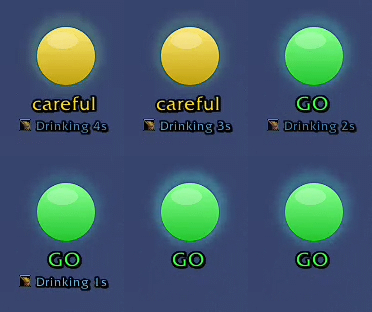
- Shows when the healer is drinking, with the drink icon, a countdown and a small animation.
- Works in combat. WoW Forever hides other players' mana from addons during combat. Healer Traffic Light hands the value to the game to draw, so the light, the word, the mana bar and the percent keep updating.
- Mana bar with marks at your thresholds.
- Dead and offline healers are shown too.
- Your own thresholds. Defaults are 70% / 30%; set any values you like.
- Classic UI look, built from the game's own dialog, banner and status bar art.
- Minimal look if you prefer less on screen: one borderless circle that changes color, with GO / careful / STOP under it. Turn it on in the options or with
/htl minimal. - For every role. Tanks, healers and damage dealers all see the light. One checkbox limits it to when your own role is tank.
- Only in dungeons and raids by default, so it stays out of the way in the open world. One checkbox shows it everywhere.
- Five languages: English, German, French, Spanish and Russian. The addon follows your game client's language; you can pick another one in the options.
- Two styles: the classic look, or a modern one with a flat dark panel and thin smooth borders. One button in the options switches between them.
- Fits EllesmereUI. With the EllesmereUI suite installed, the light and the options window take its theme by themselves. You can turn that off in the EllesmereUI options.
- Minimap button: left-click opens the options, right-click switches the look. It can be hidden.
- Drag the header to move it, drag the corner to resize it (0.5x to 2x). One checkbox locks both. The light hides itself when there is no healer; you can turn that off.
Commands
| Command | What it does |
|---|---|
/htl | Open the options window (also: right-click the light) |
/htl test | Test mode: show your own mana |
/htl demo | Demo of all states and the drinking animation |
/htl name <name> | Track a specific player; /htl name alone goes back to finding by role |
/htl pct <yellow> <green> | Set thresholds, e.g. /htl pct 30 70 |
/htl minimal | Switch between the classic and the minimal look |
/htl dungeon | Show the light only in dungeons and raids, or everywhere |
/htl anyrole | Show the light with any role of yours, or only as a tank |
/htl minimap | Show or hide the minimap button |
/htl lang <code> | Set the language: auto, en, de, fr, es or ru |
/htl style | Switch between the classic and the modern style |
/htl lock / /htl unlock | Lock or unlock position and size |
/htl reset | Move the light back to the center of the screen |
/htl debug | Print what the addon sees (useful for bug reports) |
/healerlight works as well as /htl. Drag the header to move the light; drag the bottom-right corner (the grip appears on mouse-over) to resize it. In the minimal look, drag the circle itself to move it.
FAQ
It says "no healer found". WoW Forever has no Dungeon Finder, so group roles are often not set. Either:
- ask the group leader to set roles,
- type
/htl name HealerName, or - turn on "No roles set: guess by class" in the options.
Why does the tooltip say the mana is "hidden in combat"? In combat the game doesn't let addons read other players' mana. The light still works: the game itself draws the color, word, bar and percent. The tooltip just can't show the exact numbers.
What happens in a raid? The addon tracks the first healer it finds. To choose a specific one, set their name with /htl name.
Does drinking detection work in my language? It should: the drink buff is matched by spell ID and by its name in your client's language. In combat, buff details can be hidden from addons, but healers rarely drink in combat anyway.
Feedback
Found a bug or have an idea? Leave a comment and include the output of /htl debug. If it's a display problem, a screenshot helps too.
Healer Traffic Light Team