Description
LFGSpamFilter
This small addon will help you combat spam in the LFG tool.
Features
- multiple filtering modes (the default mode should catch most spam groups)
- filtering groups from previously reported and/or banned players
- temporary player bans
Please note that this filtering is not 100%.
The addon cannot simply search for things like "WTS" in group titles due to restrictions of the ingame APIs.
How to use
This addon adds several new UI elements to the LFG tool:
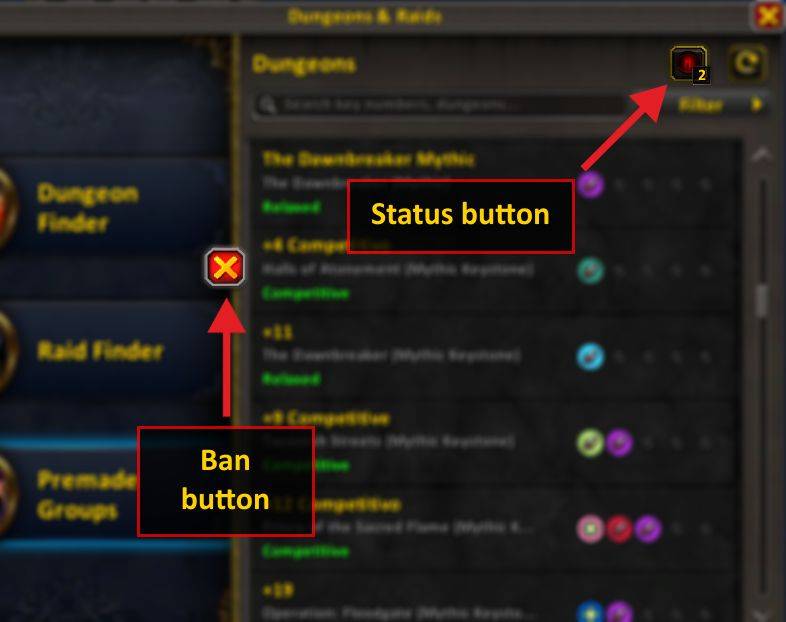
Status button
The status button shows the current state of LFG filtering:
- grey eye: no groups filtered
- red eye with a number: some groups filtered
- closed eye: filtering disabled in current LFG category
- squinting eye with red number: filtering is currently inverted (showing only groups that would be filtered)
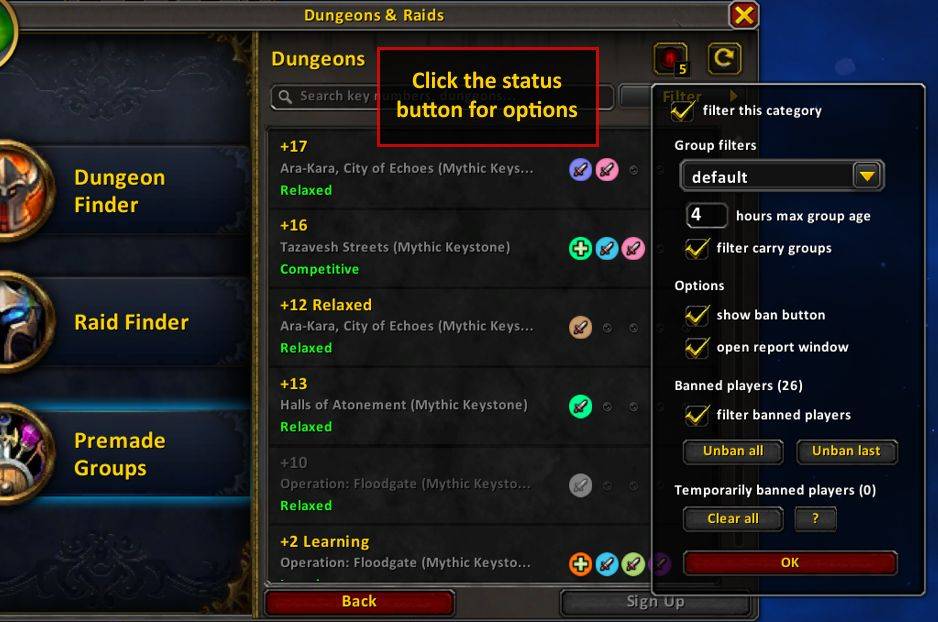
The button has different mouse button interactions:
- left click shows options
- right click quickly toggles filtering for the current LFG category
- middle click temporarily inverts the filtering
Ban button
When hovering a group, a red "X" will appear on the left side.
- left click reports and bans the group leader
- right click bans the group leader temporarily
- temporary bans expire after you relog (and the report window will not be opened)
- you can also clear temporary bans in options
FAQ
Why not filter using the group title, etc.?
Sadly, Blizzard has made it impossible for addons to read the content of group titles, descriptions and voice chat information. This limits the filtering to the other parameters and banning players by name.
Why do I have to report groups manually?
Since 11.0 it is mostly impossible for addons to interact with the report window without breaking it.
By default, when banning a group, the report window will be opened for you. This can be disabled in options.
Known issues
- "Report Advertisement" context menu option doesn't always work (or it just opens the report window) - this is caused by UI taint from group filtering and is not currently fixable; use the "Report Group" option or let this addon open the report window for you (this is enabled by default)
LFGSpamFilter Team

Owner