LFGenie
- By
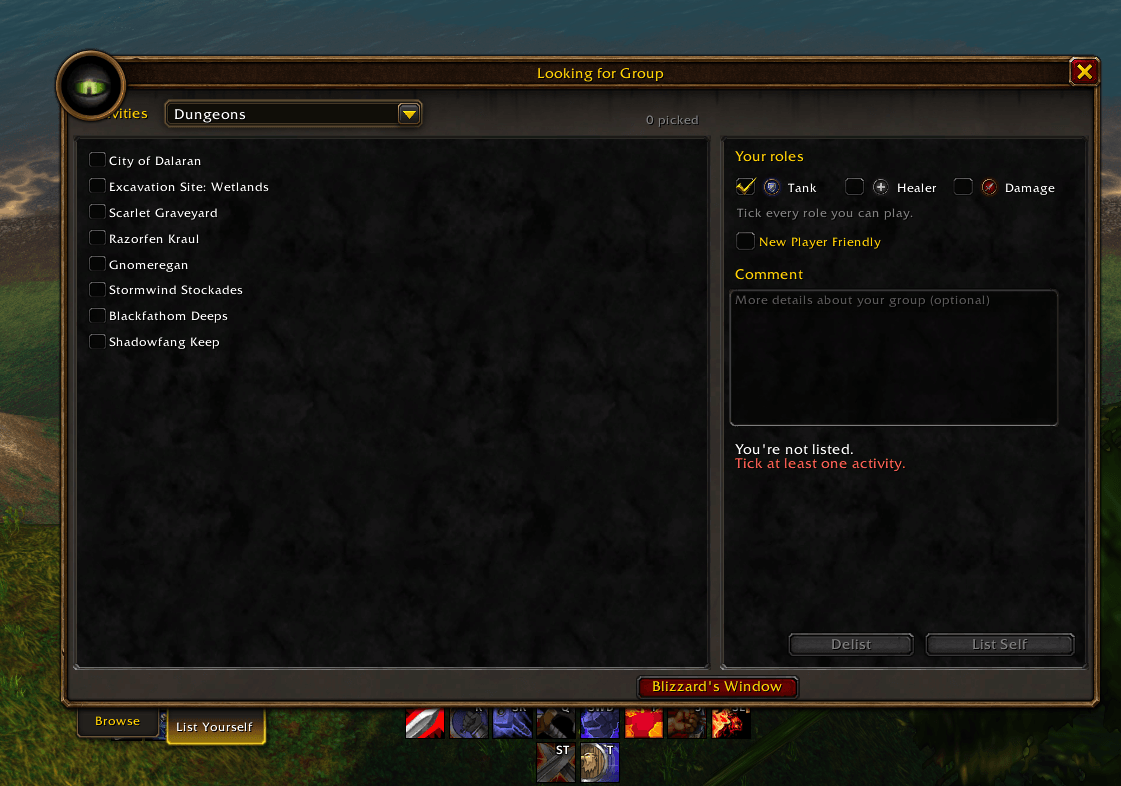
A Looking for Group window for WoW Forever that you can actually filter — by role, class, level, free spots and comment — with suggested level ranges on every dungeon. List yourself from the same window, in the game's own art.
Screenshot 2026-11-10 125512.png
Screenshot 2026-11-10 125557.png
Screenshot 2026-11-10 125558.png
Screenshot 2026-11-10 125711.png
Description
LFgenie – a Looking for Group window that shows where players are
Stop inviting someone who’s three zones and a flight path away.
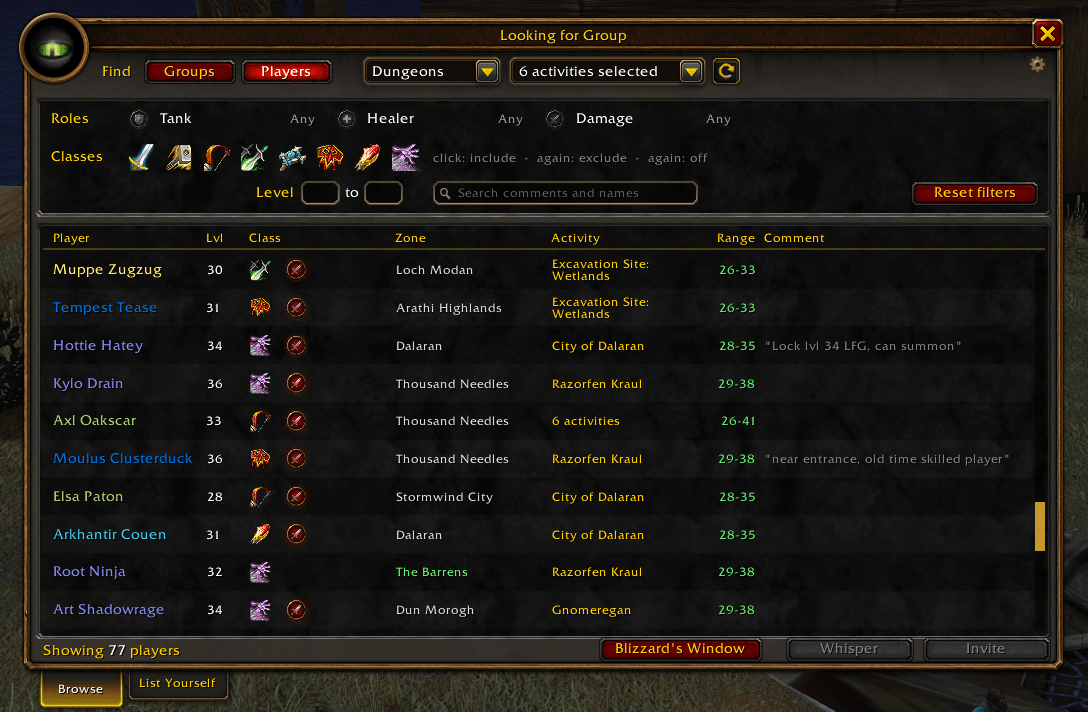
Forever’s group finder shows a long list of everyone on the server and nothing about where they are. LFgenie adds a Zone column. Under Find: Players, every player who has listed themselves shows the zone they’re in right now. It’s green when they’re in your zone. You can pick the person who’s already nearby instead of waiting all week for someone to travel to the dungeon.
What else it does
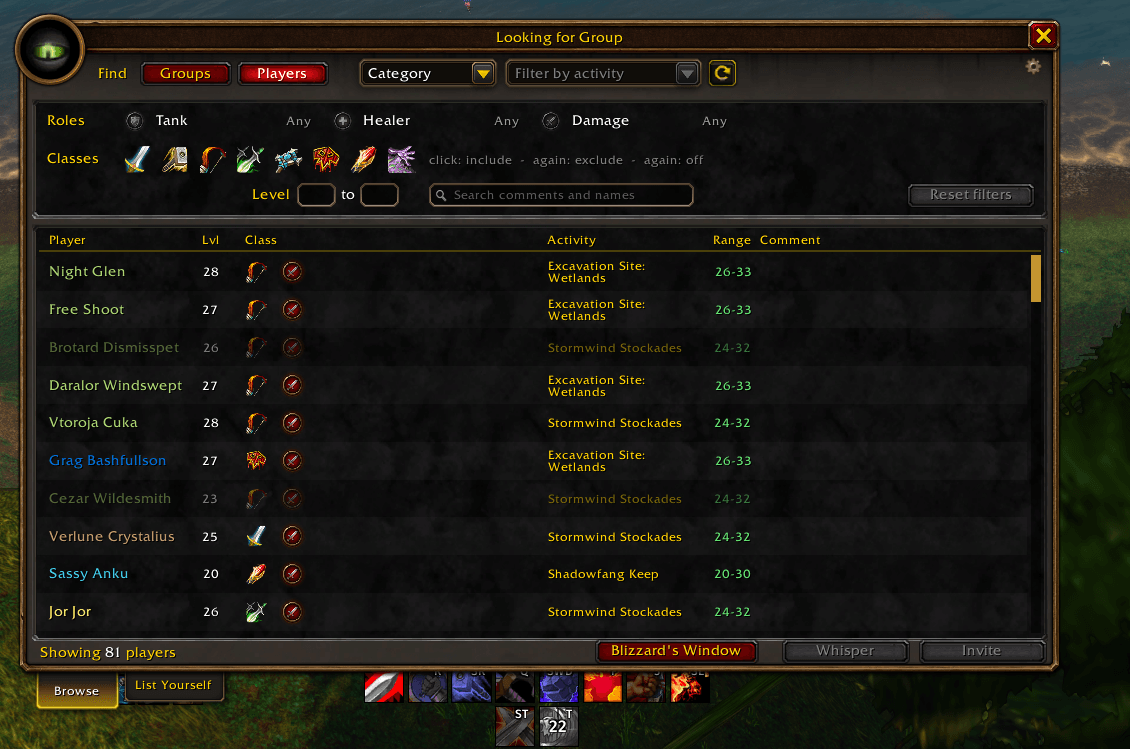
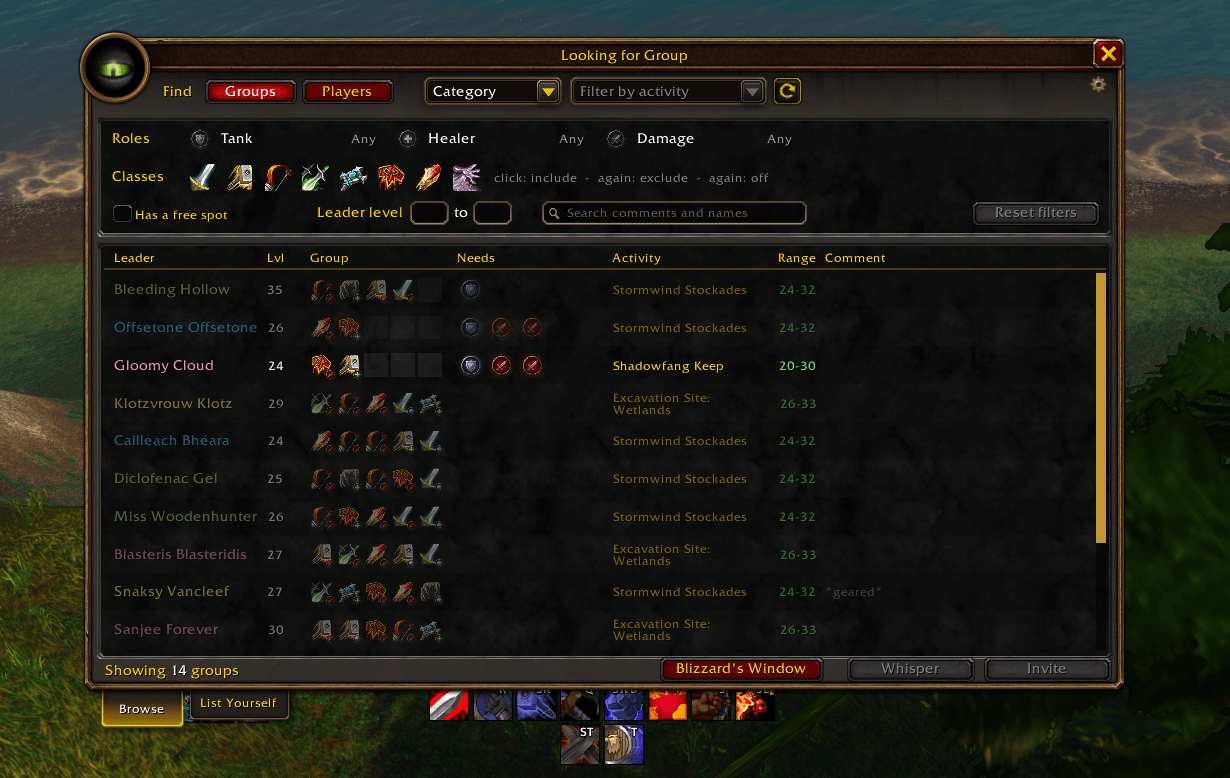
- Filter the list: by role (tank, healer, damage: any, has one, needs one), class, leader level range, groups with a free spot, and words in the comment or leader’s name. Your filters are saved between sessions.
- Read each row at a glance: leader, level, the group’s line-up with class and role icons, which roles are still open, the activity, its suggested level range and the comment.
- See level ranges in the activity dropdown: coloured against your own level, so red means you’re under the minimum, green means it’s worth running, and grey means you’ve outgrown it.
- List yourself on a second tab: pick a category, activities and roles, add a comment, then Post or Unlist.
- Hover a row for the game’s own tooltip, right-click to whisper, or use the Whisper and Invite buttons.
Good to know
- Searching still runs Blizzard’s own code. The filters narrow what the server sends back, and they can’t fetch more.
- The zone is blank when the game doesn’t report one.
- Blizzard’s original window is always one command away:
/lfgenie blizzard.
LFGenie Team