LFG Buddy: LFG Group Finder, Filter & Sort for WoW Forever
- By
LFG group finder for WoW Forever: filter and sort groups and players by role, class, level and zone, in 10 languages.
Screenshot 2026-11-14 153015.png
Screenshot 2026-11-14 153044.png
Screenshot 2026-11-15 120618.png
Description
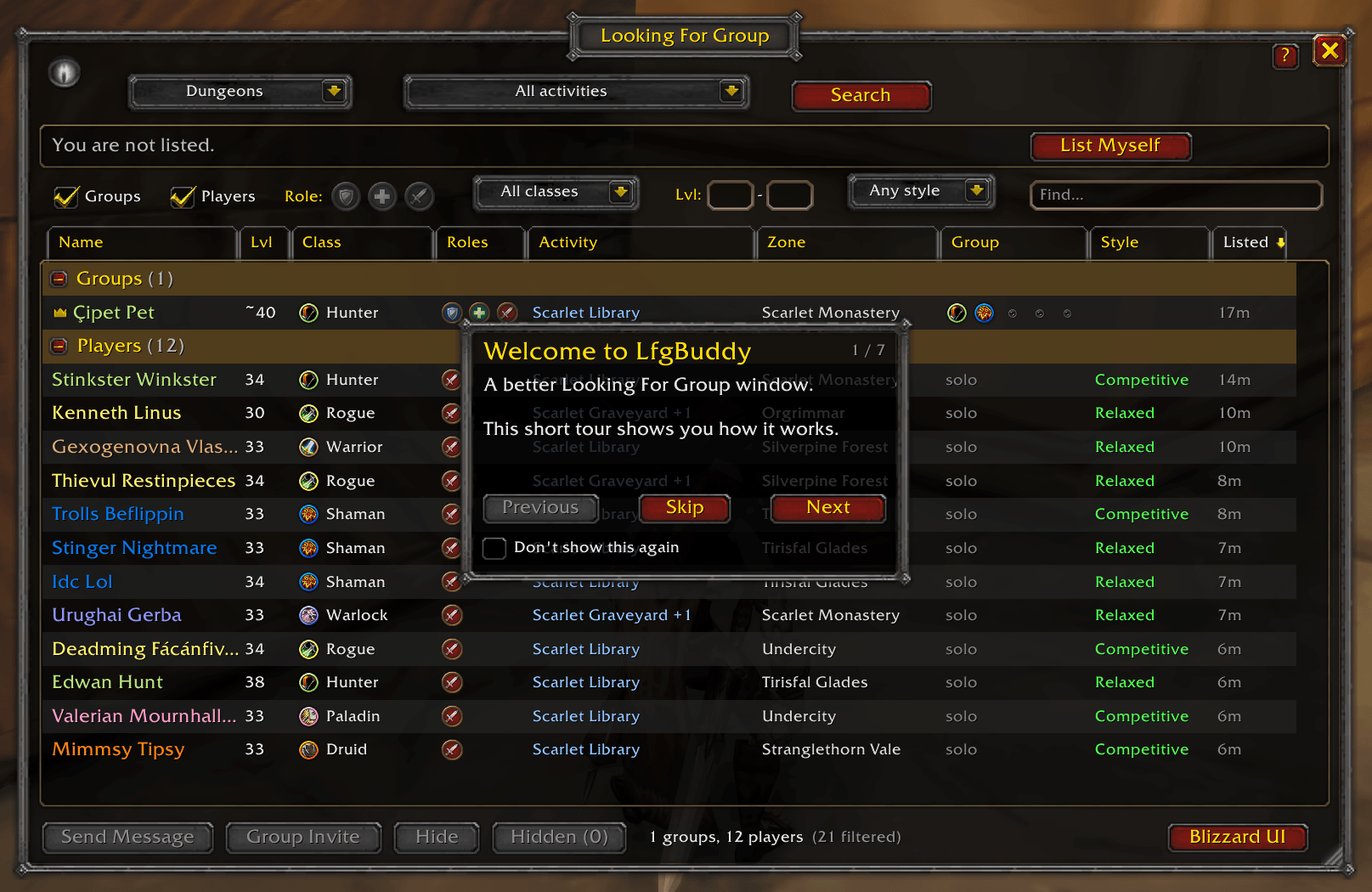
Sort the list
Click any column to sort by it. Click again to flip the order.
- Name
- Level
- Class
- Roles
- Activity
- Group size
- Playstyle
- Listed (how long ago)
Filter what you see
- Groups and Players: show one or both
- Role: players who can play it, and groups that still need it
- Class: pick one or more classes
- Level range: for example 35 to 40
- Playstyle: Relaxed, Competitive and so on
- Find: search names and comments
See more at a glance
- Groups show the classes already in them and how many spots are left.
- Players show every role they can play.
- Hover over a listing to see all members, the roles a group still needs and its comment.
Quick actions
- Double-click a listing to whisper.
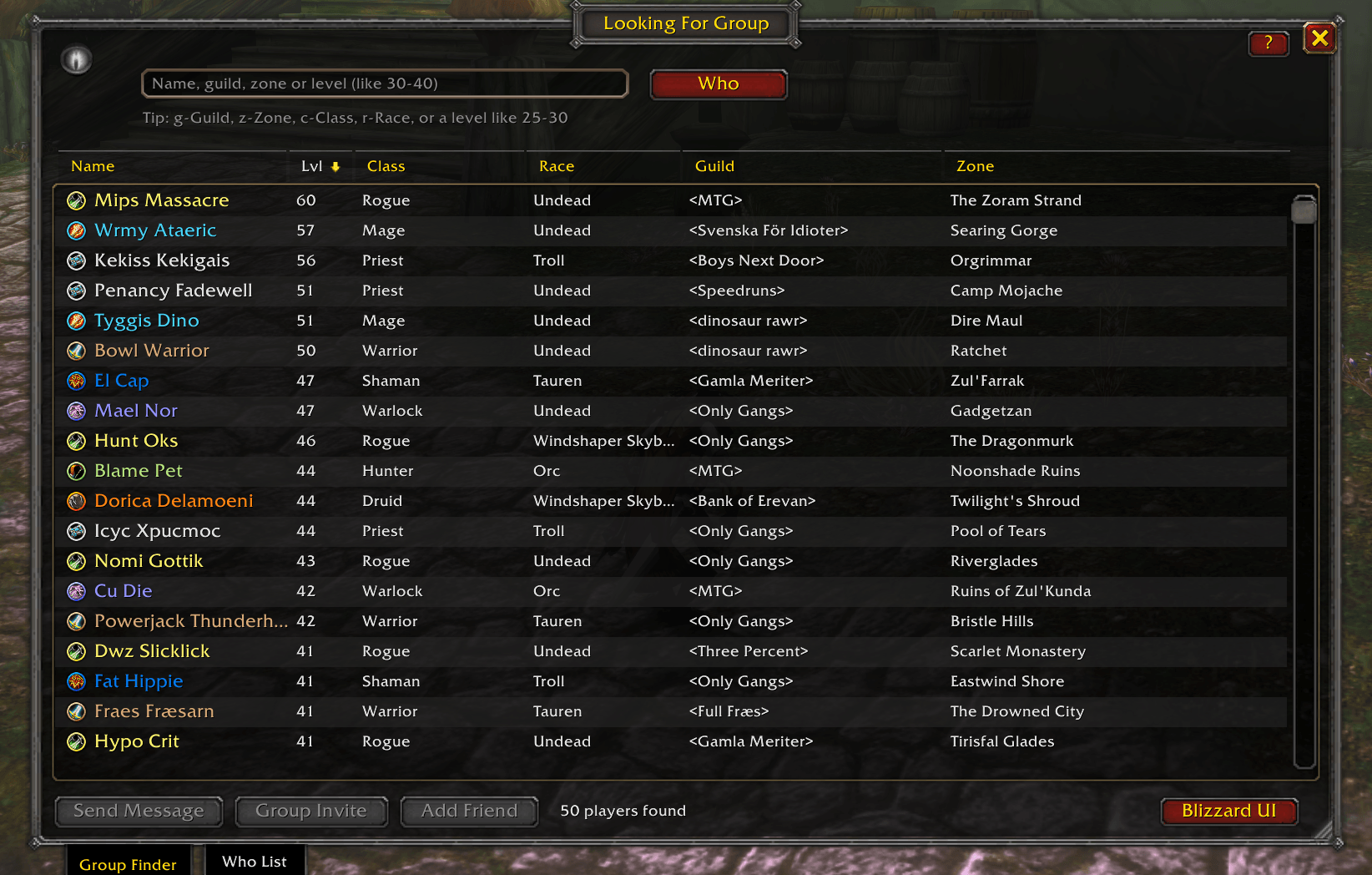
- Right-click to invite a player, look them up, or hide someone you don’t want to see again.
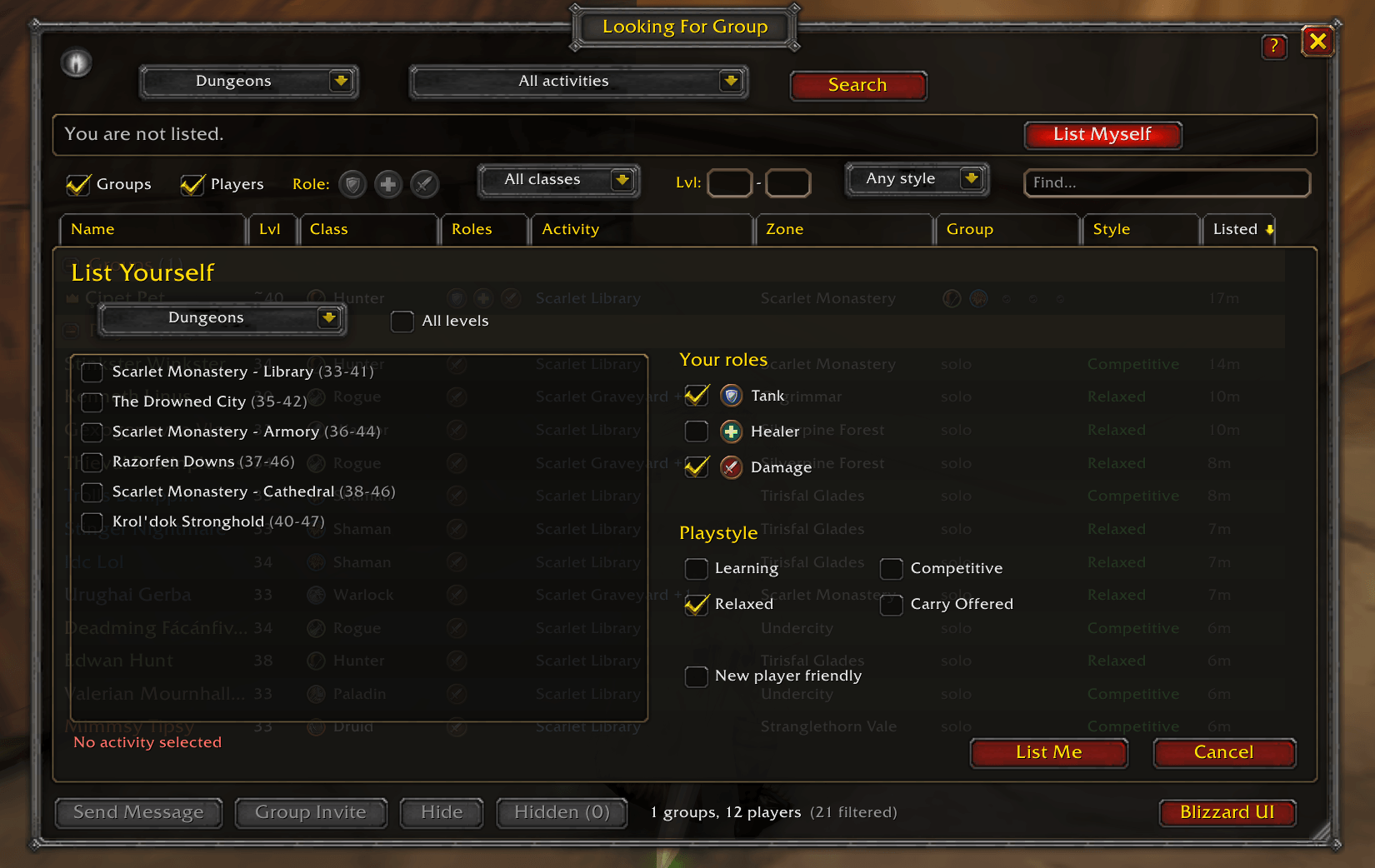
- List yourself or edit your listing (activities, roles, playstyle) without leaving the window.
Commands
- /lfgb: open or close the window
- /lfgb replace: stop (or start) replacing Blizzard’s window
- /lfgb blizzard: open Blizzard’s window once
- /lfgb unhide: show players you hid again
- /lfgb reset: move the window back to the middle of the screen
Made for WoW: Forever. Found a bug or have an idea? Leave a comment on this page.
LFG Buddy: LFG Group Finder, Filter & Sort for WoW Forever Team