LFG Reminder – Premade Group Finder Alerts
- By
Never miss a World of Warcraft Retail Premade Group Finder invitation. LFG Reminder shows persistent alerts, group details, sounds, and invitation history.
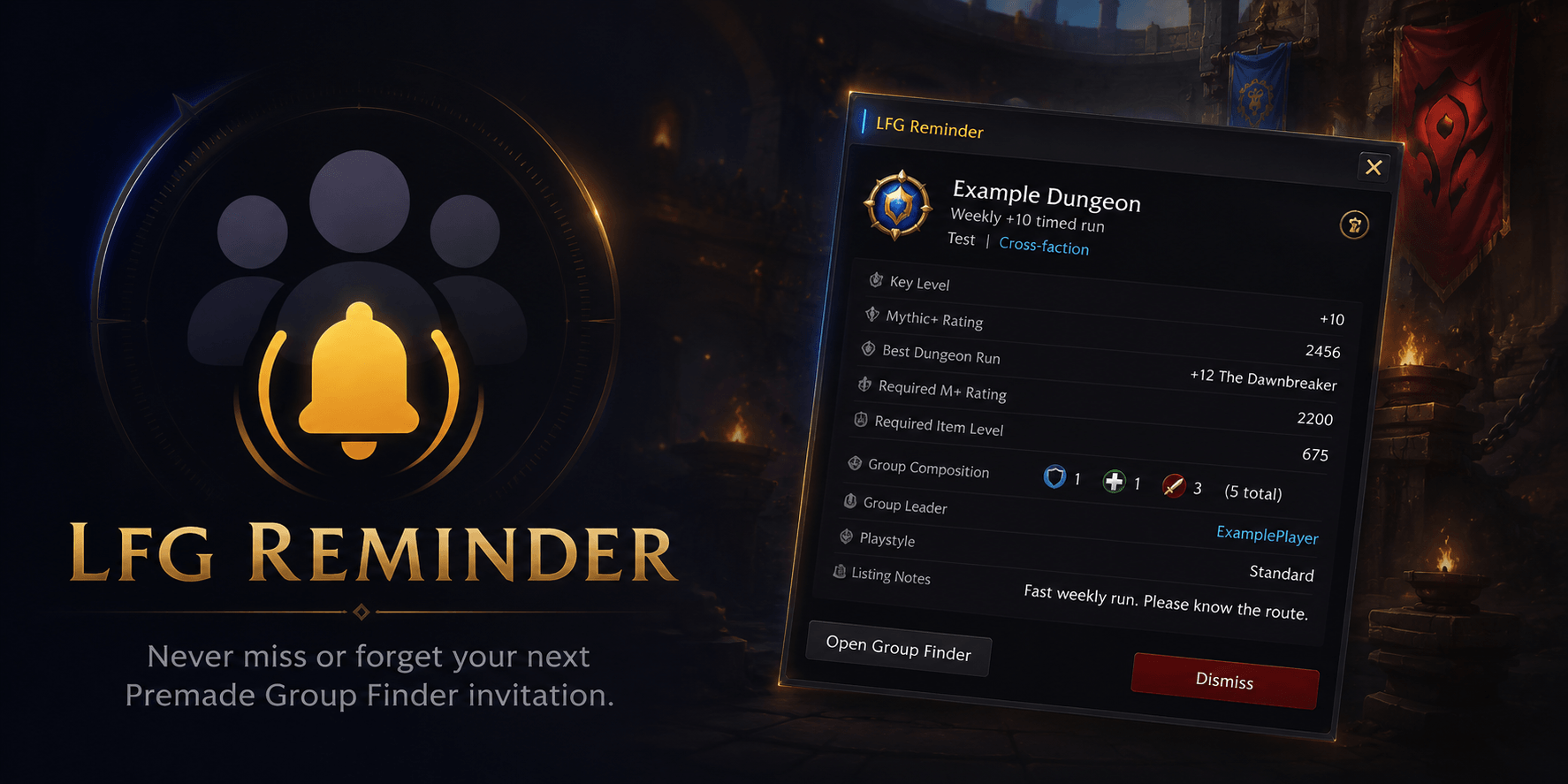
Keep WoW Retail Premade Group Finder invitations visible with detailed group info, notifications, history, and customizable closing options.
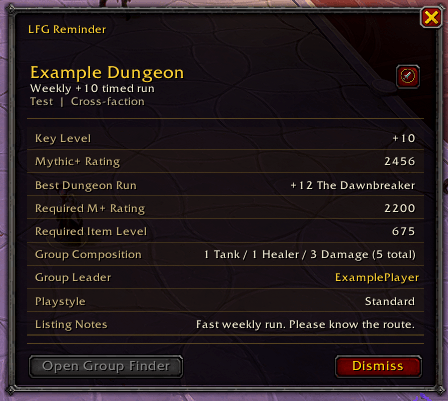
Displays dungeon details, key level, rating, group composition, leader and listing notes in a Blizzard-inspired style.
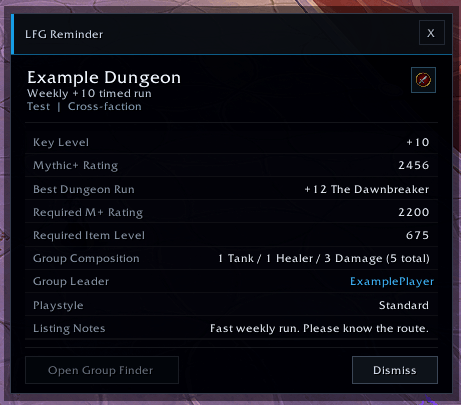
A clean and compact interface showing the most useful Premade Group Finder information at a glance.
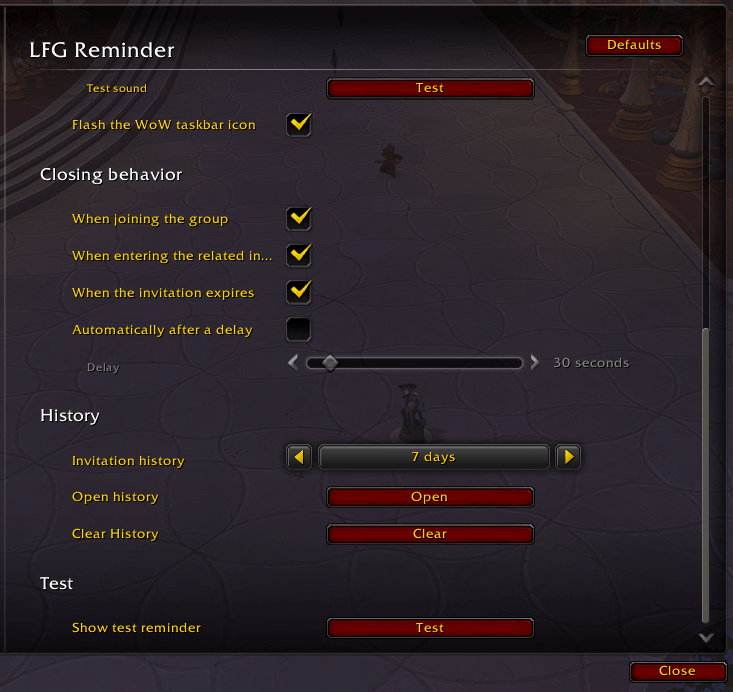
Configure automatic dismissal conditions, history retention, notification testing and reminder behavior.
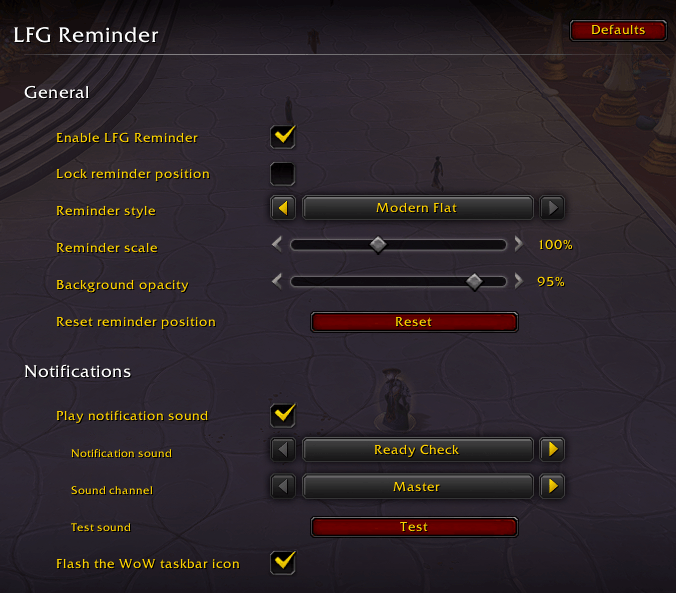
Customize appearance, scale, opacity, sound, audio channel, position lock and taskbar alerts.
Description
Applied to a dungeon, Mythic+, raid, delve, custom PvE, arena, or rated PvP group and worried you will miss the invitation? LFG Reminder makes eligible Premade Group Finder invitations hard to overlook.
When an invitation arrives, a persistent reminder card stays on screen until you dismiss it, accept it with your own click, or an enabled closing condition is met. The addon is lightweight, uses Blizzard's native Retail interface, and works without libraries or other addon dependencies.
What you can see
LFG Reminder shows the safest details available from Blizzard's Retail API, including:
- Listing and activity name
- Category, difficulty, and Mythic+ key level
- Official Mythic+ rating, best dungeon run, and PvP rating when available
- Requested rating and item-level requirements
- Your selected role, group composition, and leader
- Playstyle, voice-chat details, requirements, and listing notes
Some listing data can be unavailable or restricted by Blizzard after an invitation is sent. LFG Reminder safely caches available information and never invents missing details.
Key features
- Persistent reminders for Premade Group Finder invitations
- Optional Accept button that only works from your direct player click
- Optional Decline button that only works from your direct player click
- Dismiss button and a contextual shortcut to the Blizzard Group Finder
- Optional hiding of Blizzard's Premade Group Finder invitation dialog
- Optional Blizzard notification sounds and WoW taskbar flashing
- Multiple active invitations with previous/next navigation
- Clickable leader name that opens a whisper without sending a message
- Default, Classic, and Modern reminder styles, with four Modern accent colors
- Movable, lockable, scalable, and opacity-adjustable reminder window
- Automatic dismissal after joining, entering the related instance, or invitation expiration
- Optional timer-based dismissal from 5 to 300 seconds
- Searchable local invitation history with configurable retention and a Joined only filter
- Native Retail Settings panel and useful slash commands
- Full addon-interface translations for every standard Retail client locale
What LFG Reminder does not do
LFG Reminder is intentionally focused on invitations from player-created Premade Group Finder listings.
- It does not create reminders for Dungeon Finder, Raid Finder, random dungeon, Arena Skirmish, Solo Shuffle, Battleground Blitz, or other matchmaking queue proposals.
- It does not create reminders for direct party or raid invitations.
- It never automatically accepts or declines invitations.
- It never queues, applies to groups, teleports, leaves a group, sends whispers, or carries out protected actions automatically.
Easy to use
Install the addon, apply to a Premade Group Finder listing, and let LFG Reminder watch for the invitation. It works out of the box with sensible defaults, including Ready Check sound, taskbar flashing, and reminders closing when the group is joined, the related instance is entered, or the invitation expires.
Use the native WoW Settings panel or these commands:
| Command | Action |
|---|---|
/lfgr or /lfgr options |
Open settings |
/lfgr history |
Open invitation history |
/lfgr show |
Show the latest active reminder |
/lfgr test |
Show a fully populated test reminder |
/lfgr reset |
Reset the reminder position |
/lfgr help |
Show command help |
/lfgreminder |
Alias for /lfgr |
Privacy and compatibility
LFG Reminder supports World of Warcraft Retail 12.0.7 and later and localizes its own interface for English, German, Spanish (Europe and Latin America), French, Italian, Korean, Brazilian Portuguese, Russian, Simplified Chinese, and Traditional Chinese. Settings and invitation history stay in the local LFGReminderDB SavedVariables table. The addon has no analytics, telemetry, addon-message traffic, network requests, or external services.
Installation
- Download and install through the CurseForge app, or download the ZIP manually.
- For manual installs, extract the archive into
World of Warcraft/_retail_/Interface/AddOns/. - Confirm the addon is located at
Interface/AddOns/LFG_Reminder/LFG_Reminder.toc. - Start WoW Retail and enable LFG Reminder in the AddOns list.
LFG Reminder – Premade Group Finder Alerts Team

Owner