LFG Multi Lang
- By
Search across languages and see every group in the default dungeon finder, not only the ones in your client's language.
LFG Multilang
Search across languages
The group finder only searches in your game client's language, so many groups and players never show up. LFG Multilang makes its Search Again button look in the languages you choose.
How it works
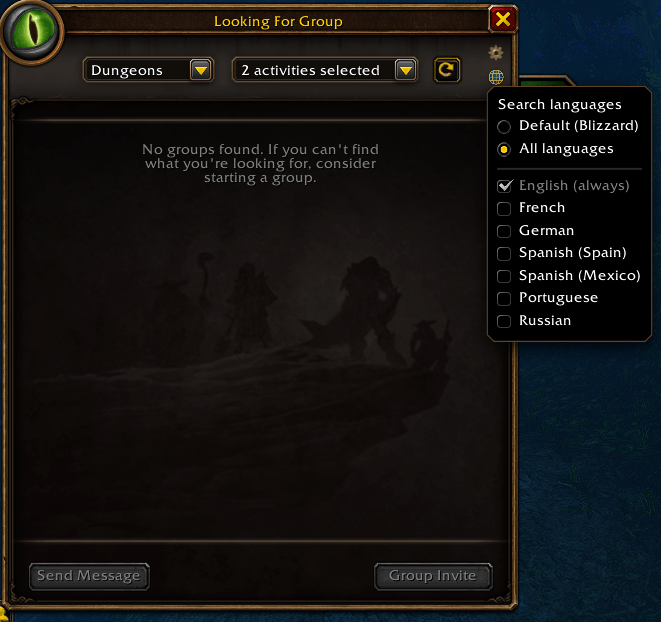
- Click the small globe under the group finder's settings gear to pick your languages.
- All languages (the default) searches every language.
- Tick only the languages you want for a choice of your own.
- Default (Blizzard) puts the game's own search back, untouched.
- Your client's language is always searched: the game adds it to every search.
- Korean and Chinese are left out. Type
/lfgml asianto add them, and again to remove them. - Light and safe: nothing of Blizzard's is modified. If the group finder changes in a patch, the addon turns itself off and tells you in the chat.
LFG Multi Lang Team