LFG - How It Should Be
- By
LFG how it should be. Filters, whisper list, clean and simple UI that is easy to use.
Description

LFG - How It Should Be
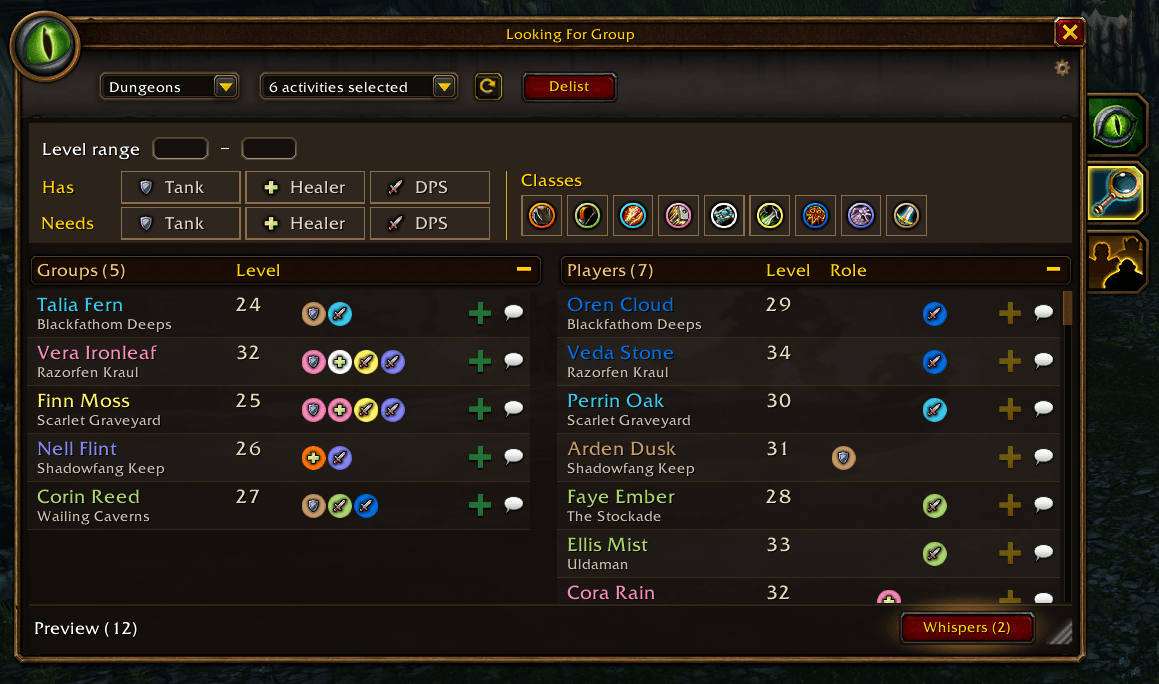
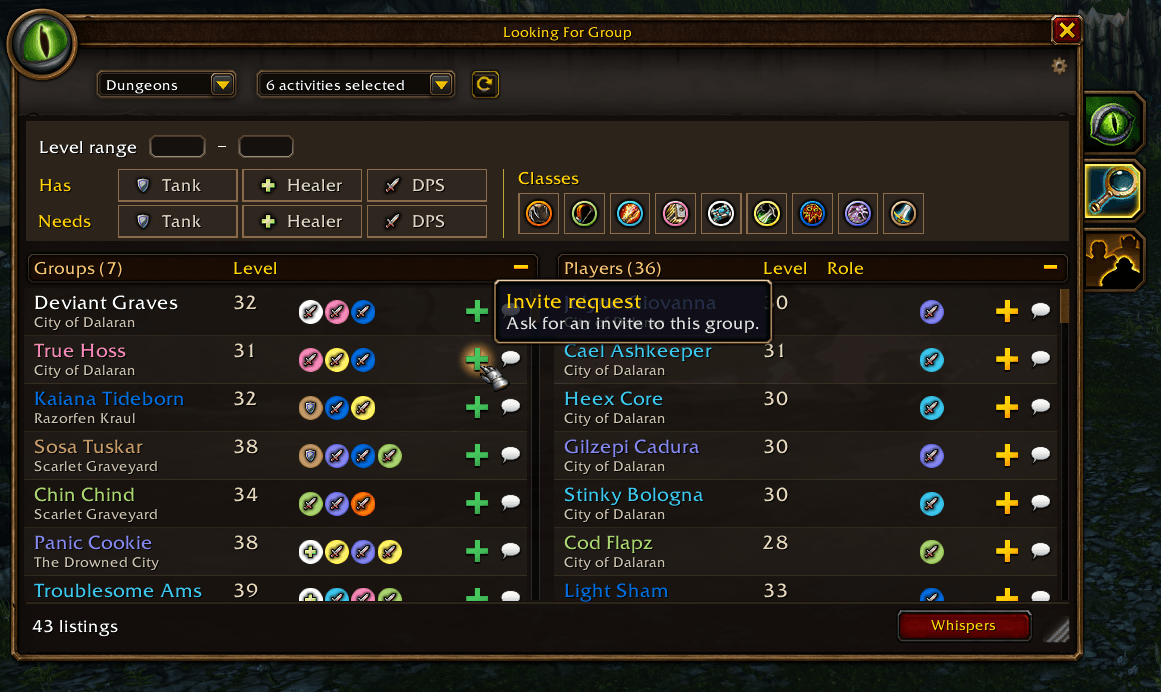
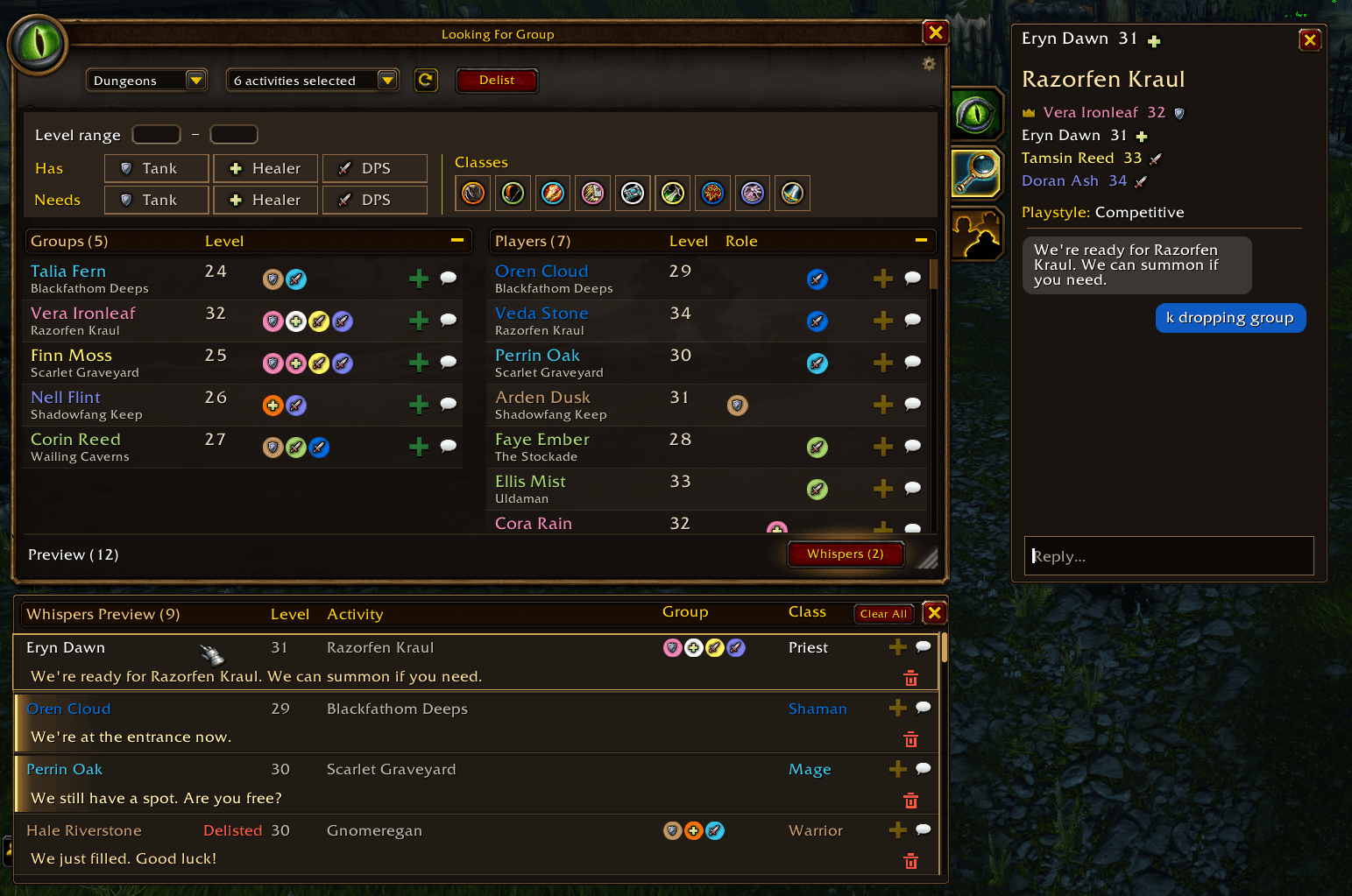
The title says it all, a LFG (Looking for Group) window with filters that work, has a clean, easy to use UI, can request invites with a button press and a whisper list / chat window so you can reply straight from the LFG window.
Filter roles
- Use Has to find groups or players who already offer a tank, healer, or DPS.
- Use Needs to find groups with an opening for your role. Narrow the results by level range and include or exclude classes with the class filters.
Sort either list by Level or Activity. In the solo player list, sort by Role to see players with the same role and class together. Drag the corner to resize the window.
Whisper Window
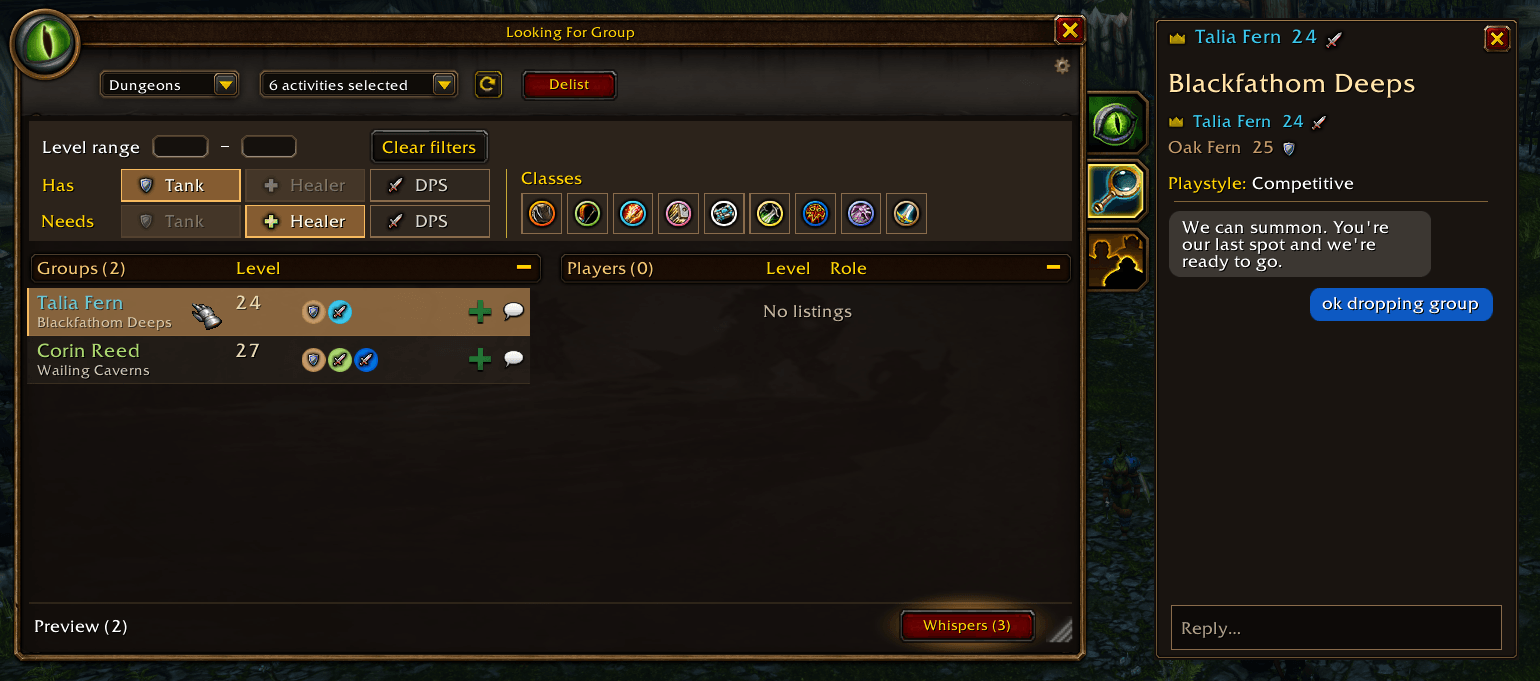
Click Whispers to see whispers and LFG conversations with unread counts, activity, and group composition when available. New messages appear at the top while the chat you’re reading stays open. Click a conversation to read its history and reply in the same panel.
When you have a solo listing or lead a listed group, click Delist to delist yourself / group. Your whisper inbox clears when your listing ends.
Request Invite
Click the green + to request an invite to the group.
Getting started
- Use it just like you would use the default LFG window.
Have feedback or run into a bug? Leave a comment with your addon version and what happened.
I am actively maintaining the addon and will continue to do so and I hope you are all having fun out there. See you in Forever.
LFG - How It Should Be Team