LevelPath
- By
Free step-by-step leveling guide for WoW Forever that plans a route to 60 from every quest in the Questie database.
Wow_ka5uVUYKt2.png
Wow_ujTmVsP6xb.png
Wow_oNWsHnByH5.png
Wow_poj6lhyo0o.png
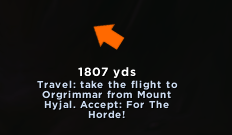
Wow_2IMqroKs0P.png
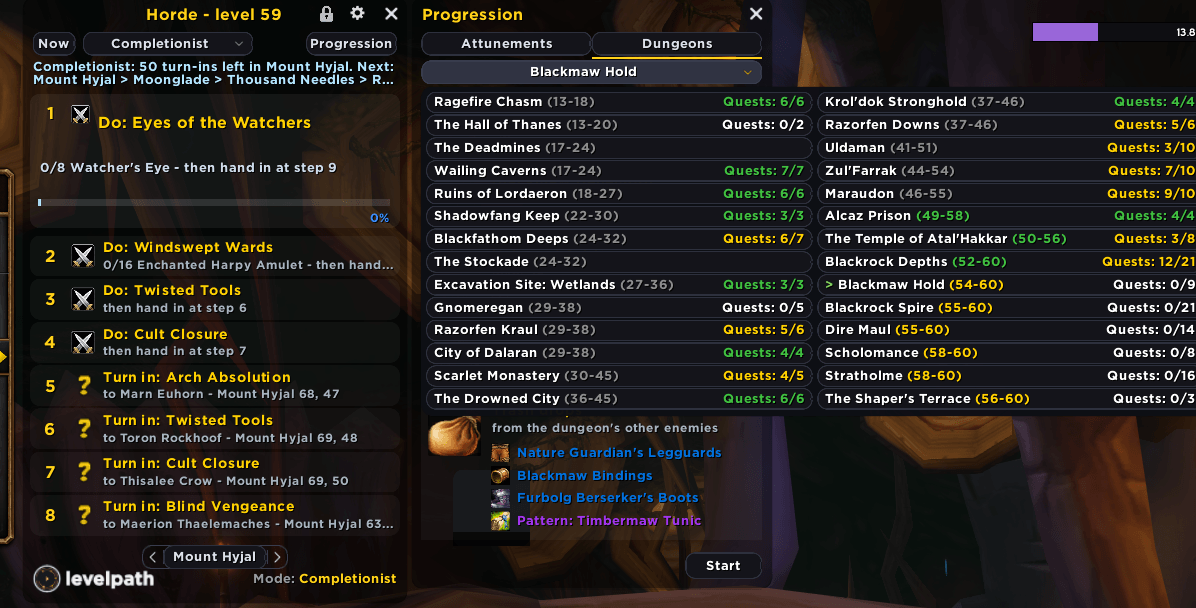
Wow_gdTz2EQoUf.png
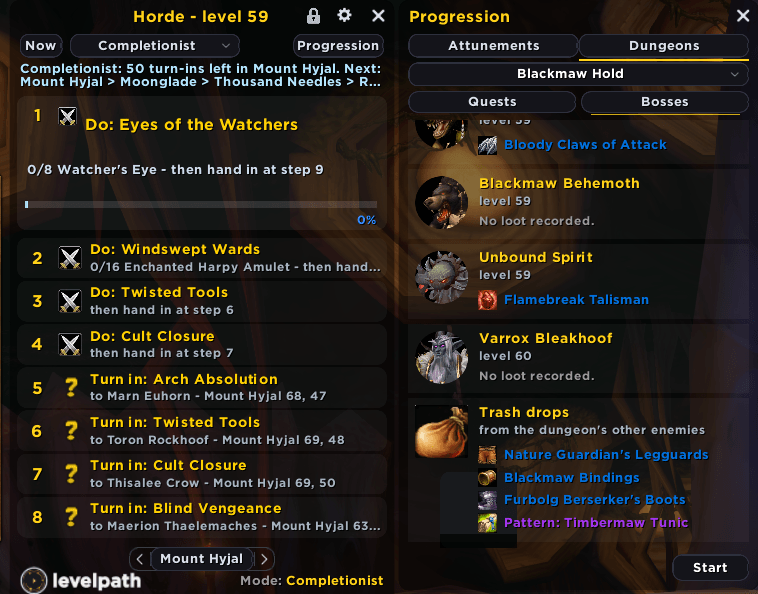
Wow_E3VQ9LoRz4.png
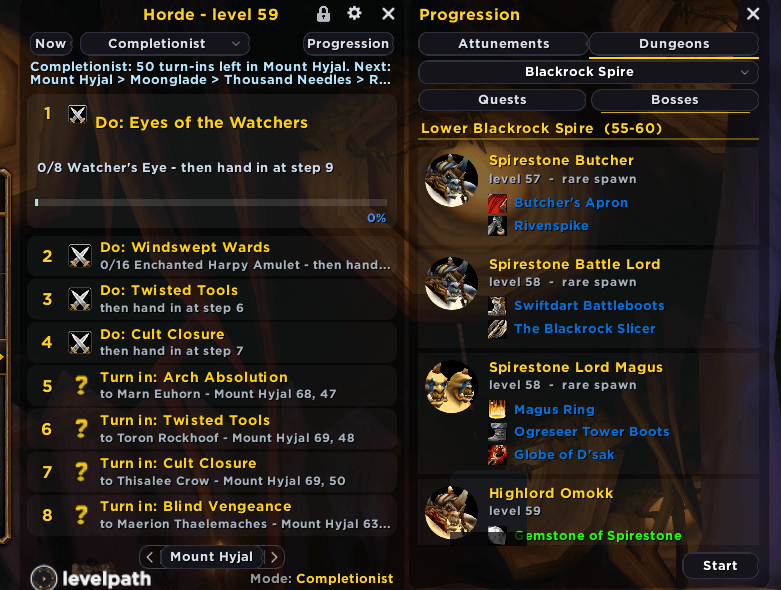
Wow_vq5Odw1wsi.png
Wow_Kx28IcKuTb.png
Wow_juj42a4NUf.png
Wow_oTDZTBbJ5v.png
Wow_nQctrC91Rl.png
Wow_9Yqq0odRmW.png
Wow_3aNGx3O5DB.png
Wow_L7pfO7O2oW.png
Description

Your guide from level 1 to 60 and beyond in WoW Forever. LevelPath plans a route from your level, follows it one step at a time with an arrow, and once you reach the end game it shows the best gear for your class and spec and walks you to every piece. It reads every quest from the Questie database, so you never have to look up what to do next.
LevelPath is free. If it saves you time, you can support development on the Easepease donation page: PayPal
Special thanks to the developers of Questie. LevelPath reads its quest data from Questie and QuestieDB, so this addon exists because of their work.
Requires Questie and QuestieDB.
Questie - World of Warcraft Addons - CurseForge
QuestieDB - World of Warcraft Addons - CurseForge
New: Best-in-slot (BIS) mode
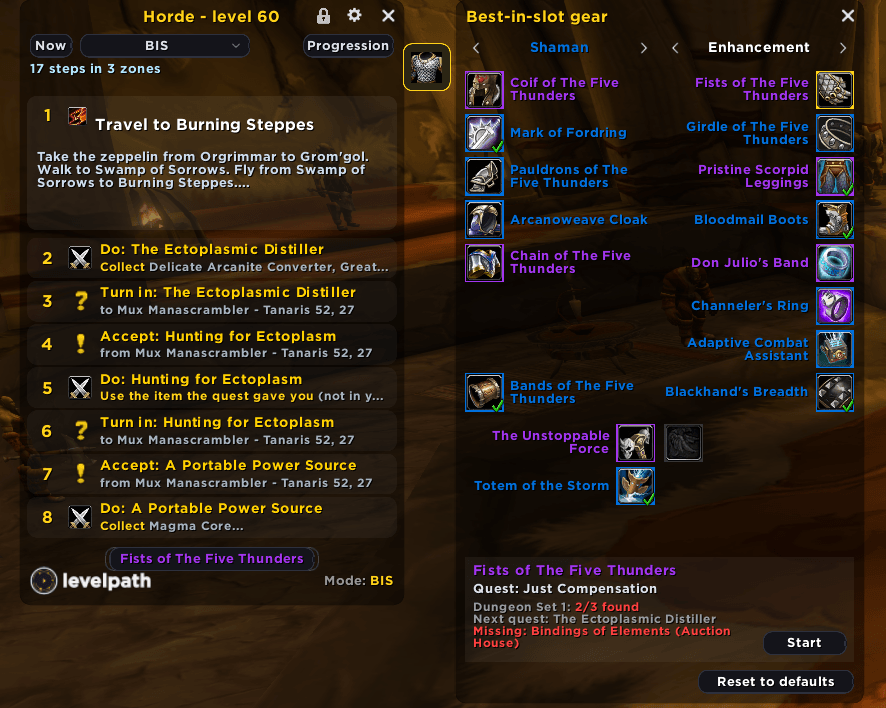
A character sheet with the best gear for every class and spec in WoW Forever, and a route to each piece.
- 28 specs across all nine classes, laid out like the game's character sheet. Step through classes and specs with the arrows
- Only gear you can get today: raid pieces on a list are swapped for the best piece you can get outside raids, matched on the same stats
- Every piece says where it comes from: dungeon and boss, quest, vendor, reputation, PvP reputation, crafting or world drop
- Press Start and the piece's steps become your route, in their own mode: Mode: BIS
- Quest pieces: the whole quest chain from where you are, skipping what you have done. A Tier 0.5 piece follows your class's own chain, from An Earnest Proposition to Saving the Best for Last
- Dungeon pieces: the route goes to the dungeon's entrance, then a "Kill" step with the boss's portrait and a target button
- Tier 0.5 pieces check your bags and gear for the Dungeon Set 1 pieces their quests ask for, show which you have and which you still need, and send you to those dungeons first
- Pieces bought with Tarnished Undermine Reals: your Reals against the price, and a run list of dungeons, one card each with a tick for every boss you have looted today. The ticks clear at the daily reset. Dungeons that also drop a piece you still need come first
- PvP and reputation pieces name the faction (for both sides) and the standing they need, and the battleground to queue
- Quest steps that give one of your best-in-slot pieces show that piece's icon, so you can see what you are working toward while you level
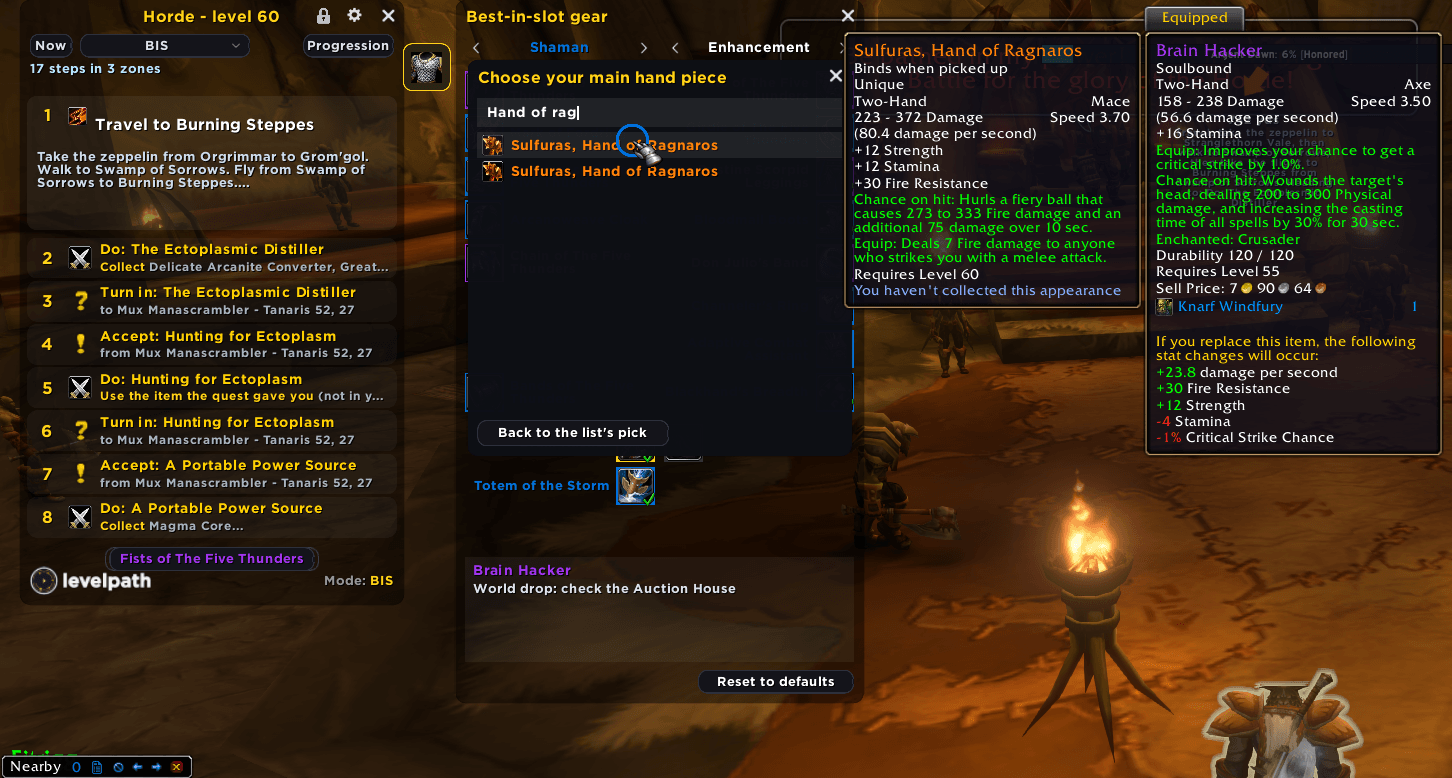
- Choose your own piece for any slot: Ctrl+Shift+Right-click it, type part of a name and pick from the suggestions. Your choices are kept through LevelPath updates, and Reset to defaults puts the lists' picks back
- Hover any piece for its tooltip, Ctrl-click to try it on, Shift-click to link it in chat. Pieces you wear get a tick
Pick how you want to play
When the game loads, LevelPath offers four modes while it reads the quest database:
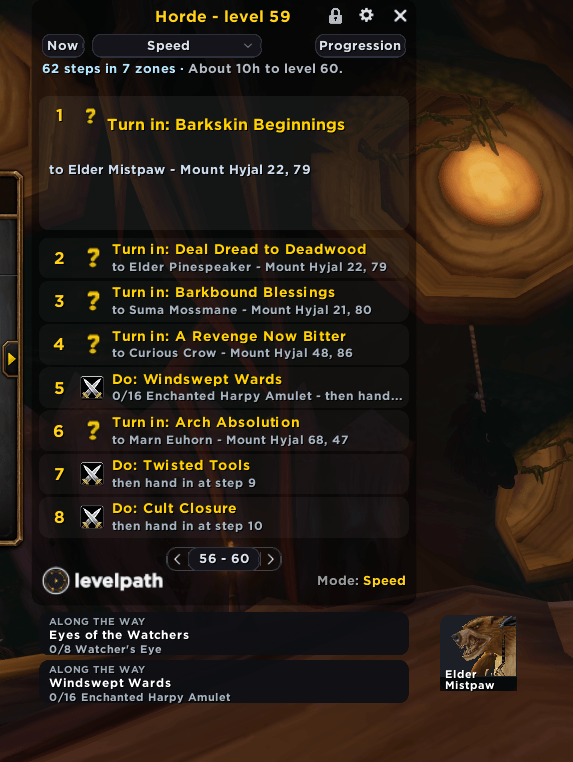
- Speed: the fastest route to 60
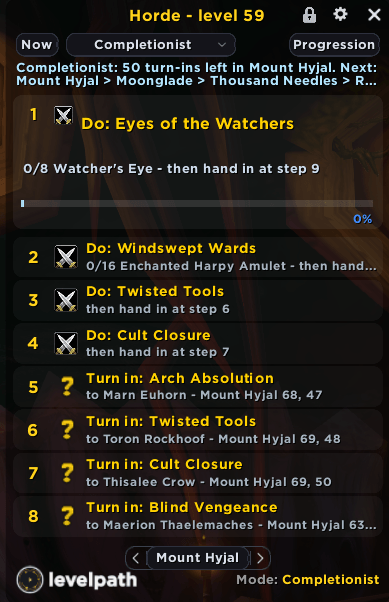
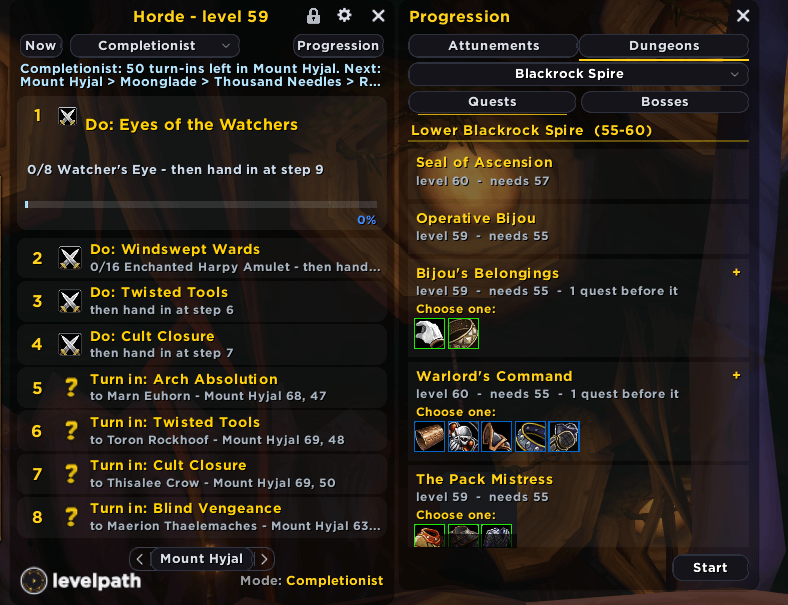
- Completionist: every quest in a zone before moving on
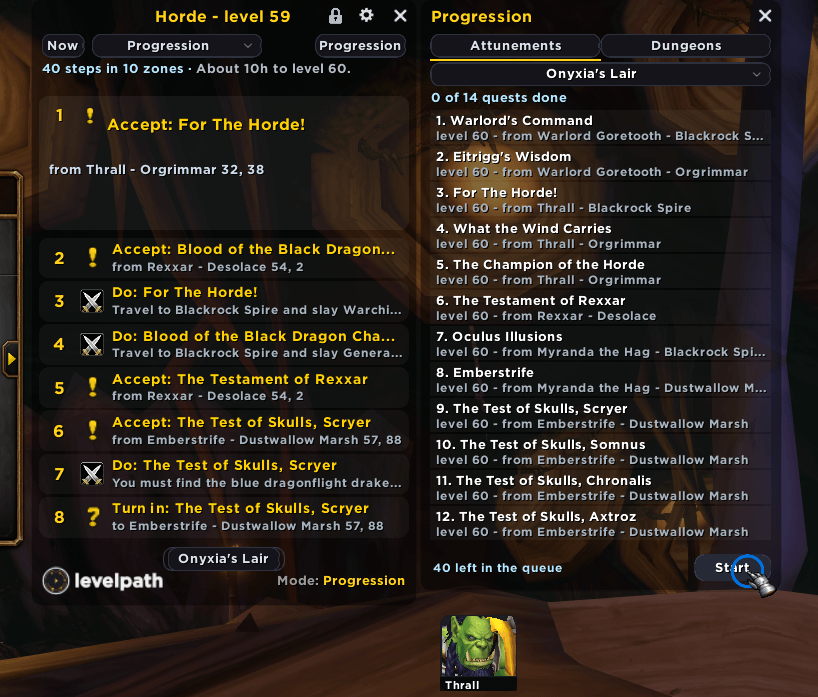
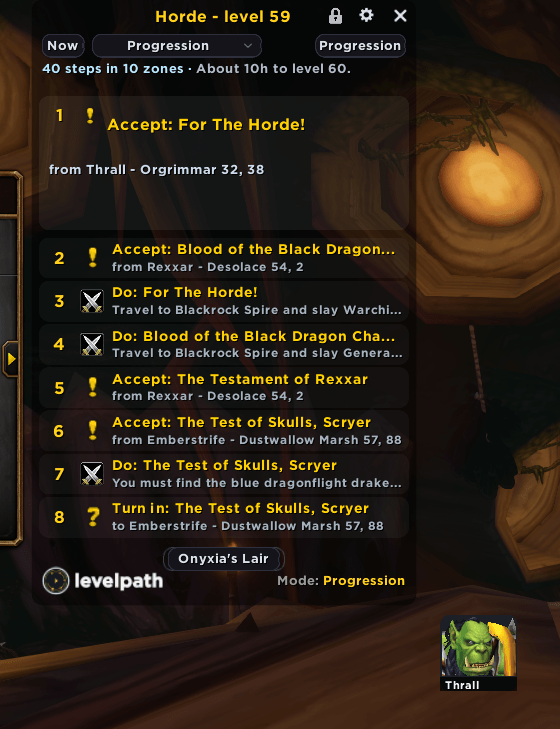
- Progression: reputation goals, attunements, dungeon keys and dungeons
- Best in slot: the gear panel, ready to chase a piece
The route
- A step-by-step route that re-plans as you level and as you move
- Every step card says what to do in plain words: use the quest's item, collect, kill, click, talk to, or go to the marked spot
- Quest chains that send you to another zone and back are followed there, and the route weighs staying against going back by the experience each gives for the time
- No trips across the map just to hand in a quest that leads nowhere: those are saved for a stop at a flight master, then flown out and back in one go
- Completionist lists each quest under the zone its chain starts in, and quests meant for another zone under that zone
- Quests that start from an item you loot are picked up as soon as the item is in your bags
- Timed quests are taken last and finished straight away
- If a quest giver doesn't offer a quest the route expects, LevelPath notices and leaves it off the route for now
- Your quest log decides when a quest is ready to hand in
- Walking distances are learned from where you go, so a hand-in behind a ridge no longer looks close
- Reputation: quests that need a standing are planned around your real standing, with the faction's repeatable hand-in when the zone's quests fall short
- Ctrl-click any step, or a quest in your quest log or Questie's tracker, to do it next
The arrow
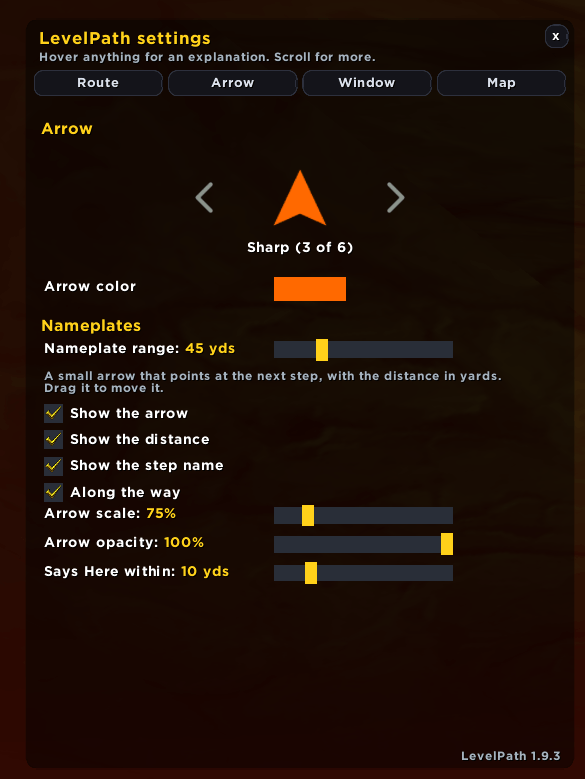
- A tracking arrow that sits above the nameplate of your next target when it is on screen
- Follows a road you have recorded with /lp road in a zone, then leaves the road for the target
- Boat and zeppelin rides: the arrow leads to the dock or tower where you board, not the city's flight master
- Flight paths: when a step needs a flight point you haven't found, the step names the flight point and the flight master to walk to, then the flight starts on its own
- Six arrow shapes and a color picker, so the arrow fits your UI
- Click the arrow to open the map on its target
- Clickable 3D portraits of the current NPC or mob, which keep showing when it is off screen
Progression
- Reputation: pick a faction and a standing to see the quests that give it, its repeatable hand-in and the best creature to kill, then press Start to put them on your route, tracked with a reputation bar
- Attunements and keys, in order of the dungeon's or raid's level: quest chains like Onyxia's Lair, the Upper Blackrock Spire key, the Scholomance key, the Dalaran Sewer key, the Krol'dok Compound key, the Shadowforge key and the Scepter of Celebras, and keys a boss drops, where Start sends you to that boss
- Dungeons: each dungeon's quests and bosses as cards. Quest cards show their reward items and open the chain of quests before them; boss cards show each boss's portrait and loot
- The dungeon and attunement lists color each level like quest difficulty for your level, and the dungeon list shows how many of its quests you have done
- While a dungeon is queued, two tabs on the step window open its quests and bosses without reopening the Progression window
- Reputation standings in the game's colors, with Exalted in a platinum-to-purple gradient
Also included
- Class trainer stops, with the abilities waiting for your spec
- Travel steps with the next stop's coordinates and the nearest flight master
- A Hearthstone step when your bind point is closer than the walk to your next stop
- Time to level 60, based on your XP rate
- Kill XP is measured as you play, so grind steps match what you actually earn
- Reputation from kills is recorded as you play, per creature
- Forever's own quest experience rewards where they are known, so the route values each quest right
- A buy list at the auction house before a Completionist run, starting with the Green Hills of Stranglethorn pages and the Power Crystals in Un'Goro Crater
- Quest items are kept out of junk selling, even when they look like junk
- Optional auto accept and hand-in (hold Shift to do it by hand). Your reward choice is remembered per quest
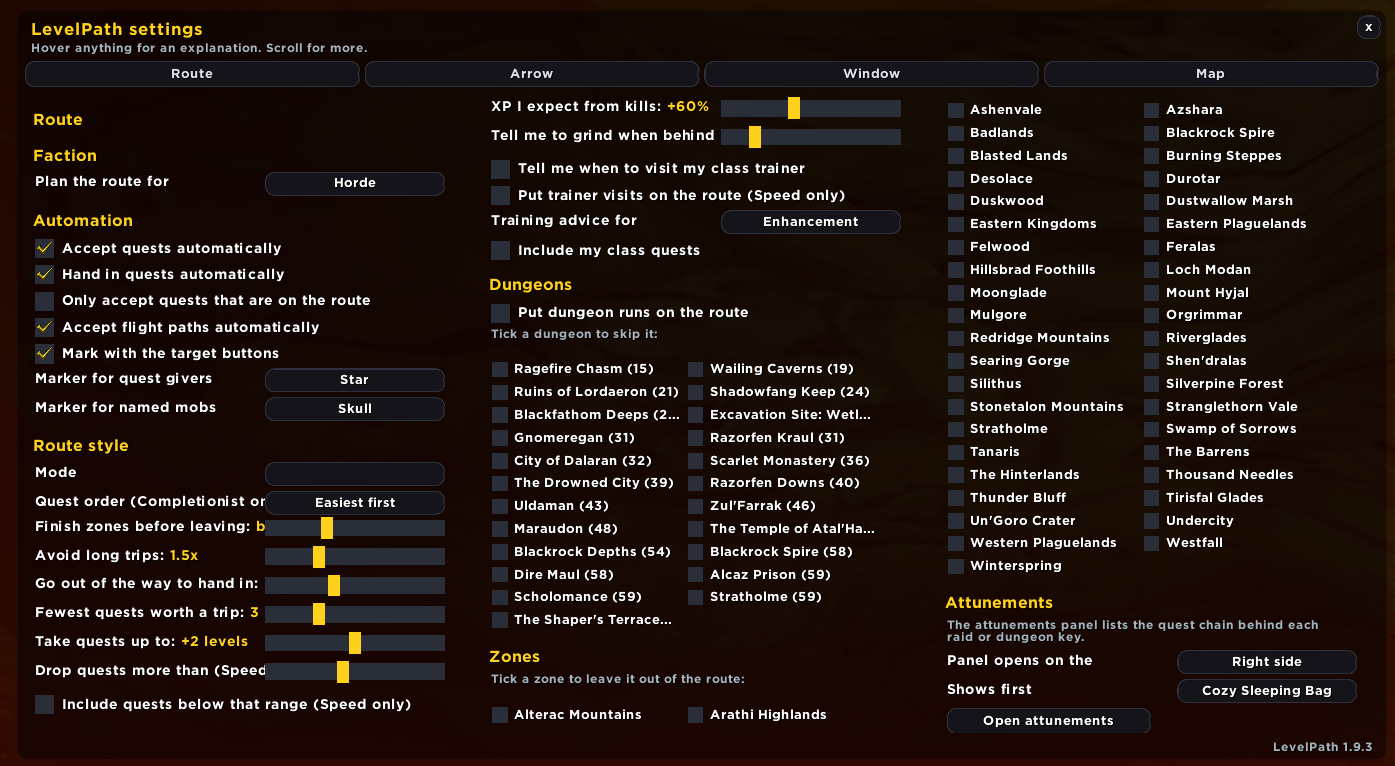
- Optional automatic flight paths, on by default. Turn it off in Route settings, Automation.
- Fixes for quests the Questie database leaves without a zone, level, objective or quest giver, taken from the game's own quest data, so they stay on your route
- Clicking a step selects its quest in your quest log
Commands
- /lp: show or hide the window
- /lp options: open settings
- /lp replan: plan again from where you are
- /lp mode speed or /lp mode completionist: switch planning mode (this also ends a Progression or BIS queue)
- /lp attune or /lp dungeons: open the Progression window
- /lp unskip: bring back skipped quests
- /lp unpin: return to route order after a Ctrl-click
- /lp junk: destroy the cheapest gray item in your bags, with no message
- /lp road: record the road the arrow follows. Walk it and use /lp road at each point.
- /lp dock: set where the next boat or zeppelin on your route is boarded, from where you stand (/lp dock via adds a waypoint, /lp dock show, /lp dock clear)
- /lp walk: show how much of this zone's ground LevelPath has learned
- /lp status: show what the planner found
- /lp inlog: list the quests in your log and why the route drops any of them
- /lp timing: show how long the last route plan took
Install
- Quit the game.
- Put the LevelPath folder in Interface\AddOns, next to Questie and QuestieDB.
- Log in. If LevelPath shows as out of date, tick "Load out of date AddOns."
LevelPath Team