


Leatrix Sounds
- By
Complete sound file browser, mute game sounds, find mob sounds, sound kit finder, everything sound related in one addon.
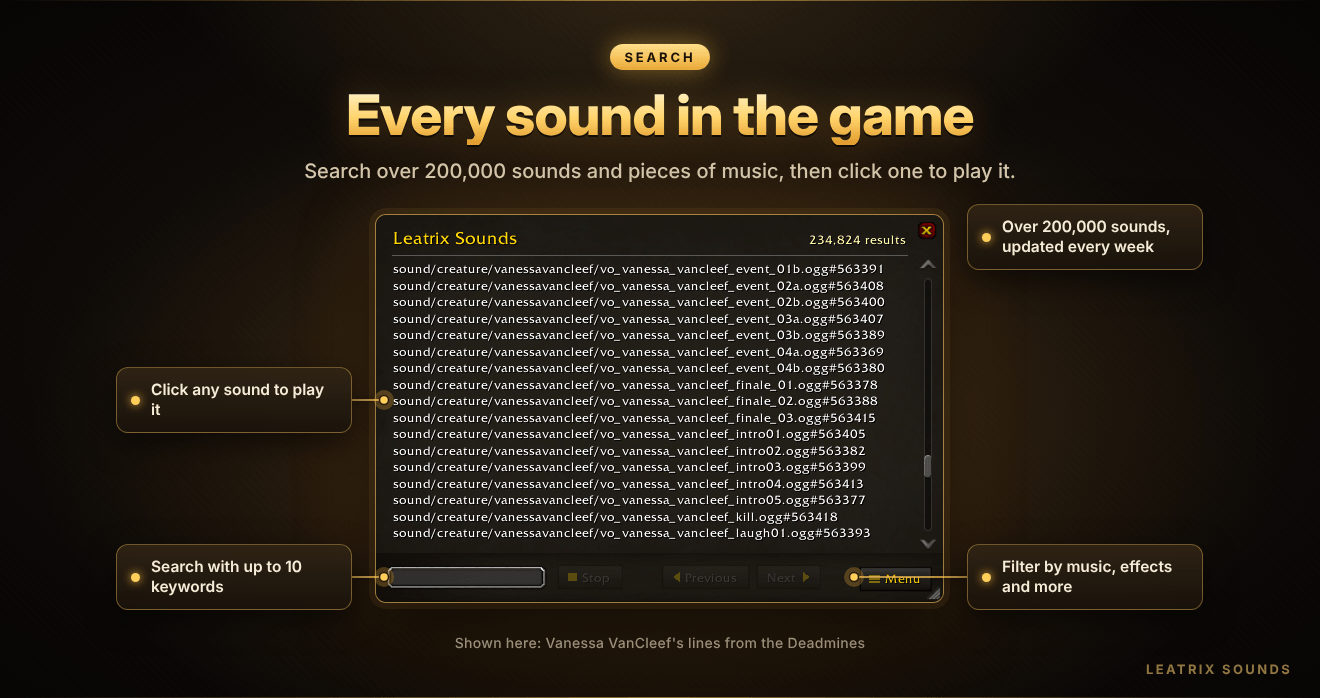
Browse, search, play and mute every sound in World of Warcraft.
Leatrix Sounds puts the game's whole sound library in one window. Find a boss line, an emote, a spell effect, a piece of zone music, the noise a mob makes or the roar of a mount, play it straight away, and mute anything you never want to hear again.
Type /lts to open it, or set a key for it in the game's keybindings.
🌟 At a glance
- 🔎 Search every sound and piece of music in the game
- 🎯 Target sounds: hear what any mob, NPC or player sounds like
- 🐎 Mount sounds: listen to any mount, even ones you haven't collected
- 🔇 Mute any sound, and it stays muted in the game
- 🧩 Sound kits: see how sounds are grouped together in the game
- 🌍 Available in 10 languages, and updated every week
✨ Features
🔎 Search everything
- Search the game's sounds and music from a single box.
- Try Jaina, Muradin, Lich King or Zone Forest Day to get started.
- Use up to 10 keywords, and put ! in front of a word to leave it out. For example,
orc !deathfinds orc sounds without the death sounds. - Filter the listing by category. Music covers zone music, city music, musical moments, expansions, events and cinematics. Effects covers creatures, characters, spells, ambience, world objects, items, interface and more.
▶️ Play sounds your way
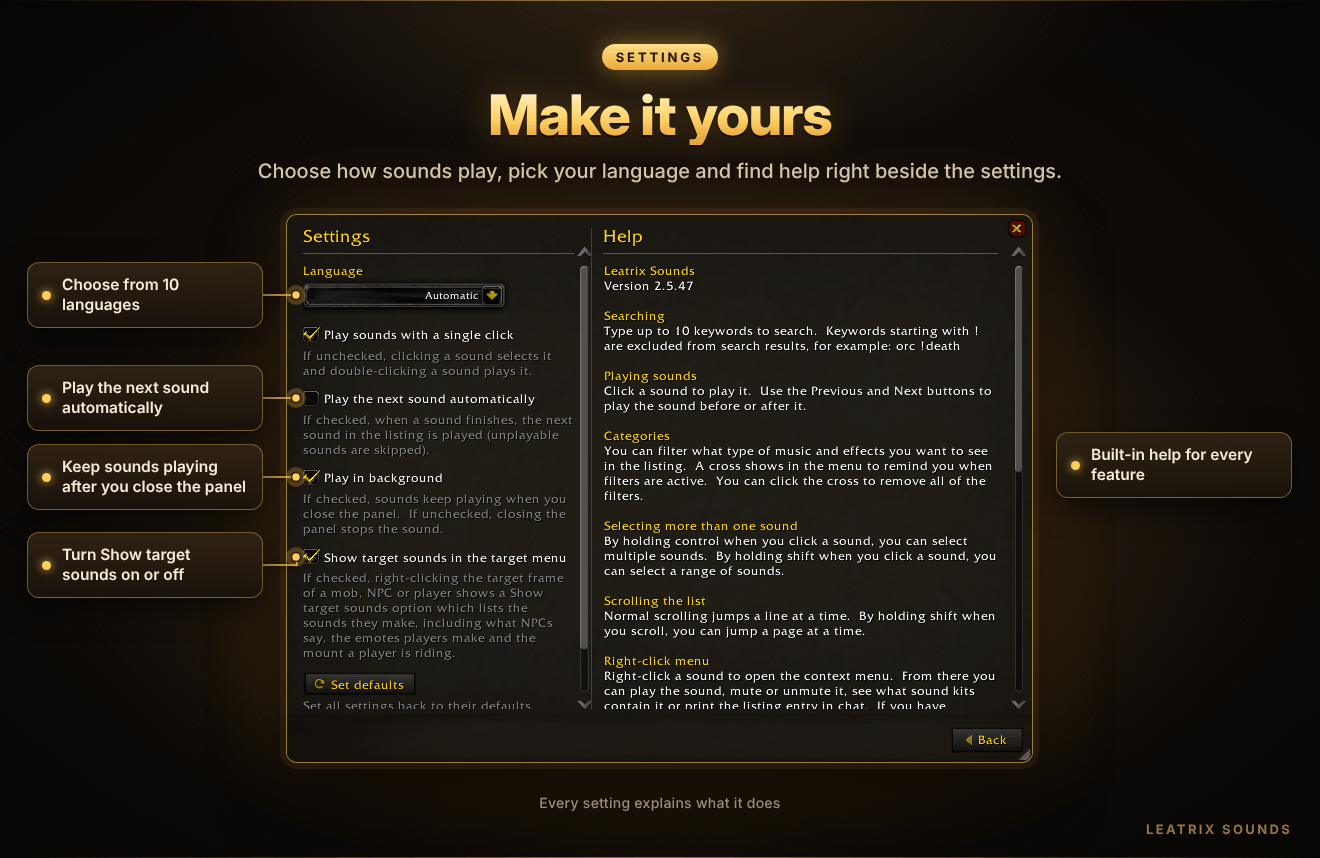
- Click a sound to play it, or choose in the settings for a click to select it instead.
- Use the previous and next buttons to step through the listing while you keep playing.
- Have the next sound play automatically, and keep sounds playing after you close the panel if you want.
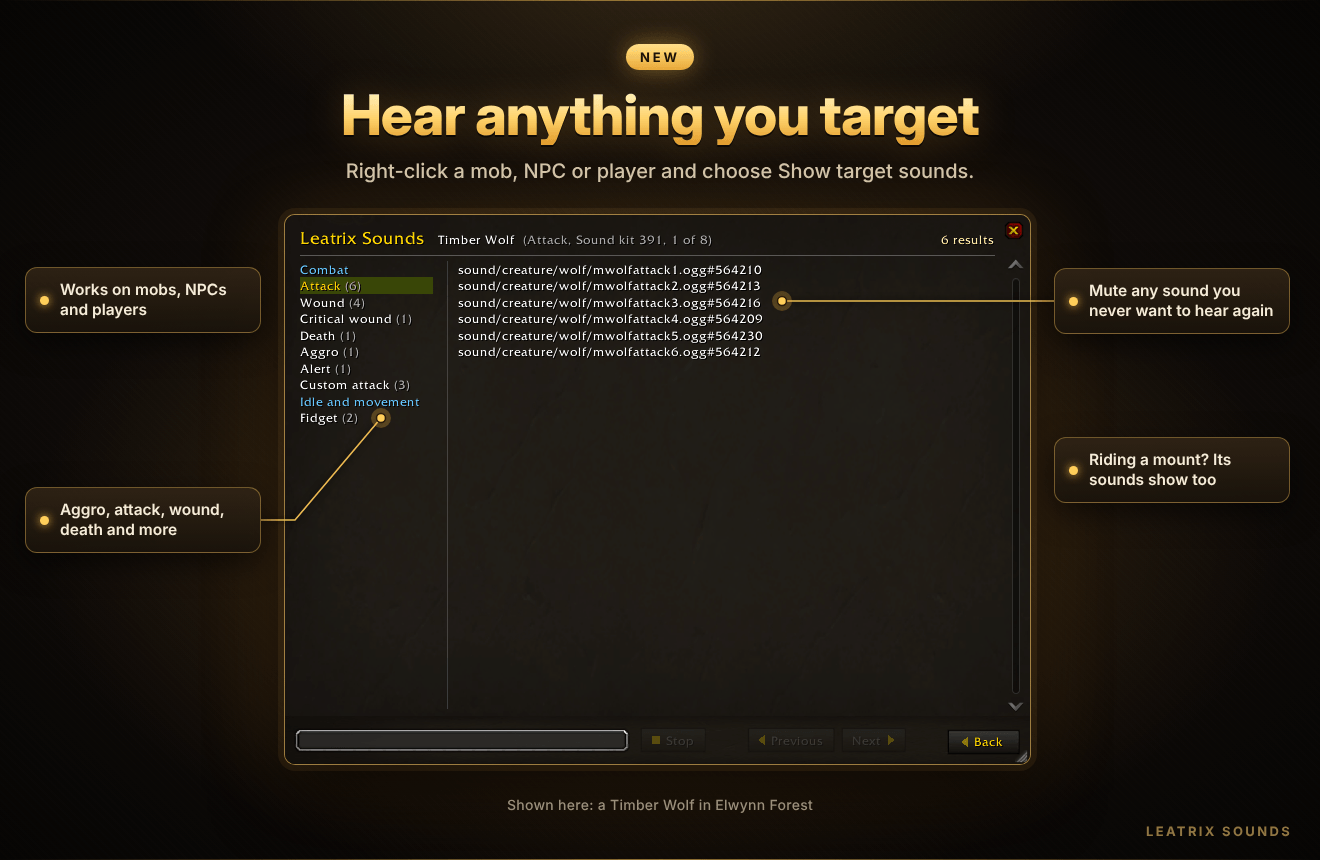
🎯 Target sounds — new!
- Target any mob, NPC or player, right-click their portrait and choose Show target sounds.
- Every sound they make is listed by what it's for, such as Aggro, Attack, Wound and Death. You'll find what NPCs say and the emotes players make too.
- If the player is riding a mount, the mount's sounds are listed as well.
- Play or mute any of them in the usual way.
🐎 Mount sounds — new!
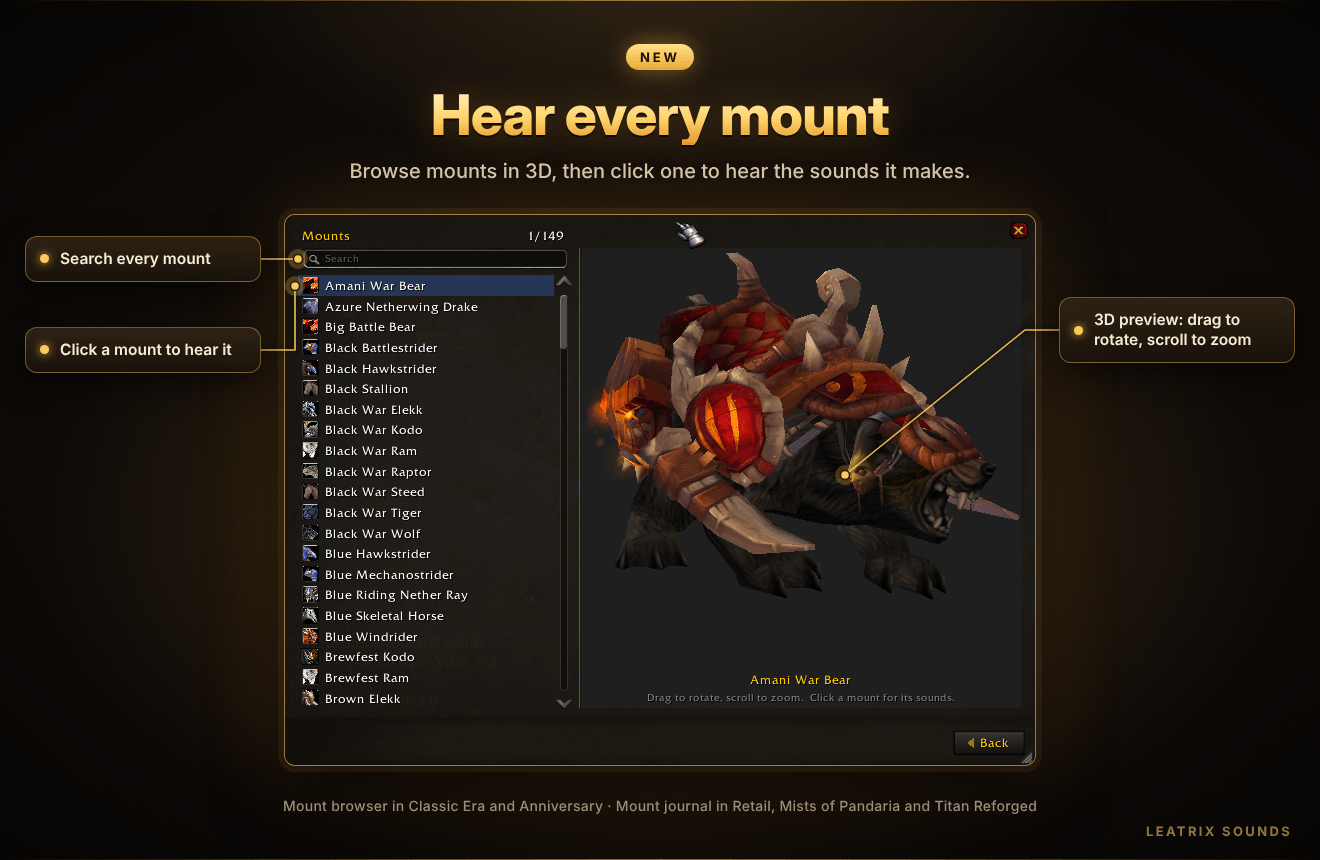
- Retail, Mists of Pandaria Classic and Titan Reforged Classic: right-click any mount in the mount journal, even one you haven't collected, and choose Show mount sounds.
- Classic Era and Burning Crusade Classic Anniversary: these have no mount journal, so choose Mounts from the Leatrix Sounds menu instead. Search the list, see each mount in 3D (drag to rotate, scroll to zoom) and click one to hear it.
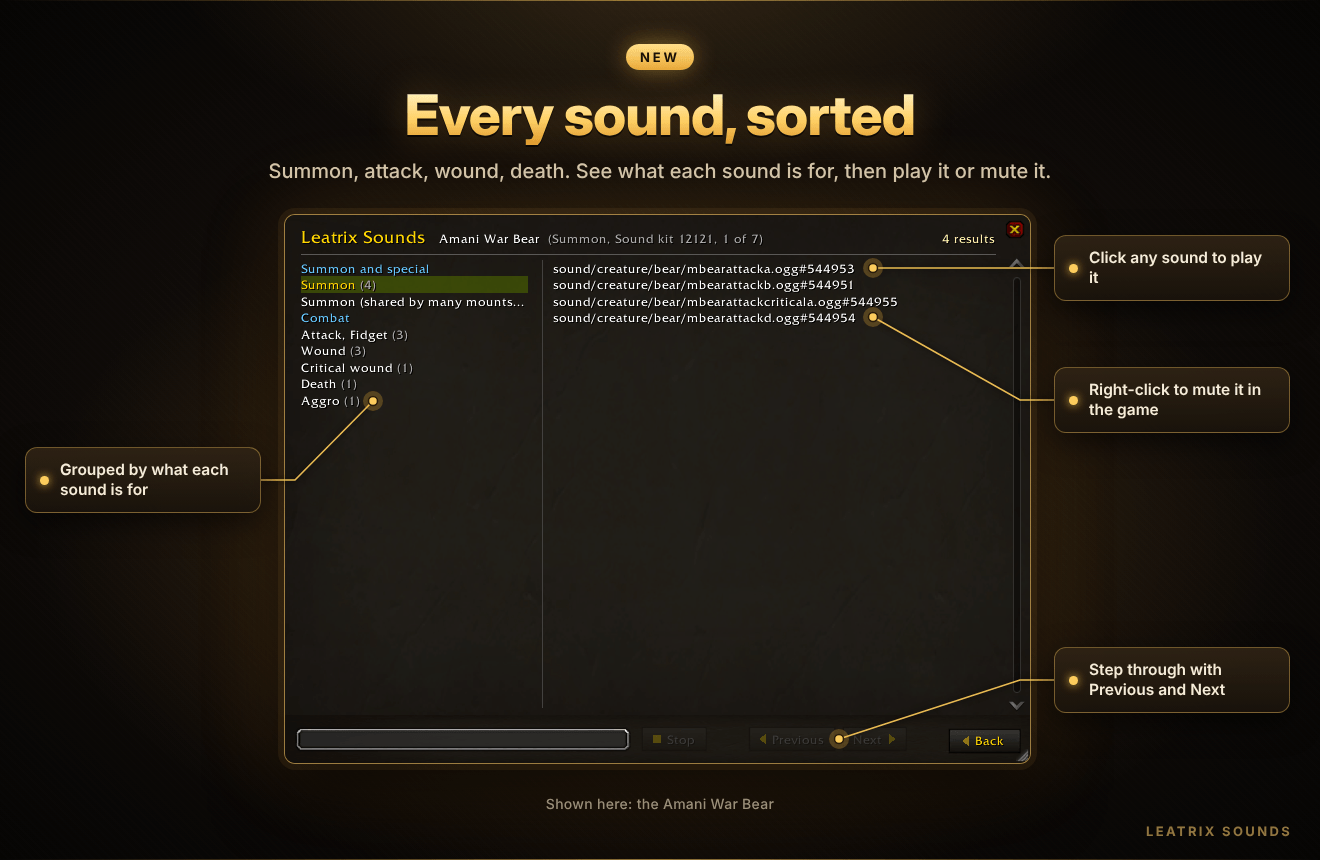
- Summon, attack, wound and death sounds are each listed separately, so you can mute exactly the ones you don't want.
🖱️ Right-click for more
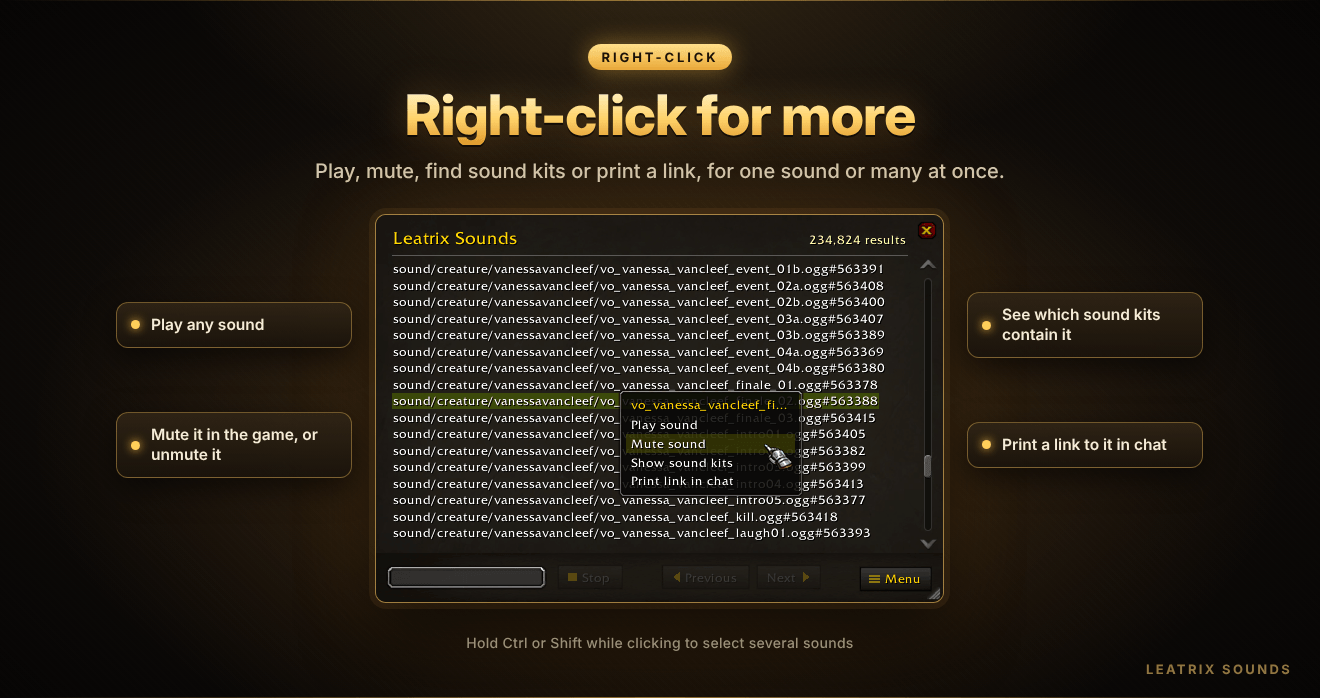
- Right-click any sound to play it, mute or unmute it, print its details in chat or see which sound kits contain it.
- Hold Ctrl and click to select several sounds, or Shift and click to select a range. Right-click actions then apply to all of them.
🧩 Sound kits
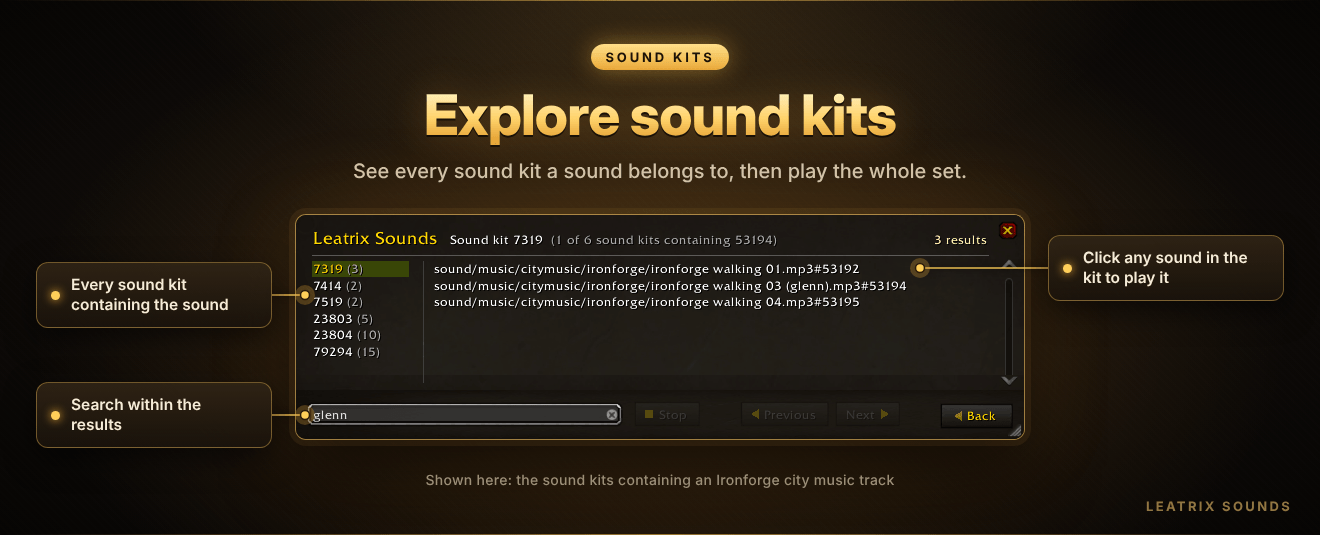
- Choose Show sound kits on any sound to see every sound kit it belongs to.
- Click a sound kit to see all of its sounds, or right-click it to play them or print them in chat.
🔇 Muting
- Mute any sound and it stays muted in the game until you unmute it.
- Muted sounds show in red. They still play inside Leatrix Sounds, so you can hear what you've muted without unmuting it first.
- See all of your muted sounds from the menu.
⚙️ Comfort and settings
- Resize the panel by dragging its bottom-right corner.
- Hold Shift while scrolling to jump a page at a time.
- Choose the addon's language: English, German, Spanish, French, Italian, Korean, Portuguese, Russian, Simplified Chinese or Traditional Chinese.
- Turn the Show target sounds option off in the settings if you don't want it in your menus.
- Loads quickly and uses very little memory until you open the panel.
🎮 Supported game versions
| Game | Supported |
|---|---|
| Retail (Midnight) | ✅ |
| Forever | ✅ |
| Mists of Pandaria Classic | ✅ |
| Titan Reforged Classic | ✅ |
| Burning Crusade Classic Anniversary | ✅ |
| Classic Era | ✅ |
⌨️ Slash commands
| Command | What it does |
|---|---|
/lts |
Open or close Leatrix Sounds |
/lts reset |
Put the panel back in the middle of the screen at its normal size |
/lts wipe |
Unmute everything the addon muted, reset all settings and reload |
💡 Good to know
- Leatrix Sounds only does what you tell it to do. It won't change anything in your game unless you ask it to.
- Show target sounds isn't offered in combat or inside instances, where the game hides details about who you're targeting.
- The sound listing is updated every week, so keep the addon up to date to find the newest sounds.
🔄 Updates
The CurseForge App is the easiest way to keep Leatrix Sounds up to date.
If the addon stops updating, delete its folders by hand and install it again. Do this for each game version you play.
💬 Support
Questions, ideas or problems? Go to my profile page, consider clicking the Follow button as it tells me that you appreciate my addons, then click the 3 dots and click Message. Please say which game version you're messaging about otherwise I cannot action your message.
Leatrix Sounds Team

Owner


