LearnMe Professions
- By
Shows missing profession recipes directly inside the default profession window.
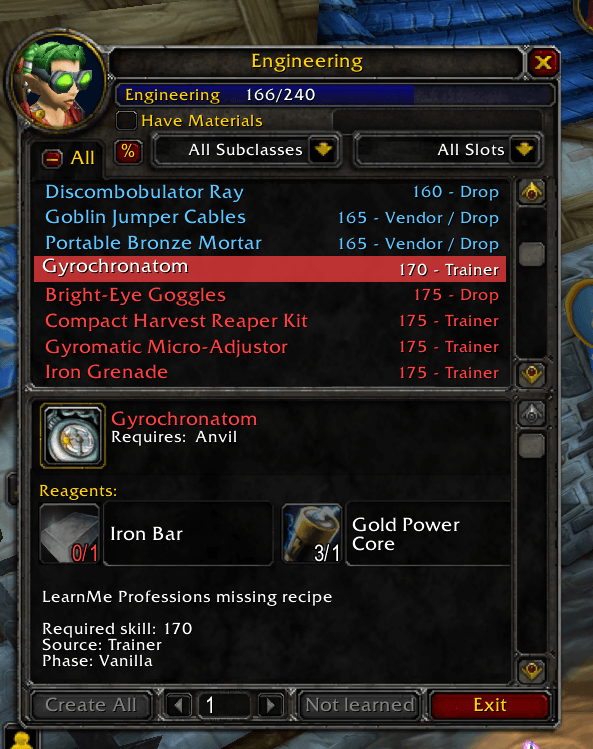
LMPReagents.PNG
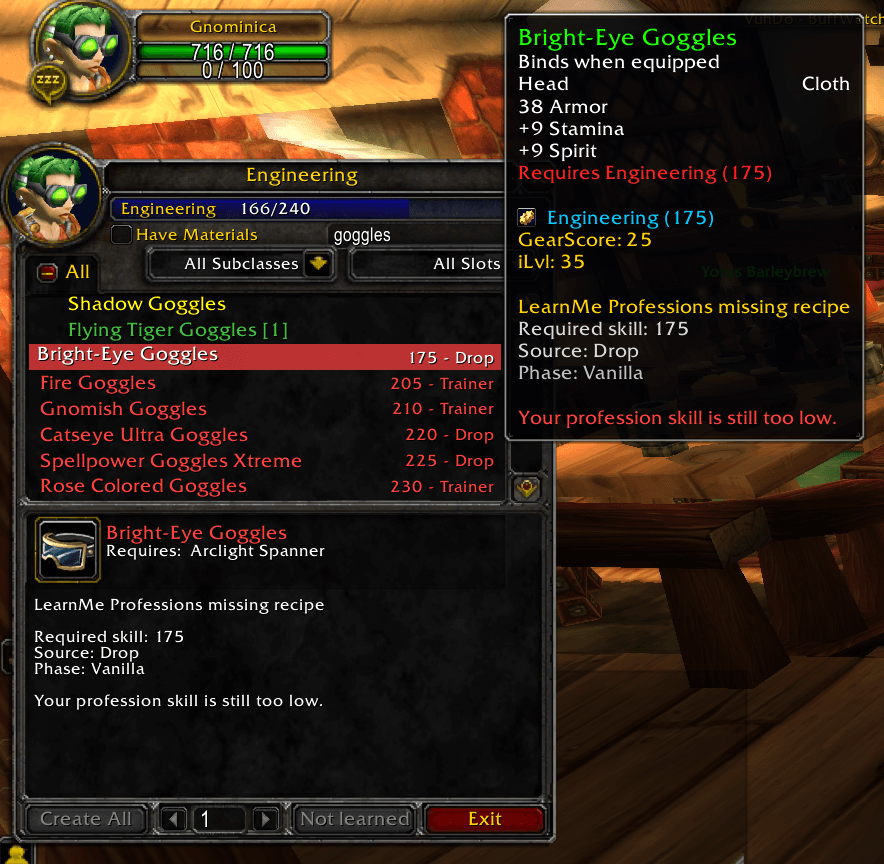
LMPsearchNAME.png
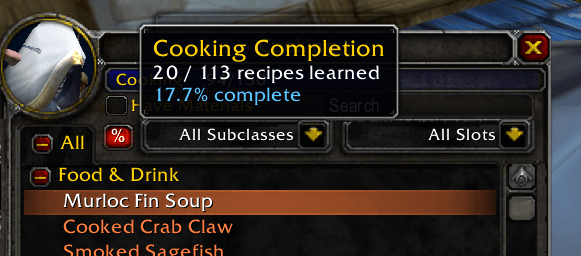
LMPNEWcompletion.PNG
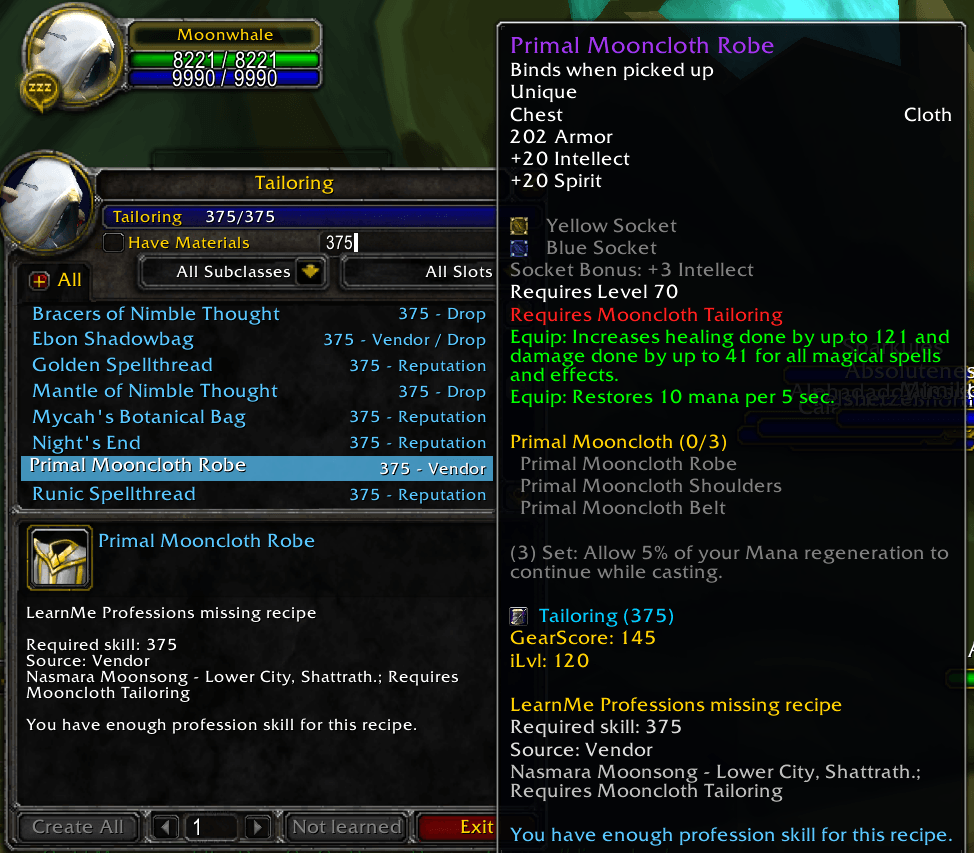
LMPsearchSKILL.png
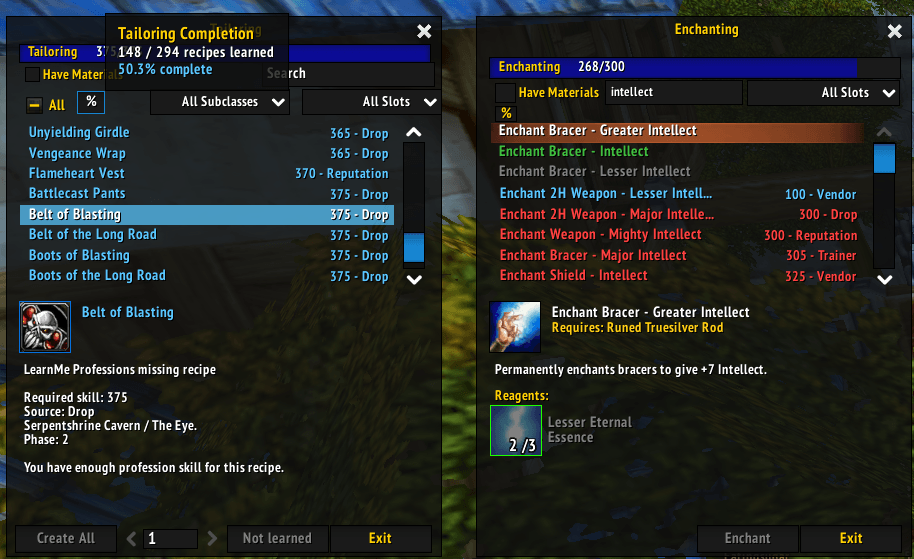
LMPElvui.png
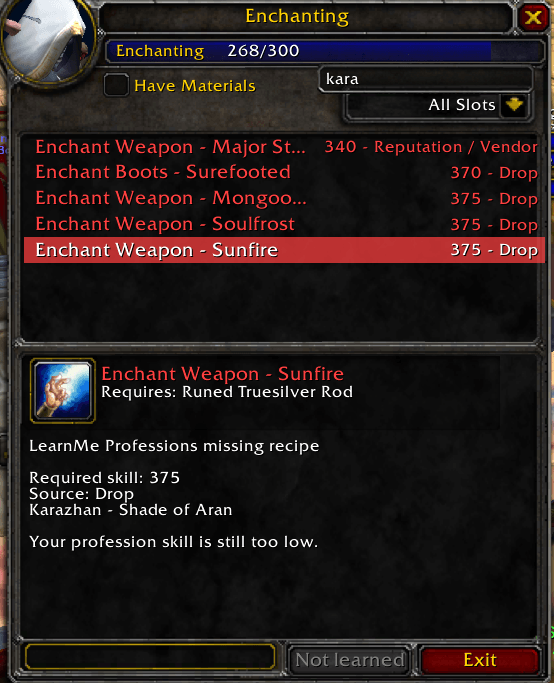
LMPsearchbysource.png
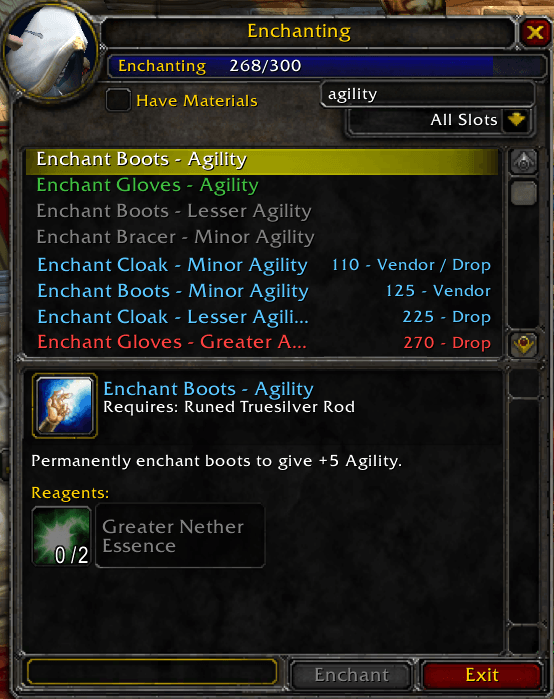
LMPsearchbar.PNG
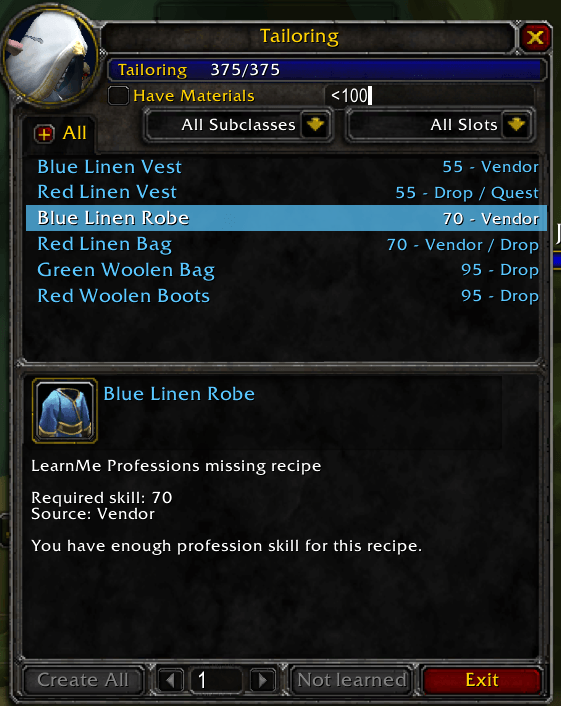
LMPsearchSKILL2.png
Description
LearnMe Professions
LearnMe Professions is a lightweight profession helper addon for World of Warcraft: The Burning Crusade Classic.
The addon shows recipes you have not learned yet directly inside the default profession window. Missing recipes are added as extra blue LearnMe rows below your normal learned recipes, using the native Blizzard profession UI style as much as possible.
Instead of opening external websites or manually checking long recipe lists, you can simply open your profession window and immediately see what recipes are still missing, what skill level they require, where they come from, and what reagents are needed to craft them.
Find out which recipes you are missing, where to get them, and what materials you will need!
Features
- Multilingual support!
- Shows missing profession recipes directly in the default profession window.
- Works with the native CraftFrame and TradeSkillFrame UI.
- Compatible with ElvUI — however, new features might not always be displayed as intended immediately. If that happens, fixes are usually added in the next versions.
- Displays missing recipes as additional LearnMe rows.
- Shows required profession skill.
- Shows recipe source such as Trainer, Vendor, Drop, Reputation, Quest, Discovery, Specialization, or other special sources.
- Shows reagent/material requirements for unlearned recipes.
- Reagents for missing recipes are displayed directly in the profession detail panel.
- Reagents are shown in a compact two-column layout.
- Reagent tooltips are supported, so you can hover materials and see their item tooltip.
- Supports item icons and item tooltips where item IDs are available.
- Supports spell/enchant tooltips for missing Enchanting recipes, so you can see what an unlearned enchant actually does.
- Supports the default profession search bar to filter unlearned recipes.
- Hides recipes you already know.
- Search bar support added to Enchanting.
- Completion progress information.
- Supports profession database modules.
- Designed for TBC Classic / TBC Anniversary style clients.
- Now available also for Vanilla and MoP Classic!
Note: If you do not find a feature in your version yet, expect an update soon.
Supported profession modules
Current database modules include:
- Alchemy
- Blacksmithing
- Cooking
- Enchanting
- Engineering
- First Aid
- Jewelcrafting
- Leatherworking
- Smelting / Mining
- Tailoring
- Inscription
New Feature: Reagents for unlearned recipes
LearnMe Professions can now show the reagents required for missing recipes.
When you click a LearnMe missing recipe row, the profession detail panel displays the materials needed to craft that recipe, similar to learned recipes in the default Blizzard UI.
Reagents are shown above the LearnMe recipe information, while details such as required skill, source, source notes and profession skill status are displayed below.
This makes it easier to plan what recipes you want to learn and what materials you need to collect before getting them.
Profession search bar support
LearnMe Professions supports filtering missing recipes using the profession window search bar.
Missing and unlearned recipes are filtered together with the native profession list.
- Empty search bar correctly shows all missing recipes.
- The default placeholder text
Searchis treated as an empty search, not as an actual filter. - Enchanting now also has search bar support.
Skill-based search filtering
Numeric search support is available for missing recipes.
Typing a skill number shows missing recipes with that required skill.
Example:
300Skill range filtering is also supported.
Examples:
300-375
300..375
Partial range filtering is supported as well.
Examples:
300+
>=300
<=150
Skill filters can be combined with recipe name search.
Example:
300-375 netherweaveSource-based filtering
You can also search by recipe source.
Examples:
Kara
Reputation
Vendor
Trainer
Drop
How it works
Open a profession window normally. If LearnMe Professions has a database module for that profession, it scans your known recipes and appends missing recipes to the profession list.
Clicking a LearnMe row shows additional information about the missing recipe, including:
- Required profession skill
- Recipe source
- Source notes
- Reagents needed
- Item or spell tooltip where available
- Whether your current profession skill is high enough for the recipe
For Enchanting, missing enchant recipes can also show the actual enchant tooltip, so you can see what the enchant does before learning it.
Notes
Some rare recipes, vendor recipes, drops, reputation recipes, phase-specific recipes and reagent data may vary depending on server data, patch state or TBC version.
When exact spell IDs, item IDs or reagent data are uncertain, the addon falls back to matching recipes by name where possible.
The addon is designed to be simple, lightweight and close to the original Blizzard profession UI.
The LearnMe Professions Team