Larlen Loot Frame
- By
Ditch the bare-bones default loot popup for a fully customizable, scrolling feed that highlights valuable drops, shows AH prices, and tracks your group's loot in real-time.
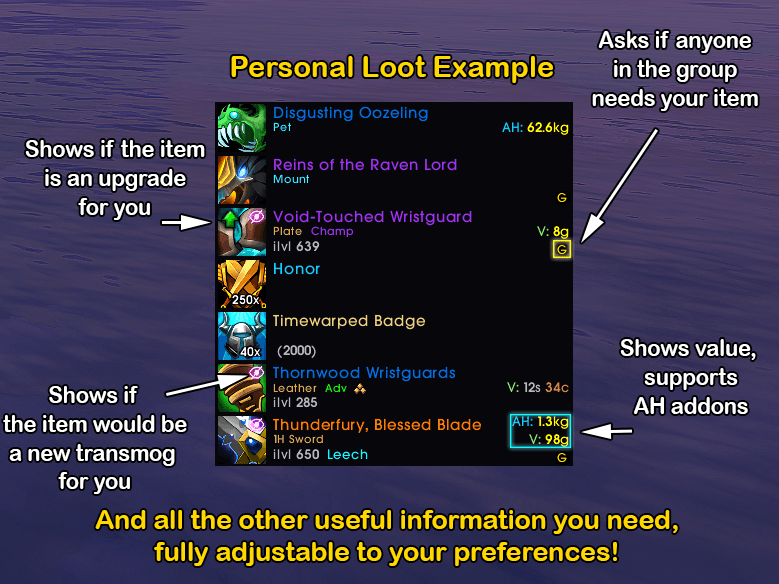
Drastically improved personal loot feed, fully customisable to your needs!
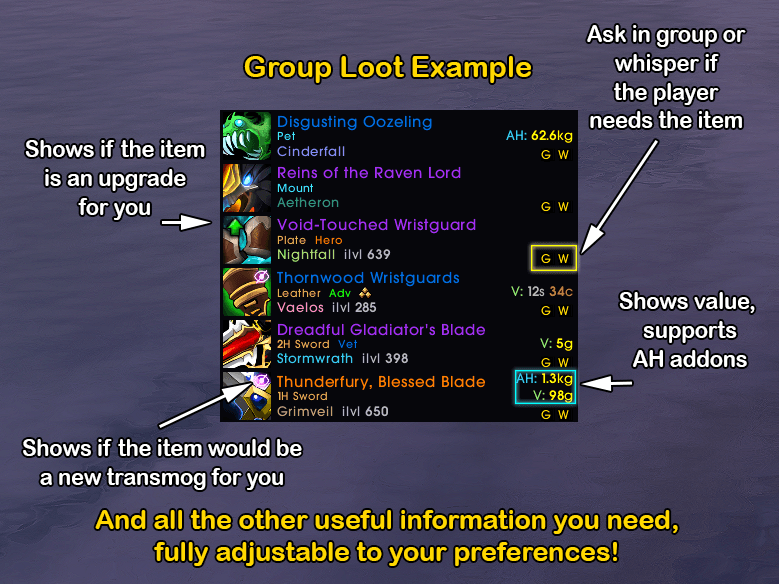
Adds group loot feed, fully customisable to your needs!
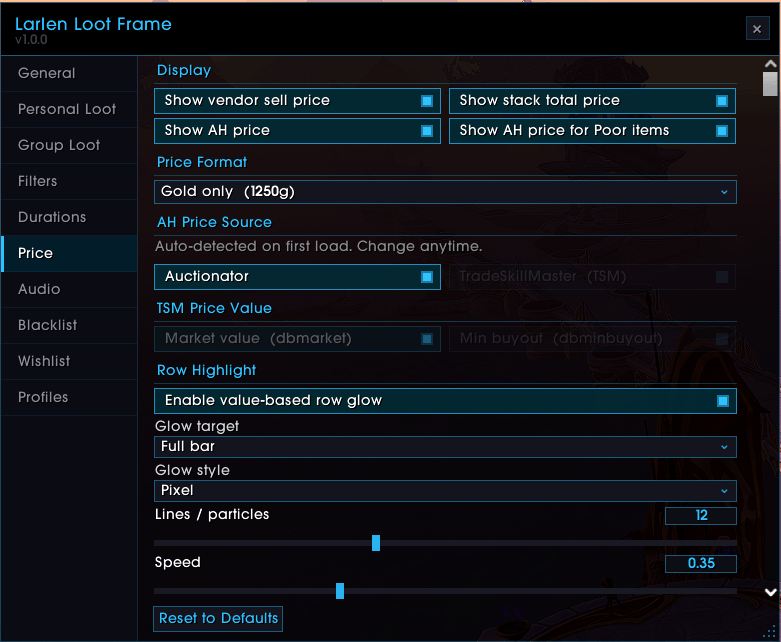
Get proper and true AH prices on items you loot!
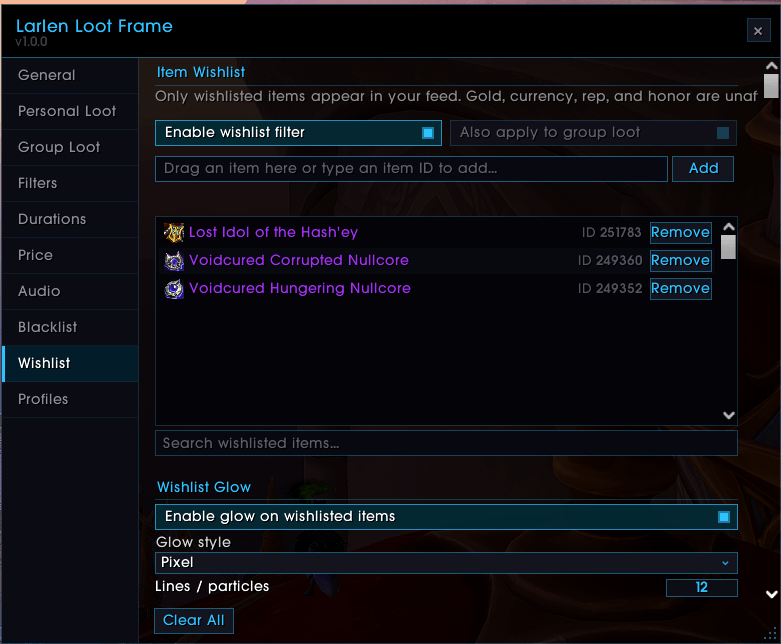
See only items you want to see, opposite of blacklist, great for target farming!
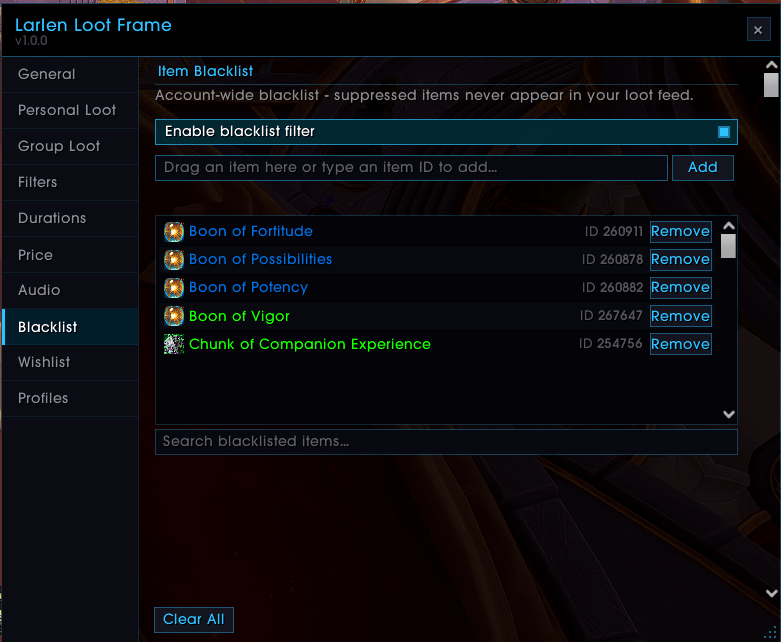
Shift Right Click to blacklist or drag/type the item manually!
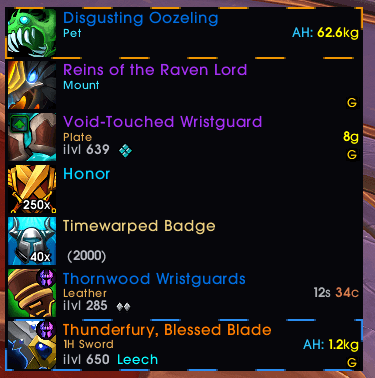
Make those expensive items glow whichever and however you want!
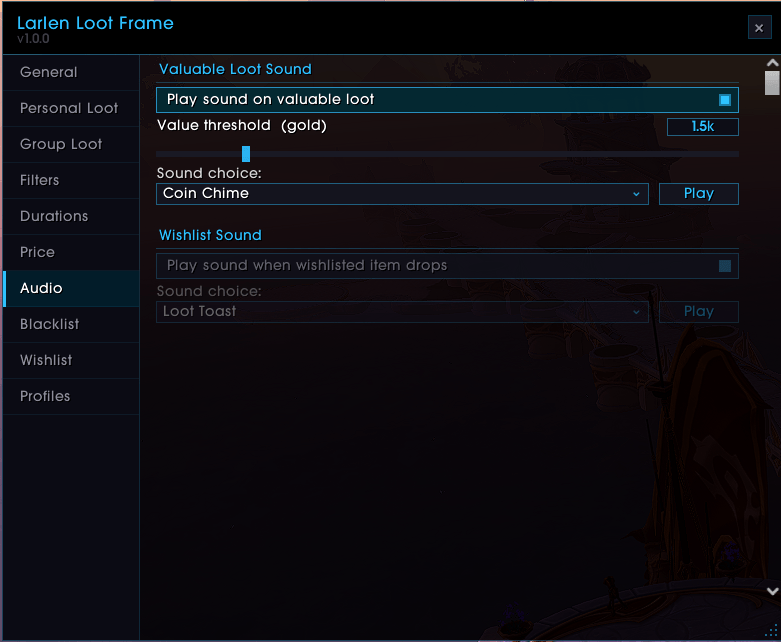
Get audio ques
Description
Larlen Loot Frame
What Does It Do?
The default Blizzard loot display is bare-bones. You get a tiny popup, no price info, no way to tell fully what just dropped in your group, and zero customisation. Larlen Loot Frame replaces all of that with a proper loot feed you can actually make your own.
Every item, currency, gold, honor, reputation gain shows up as a timed row with a colour-coded rarity bar, inline item level, and AH price. A separate group feed tracks party loot without mixing into your own drops. Wishlist specific items, blacklist junk, and add glow or sound alerts for anything that matters. Every feature is toggleable - if you want a clean minimal feed or a data-rich one with animated glows, it works either way.
No hard dependencies. Works out of the box. Optionally reads AH prices from Auctionator or TradeSkillMaster if installed - otherwise shows vendor prices only.
Core Features
- Personal Loot Feed: Items, gold, currencies, honor, reputation, and keystones show as timed rows with colour-coded rarity bars. Pets, mounts, and quest items get their own colours too.
- Mythic+ Keystone Tracking: Keystones looted mid-run and upgrades after a completed key show in the feed with dungeon name and level.
- Group Loot Feed: A separate feed for party and raid loot with its own layout, position, and filters. Never mixed in with your personal drops.
- AH Price Display: Vendor price always shown. Auctionator or TSM prices appear right next to it if installed. TSM supports both dbmarket and dbminbuyout.
- Gear Details: Item level, armor type, sockets, and tertiary stats shown inline on each row.
- Stack Merging: Looting the same item multiple times refreshes the existing row and updates the count rather than creating duplicates.
Glow Effects & Sound Alerts
- Value-Based Glow Tiers: As many tiers as you want, each with its own colour and gold threshold. Cheap drops green, expensive ones purple, jackpots orange - up to you.
- Three Glow Styles: Pixel (animated border), AutoCast (orbiting sparkles), and Blizzard (classic button glow). Apply to the full bar or just the icon.
- Adjustable Parameters: Lines, particles, speed, and thickness per style. Sliders grey out when a setting does not apply to the selected style.
- Sound Alerts: Plays when something valuable drops. Set a gold threshold so it only triggers on the good stuff. Wishlisted items have their own separate sound. Works with all WoW built-in sounds and any LibSharedMedia sounds.
Wishlist & Blacklist
- Item Wishlist: Add items you are farming. When one drops it gets its own glow, colour, and sound - independent from the value-based glow. Good for mount farming, transmog hunting, or specific crafting mats.
- Wishlist-Only Mode: Feed only shows wishlisted items when enabled. Everything else is filtered out.
- Item Blacklist: Shift + Right-Click any row to blacklist that item instantly. Manage the full list from the options panel.
Group Loot Tools
- "Need?" Whisper Button: One click to whisper a party member asking if they need an item. Message template is customisable and the item link is inserted automatically.
- "Offer in Group" Button: Announces an item to party or raid with one click using a customisable message.
- Upgrade & Transmog Indicators: Arrow on gear that is an item level upgrade for you. Wardrobe icon on uncollected appearances.
Customisation
- Layout: Width, row height, spacing, max rows, grow direction, feed opacity, row background opacity, and fade time - all set independently for both feeds.
- Per-Rarity Durations: Individual timers for Poor, Common, Uncommon, Rare, Epic, Legendary, Currency, Quest, Gold, Honor, and Reputation.
- Filters: Hide any rarity or category per feed. Personal and group filters are independent. Gold has a minimum threshold filter so small amounts can be hidden.
- Colours: Item level, sockets, tertiary stats, owned count, and keystone dungeon name all have their own colour pickers.
- Font: Supports all LibSharedMedia fonts. Falls back to the default WoW font if none are installed.
- Profiles: Create, copy, rename, and delete profiles. Switch per character. Import and export as encoded strings.
Lightweight & Taint-Free
Row frames are pooled so nothing is created or destroyed mid-loot. All event processing is deferred to avoid the taint errors and secret string crashes that affect similar addons. No bundled assets - everything uses LibSharedMedia and in-game textures. Auctionator and TSM are optional.
Chat Commands
/llf- Open settings/llf preview- Show sample rows/llf clear- Clear both feeds/llf unlock- Unlock the feed to reposition it/llf lock- Lock it back in place/llf minimap- Toggle the minimap icon/llf enable//llf disable- Enable or disable the addon
How To Use
- Install and reload your UI.
- Loot something - the feed appears automatically.
- Type
/llfto open settings. - Optionally install Auctionator or TSM for AH prices.
Credits & Inspiration
This addon was heavily inspired by the Loot Frame WeakAura created by Hypocrit#11396. I used it throughout WoW Classic and enjoyed it enough to build a standalone version from scratch for Retail.
Larlen Loot Frame Team