screen4.png
screen1.png
screen2.png
screen3.png
Description
Korrect: Chat Spellchecker & Word Completion
Type with confidence in World of Warcraft. Korrect checks your spelling as you type, offers corrections, and helps you finish words, all without leaving the game.
Spellchecking that fits your chat
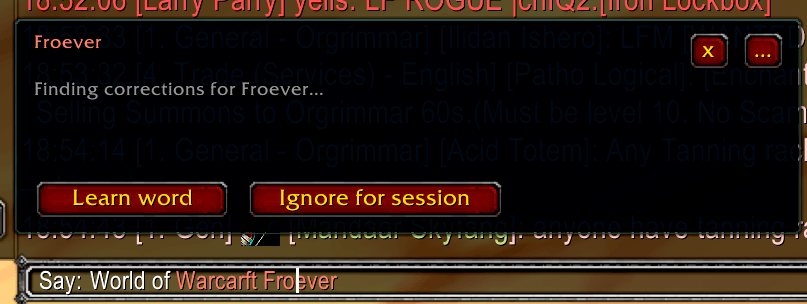
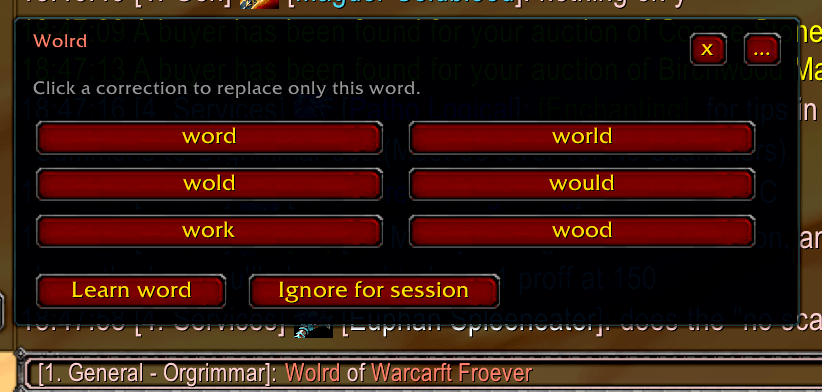
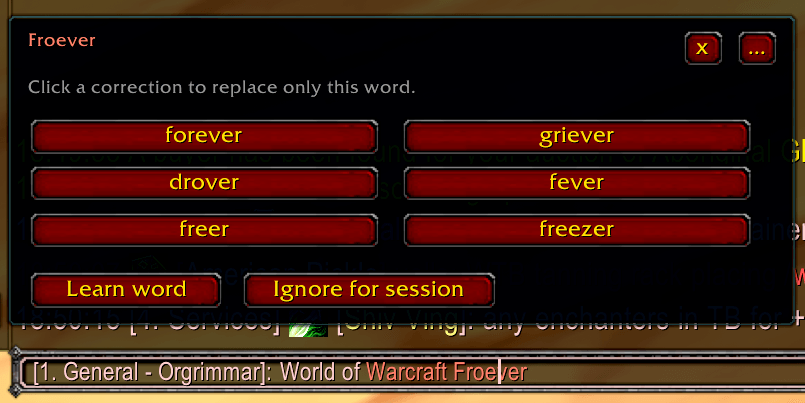
Possible spelling mistakes appear in a different color. Click a marked word to see corrections, add it to your personal dictionary, or ignore it for the current session.
Korrect preserves item links and removes its highlight formatting before your message is sent.
Complete words while typing
After three letters and a short pause, Korrect offers up to three word completions. Click a suggestion to finish the current word.
Suggestions use your selected languages, WoW vocabulary, personal dictionary, and recognized names.
Your languages, your game version
Choose up to two spelling languages at the same time:
- English (US and UK)
- German
- French
- Spanish (Spain)
- Italian
- Dutch (Netherlands and Belgium)
Layered WoW dictionaries recognize locations, bosses, spells, items, classes, professions, and community shorthand. Korrect automatically selects the vocabulary for Retail, Forever, Classic Era, or TBC Anniversary.
The game dictionaries are curated lists, not complete game databases. Localized names and translations may be incomplete.
Recognize familiar names
Optional session recognition helps avoid unnecessary spelling warnings for:
- Your character, party members, and raid members
- NPCs you target or mouse over
- Guild members and friends
- Available WoW character names from Battle.net friends
- Item names encountered in chat links
Up to 2,000 names are remembered temporarily. They are cleared when you log out, reload, or choose to forget them. Chat messages are not saved.
Personal replacements
Create your own shortcuts, such as:
invv = invite
brbb = be right back
Your replacement appears as a suggestion when you type the shortcut.
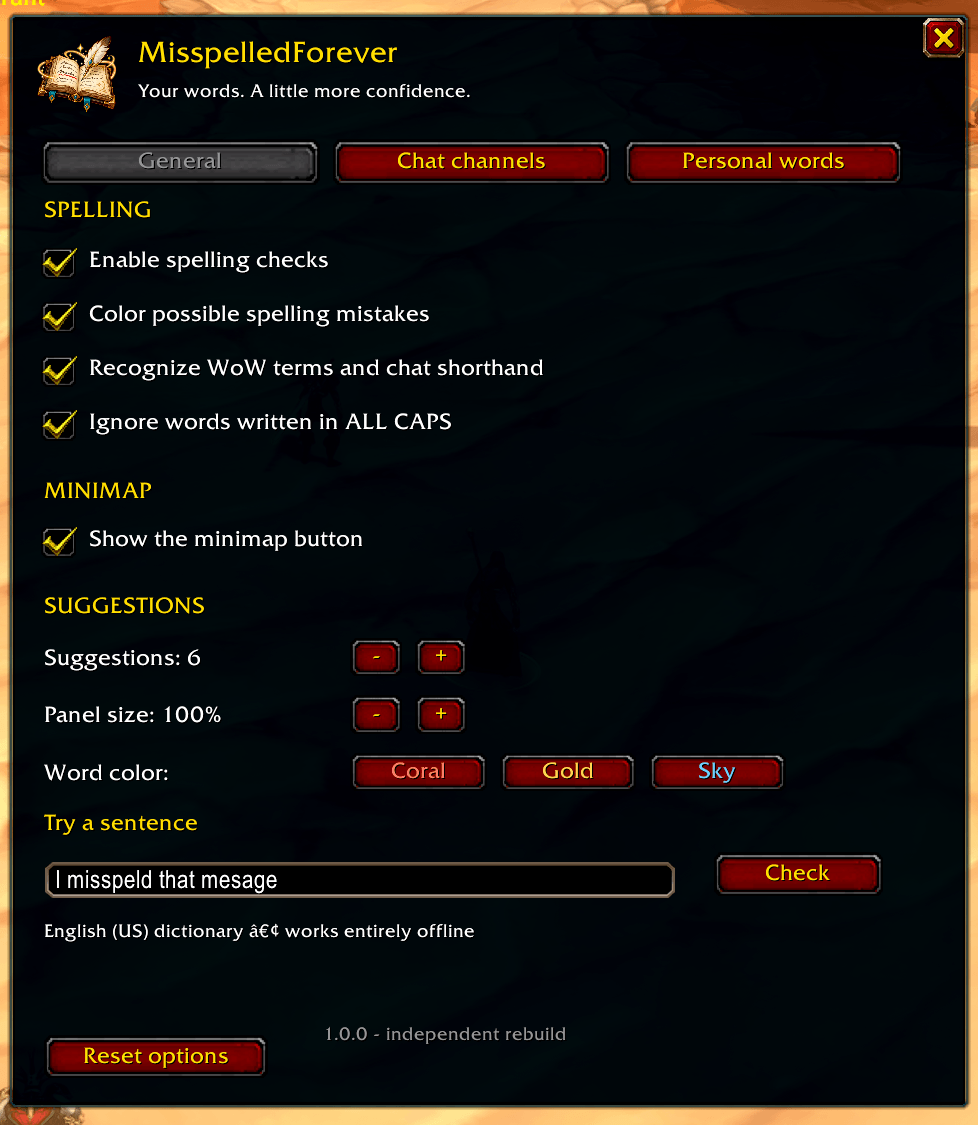
Make it yours
- Select which chat channels to check
- Customize highlight colors and correction-panel size
- Enable or disable word completion
- Manage your personal dictionary and replacements
- Show, hide, or move the minimap button
Getting started
Open /korrect, click the minimap button, or find Korrect in the game’s AddOns settings.
| Command | Action |
|---|---|
/korrect |
Open settings |
/korrect on |
Enable spelling checks |
/korrect off |
Pause spelling checks |
/korrect minimap |
Toggle the minimap button |
/korrect add word |
Add a personal word |
/korrect debug |
Show client and vocabulary information |
Built for standard Blizzard chat boxes. Spelling checks and word suggestions run locally using bundled dictionaries, no external service or separate dictionary addon is required.
Korrect checks spelling, not grammar. Third-party chat-input replacements are not currently supported.
Korrect Team