Komo Melee Range
- By
A customizeable, recolorable indicator (shape or text) that shows whether your target is actually in melee range, checked against a real spell instead of guesswork.
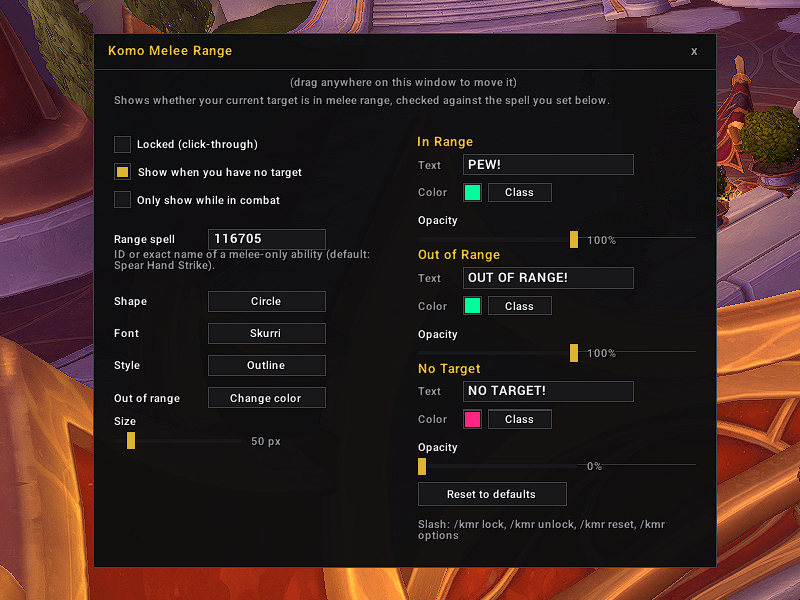
01_KMR_Options.png
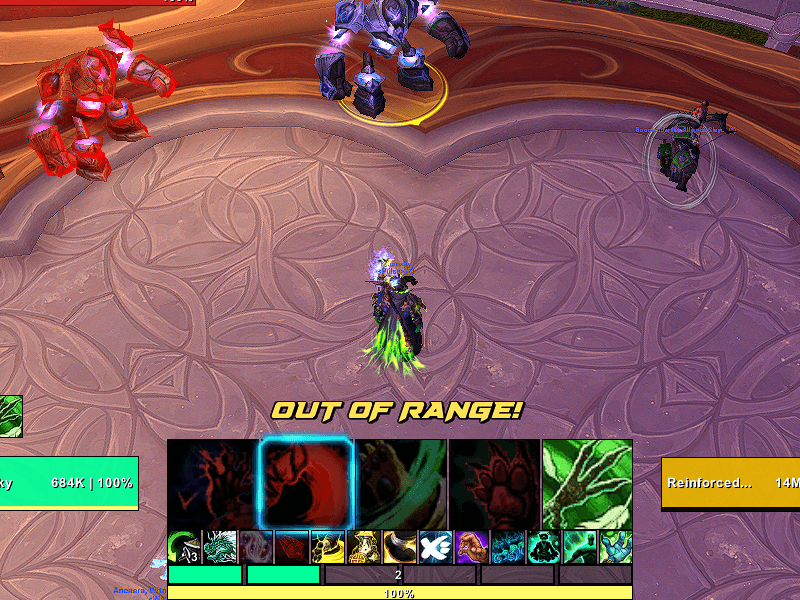
02_KMR_OutOfRange.png
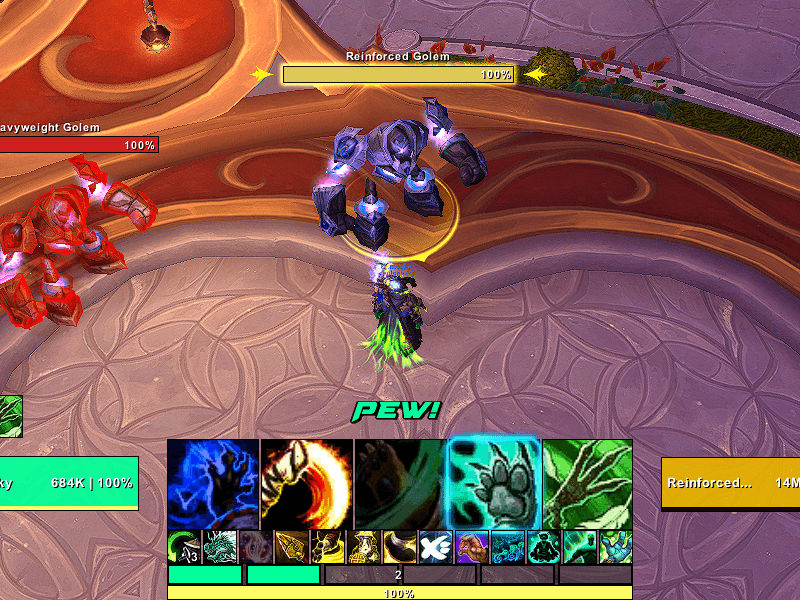
03_KMR_InRange.png
Description
Komo Melee Range
A customizable, recolorable indicator (shape or text) that shows whether your target is actually in melee range, checked against a real spell instead of guesswork.
How it works
Pick any melee-only spell you know as the range check (spell ID or exact name). Default is Spear Hand Strike, but any class can swap in their own melee-range ability. The indicator updates live: one look when your target is in range, another when it isn't, and a third when you have no target.
Appearance
- Shape: Circle, Square, Diamond, or Text label
- Texture style: Outline or Filled (shapes only)
- Font: Friz Quadrata, Arial Narrow, Skurri, or Morpheus (Text shape only)
- Separate text, color, and opacity for each state: In Range, Out of Range, No Target
- One-click Class button on every color picker to instantly match your current class color
- Out-of-range behavior: change color, dim it, or hide it entirely
- Size slider from 20 to 300 pixels
Positioning
Unlock it to drag it anywhere on screen and resize it with a corner grip. Lock it back down and it's click-through, out of your way.
Settings
Opens in its own draggable window, laid out in two columns so nothing scrolls.
Commands
/kmr— open the settings window/kmr lock//kmr unlock— lock or unlock the indicator's position/kmr reset— reset everything to defaults
Notes
Only checks range against your current target, using whatever spell you set as the check. Pick something you actually have available. An interrupt is usually a safe, always-known choice for most melee specs.
Komo Melee Range Team