Kinship RP: Forever
- By
A roleplay addon for WoW Forever: profiles, houses, quests you write yourself, items and RP-PvP. Works with other Roleplay addons!
01-profile.jpg
02-persona.jpg
03-on-stage.jpg
05-house.jpg
07-directory.jpg
08-tooltip.jpg
09-quest-offer.jpg
10-quest-journal.jpg
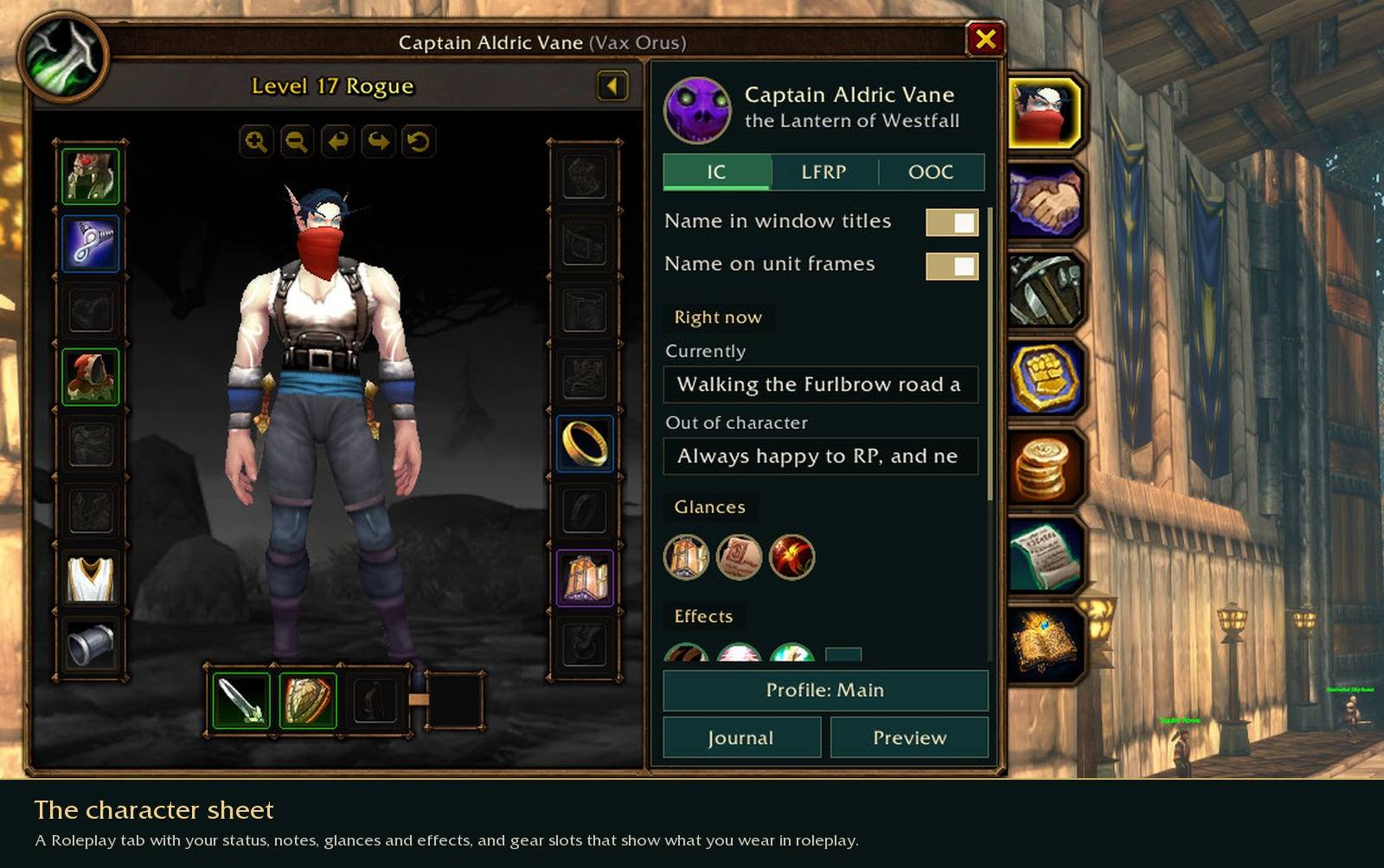
15-character-sheet.jpg
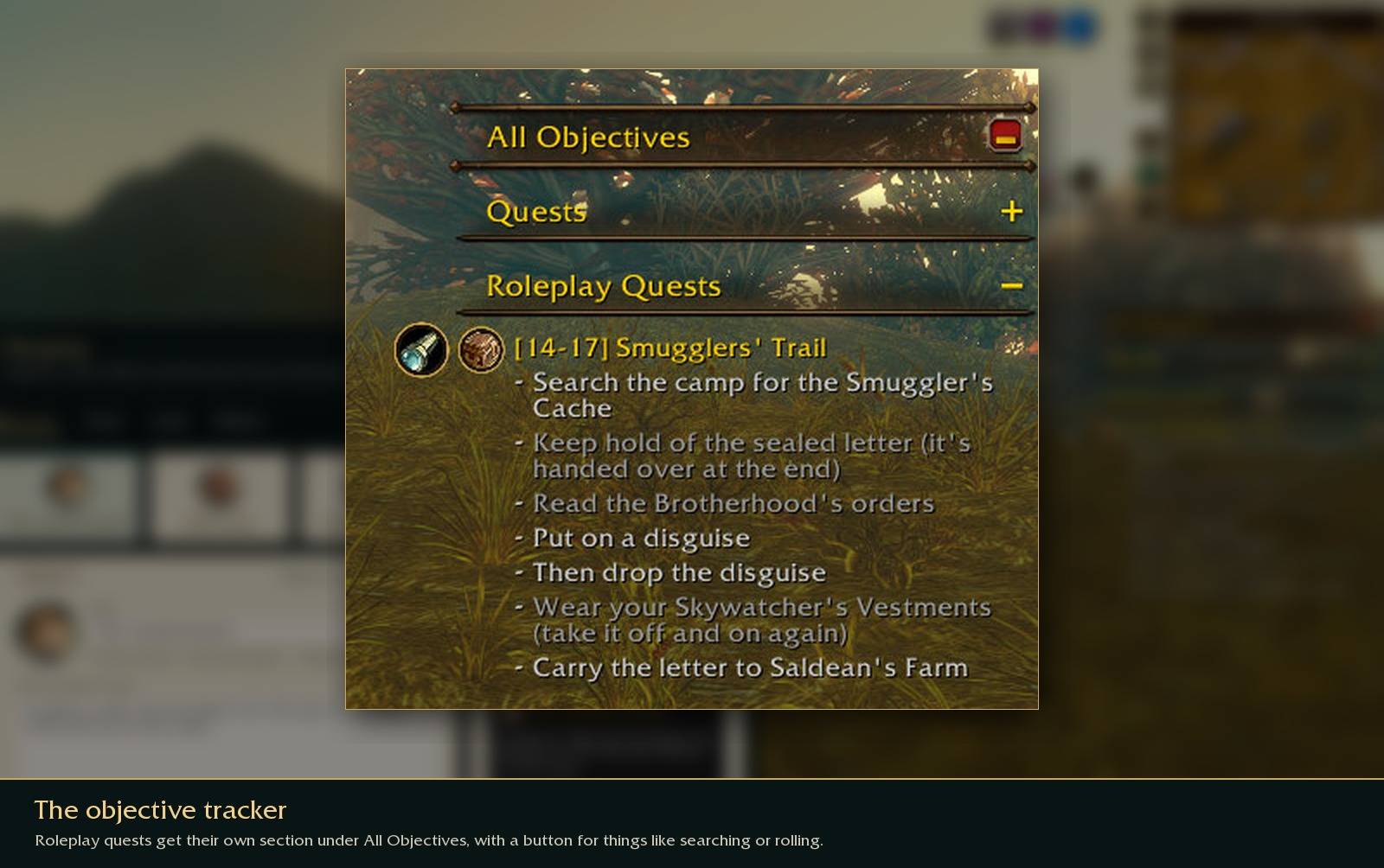
18-tracker.jpg
Description
Kinship RP
Kinship is a roleplay addon for World of Warcraft Forever. It keeps your character's profile, your family, the people you've met, what you carry and the stories you're part of in one journal, and it tries to fit in with the rest of the game's interface rather than sit on top of it.
It uses the same profile system as Total RP 3, MyRolePlay and XRP, so players using those addons can read your profile and you can read theirs.
Kinship is still in beta. Some parts are new, so if you find something broken or confusing, please leave a comment and I'll look into it.
Your profile
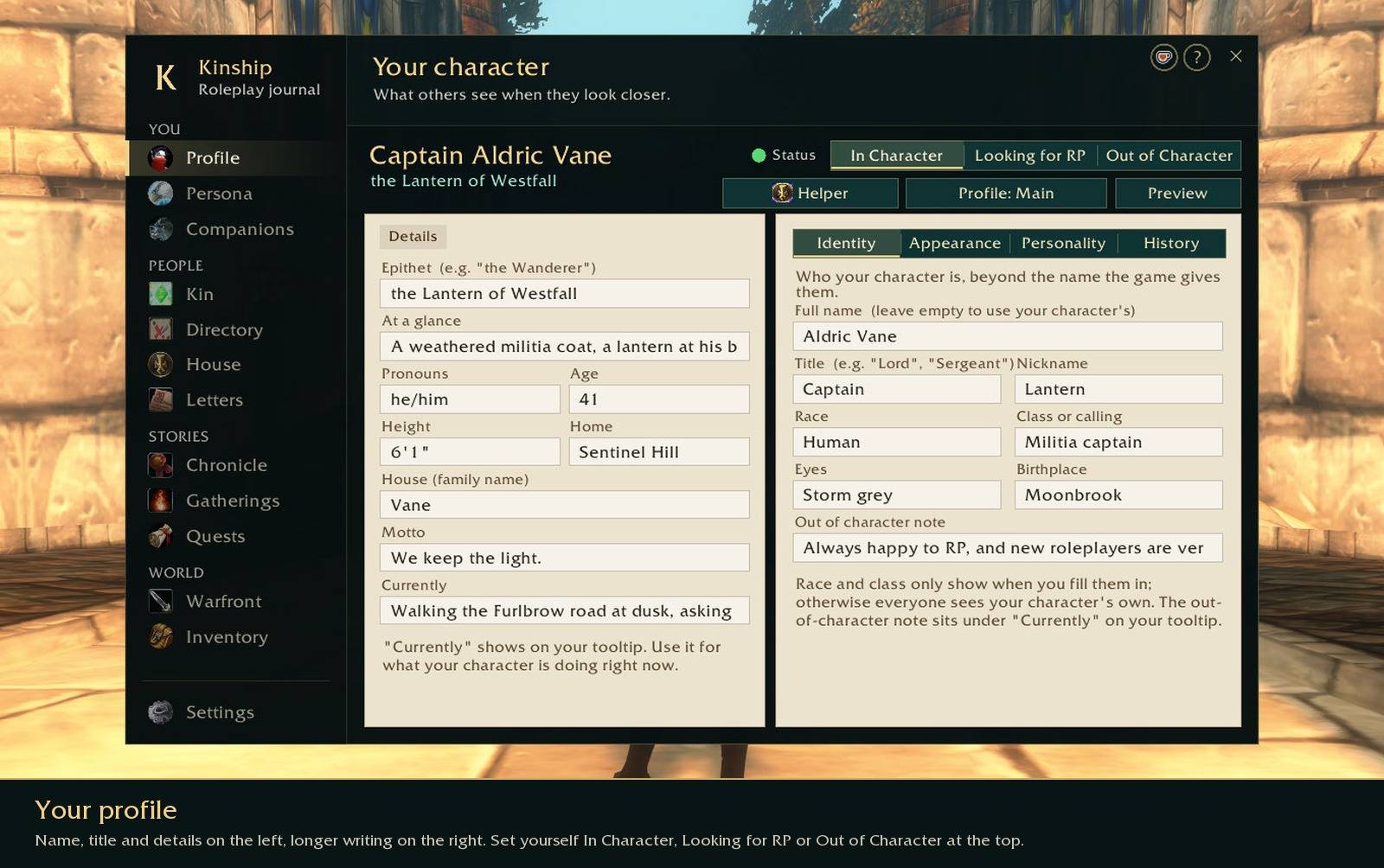
Fill in as much or as little as you like: name and title, pronouns, age, where your character is from, what they look like, their history. You can set yourself as In Character, Looking for RP or Out of Character from the journal, the character sheet or a small button on your screen. If you play a character in more than one story, you can keep a separate profile for each.
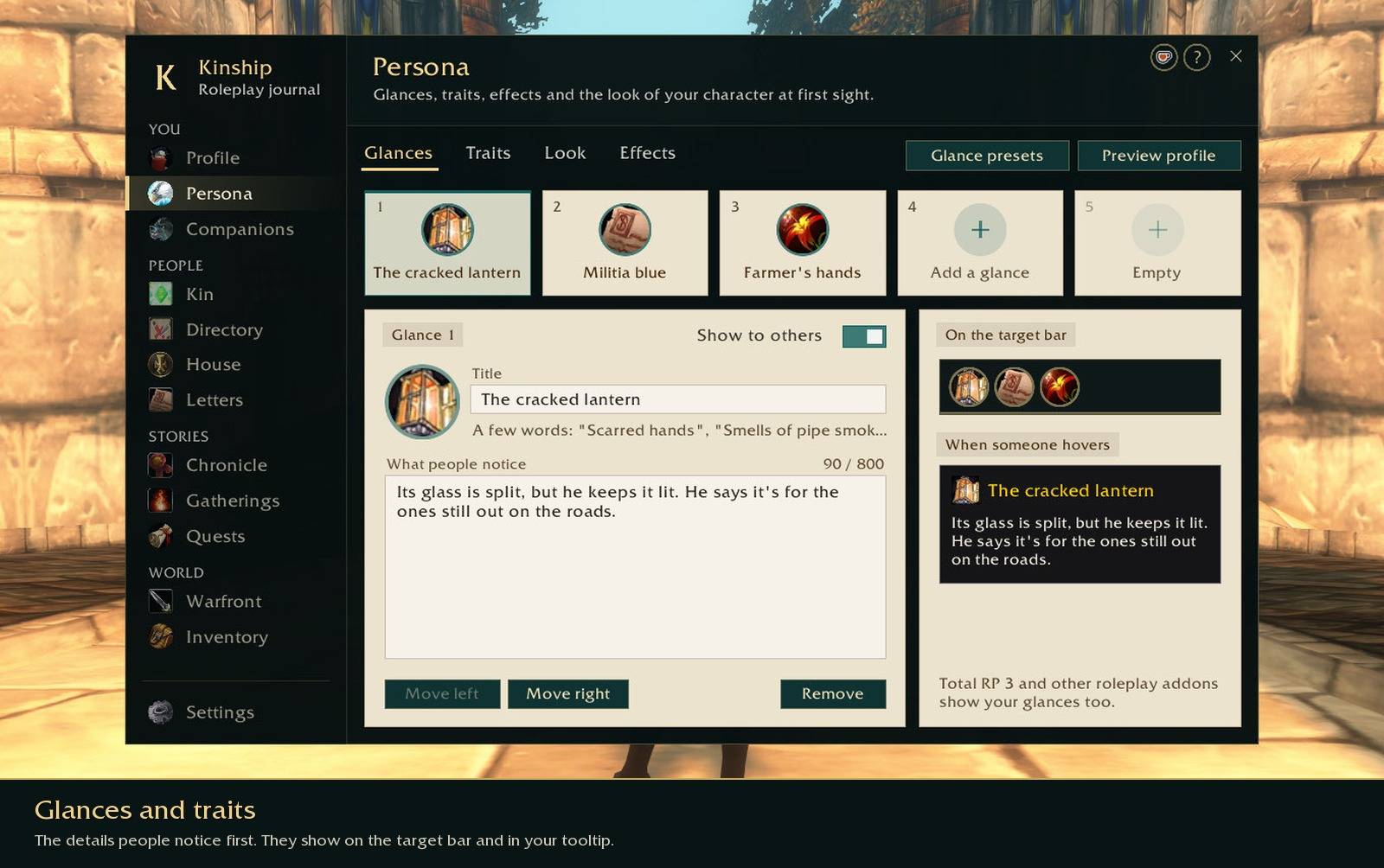
Glances are the small details someone would notice at first sight, like a cracked lantern on a belt or a badge pinned to a coat. They show up on the target bar and in your tooltip, and Total RP 3 users see them too. There's also room for personality traits and short-term effects, such as being bandaged after a fight.
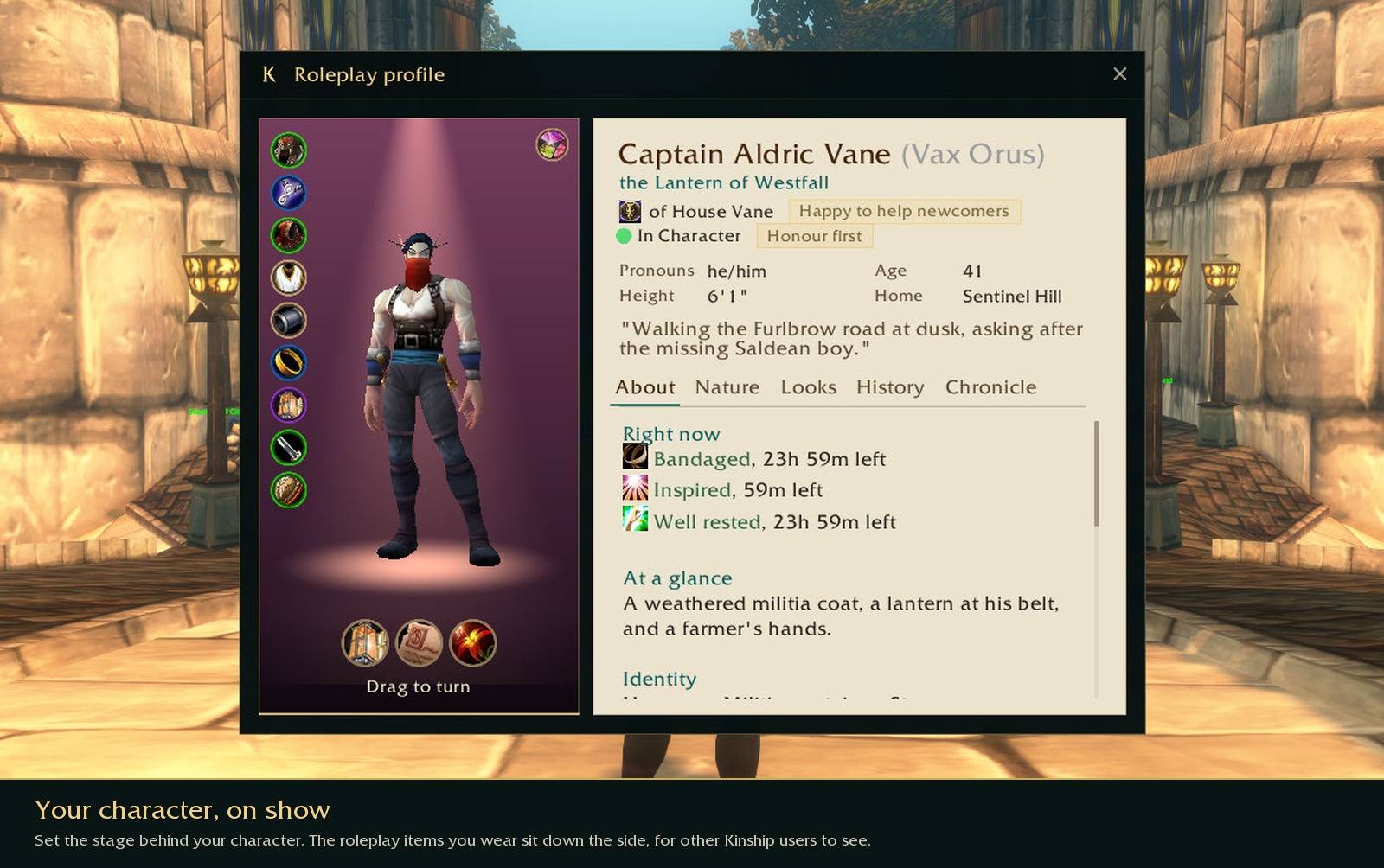
When someone opens your profile, they see your character on a stage you set out yourself: a backdrop, a spotlight if you want one, and a shadow or a pool of light under their feet. The roleplay items you're wearing sit down the side.
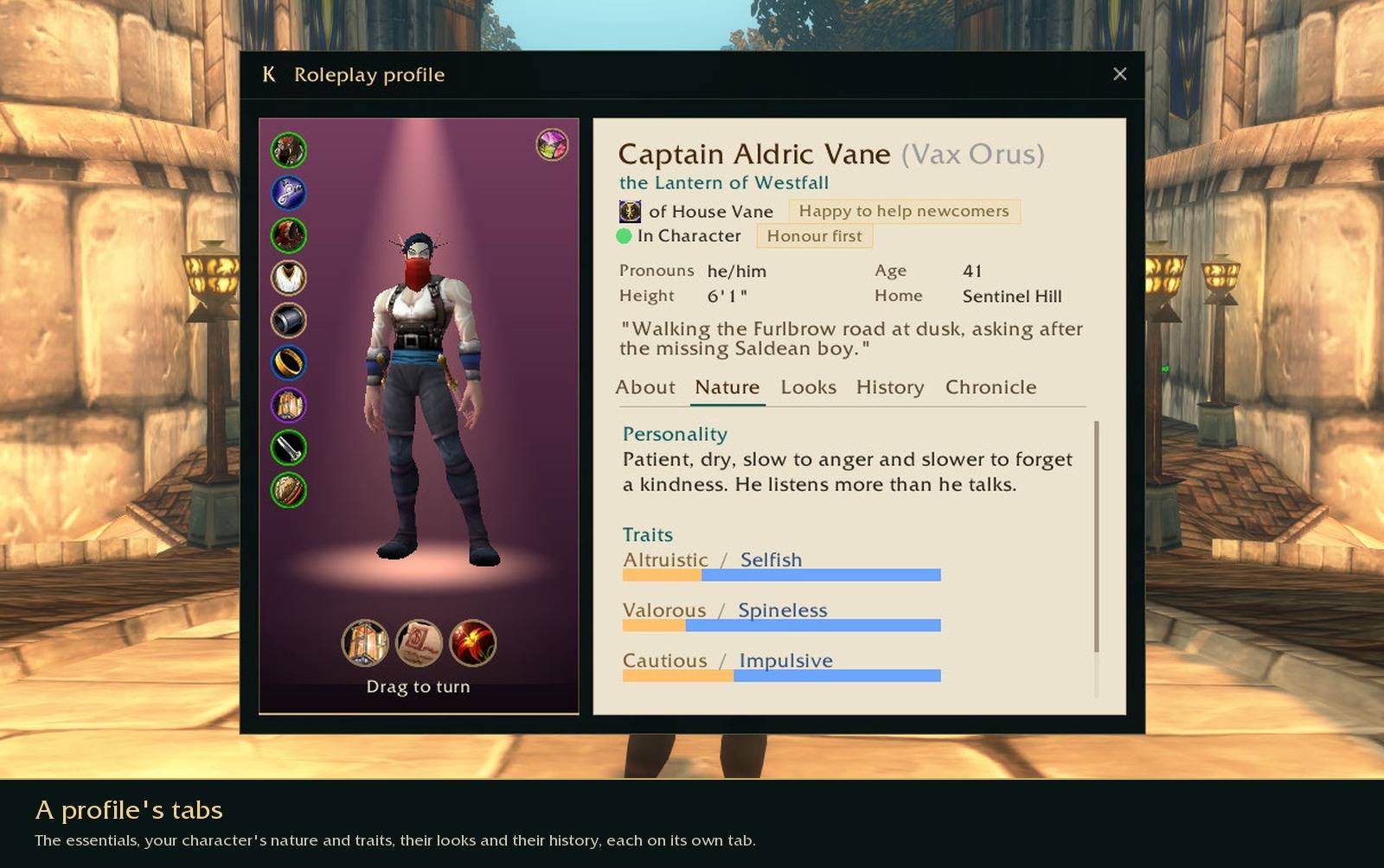
The rest of a profile is split into tabs, so it's easy to read: the essentials first, then your character's nature and traits, their looks, their history, and your own Chronicle of what they've been through.
Houses and other players
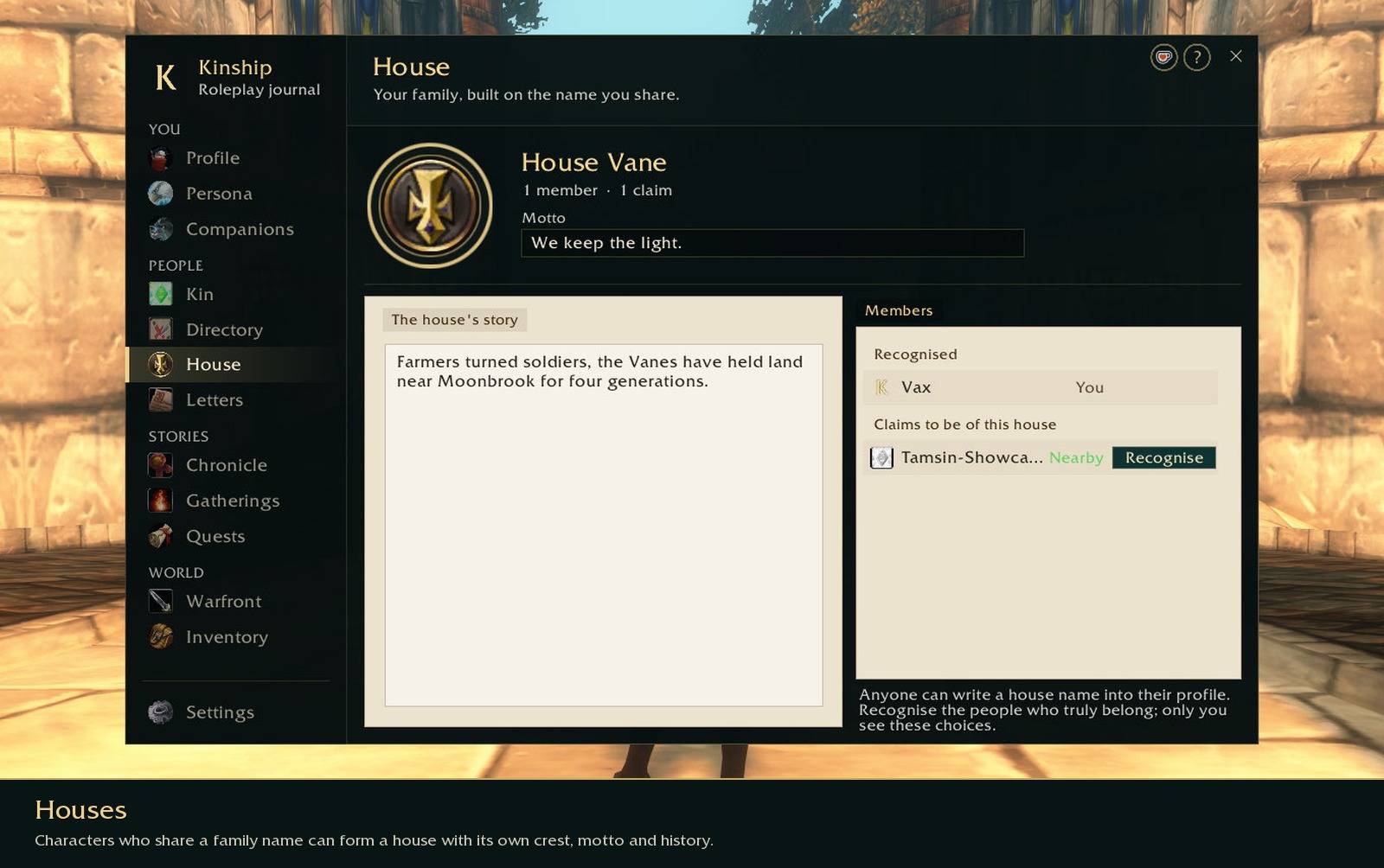
Characters who share a family name can form a house with its own crest, motto and history. Anyone can type a house name into their profile, so you decide who you recognise as family.
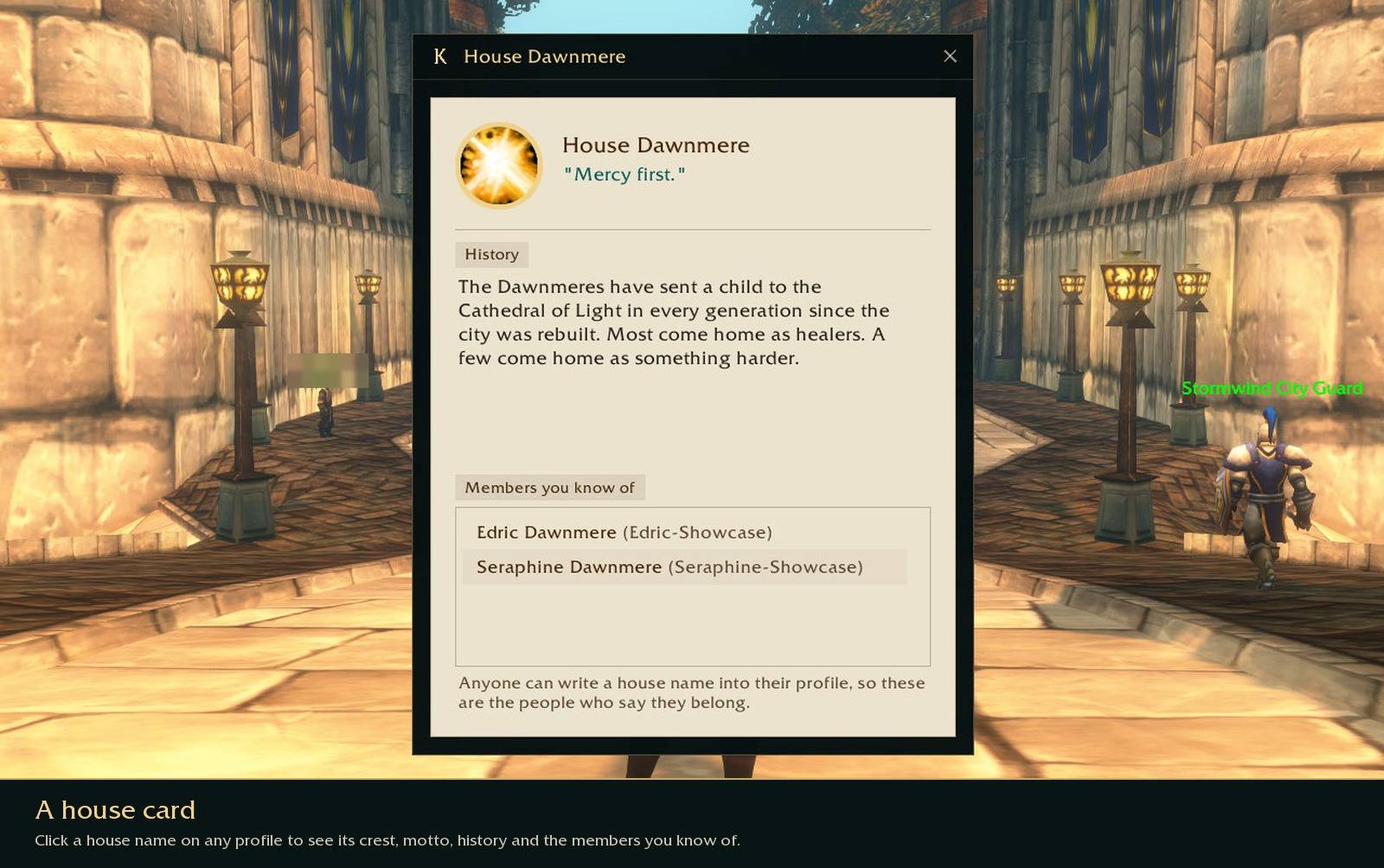
Click a house name on anyone's profile to see its crest, motto and history, and the members you've met. A house's history travels with its members' profiles, so other Kinship users can read it too.
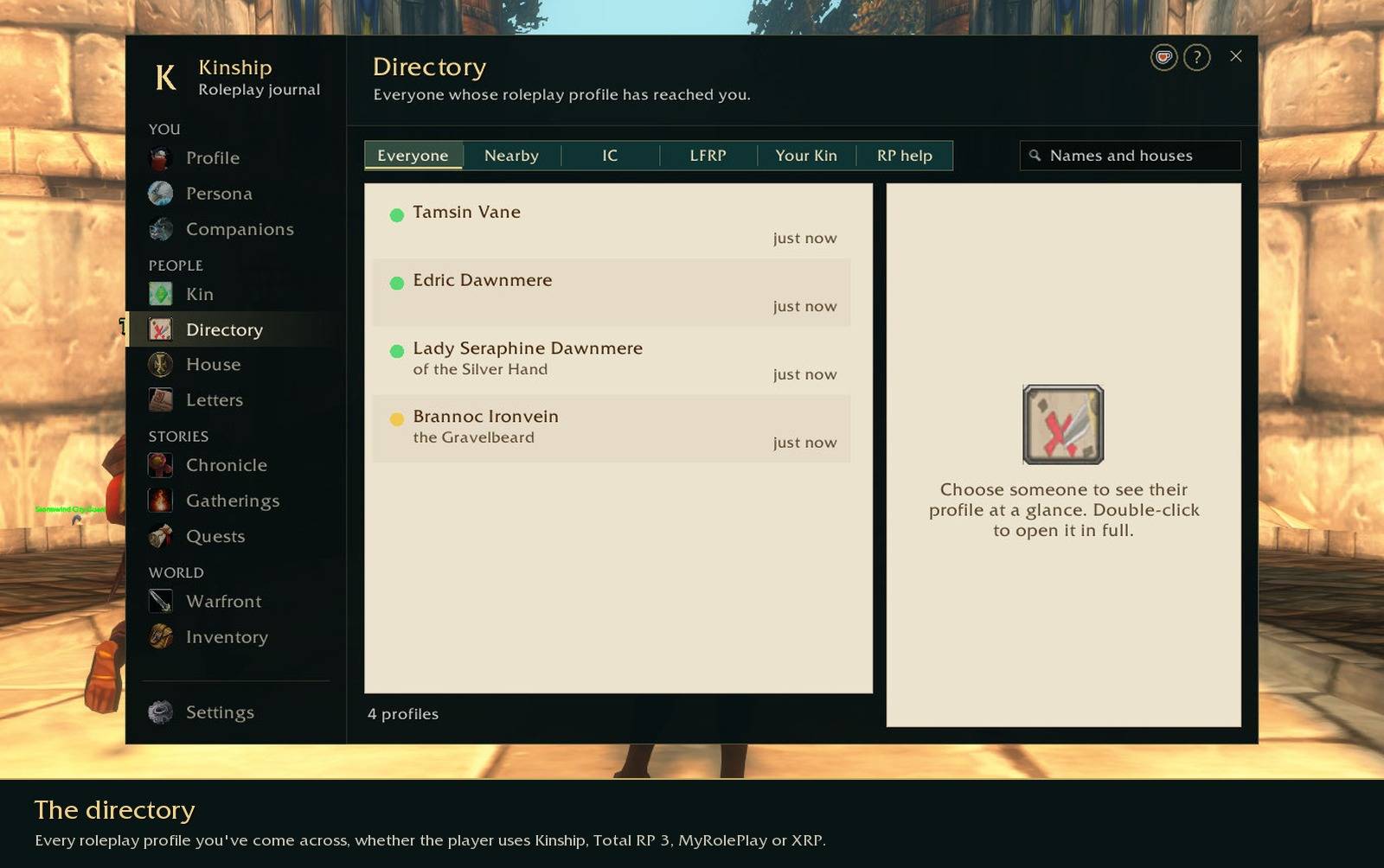
Every roleplay profile you come across is kept in the directory, whichever addon the other player uses. You can filter it to people who are in character, looking for roleplay, your Kin, or players who are new to roleplay and those who've offered to help them.
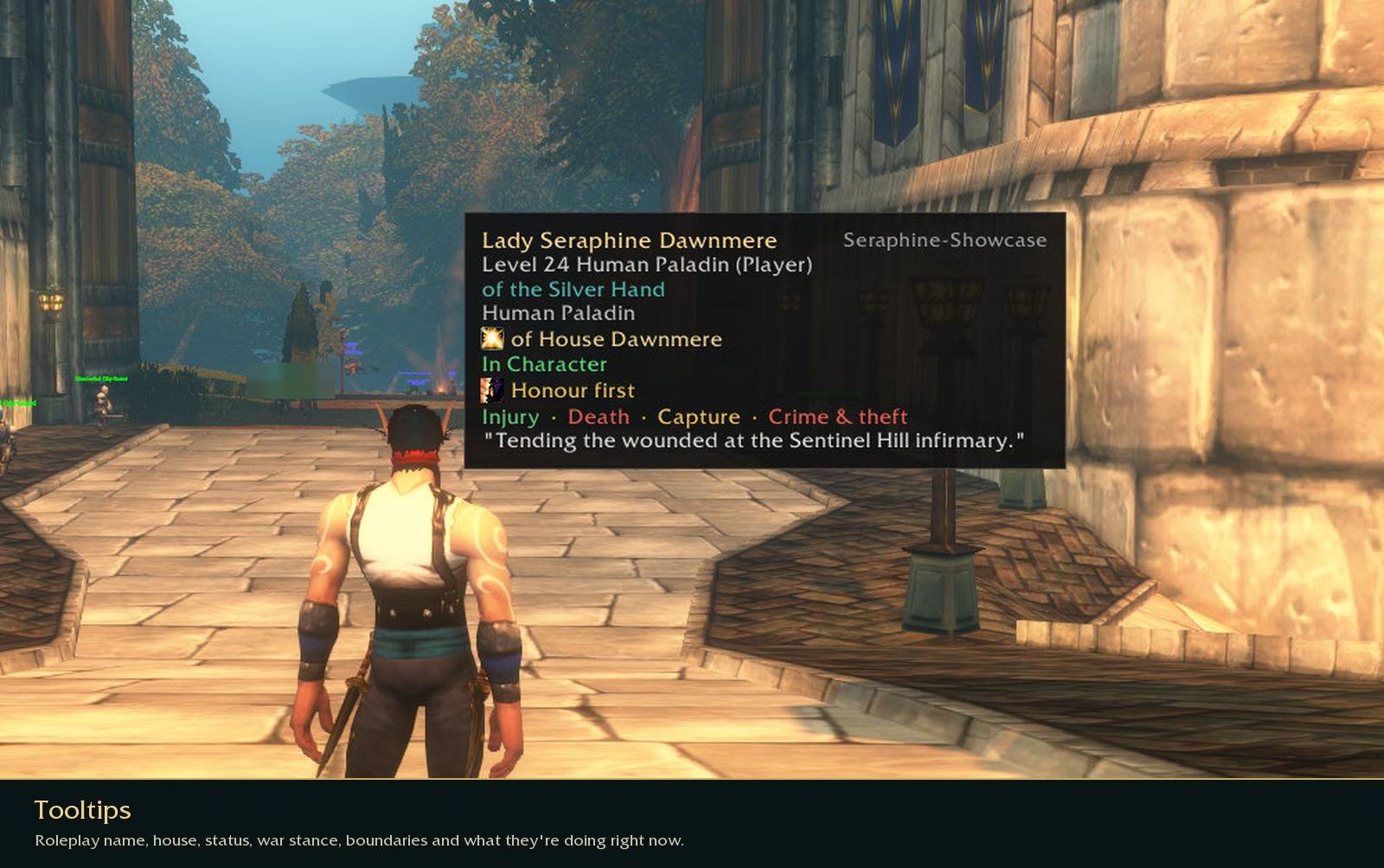
When you hover over someone you'll see their roleplay name, house, status, war stance and boundaries, and what they're up to at the moment. Click their portrait to read the rest.
Quests
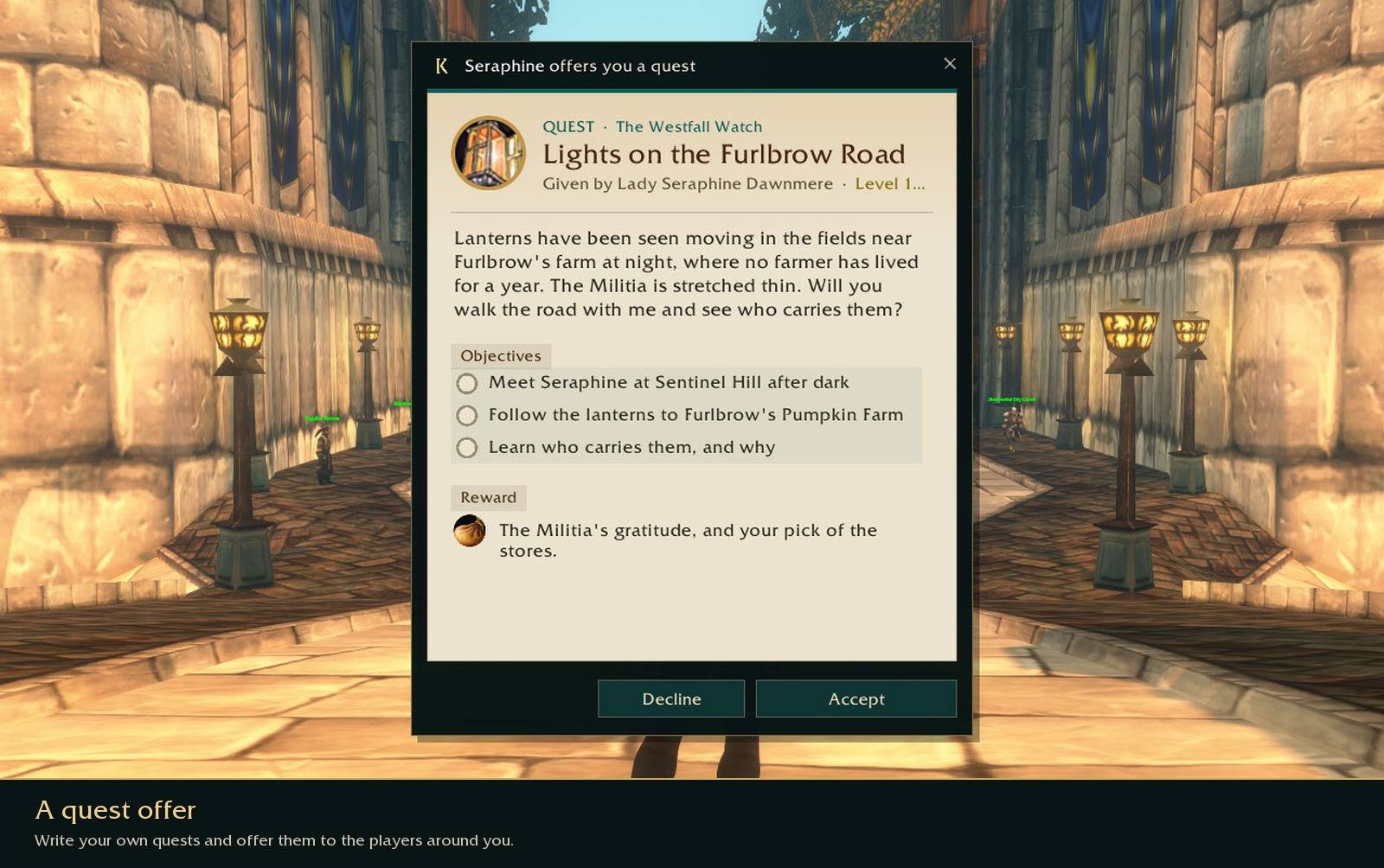
You can write your own quests and offer them to the players around you. If you run a quest as its storyteller, everyone who accepts it sees each objective tick as you move the story along.
Objectives don't have to be ticked by hand. You can set one to complete when a player:
- reaches a spot on the map or a named place, or keeps watch somewhere for a few minutes
- talks to someone, or does an emote at them
- carries an item, gathers game items or wears a piece of gear
- finds a hidden stash
- passes a dice roll, answers a riddle or gives a password
- defeats enemies, wins a duel or gets an honourable kill
- takes on an effect, reads a document, or turns up at a certain hour
You can add extra conditions too, like being at the spot after dark or being in character. Objectives can be optional or kept hidden until they're done. If one can fail, you choose what happens next: the player tries again, the story carries on, a backup objective opens up, or the whole quest fails.
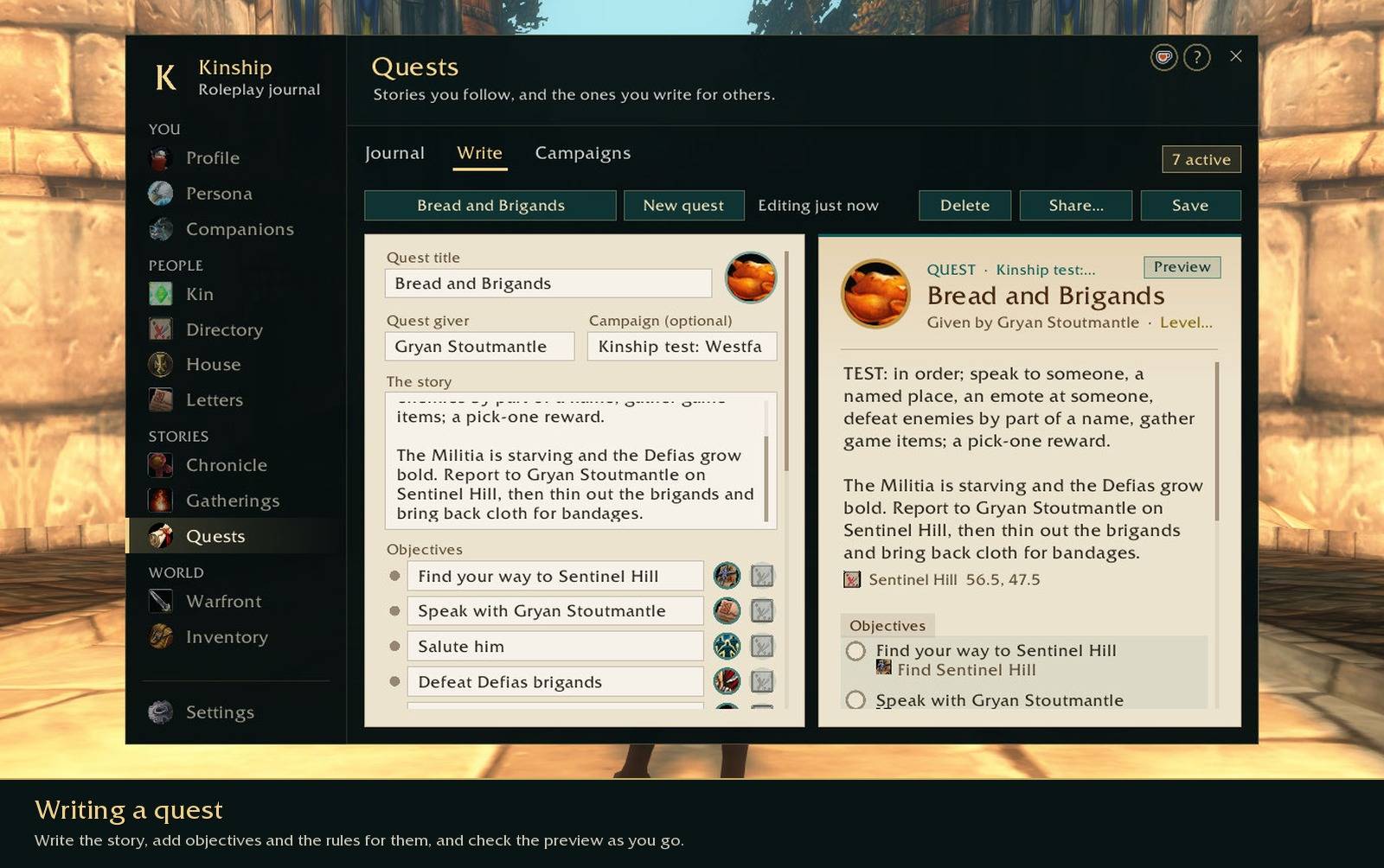
Quests can give items you've designed as rewards, or let the player pick one. Kinship sends them when the player finishes, and if one of you is offline it tries again later.
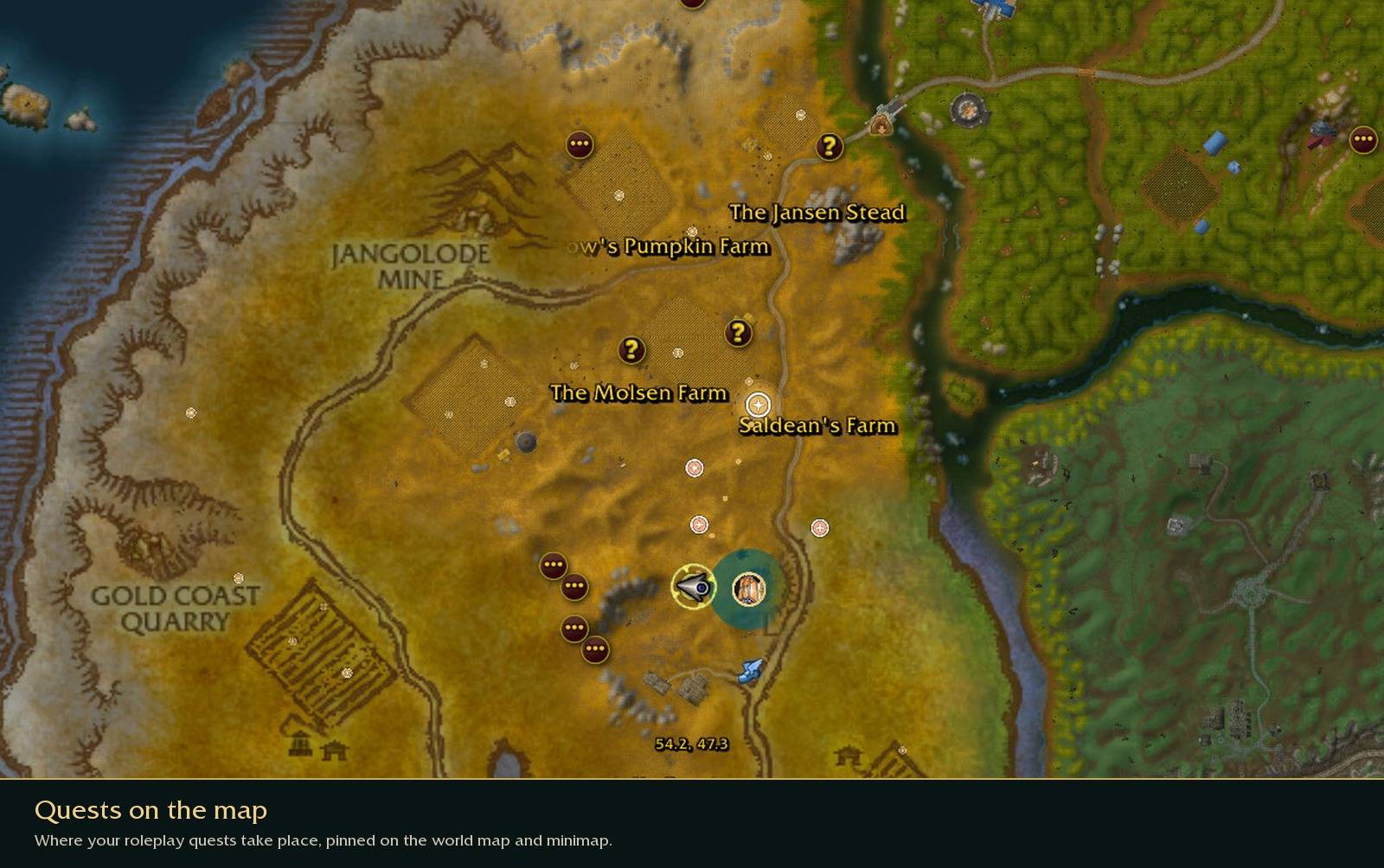
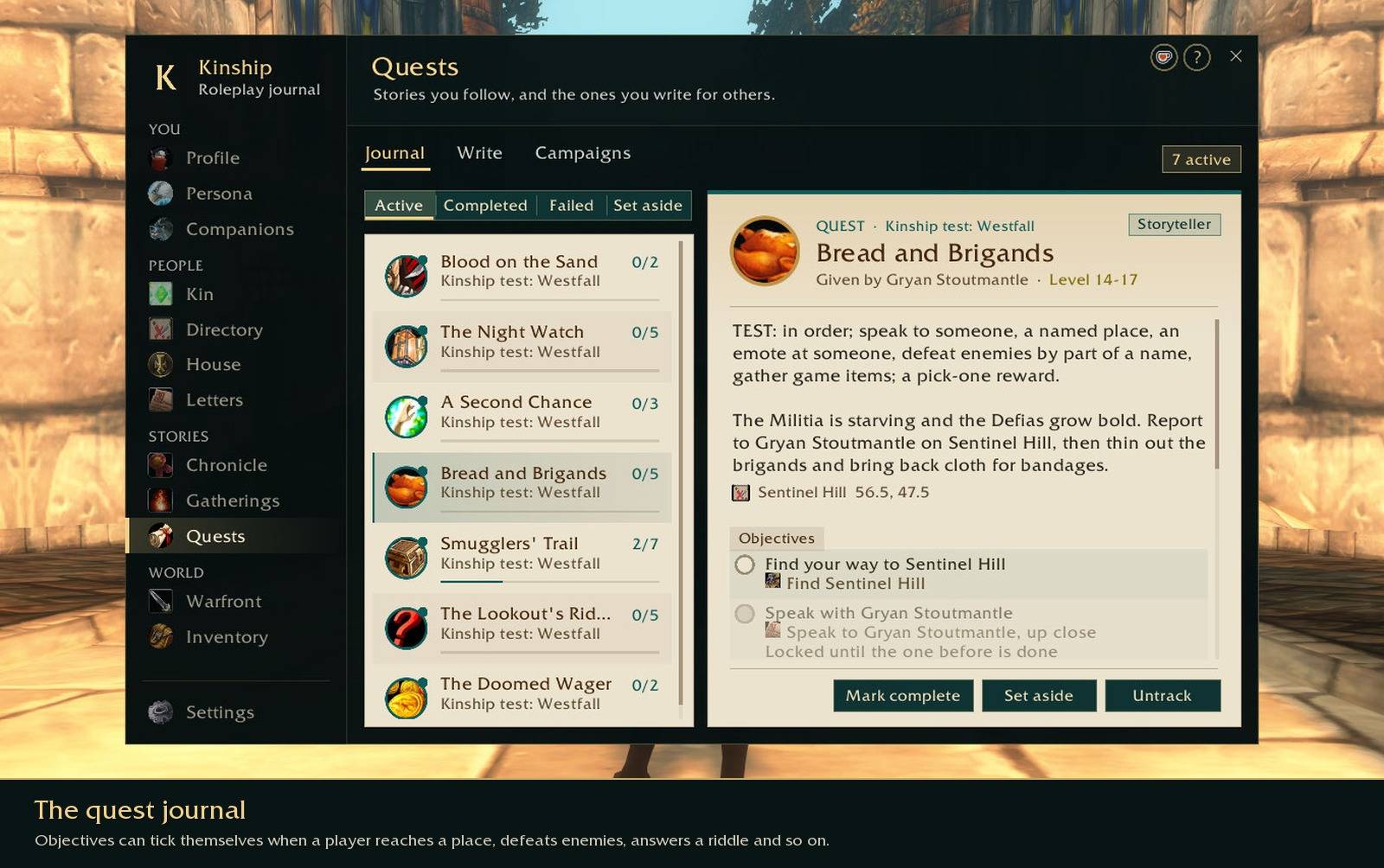
Roleplay quests have their own section under All Objectives and their own tab in the quest log, and you can pin where they take place on the world map and minimap.
Items, letters and stashes
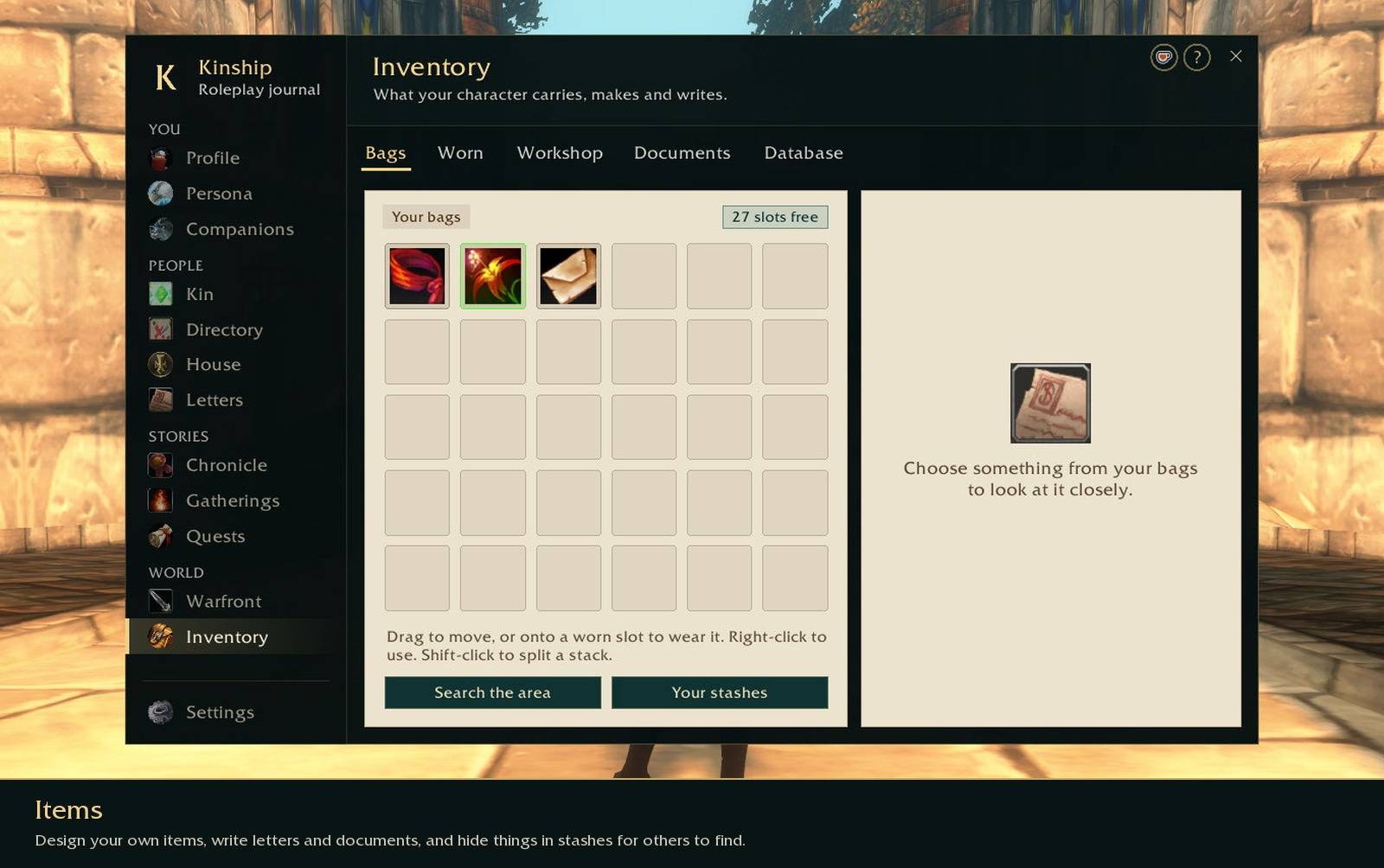
You can design your own items, write letters and documents and seal them with wax, hand things to other players, and hide items in stashes for someone else to find.
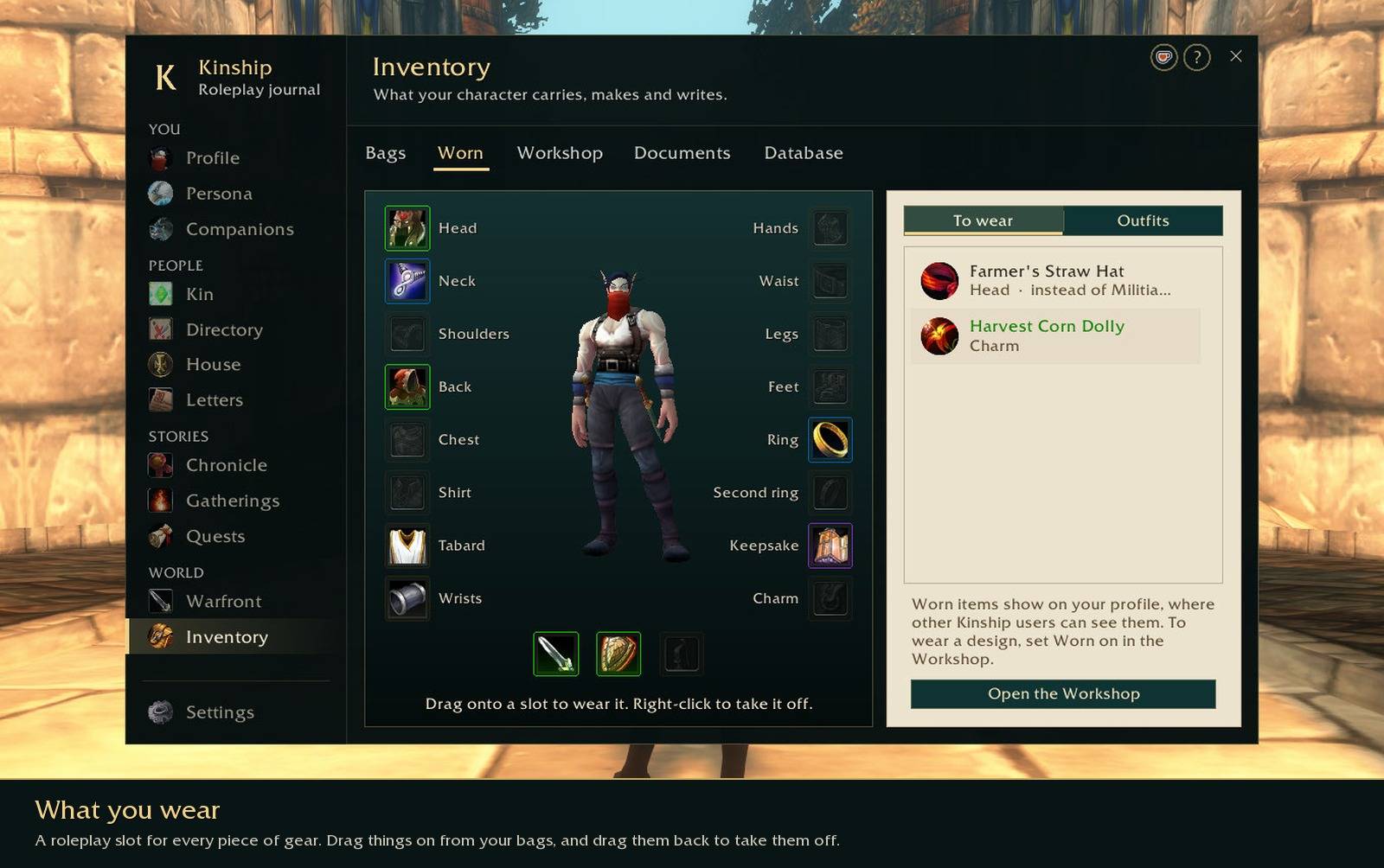
Some of the things you make can be worn: a hood, a locket, a wedding band, the sword at your hip. There's a roleplay slot for every piece of gear on the character screen. Drag an item from your bags onto its slot to put it on, and drag it back to take it off. Other Kinship users see what you're wearing on your profile, with each item's name, quality and a line of its description.
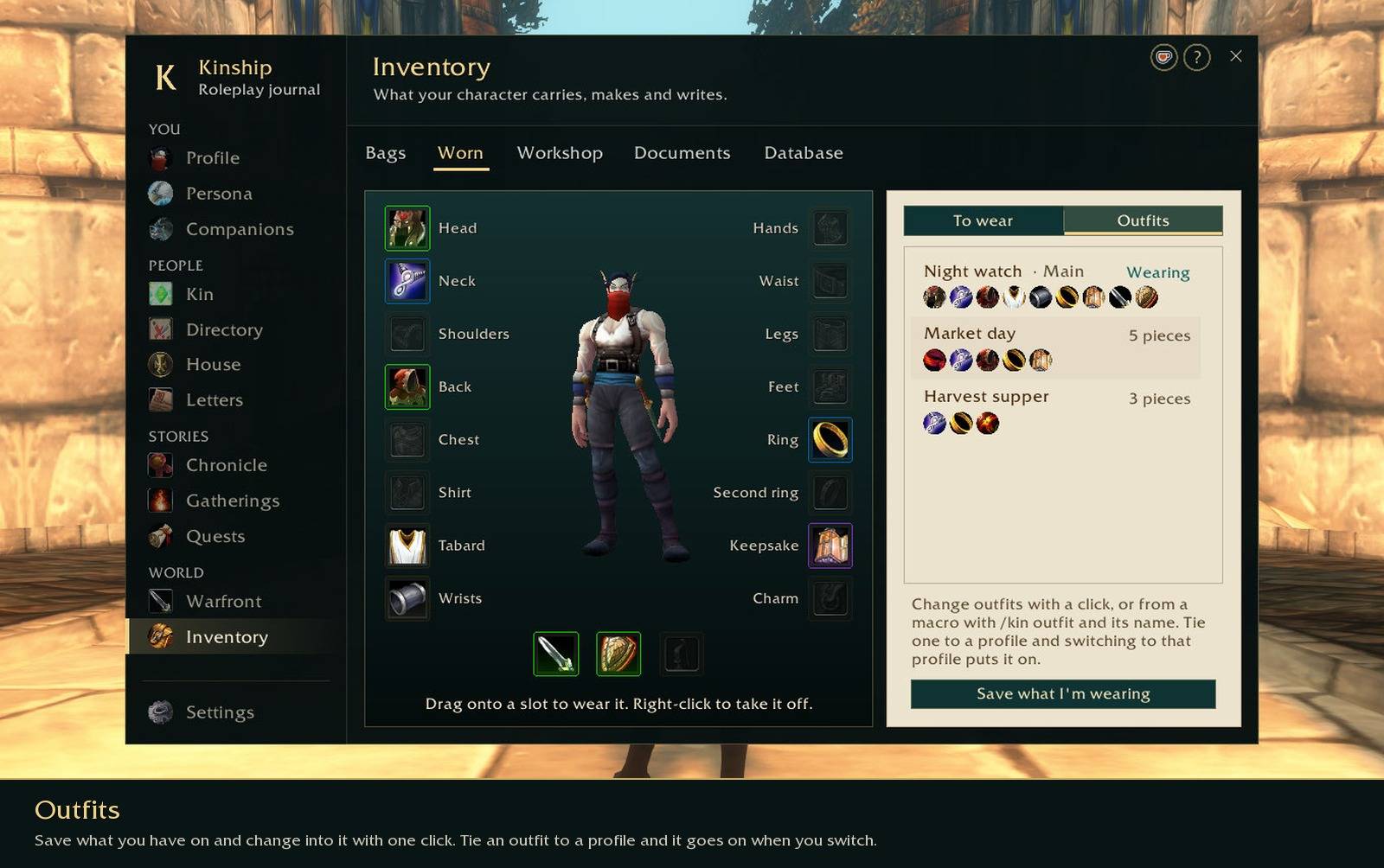
Save what you have on as an outfit, like your travelling clothes or your court finery, and change into it with one click, or from a macro with /kin outfit and its name. Tie an outfit to a profile and switching profiles changes your clothes too.
The character sheet
Kinship adds a Roleplay tab to your character sheet with your status, notes, glances, effects and boundaries. While it's open, the gear slots beside your character show the roleplay items you're wearing instead of your real gear, and you can drag things onto them from your bags. Kinship can also show roleplay names in window titles and on unit frames, if you'd like.
RP-PvP
Forever doesn't have an RP-PvP realm, so Kinship adds some of the things those realms relied on:
- A war stance that tells others how you like to handle a fight: Open war, Honour first or Non-combatant.
- Boundaries for injury, death, capture and crime, each set to yes, ask first or no, so people know where you stand before a scene gets rough.
- The Warfront page, which keeps track of enemies you've met, rivals and past battles, and can add them to your character's Chronicle.
- Duels and honourable kills can count towards quest objectives.
- Parley, a wheel of the game's own emotes. The other faction can see these, so you can still get a point across in a fight.
Settings
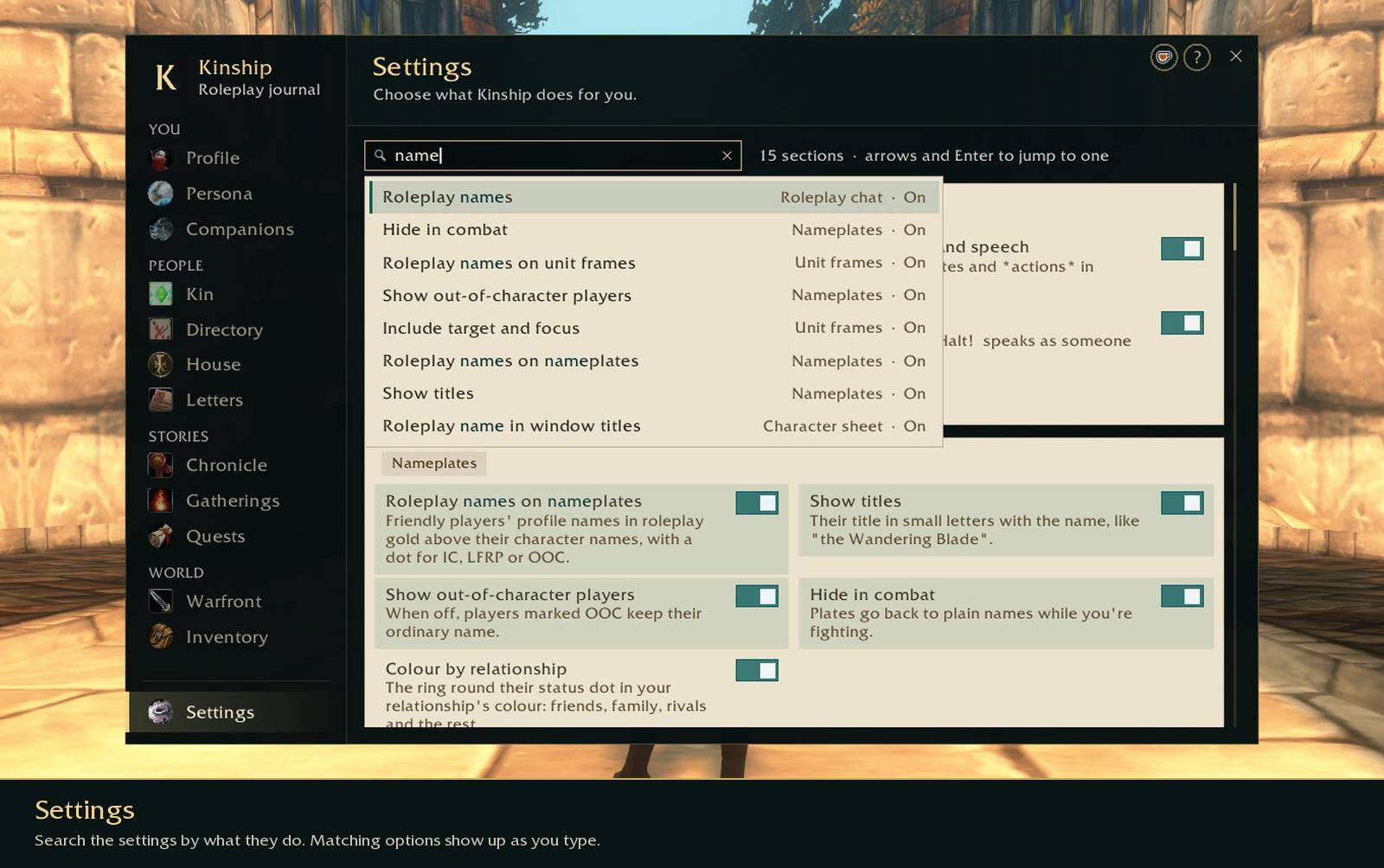
Kinship has a lot of options, so the settings page has a search box. Type what you're looking for, like "nameplates" or "pvp", and it suggests matching settings as you type.
Getting started
Type /kin to open the journal. It's also in the game's AddOns menu. The first time you open it, Kinship asks how much roleplay you've done before, then offers a short tour of each page. You can skip the tours with Esc, and the ? at the top of the journal plays the tour for the page you're on again.
/kin help lists the other commands, and there are key bindings under Key Bindings > AddOns > Kinship RP.
Kinship is made for World of Warcraft Forever. It's made to works alongside EllesmereUI and DialogueUI (or just the default UI!).
Using it with Total RP 3
You don't have to choose. If Total RP 3 is running too, Kinship asks once what you'd like:
- Keep both. Total RP 3 looks after your profile, tooltips, nameplates and target bar, and Kinship adds what it doesn't have: quests you write, worn items and outfits, your stage, houses, Warfront and more. A Kinship button on Total RP 3's target bar shows what someone wears, their house and their stage. If you use Total RP 3: Extended, you choose which addon looks after items, documents and effects.
- Move to Kinship. Your Total RP 3 profiles come across (names, descriptions, glances, traits, status and so on), Total RP 3 is switched off, and the game reloads. Its saved data isn't touched, so you can switch back whenever you want.
Players who use Total RP 3, MyRolePlay or XRP see your profile either way.
Feedback
If something isn't working, or you have an idea, leave a comment on this page. If you'd like to support development, I'm on Ko-fi.
A note on AI: Kinship is an AI assisted project.
Kinship RP: Forever Team