KIC LFG Sorter
- By
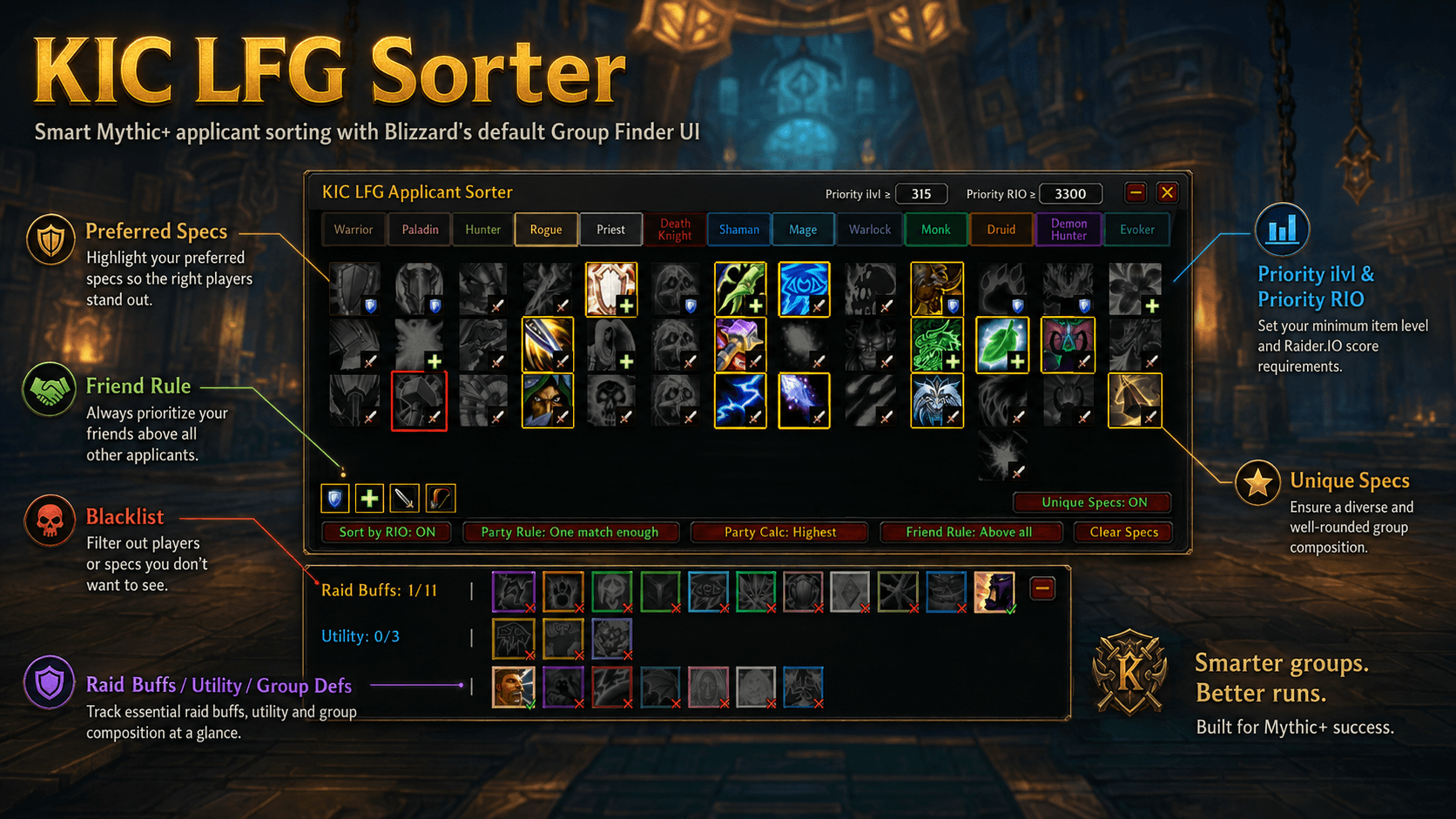
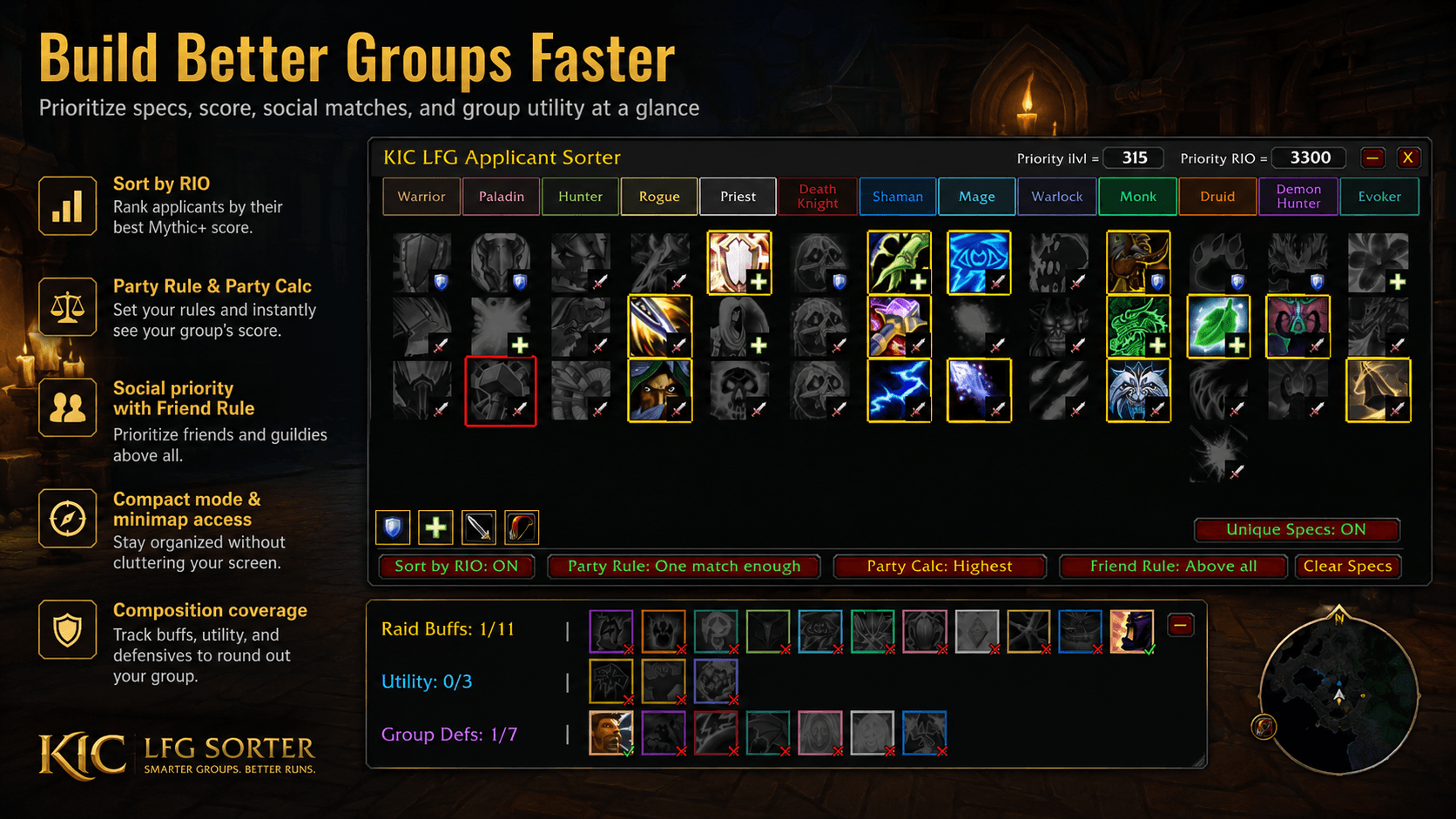
Organize Mythic+ applicants by spec, rating, group composition, social connections and custom priority rules while keeping the default Group Finder UI.
f1d9c467-170e-48e3-9223-2f86384e86cc.png
712828ba-d8b0-4f56-b7ce-8f98a70b8ffa.png
Description
KIC LFG Sorter
KIC LFG Sorter is a lightweight applicant-sorting and group-composition assistant for World of Warcraft Retail.
It works alongside Blizzard’s default Group Finder instead of replacing it. KIC helps group leaders organize applicants by specialization, item level, Mythic+ score, social connection and current group needs.
KIC never hides, rejects or automatically invites applicants. It only reorganizes fully loaded, actionable applications.
Applicant Priority Tiers
KIC organizes applicants into clearly separated tiers:
- Social connections when Friend Rule is set to Above All
- Preferred applicants
- Normal applicants
- Blacklisted applicants
Green, gold and red separators make the tier boundaries easy to identify.
Applicants with non-actionable Blizzard statuses keep their original positions.
Preferred Specializations
Select the exact specializations you want to prioritize.
- Left-click a specialization to toggle Preferred status
- Click a class name to select or clear every specialization of that class
- Use the quick buttons for Tanks, Healers, Melee DPS and Ranged DPS
- Preferred specializations receive a gold outline
Specializations are arranged as:
Tank → Healer → Melee DPS → Ranged DPS
Priority Item Level and Mythic+ Score
Optional Priority ilvl and Priority RIO values can be combined with specialization preferences.
An applicant must satisfy all active priority requirements to enter the Preferred tier.
- Blank or
0disables a threshold - Applicants below a threshold remain visible
- Thresholds can also be changed while Auto Filter is active
- Party applications use the selected Party Calculation method
KIC uses World of Warcraft’s native Mythic+ dungeon score. Raider.IO is not required.
Party Application Settings
KIC can evaluate multi-player applications using configurable rules.
Party Rule
- Everyone Must Match — every party member must match a Preferred specialization
- One Match Is Enough — at least one party member must match
Party Calculation
Choose how KIC calculates ilvl and Mythic+ score for an applying party:
- Highest
- Average
- Lowest
The selected method is used for Priority ilvl, Priority RIO and Sort by RIO.
Auto Filter for Raid Buffs
Auto Filter dynamically updates your Preferred specializations based on effects missing from the current raid group.
It can automatically look for providers of:
- Missing Raid Buffs
- Missing Utility
- Missing Group Defensives
While Auto Filter is active:
- Preferred selections update when the group roster changes
- Compact Mode updates dynamically as well
- Your manual Preferred selections are backed up
- Stopping Auto Filter restores the previous manual selections
- The Blacklist is temporarily ignored without changing saved Blacklist entries
- Priority ilvl and Priority RIO remain editable and continue to apply
- Sort by RIO, Friend Rule and Party Application Settings remain adjustable
Manual spec selection, role quick-selects, Clear Specs and the Unique Specs toggle are locked while Auto Filter controls Preferred selections.
The composition panel and Auto Filter controls are available for raid listings. They are hidden for dungeon listings and remain available in standalone configuration when no listing is active.
Group Composition Panel
The panel below the main KIC window provides a live overview of the current group.
Each effect displays:
- Its spell icon
- Provider information in a tooltip
- Full color and a green check when present
- Desaturation and a red X when missing
Raid Buffs
KIC tracks 11 major raid effects, including class buffs, raid debuffs and group-wide bonuses.
Utility
The Utility section tracks:
- Bloodlust / Heroism
- Combat Resurrection
- Healthstones
Group Defensives
The Group Defensives section tracks:
- Rallying Cry
- Darkness
- Anti-Magic Zone
- Zephyr
- Aura Mastery
- Power Word: Barrier
- Spirit Link Totem
Positive provider counts are displayed on Group Defensive icons. Empty effects do not display an unnecessary x0.
The panel also shows melee and ranged counts for the entire current group. Cached LFG specialization information and class/role fallback help keep these totals complete.
Unique Specs
Unique Specs prevents an already represented specialization from counting as Preferred again.
This rule is specialization-based, not class-based.
For example, an Arms Warrior in the group does not prevent a Fury Warrior from being Preferred.
Unique Specs considers:
- Current group members
- Accepted LFG invitations
Merely sending an invitation does not count until the applicant accepts it.
Specialization Blacklist
The Blacklist is always available and does not require a separate enable button.
- Right-click a specialization to add or remove it
- Blacklisted specs receive a red outline
- If any member of an applying party is blacklisted, the entire application enters the Blacklist tier
- Blacklist status normally overrides Preferred specs, ilvl and score rules
- Friend Rule: Above All remains the only permanent priority above the Blacklist
Selections created with the older Purgatory system are migrated automatically.
Friend Rule
KIC can recognize social applicants through:
- Blizzard’s applicant relationship information
- Character friends
- Guild members
- Online Battle.net friends playing World of Warcraft
If any member of an applying party is recognized, the entire application counts as social.
Above All
Social applications are moved to the top, overriding Preferred and Blacklist status.
With Others
Social applications follow the normal Preferred, Normal and Blacklist rules.
Sort by RIO
Sort by RIO orders applicants from highest to lowest Mythic+ score inside their current priority tier.
When disabled, Blizzard’s original order is preserved within each tier.
Compact Mode
Compact Mode reduces the window to the currently selected Preferred and Blacklisted specialization icons.
- Gold and red outlines remain visible
- Group melee/ranged counts remain available
- Composition totals continue updating dynamically
- The composition summary sits directly below the compact window
- Expanded window dimensions are saved separately and restored automatically
Window and Configuration Controls
- Movable and resizable companion window
- Saved position and expanded dimensions
- Compact Mode button
- X button that hides the window without disabling sorting
- Draggable minimap
Kbutton /kicstandalone configuration- Enable/disable checkbox inside Blizzard’s applicant viewer
The standalone configuration can be opened even when no Group Finder listing is active.
Lightweight by Design
- No Raider.IO dependency
- No required external libraries
- No replacement applicant window
- No hidden or automatically rejected applicants
- No automatic invitations
- Focused, modular implementation
- Preserves Blizzard’s standard Group Finder workflow
KIC LFG Sorter gives group leaders faster applicant management and a clearer view of what their group currently has—or still needs.
KIC LFG Sorter Team