KeybindActionBarProfiles
- By
Save your keybindings, action bars, layouts, and macros as named setups you can swap between instantly or export to any character, account or PC.
Screenshot 2026-08-27 at 1.30.37 PM.png
Screenshot 2026-08-27 at 1.25.08 PM.jpg
Screenshot 2026-08-27 at 1.29.22 PM.jpg
Description
Keybind Action Bar Profiles
Save your keybindings, action bars, macros, and edit mode layout as named setups. Swap between them with one command, or move any of them to another character, account or PC as a single export/import string.
Each setup contains:
- Your keybindings, including gamepad keys
- Your action bar contents — spells, items and macros
- Your Edit Mode layout, where the client supports it
What you can do
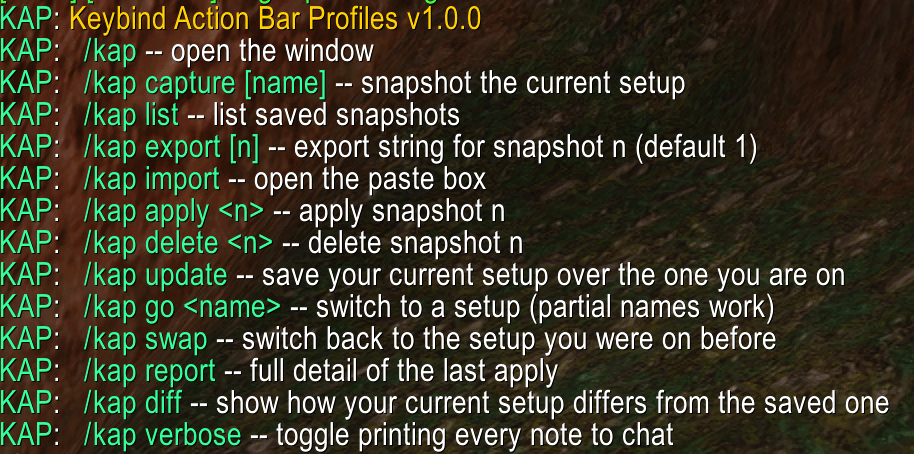
| Command | |
|---|---|
/kap |
Open the window |
/kap capture [name] |
Save your current setup |
/kap swap |
Switch back to the setup you were on before |
/kap go <name> |
Switch to a setup by name |
/kap update |
Save your changes over the setup you are on |
/kap diff |
See what has changed since you last saved |
/kap export |
Copy a setup out as a string |
/kap import |
Paste a setup in from a string |
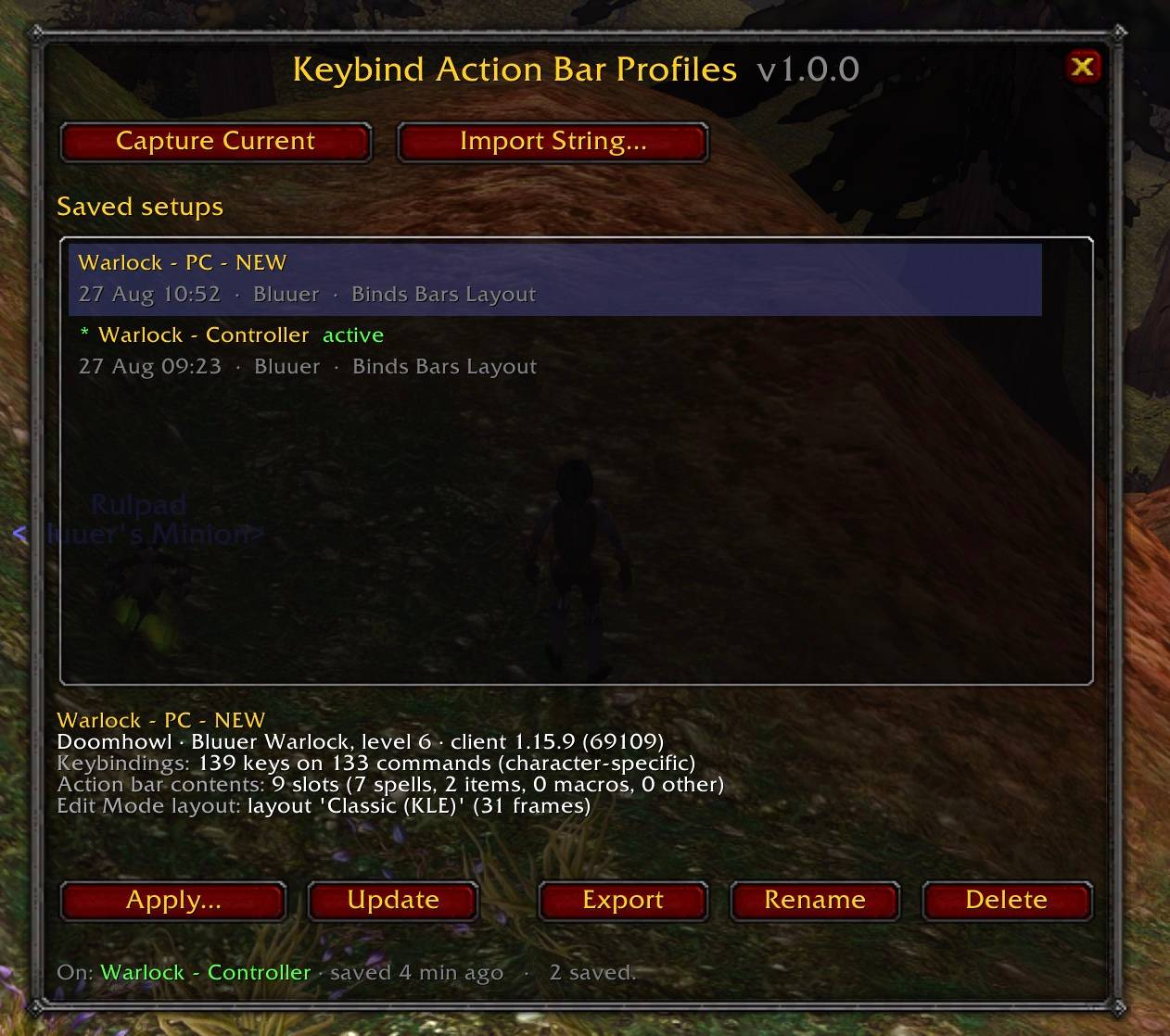
Rename, delete, apply and browse are all in the window too. /kap help lists everything.
Inspiration & Examples
Initially I wanted a way to play PC & Controller on the same machine. I found that I wanted wildly different layouts and spells in different action bar slots depending on how I was playing. This was my solution:
Create a snapshot of your PC keybinds, actionbars, and edit mode layout
/kap capture pcUpdate your keybinds action bars and layout to support how you want to play with a controller. I personally use ConsolePort.
/kap capture controllerFrom there you can easily swap between both configs with a few quick commands
/kap go pc
/kap go controller
/kap swap
Now if you ever wanted to move these configs to a new computer (let's say laptop). Wow will save the current actionbar layout but will not have any of the setups not currently in use. You would need to export them and import them on the new machine both with the addon installed
/kap export
/kap import
All of this can be done with the UI as well if you prefer. /kap
Other things people use it for:
- Moving a whole setup to a new PC by pasting one string
- Rebuilding a Hardcore character in seconds instead of an hour
- Giving a new alt the same bars as your main
- Sharing a proven layout with a friend or your guild
- Sharing keybinds + actionbar combinations that you use with anyone that uses the same class as you
Things worth knowing
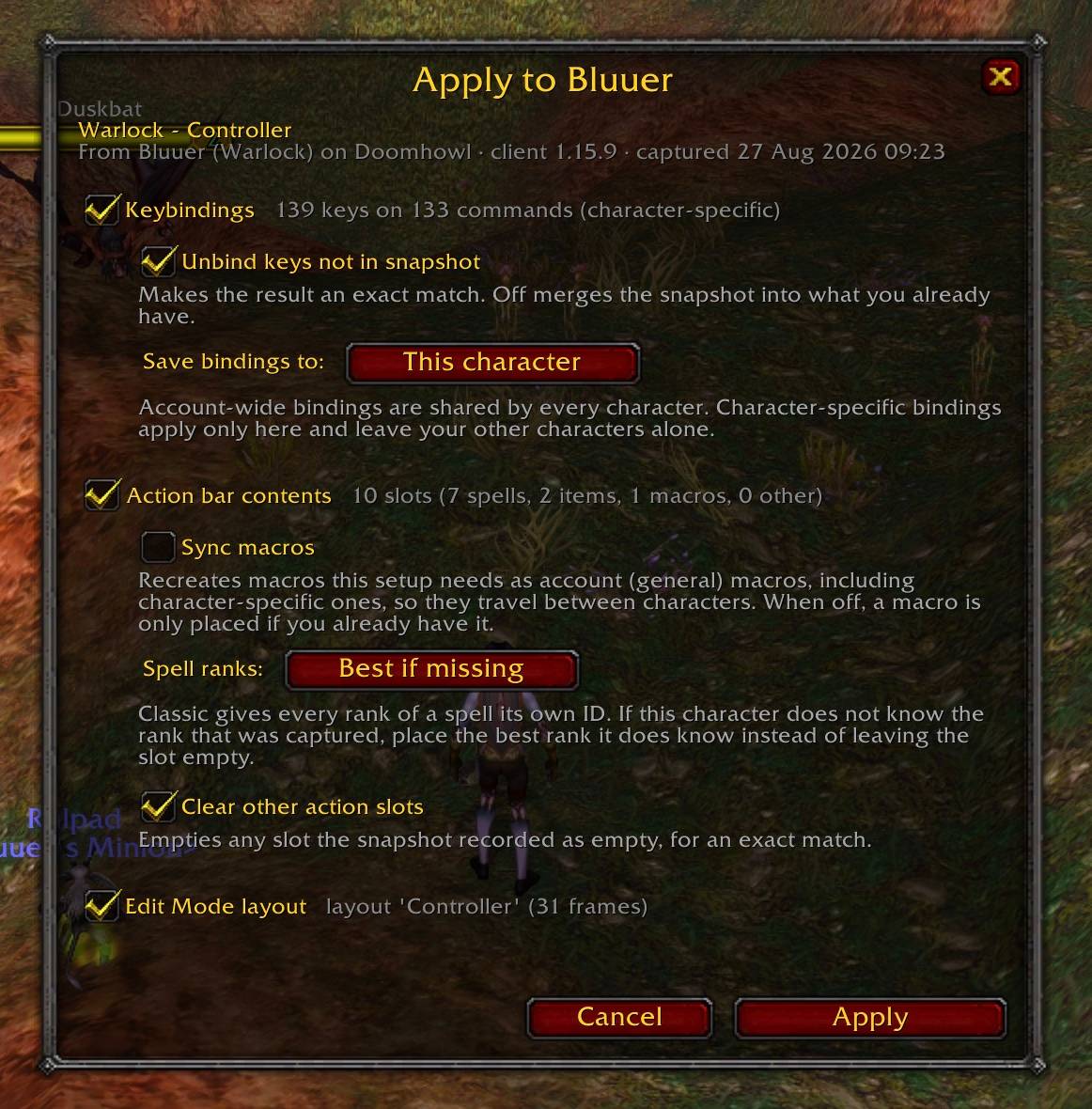
- Nothing is overwritten quietly. Saving over a setup shows you exactly what will change first, and switching away never touches the setup you are leaving unless you say so.
- Partial restores are normal, not errors. Spells you have not learned and items you do not own are skipped and listed by name. Everything else still applies.
- Classic spell ranks are handled. Every rank is a separate spell in Classic, so restoring a level 60 setup onto a low level character would normally leave the bars empty. This addon places the best rank you actually know instead. Downranking you did on purpose is left alone.
- Macros only get created if you ask. Turn on "Sync macros" and any macro a setup needs is recreated as an account macro so it travels between characters. Your existing macros are never silently overwritten.
- Applying is blocked in combat, and clearing bars is opt-in.
- No dependencies, no network access, no telemetry. Everything stays in your own saved variables.
Works on Classic Era, Hardcore, Season of Discovery, Anniversary, the Classic expansions and Retail.
KeybindActionBarProfiles Team