GamepadExtraButtons - Controller Back Paddles
- By
Turn your controller’s back paddles, or additional inputs, into extra gamepad action bar buttons
Screenshot 2026-10-09 143323.png
Screenshot 2026-10-09 143335.png
Screenshot 2026-10-09 143603.png
Description
Gamepad Extra Buttons
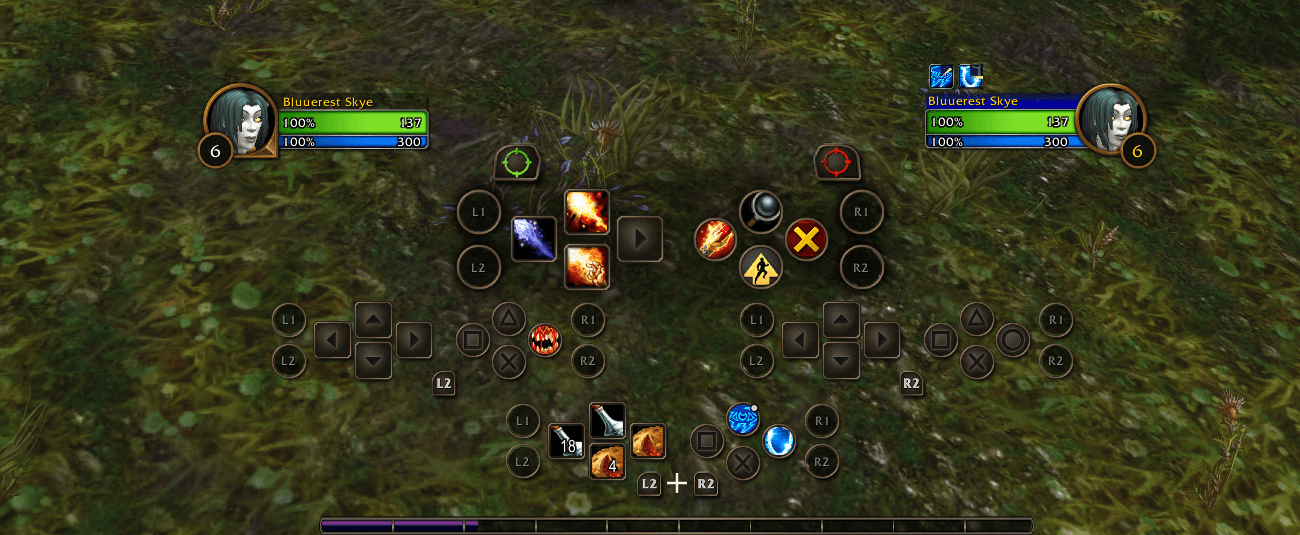
Adds extra buttons to WoW Forever's gamepad action bar for controller back paddles or any spare key. Each button works on all four trigger layers (none, LT, RT, LT+RT) and looks and behaves like the game's own slots.
Features
- Up to 5 extra buttons per side of the gamepad bar
- One spell, item or macro per trigger layer, so 4 actions per button
- Native look: cooldowns, range and usability colors, pressed state, focus scaling and highlight
- Follows stance and possess bars (druid forms and similar)
- Optional spacing so the extra slots don't overlap the bar
Setup
- Map your paddles to spare keyboard keys in your controller software (Steam Input, for example). Use
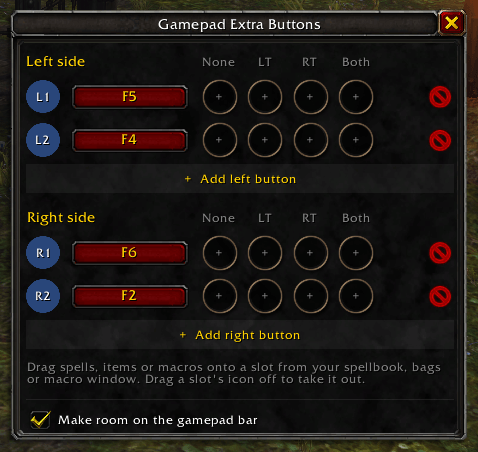
/geb freeto find keys that are bound to nothing in the wow client. (I personally bind my controller paddles to F1-6) - Open the window with
/geb, click Add left button or Add right button, then press the paddle. - Drag spells, items or macros from your spellbook, bags or macro window onto the slots.
Note: Setup requires a mouse and keyboard on PC. The built in gamepad bind from spellbook does not work with additional buttons (you must drag and drop the spell into the slot), and the config window can't be navigated with a controller.
Once set up, everything is played on the controller.
Commands
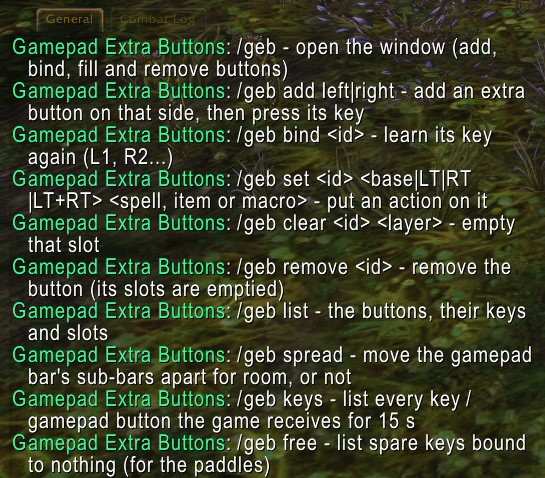
| Command | What it does |
|---|---|
/geb |
Open or close the config window |
/geb add left / /geb add right |
Add a button on that side, then press its key |
/geb bind <id> |
Set the key again (for example, L1, R2) |
/geb set <id> <base|LT|RT|LT+RT> <name> |
Put a spell, item or macro on a layer |
/geb clear <id> <layer> |
Empty a layer's slot |
/geb remove <id> |
Remove a button and empty its slots |
/geb list |
List buttons, keys and slots |
/geb spread |
Turn the bar spacing on or off |
/geb keys |
Show every key the game receives for 15 seconds |
/geb free |
List spare keys that are bound to nothing |
Requirements
- WoW Forever client with the gamepad interface turned on
- Extra buttons uses free action slots on your keyboard action bars 3 to 7
GamepadExtraButtons - Controller Back Paddles Team