KerimAnka UI Unit Frames - Independent
- By
Independent class-themed unit frames from KerimAnka UI for WoW Classic Era, with nine designs, aura controls, previews and position editing. Configure your own layout.
Description
KerimAnka Unit Frames is the independent unit-frame edition of the KerimAnka UI suite. Choose the full suite for ready-made class layouts, coordinated interface features and the complete KerimAnka UI experience.
Custom, class-themed player, target, target-of-target and pet frames for WoW Classic Era, usable without installing the full suite.
Nine class-themed designs
Distinct artwork for Druid, Hunter, Mage, Paladin, Priest, Rogue, Shaman, Warlock and Warrior, selected automatically for your character's class. Warrior and Paladin also offer faction-artwork choices.
Please read before configuring
This independent edition does not include the suite's ready-made class profiles or its profile-application controls. It starts from the independent addon's default settings. You arrange and customize your own frames.
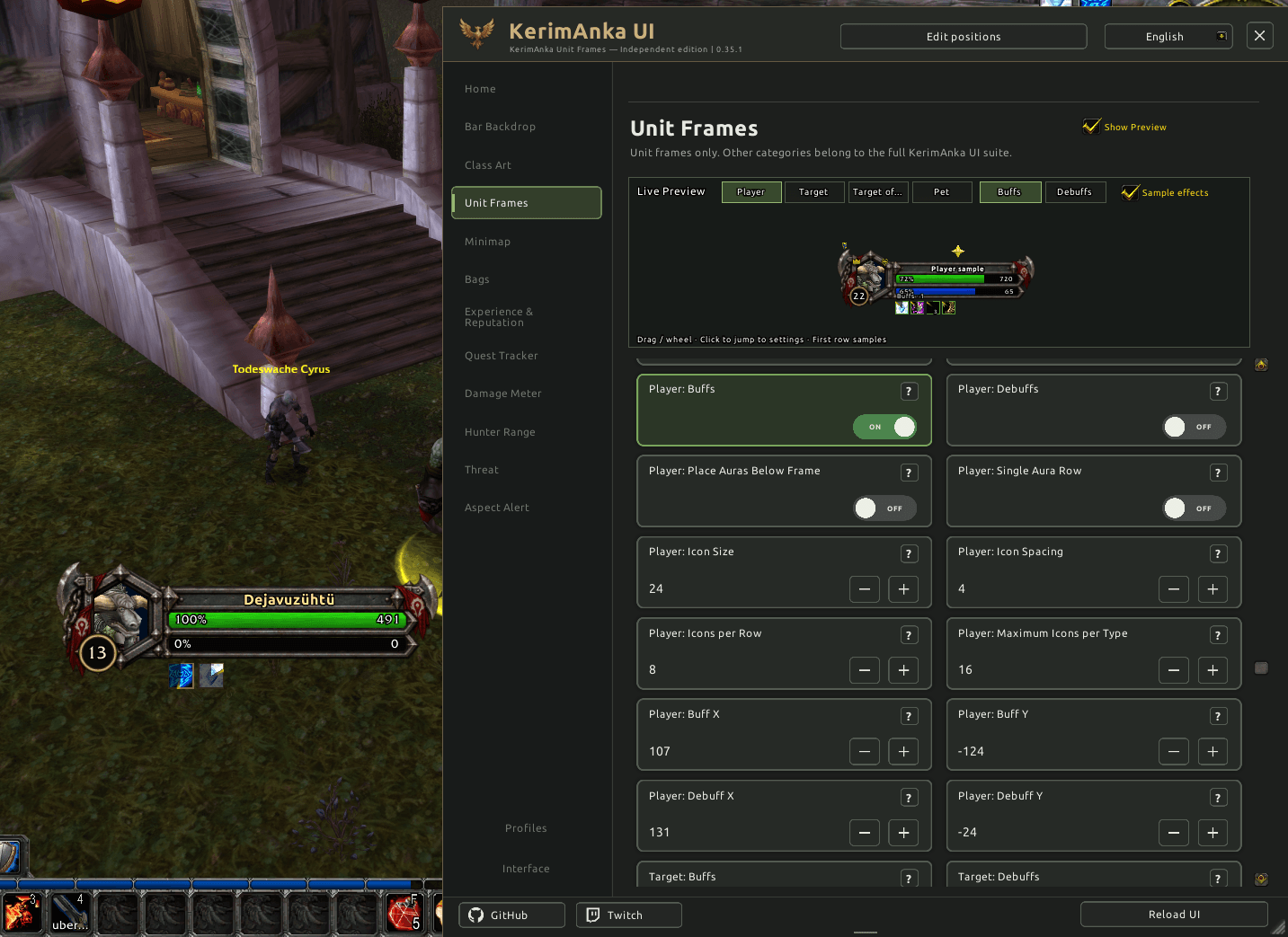
Buff and debuff rows are disabled by default. Enable the rows you want for the player, target and supported pet frame, then adjust their size, spacing, columns and position. The optional target cast bar and Rogue combo display also need to be enabled if you want to use them.
The Show Preview / Sample effects controls display example data for configuration. Seeing sample buffs, debuffs or a cast bar in the preview does not enable those features on your live frames.
Features
- Class-themed player and target frames, a compact target-of-target display and pet frames where supported.
- Adjustable frame scale, positions, name and health/power text sizes; independent target-of-target name scaling.
- Configurable buff/debuff rows, cooldown displays and stack counts.
- An optional target cast bar and configurable status icons, raid markers and supported class indicators.
- Classic mana tick / five-second-rule and Rogue energy-tick indicators, plus optional movable Rogue combo points.
- Interactive player, target, target-of-target and pet previews for configuring the display.
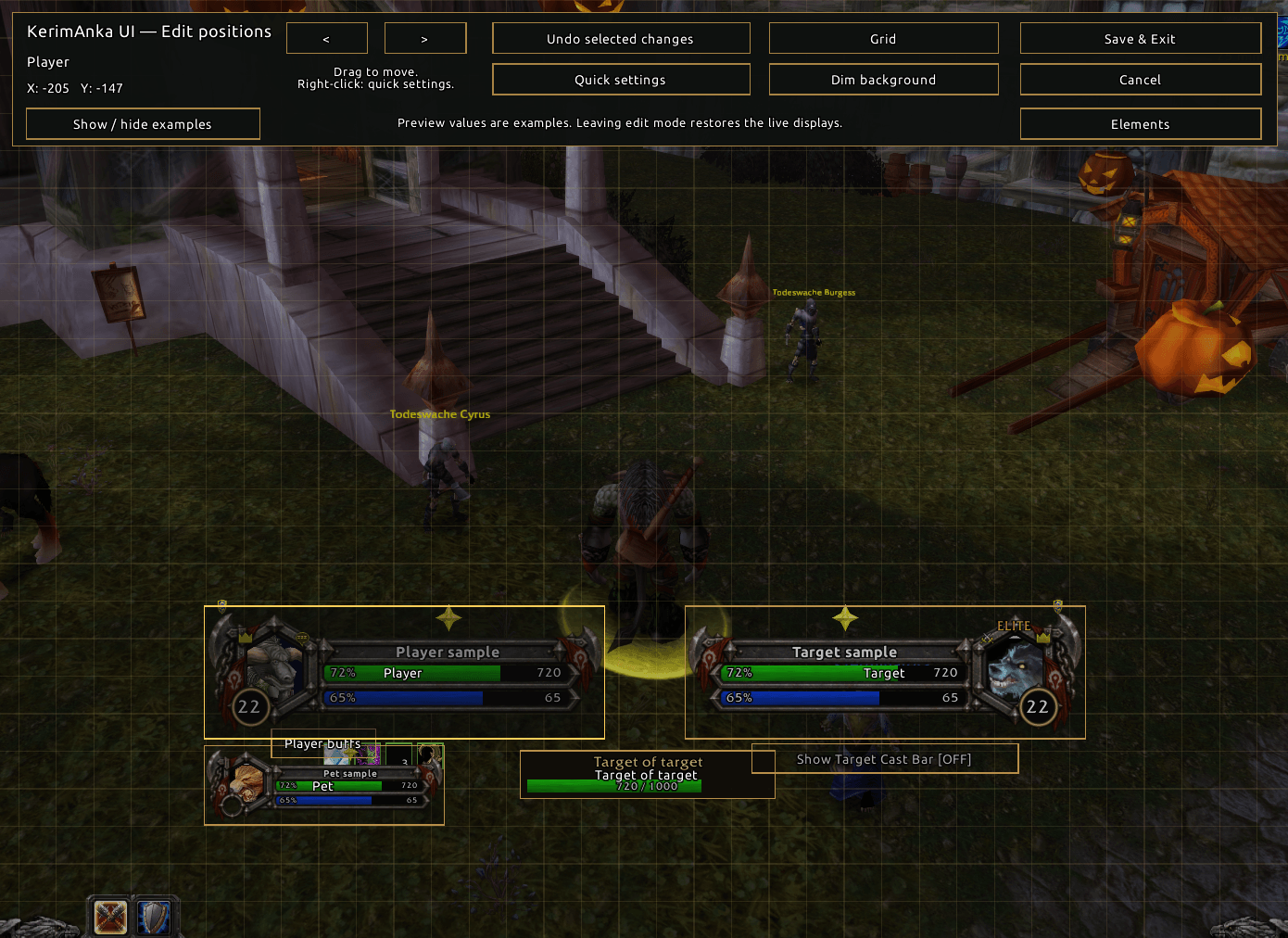
- Edit Positions with sample displays, quick settings, dragging, nudging, Save & Exit and Cancel. Target-of-target name changes update while editing.
- A two-step Restore defaults action: the first click shows a warning; the second confirmation restores unit-frame settings and positions to first-install defaults.
- Character-specific saved frame settings, with a resizable KerimAnka settings panel.
- Nine settings languages: English, Deutsch, Türkçe, 简体中文, Français, Italiano, Español, Português (Brasil) and Русский.
- Required artwork and fonts included.
Open settings with /kauf or through the game's Options → Addons menu. Start by enabling the optional displays you want, use the preview to customize their appearance, then use Edit Positions to arrange them on screen.
Compatibility and saved settings
Classic Era only. Retail and Forever are not supported by this independent build.
The full KerimAnka UI suite already includes Unit Frames and additional interface features. When the suite is enabled, this independent edition stays inactive. Each edition keeps its own saved settings; settings are not automatically transferred.
Only one independent KerimAnka addon can be active at a time. If multiple independent editions are enabled, all remain inactive and show a warning. Install the full KerimAnka UI suite to use multiple KerimAnka features together.
The project logo is illustrative artwork; in-game frame designs vary by class.
KerimAnka UI Unit Frames - Independent Team