KataSync - Assisted Combat
- By
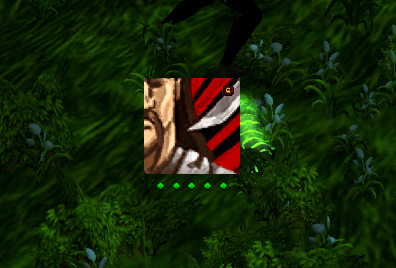
KataSync puts WoW's built-in Assisted Combat highlight front and center — a floating HUD that shows your next recommended spell without taking your eyes off the fight. No configuration required to get started.
combat_rog
outofcombat_rog
redout_rog
Description
KataSync
KataSync puts WoW's built-in Assisted Combat highlight front and center — a floating HUD that shows your next recommended spell without taking your eyes off the fight. No configuration required to get started.
What It Does
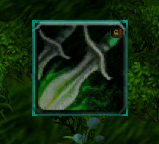
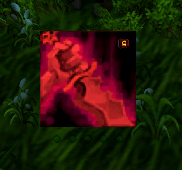
- Shows the game's native spell suggestion in the middle of your screen as a floating highlight frame
- Tracks your class resource (combo points, soul shards, chi, arcane charges, and more) in a compact dot bar just below the HUD
- Three cooldown slots you can drag spells, items, or equipment onto for at-a-glance tracking
- Role-aware color themes: Cyan/Pink for DPS, Orange for Tank, Green for Healer — switches automatically
- Lock the HUD and position it anywhere on screen; rescale it with a slider from the settings panel
- Works with LDB panel addons (ChocolateBar, Titan Panel, Bazooka) — left-click to lock/unlock, right-click to toggle combat-only mode
The entire implementation reads directly from the game engine. No screen scanning, no polling overhead, no GCD impact.
Requirements
KataSync reads from WoW's Assisted Combat engine. The "Action Helper" feature must be enabled in your game settings for the HUD to display spell suggestions.
Enable it at: Interface → Gameplay → Combat → Action Helper
Once enabled, the HUD lights up automatically when you enter combat with a target. The Action Helper setting does not need to remain visible on your action bars — KataSync reads the engine data directly and displays it on the floating HUD instead.
Action Bar Addon Compatibility
KataSync's HUD reads from the game engine, not from action bar button frames. It works regardless of which action bar addon you use.
- Default UI — full support
- Bartender4 — full support. Bartender4 uses the standard Blizzard action slot system internally, so spells dragged from Bartender4 buttons drop correctly into KataSync's cooldown slots.
- Dominos — full support for the same reason as Bartender4.
- ElvUI — full support. ElvUI replaces the bar visuals but keeps the standard action slot backend intact.
- ButtonForge — the main HUD spell display works normally. However, ButtonForge creates fully custom buttons outside the standard action slot system, so dragging from ButtonForge buttons into KataSync's cooldown slots may not register. Dragging directly from the spellbook works as an alternative.
Slash Commands
Type /ks or /katasync in chat:
/ks— toggle HUD lock/unlock for repositioning/ks combat— toggle combat-only visibility/ks scale [0.5–3.0]— set HUD size (e.g.,/ks scale 1.2)/ks ignore [SpellID]— exclude a spell from the highlight/ks settingsor/ks config— open the in-game options panel
Notes for Japanese Users / 日本語でのご利用について
KataSyncは、WoW公式の戦闘支援システム(Assisted Combat)を画面中央のフローティングHUDに表示するアドオンです。 アクションバーへ視線を落とさずに次のスキルを確認できるため、ギミック処理や周囲への注意に集中しやすくなります。
コンボポイントやソウルシャードなどのクラスリソースも同一フレーム内に表示され、別途リソーストラッカーを用意する必要はありません。
低レベル帯(タレント選択前)向けのフォールバック表示機能も内蔵していますが、レベル10はあっという間に通過するため、実際に役立つのはメインコンテンツでの使用です。
動作に必要な設定
KataSyncはゲーム側の「アクションヘルパー」機能をもとにスキルを表示します。この機能がオフの場合、HUDは点灯しません。
有効化の場所:システム設定 → ゲームプレイ → 戦闘 → アクションヘルパー
アクションバー上でのボタン点灯表示はオフのままでも構いません。KataSyncはエンジンのデータを直接読み取り、フローティングHUDとして表示します。
アクションバーアドオンとの互換性
KataSyncのHUD表示はゲームエンジンから直接データを取得するため、どのアクションバーアドオンを使用していても動作します。
- Bartender4 / Dominos / ElvUI — 完全対応。これらのアドオンはBlizzard標準のアクションスロット処理を内部で使用しているため、ボタンからのスキルドロップも含めて正常に機能します。
- ButtonForge — HUDのスキル表示は正常に動作します。ただしButtonForgeは独自のボタンシステムを使用しているため、ButtonForgeのボタンからクールダウンスロットへのドラッグ&ドロップは機能しない場合があります。代替としてスペルブックから直接ドラッグしてください。
使い方
チャット欄で /ks または /katasync と入力します:
/ks— HUDのロック/解除(ロック解除中はドラッグで移動可)/ks combat— 戦闘時のみ表示するモードの切替/ks scale [0.5–3.0]— HUDの大きさを変更(例:/ks scale 1.2)/ks ignore [スペルID]— 特定のスペルをハイライトから除外/ks settings— ゲーム内設定画面を開く
LDB対応パネルをお使いの場合、パネルアイコンの左クリックでロック切替、右クリックで戦闘表示モードの切替ができます。
🎯
KataSync - Assisted Combat Team