Bild_2026-10-08_175936029.png
darkmode.png
bags.png
click-casting (2).png
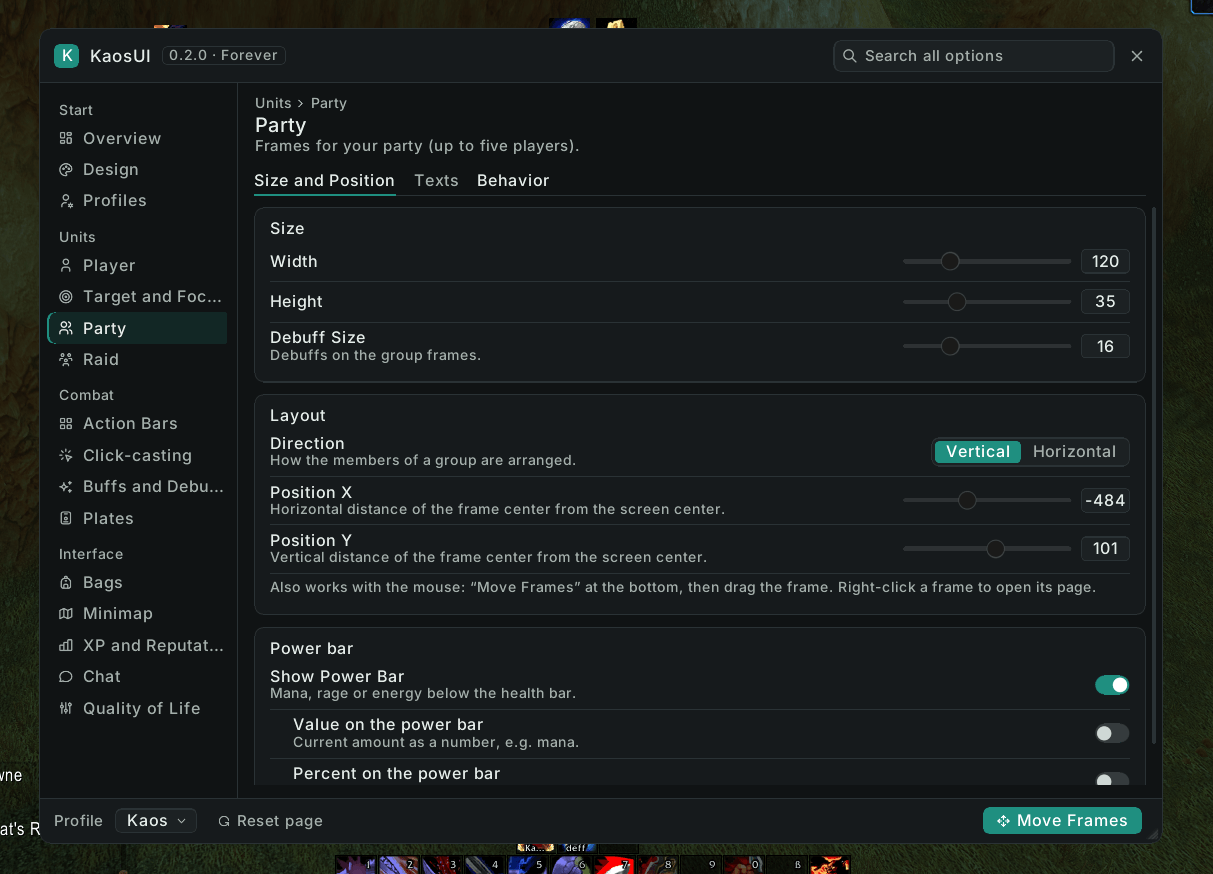
Party.png
Description
KaosUI – Forever
Deutsche Beschreibung weiter unten.
Public beta. KaosUI has been rebuilt for the new Forever client and is fully playable. Versions below 1.0 are beta builds; 1.0 is reserved for the Forever launch. Found a problem? Let me know on Discord —
/kui apiprints the info I need.
One addon, one command (/kui): a clean, flat, class-colored interface that replaces a whole stack of UI addons. Available in English and German.
Features
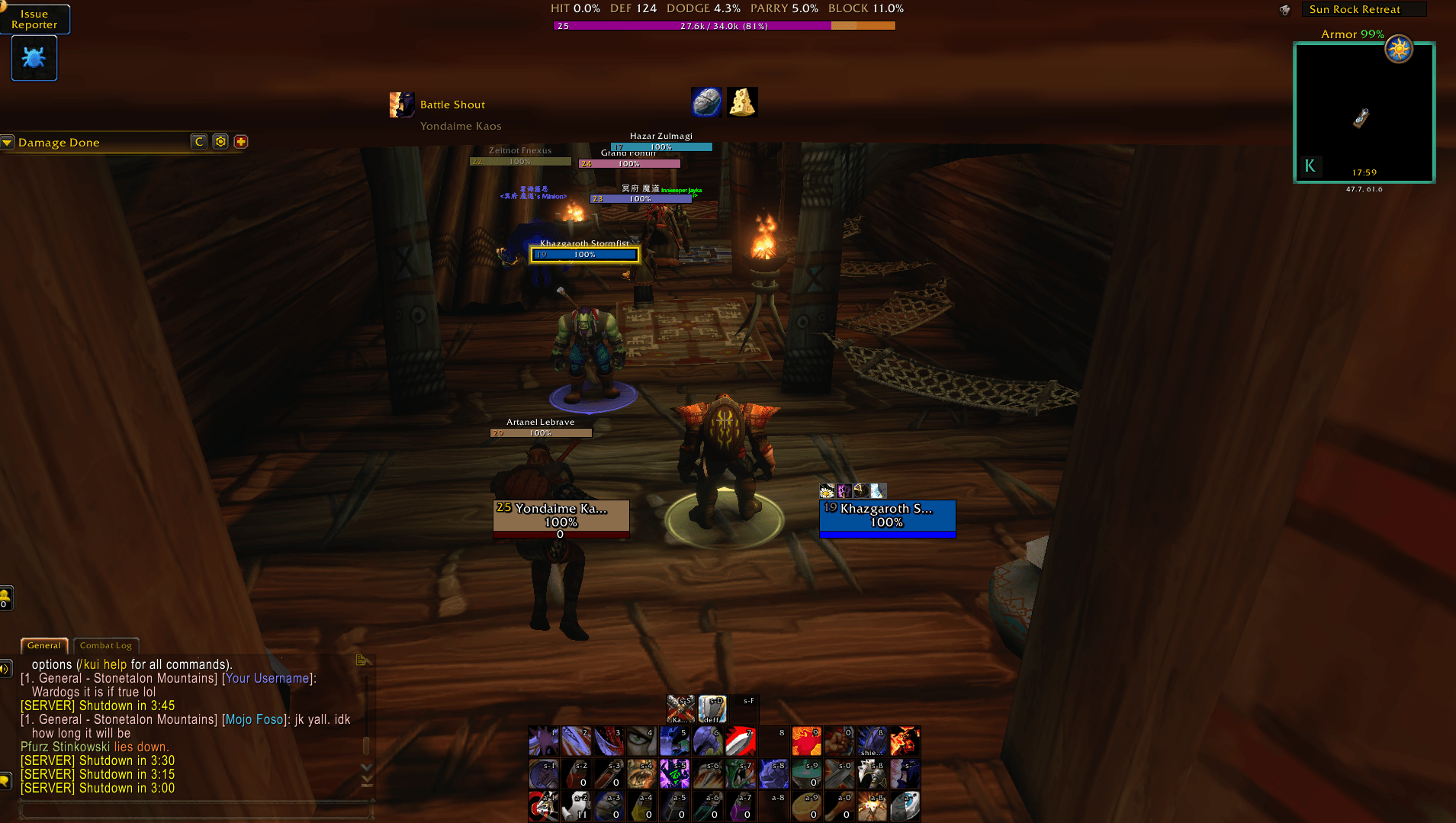
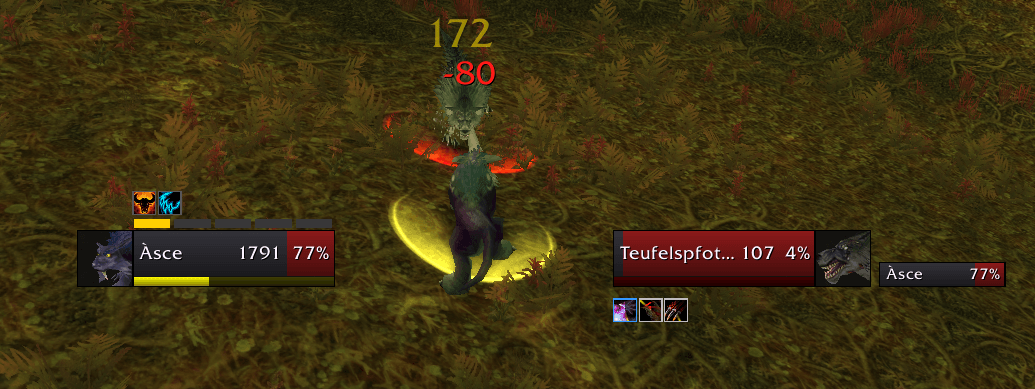
- Unit frames — Player, Target, Target of Target, Pet, Focus, Party and Raid (10/20/40), each movable and resizable. Incoming heals and debuffs on party and raid frames, also in combat.
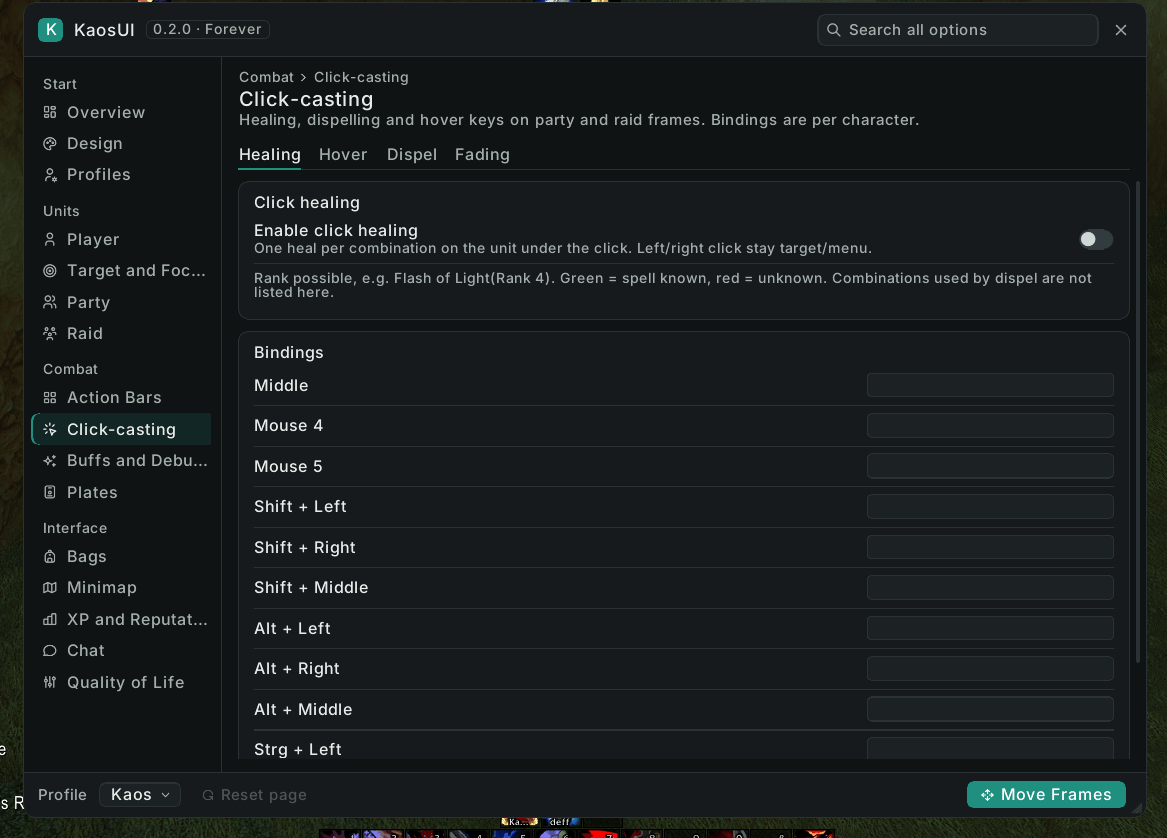
- Click and hover casting — heals and dispels on mouse clicks or mouse keys, also in combat.
- Action bars — Blizzard's bars in the KaosUI look: button count, rows, size, background, hidden empty slots, hide in combat or show on mouseover. Micro menu and bag bar can be hidden or shown on mouseover.
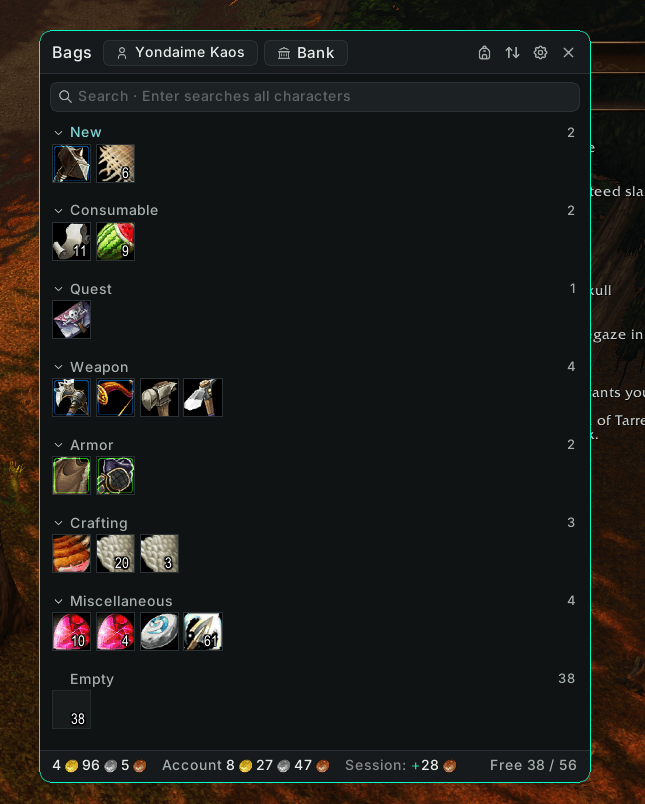
- Bags & bank — categories, search across all your characters, view your other characters' bags and bank, gold overview, buy bank tabs, auto-sell junk and auto-repair.
- Nameplates — threat colors by role (tank detected from your talents), threat percentage, castbars, your own debuffs and a target highlight.
- Buffs & debuffs — styled by KaosUI and blinking shortly before they expire.
- Stats row — values picked by class and role, or chosen yourself per talent group.
- And more — XP and reputation bars, minimap (round or square, clock, addon button collector), missing-buff tracker, durability, item and spell IDs in tooltips, raid menu, profile export/import.
Not available on Forever: character sheet styling, item level / GearScore, the attributes column, the equipment manager, chat styling and automatic combat logging — the new client either does these itself or no longer gives addons the data.
Getting started: /kui opens the options · /kui unlock to move frames and bars (or use Blizzard's Edit Mode), /kui lock when done · /kui reset resets positions.
Classic Era / Season of Discovery and TBC Anniversary have their own KaosUI projects.
KaosUI – Forever (Deutsch)
Öffentliche Beta. KaosUI wurde für den neuen Forever-Client neu aufgebaut und ist voll spielbar. Versionen unter 1.0 sind Beta-Fassungen, die 1.0 ist für den Forever-Start reserviert. Etwas stimmt nicht? Sag mir im Discord Bescheid —
/kui apigibt aus, was ich brauche.
Ein Addon, ein Befehl (/kui): eine saubere, flache, klassengefärbte Oberfläche, die einen ganzen Stapel UI-Addons ersetzt. Auf Deutsch und Englisch.
Funktionen
- Unit-Frames — Spieler, Ziel, Ziel des Ziels, Begleiter, Fokus, Gruppe und Raid (10/20/40), jedes frei verschieb- und skalierbar. Eintreffende Heilung und Debuffs an Gruppen- und Raid-Frames, auch im Kampf.
- Klick- und Hover-Casting — Heilungen und Reinigungen per Mausklick oder Maustasten, auch im Kampf.
- Aktionsleisten — Blizzards Leisten im KaosUI-Look: Feldanzahl, Reihen, Größe, Hintergrund, leere Felder ausblenden, im Kampf verstecken oder nur bei Mauszeiger zeigen. Mikromenü und Taschenleiste lassen sich ausblenden oder nur bei Mauszeiger zeigen.
- Taschen & Bank — Kategorien, Suche über alle Charaktere, Taschen und Bank deiner anderen Charaktere ansehen, Goldübersicht, Bankfächer kaufen, Grauzeug-Verkauf und Reparatur automatisch.
- Namensplaketten — Bedrohungsfarben nach Rolle (Tank-Erkennung über deine Talente), Bedrohung in Prozent, Zauberleisten, deine eigenen Debuffs und eine Ziel-Hervorhebung.
- Buffs & Debuffs — im KaosUI-Look, blinken kurz vor dem Ablauf.
- Statuswerte-Zeile — Werte automatisch nach Klasse und Rolle oder selbst gewählt je Talentgruppe.
- Außerdem — Erfahrungs- und Rufleiste, Minimap (rund oder eckig, Uhr, Sammler für Addon-Knöpfe), Tracker für fehlende Buffs, Haltbarkeit, Item- und Zauber-IDs im Tooltip, Raid-Menü, Profil-Export/-Import.
Auf Forever nicht verfügbar: Gestaltung des Charakterfensters, Gegenstandsstufe / GearScore, die Attribut-Spalte, der Ausrüstungsmanager, die Chat-Gestaltung und das automatische Kampflog.
Erste Schritte: /kui öffnet die Optionen · /kui unlock zum Verschieben von Frames und Leisten (oder Blizzards Bearbeitungsmodus), danach /kui lock · /kui reset setzt die Positionen zurück.
Classic Era / Season of Discovery und TBC Anniversary haben eigene KaosUI-Projekte.
Support KaosUI · KaosUI unterstützen
If you'd like to support development and future updates:
Wenn du die Weiterentwicklung unterstützen möchtest:
☕ Buy me a coffee
Bug reports, feedback and news · Fehlerberichte, Feedback und Neuigkeiten: KaosUI Discord
KaosUI - Forever Team