darkmode.png
raid25.png
Description
KaosUI
Deutsche Beschreibung weiter unten.
One addon, one command (/kui): a clean, flat, class-colored interface that replaces a whole stack of UI addons. Made for TBC Anniversary and Classic Era / Season of Discovery, available in English and German.
Found a problem or have an idea? Let me know on Discord.
Features
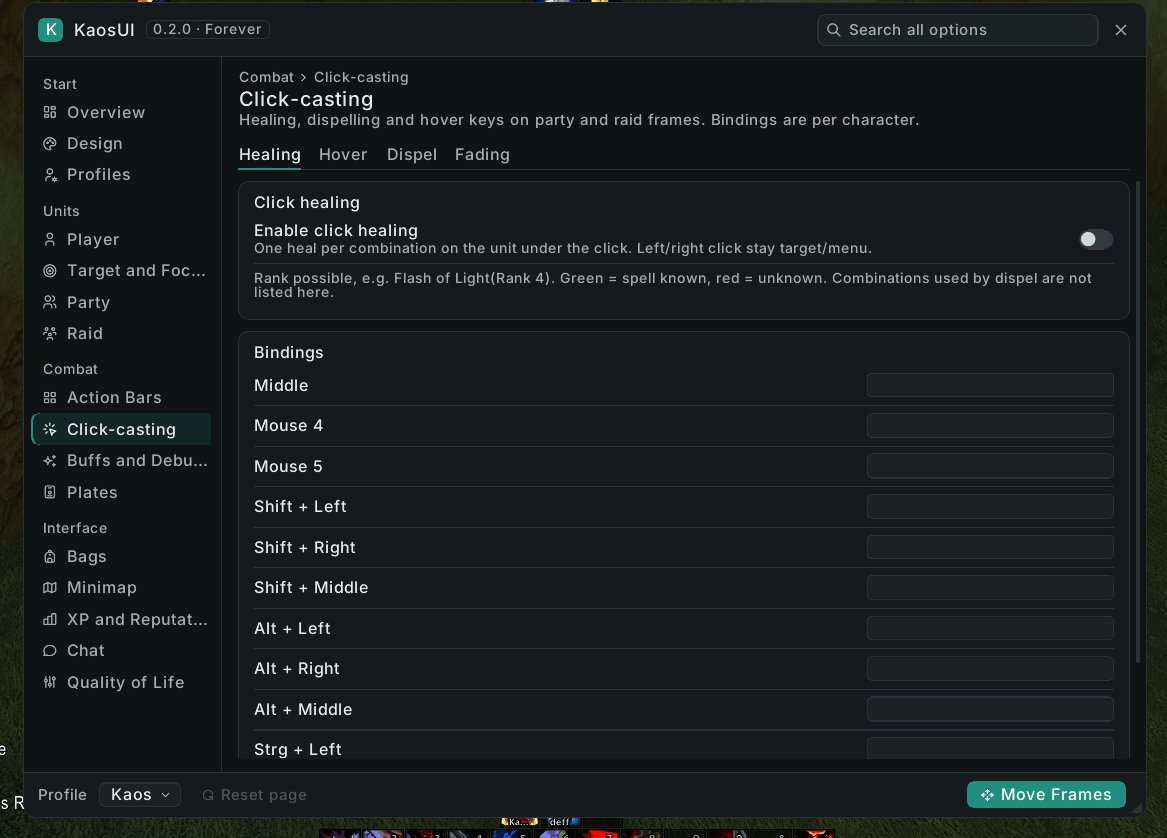
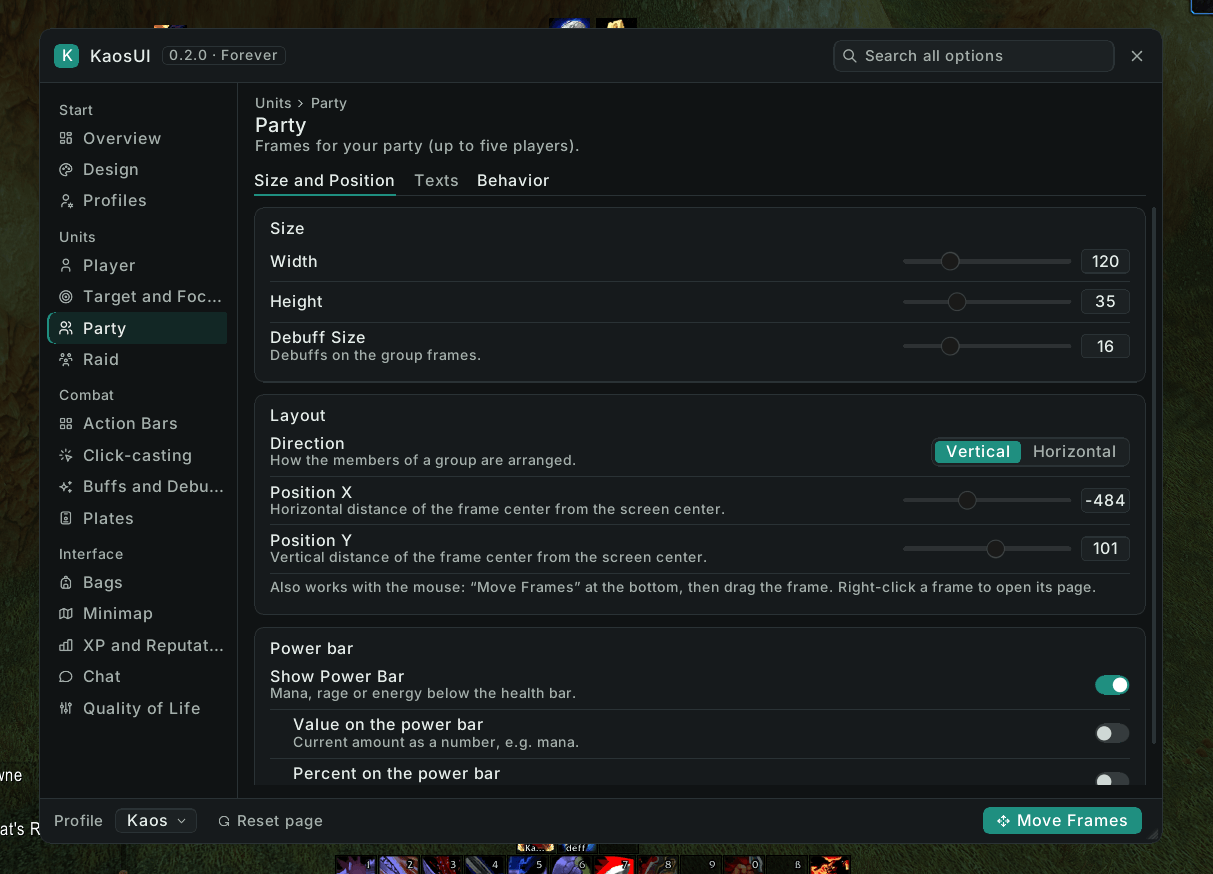
- Options window — everything in one window with a sidebar, search across all options and a short explanation for each setting. Also reachable from Blizzard's settings.
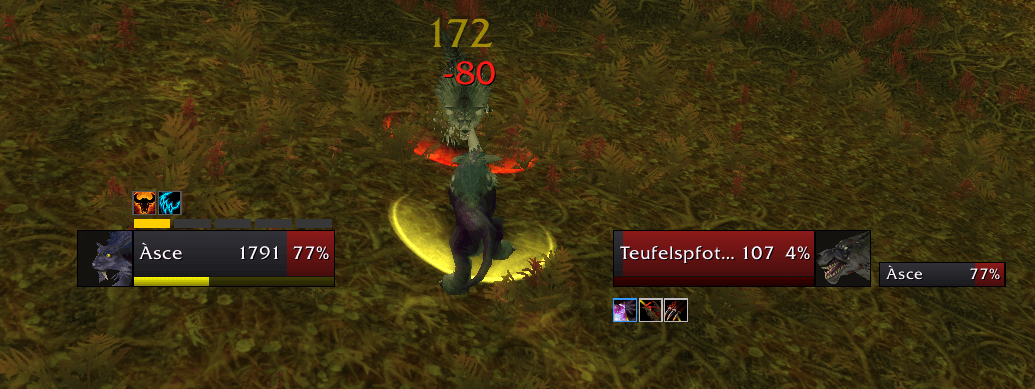
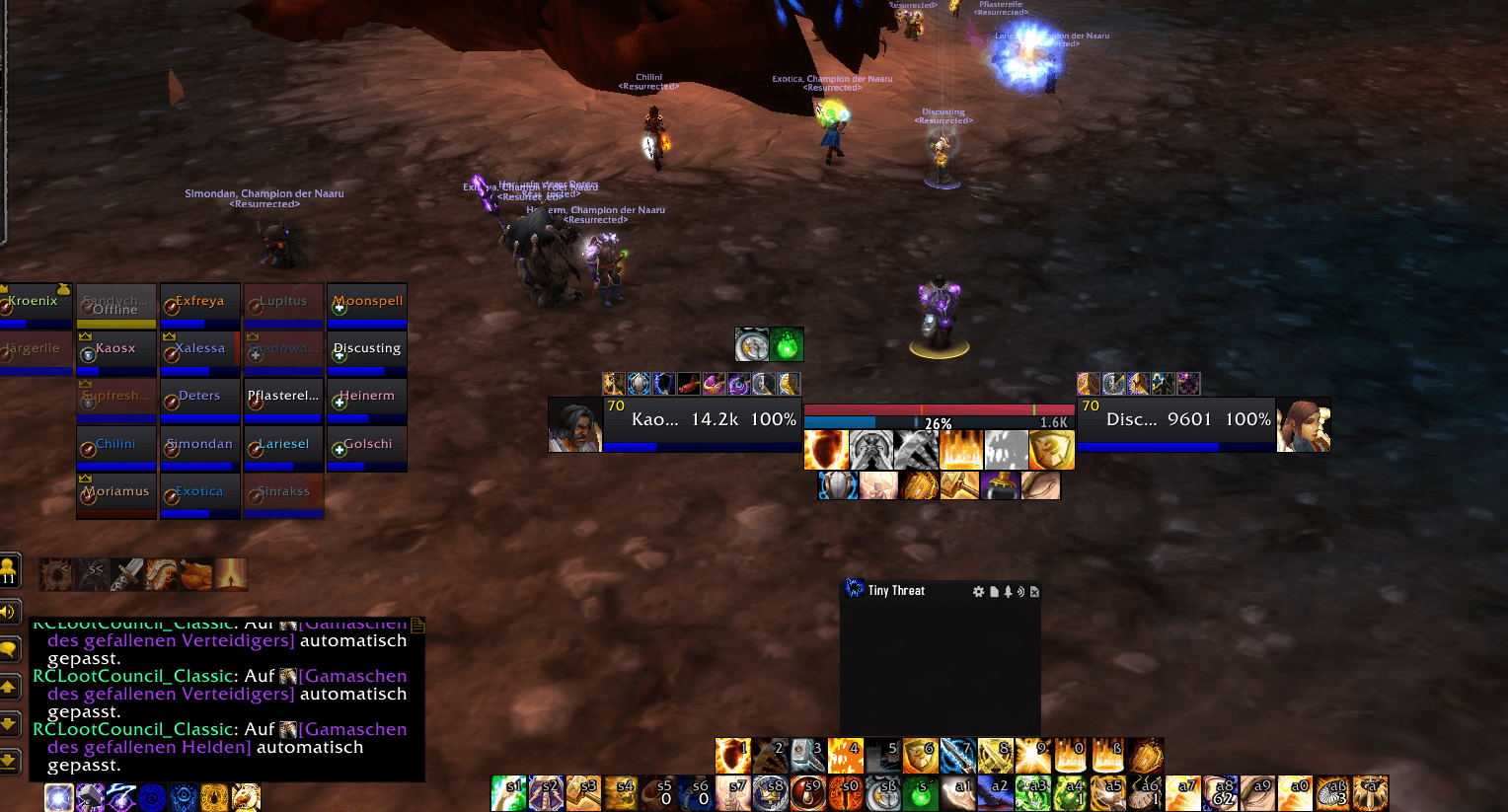
- Unit frames — Player, Target, Target of Target, Pet, Focus (TBC), Party and Raid (10/25/40 on TBC, 10/20/40 on Classic Era), each movable and resizable. Incoming heals, debuffs, dispel border, HoTs and shields, other healers' procs and big defensives — all adjustable per frame.
- Click and hover casting — heals and dispels on mouse clicks or mouse keys, also in combat.
- Action bars — your own bars: button count, rows, size, spacing, style, hidden empty slots, hide in combat or show on mouseover, quick keybinding. Micro menu and bag bar can be hidden or shown on mouseover.
- Character window — tidy attribute panel, item quality borders, item level and GearScore (also for inspected players and in the tooltip), and a gear manager that switches sets when you change talent tree.
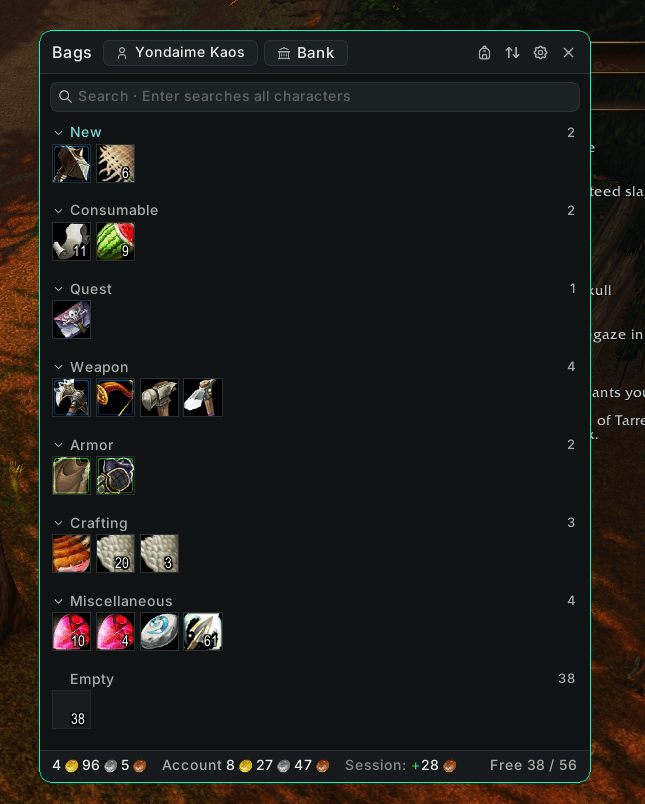
- Bags & bank — categories, search across all your characters, view your other characters' bags, a remote bank you can open anywhere, gold overview, auto-sell junk and auto-repair.
- Nameplates — threat colors by role (tank detected from your talents), threat percentage, castbars, your own debuffs and a target highlight. Enemies casting an interruptible spell turn purple, crowd-controlled enemies green.
- Buffs & debuffs — styled by KaosUI and blinking shortly before they expire.
- Stats row — values picked automatically by your role, or chosen yourself, with hard cap colors — per character and talent group.
- And more — XP and reputation bars, minimap (round or square, clock, addon button collector), crosshair with melee range warning, missing-buff tracker and self-buff reminder, durability, item and spell IDs in tooltips, raid menu, speedy loot, auto-accept and turn-in quests, automatic combat logging, profiles per talent tree with export/import.
Getting started: /kui opens the options · /kui unlock to move frames and bars, /kui lock when done · /kui reset resets positions.
TBC Anniversary and Classic Era / Season of Discovery are separate downloads. WoW Forever has its own KaosUI project.
KaosUI (Deutsch)
Ein Addon, ein Befehl (/kui): eine saubere, flache, klassengefärbte Oberfläche, die einen ganzen Stapel UI-Addons ersetzt. Entwickelt für TBC Anniversary und Classic Era / Season of Discovery, auf Deutsch und Englisch.
Etwas stimmt nicht oder du hast eine Idee? Sag mir im Discord Bescheid.
Funktionen
- Optionsfenster — alles in einem Fenster mit Seitenleiste, Suche über alle Optionen und einer kurzen Erklärung zu jeder Einstellung. Auch über Blizzards Optionen erreichbar.
- Unit-Frames — Spieler, Ziel, Ziel des Ziels, Begleiter, Fokus (TBC), Gruppe und Raid (10/25/40 auf TBC, 10/20/40 auf Classic Era), jedes frei verschieb- und skalierbar. Eintreffende Heilung, Debuffs, Bann-Rand, HoTs und Schilde, Procs anderer Heiler und große Defensiv-Effekte — alles je Frame einstellbar.
- Klick- und Hover-Casting — Heilungen und Reinigungen per Mausklick oder Maustasten, auch im Kampf.
- Aktionsleisten — eigene Leisten: Feldanzahl, Reihen, Größe, Abstand, Stil, leere Felder ausblenden, im Kampf verstecken oder nur bei Mauszeiger zeigen, Schnellbelegung der Tasten. Mikromenü und Taschenleiste lassen sich ausblenden oder nur bei Mauszeiger zeigen.
- Charakterfenster — aufgeräumtes Attribut-Panel, Qualitätsrahmen an der Ausrüstung, Gegenstandsstufe und GearScore (auch beim Betrachten anderer Spieler und im Tooltip) und ein Ausrüstungsmanager, der die Sets beim Wechsel des Talentbaums umschaltet.
- Taschen & Bank — Kategorien, Suche über alle Charaktere, Taschen deiner anderen Charaktere ansehen, eine Fernbank zum Öffnen von überall, Goldübersicht, Grauzeug-Verkauf und Reparatur automatisch.
- Namensplaketten — Bedrohungsfarben nach Rolle (Tank-Erkennung über deine Talente), Bedrohung in Prozent, Zauberleisten, deine eigenen Debuffs und eine Ziel-Hervorhebung. Gegner mit unterbrechbarem Zauber werden lila, kontrollierte Gegner grün.
- Buffs & Debuffs — im KaosUI-Look, blinken kurz vor dem Ablauf.
- Statuswerte-Zeile — Werte automatisch nach deiner Rolle oder selbst gewählt, mit Hard-Cap-Farben — je Charakter und Talentgruppe.
- Außerdem — Erfahrungs- und Rufleiste, Minimap (rund oder eckig, Uhr, Sammler für Addon-Knöpfe), Fadenkreuz mit Nahkampf-Reichweitenwarnung, Tracker für fehlende Buffs und Erinnerung an eigene Buffs, Haltbarkeit, Item- und Zauber-IDs im Tooltip, Raid-Menü, schnelles Plündern, Quests automatisch annehmen und abgeben, automatisches Kampflog, Profile je Talentbaum mit Export/Import.
Erste Schritte: /kui öffnet die Optionen · /kui unlock zum Verschieben von Frames und Leisten, danach /kui lock · /kui reset setzt die Positionen zurück.
TBC Anniversary und Classic Era / Season of Discovery sind getrennte Downloads. WoW Forever hat ein eigenes KaosUI-Projekt.
Support KaosUI · KaosUI unterstützen
If you'd like to support development and future updates:
Wenn du die Weiterentwicklung unterstützen möchtest:
☕ Buy me a coffee
Bug reports, feedback and news · Fehlerberichte, Feedback und Neuigkeiten: KaosUI Discord
KaosUI Team