Classic Threat Reworked
Classic-style threat tracking for WoW Classic Era and Hardcore, with target and nameplate indicators, multi-target panels, and a minimap button.
01_Classic_Threat_Overview.png
02_Threat_Colors.png
03_TK_Minimap_Settings.png
Description
Kalimo Threat
Classic-style threat tracking for WoW Classic Era & Hardcore — Made by Kalimo.
Keep an eye on your threat with clear indicators that blend into the Classic interface. Kalimo Threat combines a compact target indicator, optional nameplate displays, and movable threat panels.
Threat at a Glance
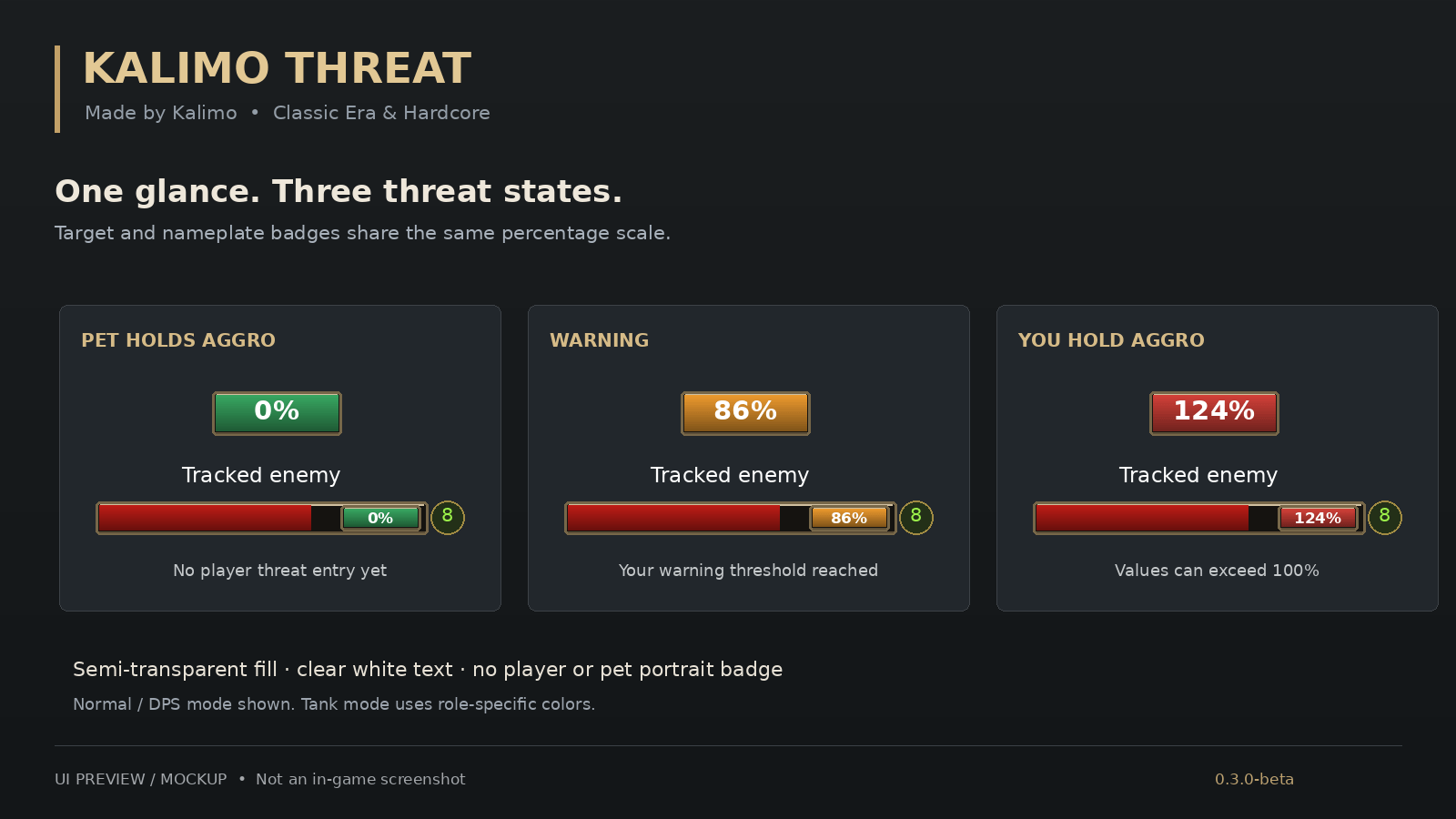
- Green: Low threat.
- Orange: Approaching the warning threshold.
- Red: You have aggro.
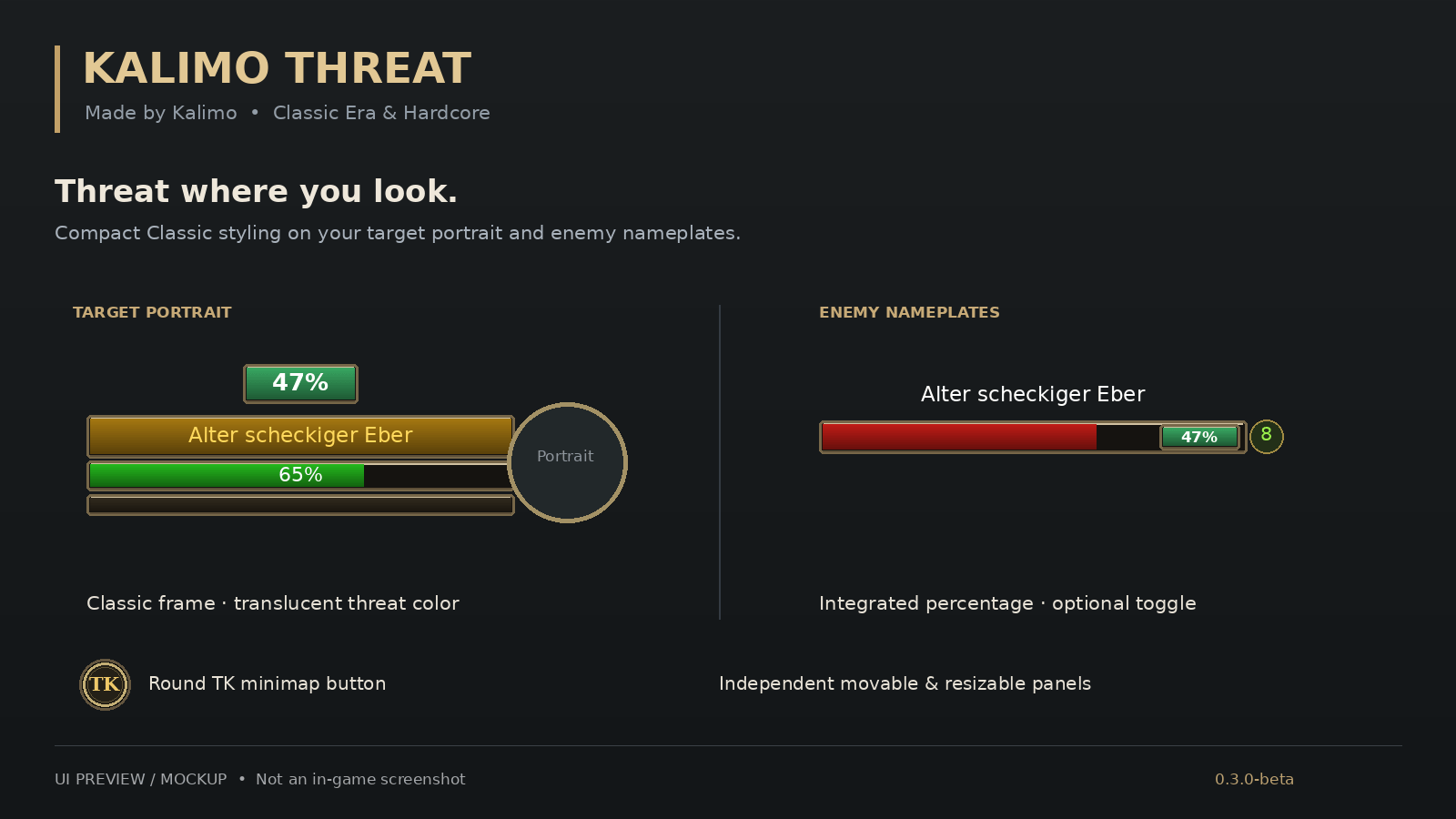
A compact, Classic-framed indicator sits above your target frame. Optional threat percentages appear inside supported enemy nameplates and can be switched on or off.
Pet threat is included: when your pet holds aggro and the available threat data confirms that you have no threat, the indicator displays 0%.
Arrange Your Interface
- Move and resize each panel independently with your mouse.
- Hide individual panels using their close buttons.
- Track threat on your current target and multiple enemies.
- Use the optional group overview.
- Keep your layout with saved positions and sizes.
Quick Access
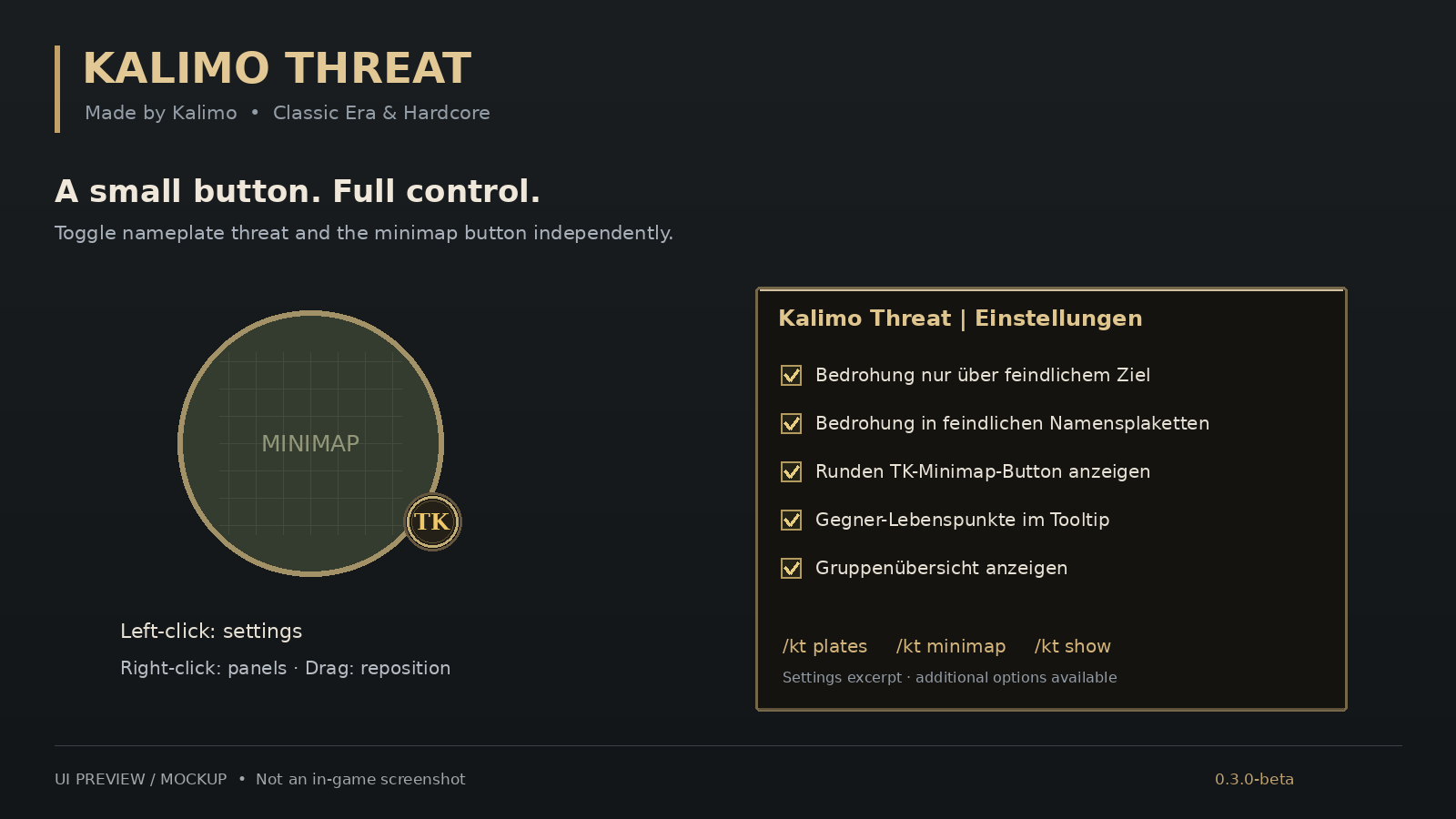
The round TK minimap button keeps the controls within reach:
- Left-click: Open settings.
- Right-click: Toggle the threat panels.
- Drag: Reposition the button around the minimap.
Commands
- /kt — Open settings.
- /kt plates — Toggle nameplate threat indicators.
- /kt minimap — Toggle the minimap button.
- /kt show — Show the threat panels.
- /kt demo — Preview the panels with sample data.
Compatibility & Beta Information
Designed for WoW Classic Era and Hardcore. Nameplate indicators are designed for Blizzard's default nameplates; custom nameplate addons may behave differently. The settings interface is currently in German.
Threat updates respond to combat events, with frequent refreshes during combat. Availability and timing depend on the threat data provided by WoW; unknown values are not presented as confirmed zero threat.
This version is a beta. New features still require further in-game testing. Please report issues with your game version, addon version, and steps to reproduce them.
The images above are interface mockups, not in-game screenshots.
Made by Kalimo.
Classic Threat Reworked Team