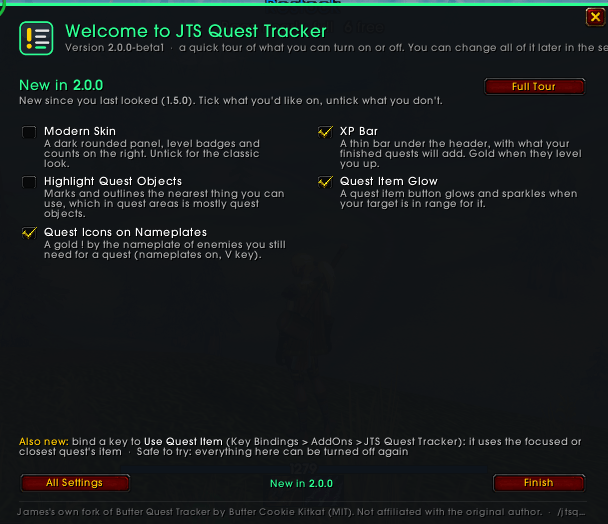
Welcome Screen on login after update.
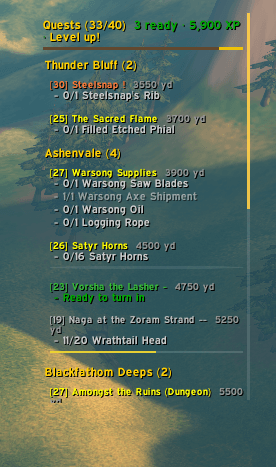
This is the default view of the quest tracker in Classic mode, highlighting progress bars, exp bar quest levels, quest difficulty
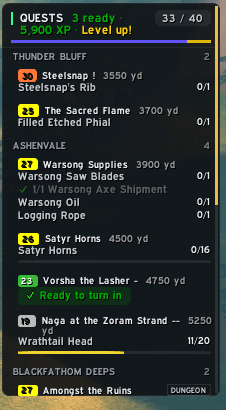
New in 2.0 This is the default view of the quest tracker in Modern mode, highlighting progress bars, exp bar quest levels, quest difficulty
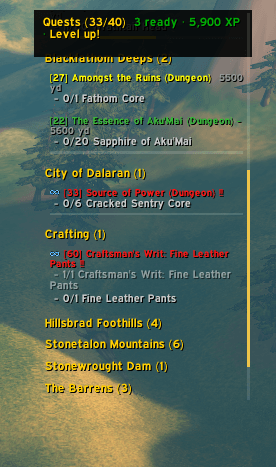
Use the scroll wheel to move down your quest list as seen in classic mode.
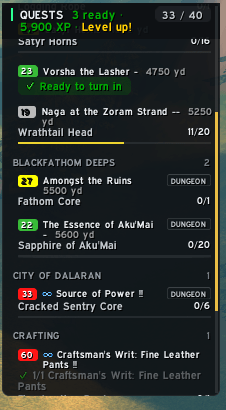
Use the scroll wheel to move down your quest list as seen in modern mode.
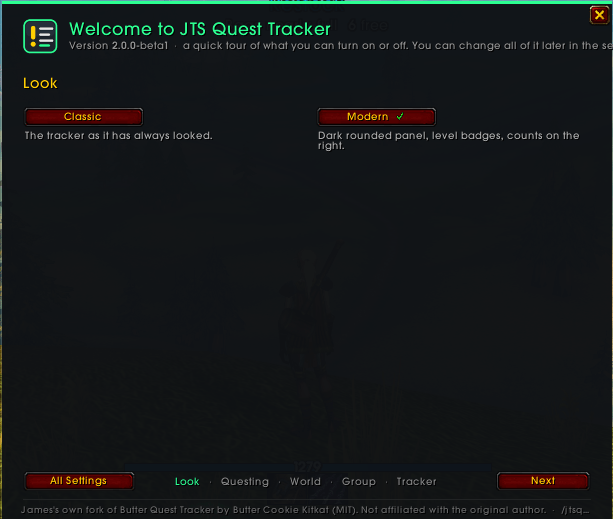
First page of the Welcome screen of JTS quest tracker guiding you through features of the tracker
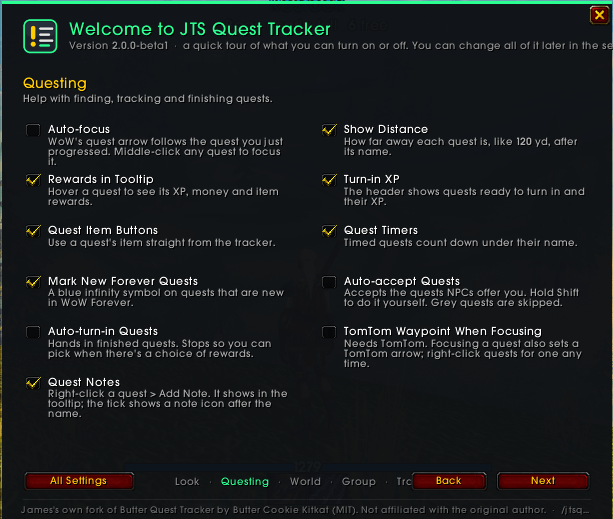
Second page of the Welcome screen of JTS quest tracker guiding you through Questing features of the tracker
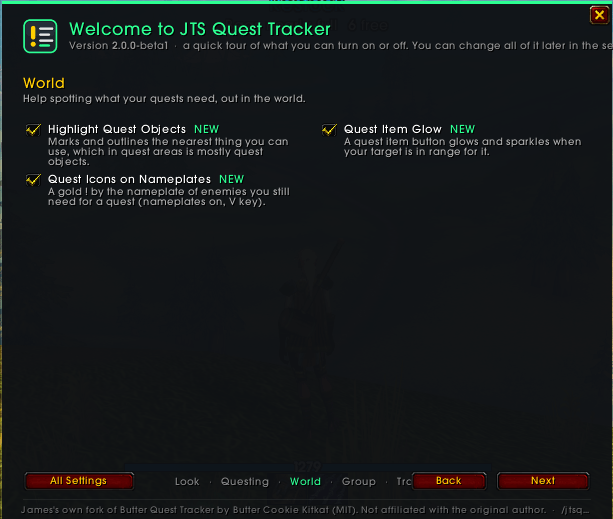
Third page of the Welcome screen of JTS quest tracker guiding you through features of the World Settings
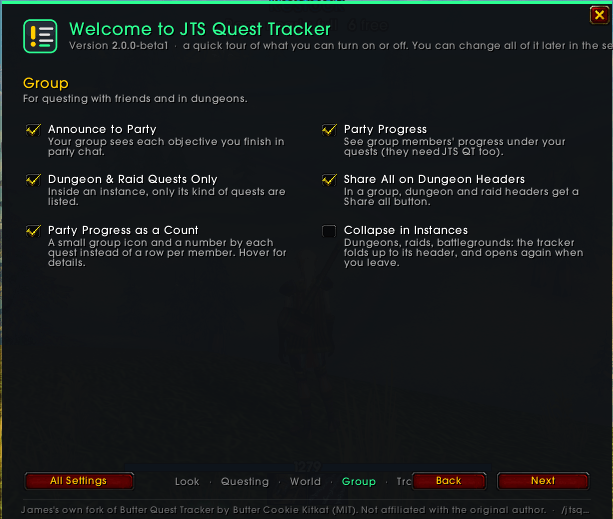
Forth page of the Welcome screen of JTS quest tracker guiding you through Group settings of the tracker
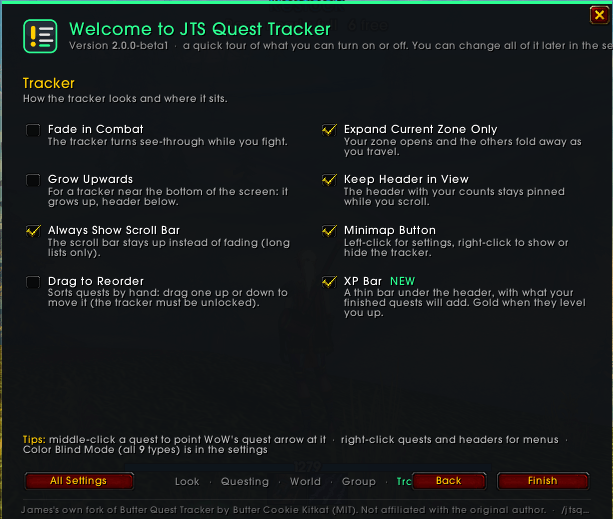
Fifith page of the Welcome screen of JTS quest tracker guiding you through Quest Tracker features of the tracker

showcasing the Quest level up bar
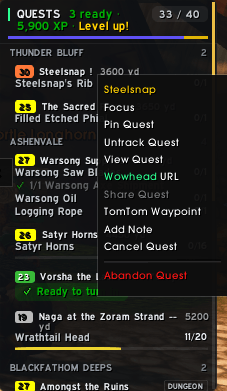
The right click context menu from clicking a quest in the tracker
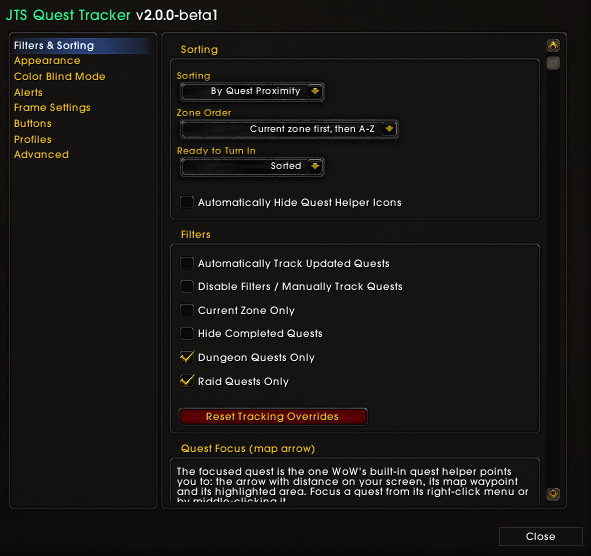
The main menu for settings inside the blizzard interface options for addons.
Description
JTS Quest Tracker
A clean, modern quest tracker made for WoW Forever. It replaces Blizzard's tracker with a tidy list you're in control of: what it shows, how it's sorted, how it looks and where it sits. Part of the JTS Suite.
JTS Quest Tracker is my own fork of Butter Quest Tracker by Butter Cookie Kitkat, used under its MIT license. It's not made, endorsed or supported by the original author, so please report problems here, not to them.
Looking for the original addon updated for WoW Forever? That's my Butter Quest Tracker Fan Update.
New in 2.2
- Settings search and a tidier settings layout.
- Minimal skin, a Ready to turn in section above your zones, a Turned in today list, and moving and resizing the tracker from Edit Mode.
New in 2.0
- Modern skin. A dark rounded panel with coloured level badges, quest type labels (DUNGEON, PVP, ELITE), counts on the right and rounded progress bars. New installs start on Modern; the Classic look is one click away.
- XP bar. A thin bar under the header shows how far you are through your level, with the XP from your finished quests drawn on top. It turns gold and the header says Level up! when turning them in would level you.
- Quest item hotkey. One key uses the item of your focused quest, or the closest quest that has one. Set it right in the settings.
- Help out in the world. Quest item buttons glow when your target is in range, enemies you still need get a gold ! on their nameplate, and Highlight Quest Objects marks the nearest thing you can click.
- Nine extra fonts included, plus every SharedMedia font.
Questing made easier
- Quest item buttons beside quests that give you an item: click to use, Shift-click to link. Shows charges, cooldown and range.
- Quest focus. Middle-click a quest to point WoW's quest arrow and map waypoint at it. Optional Auto-focus follows the quest you just progressed.
- Distance and proximity sorting using WoW Forever's own quest helper, no Questie needed.
- Quest notes. Leave yourself a reminder on any quest ("drops from the ogres"); it shows in the tooltip.
- Rewards in the tooltip: XP, money, items and reward choices.
- Turn-in summary in the header, like
4 ready · 6,000 XP. - Optional auto-accept and auto-turn-in (off by default). Stops when there's a reward to choose; hold Shift to do it yourself.
- Clean Up Quest Log abandons your grey and failed quests in one go (it lists them and asks first).
- New in Forever quests are marked with a small blue ∞.
- TomTom waypoints and Masque skins for the item buttons, if you use them.
Better in a group
- Party progress. See how far your group is on shared quests (a small count by each quest, details in the tooltip). Works between players who run JTS Quest Tracker.
- Announce to Party. Your group sees your objective progress in chat, even if they don't use the addon.
- Share All Quests, or just one zone's, from the header menus. Dungeon headers get a Share all button.
- Dungeon Quests Only / Raid Quests Only. Inside an instance, see just the quests for it.
- Optionally collapse the tracker in instances, or fade or hide it in combat.
Your tracker, your way
- Sort by level, completion, recently updated, distance, or drag quests into your own order.
- Zone grouping with collapsible headers (your zone first), pinned quests, and Expand Current Zone Only.
- Grow upwards for trackers near the bottom of the screen, with the header kept in view while you scroll.
- Fonts, colours, sizes, outlines, spacing and progress bars all adjustable.
- Color Blind Mode for all nine types of colour blindness, plus optional difficulty markers (
!!!---) so colour is never the only signal. - Search the settings by name.
- Profiles shared across characters, with one-line import / export to back up or share your setup.
- Minimap button, key binding and
/jtsqtcommands. - A welcome screen walks you through the features, and after each update shows just what's new.
Good to know
- WoW Forever only. It doesn't support other WoW clients (yet).
- Run one quest tracker at a time. JTS Quest Tracker has its own settings and doesn't touch Butter Quest Tracker's.
- For now the world map opens without its quest log panel: its zones won't fold while the tracker runs. The arrow at the bottom of the map still opens it, or turn this off in Questing > World Map.
- Type
/jtsqtfor the settings, or find them in Esc > Options > AddOns.
Found a bug?
Post on this page with what you were doing, the full error text (BugSack helps), and the output of /jtsqt status.
JTS Quest Tracker Team