JewelDoku
- By
JewelDoku is a Star Battle-style gem logic puzzle addon for World of Warcraft, complete with flight-path route records, daily seeds, guild leaderboard, and native gamepad support.
Screen1.png
Screen4.png
Screen5.png
Screen3.png

Screen7.jpg
Description
JewelDoku
JewelDoku is a lightweight, Warcraft-themed logic puzzle minigame (inspired by Star Battle / Queens) built right into World of Warcraft — perfect for flight paths, queues, and downtime in town.
Feedback, suggestions, and bug reports are always welcome!
How to Play
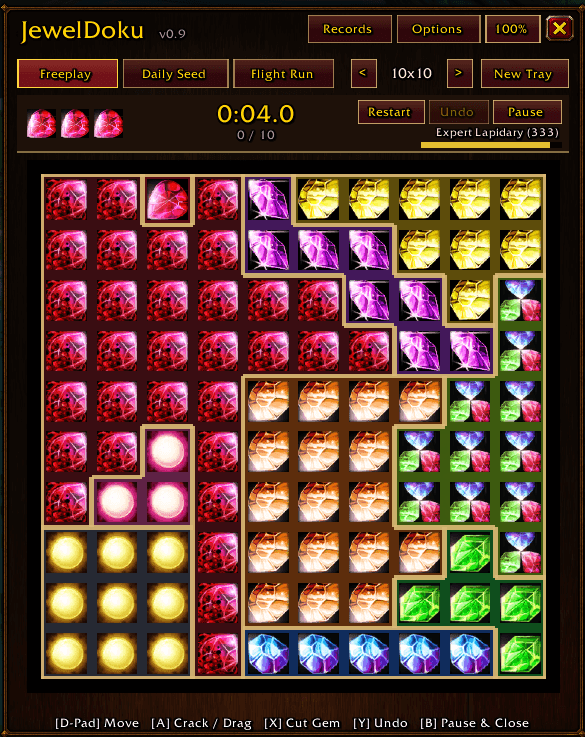
Every jeweler's tray is divided into colored gem regions on an N×N grid (6×6 up to 12×12). Your goal is to place exactly N glowing gems following three simple rules:
- One gem per row and column — every horizontal row and vertical column holds exactly 1 gem.
- One gem per color region — every gold-bordered color group holds exactly 1 gem.
- No touching — gems cannot touch horizontally, vertically, or diagonally (all 8 surrounding spaces stay empty).
You start each tray with 3 Life Gems. Guessing the wrong space cracks a life gem and locks out that cell; three strikes shatter the tray, and you can retry the board or deal a fresh one. A visual How to Play guide is built right into the New Game and Pause screen.
Key Features
Game Modes
- Freeplay (
6×6–12×12): Choose your preferred grid size at any time with instant-loading, pre-verified unique puzzles (2,720+ board variations via symmetry transforms plus a built-in generator fallback). Includes Undo, Restart, and Auto-Crack for eliminated spaces. - Daily Seed (
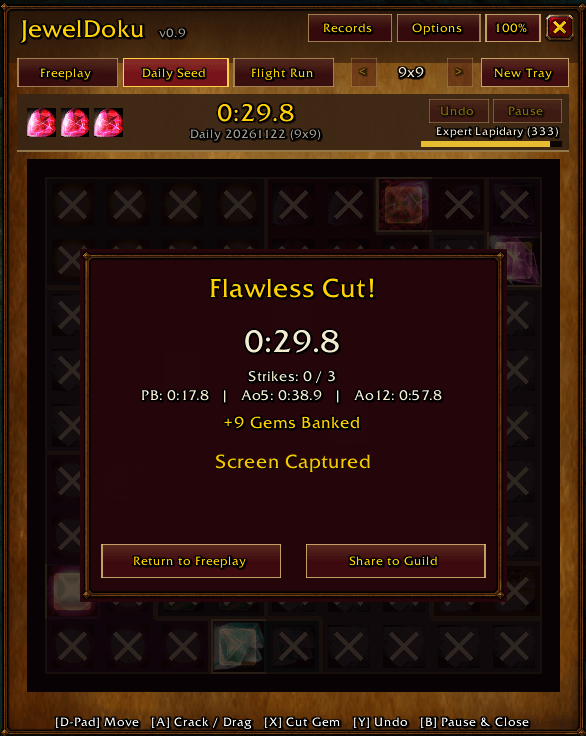
9×9): One deterministic puzzle per day that is identical for every player. Compare your time with guildmates and share your finish in/g. - Flight Run Mode: Automatically detects when you board a flight path, displays a compact Flight ETA & Destination bar beneath the tray, tracks gems earned during your flight, awards partial credit on safe touchdown, and records your best haul for each route.
Progression, Stats & Guild Competition
- Jewelcrafting Ranks: Bank gems from every completed tray to climb 6 ranks, from Apprentice Gemcutter to Grand Sovereign of Dalaran.
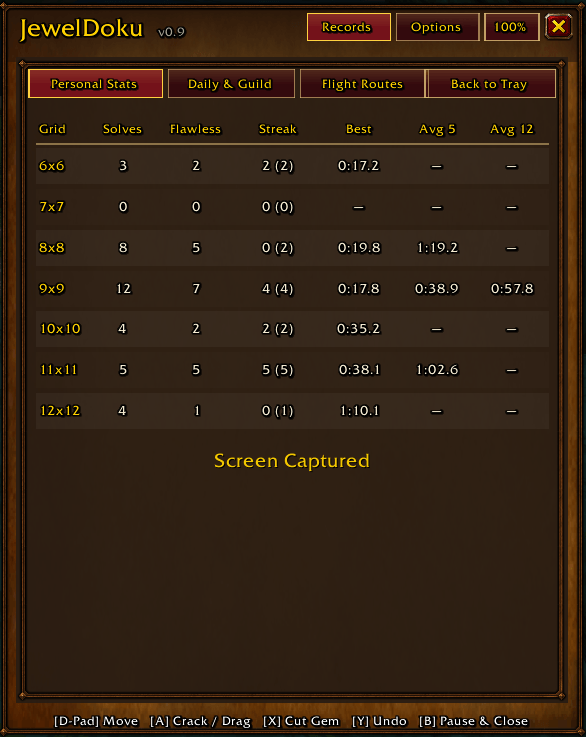
- Personal, Daily & Flight Records: Built-in Records view tracking solves, flawless clears, streaks, Personal Bests, rolling Avg 5 / Avg 12 times per grid size, and Flight Route records.
- Guild Chat Sharing & Silent Sync: One-click Share to Guild button after finishing a tray (automatically notes new Personal Bests), plus optional silent background leaderboard syncing with guildmates who also run JewelDoku.
Controls & Quality of Life
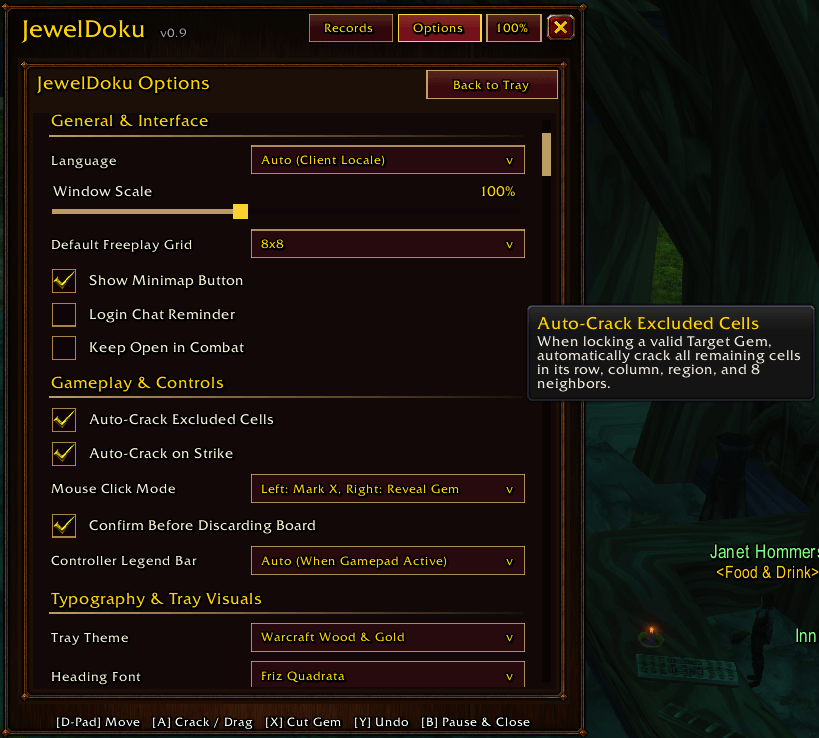
- Fast, Safe Controls: Left-Click (or Click & Drag) to mark spaces with an X and Right-Click to reveal a gem (alternate click styles available in Options).
- Controller Support: Full D-Pad + face button support while the tray is open, automatically releasing bindings when closed or in combat.
- Safe Pausing & Persistence: Closing the window, entering combat, or logging out automatically closes the shutters, pauses the clock, and saves your in-progress tray so you can resume right where you left off.
- Warcraft Presentation & Themes: Switch between Azerothian Parchment (default), Warcraft Wood & Gold, and Royal Crimson Velvet, with window scaling, a movable Minimap Button, custom font support (including LibSharedMedia), and localization including full Russian Cyrillic support.
Quick Commands
| Command | Action |
|---|---|
/jd or /jeweldoku |
Open JewelDoku, or pause and close the tray |
/jd daily |
Jump straight into today's 9×9 Daily Seed |
/jd <6-12> |
Start a Freeplay tray of size 6×6 through 12×12 |
/jd stats |
Open Personal, Guild, and Flight Route records |
/jd options |
Open the Options menu |
/jd reset |
Reset window position and scale |
/jd help |
List all slash commands |
Minimap Button: Left-Click to open (or pause & close) the tray, Right-Click to open Options, and Drag to reposition.
AI Disclosure: Created with assistance from Google Antigravity.
JewelDoku Team