Jabe's Combat Text
- By
Screenshot 2026-08-04 222438.png
Screenshot 2026-08-04 222456.png
Screenshot 2026-08-04 222345.png
Screenshot 2026-08-04 222333.png
Description
Jabe's Combat Text
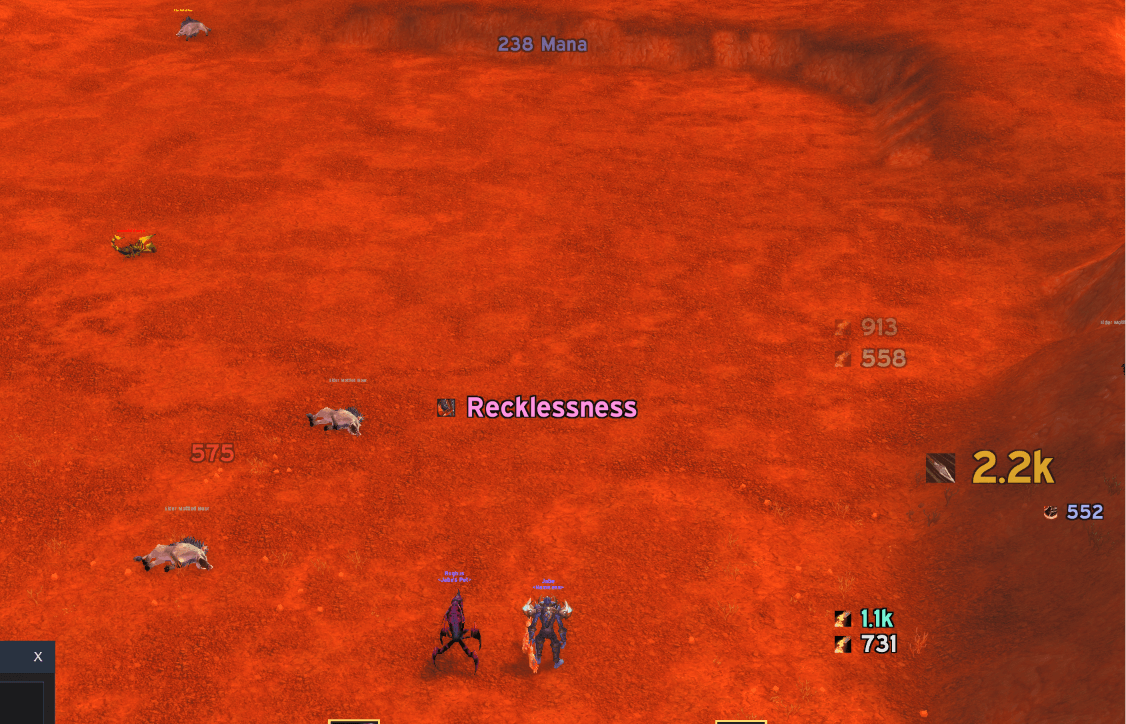
Replaces Blizzard's floating combat text with numbers you can actually place, style and read. Built for TBC Anniversary.
Why bother replacing it
Blizzard's combat text is take-it-or-leave-it. You get a checkbox, a couple of console variables, and a single stream of numbers wherever the game decides to put them.
It's also two separate systems, which trips people up. The numbers over your target's head are drawn by the game engine in C++ — no addon can restyle those, not the font, not the colour, not the position. The only lever anyone has is a switch that turns them off. The stream near your own character is drawn in Lua, and that's the part addons have historically fiddled with.
JCT switches off both and draws everything itself. That's the only way to get real control, and it's why every setting below actually does something.
If you ever want Blizzard's back, one checkbox restores it — including the original console variable values it found when it first took over.
How it thinks: streams and frames
This is the one concept worth understanding, and everything else follows from it.
Every message JCT produces is sorted into one of 21 streams — your spell damage, your melee swings, your Auto Shot, your crits, DoT ticks, healing, pet damage, damage taken, healing received, power gains, enemy cooldowns, and so on.
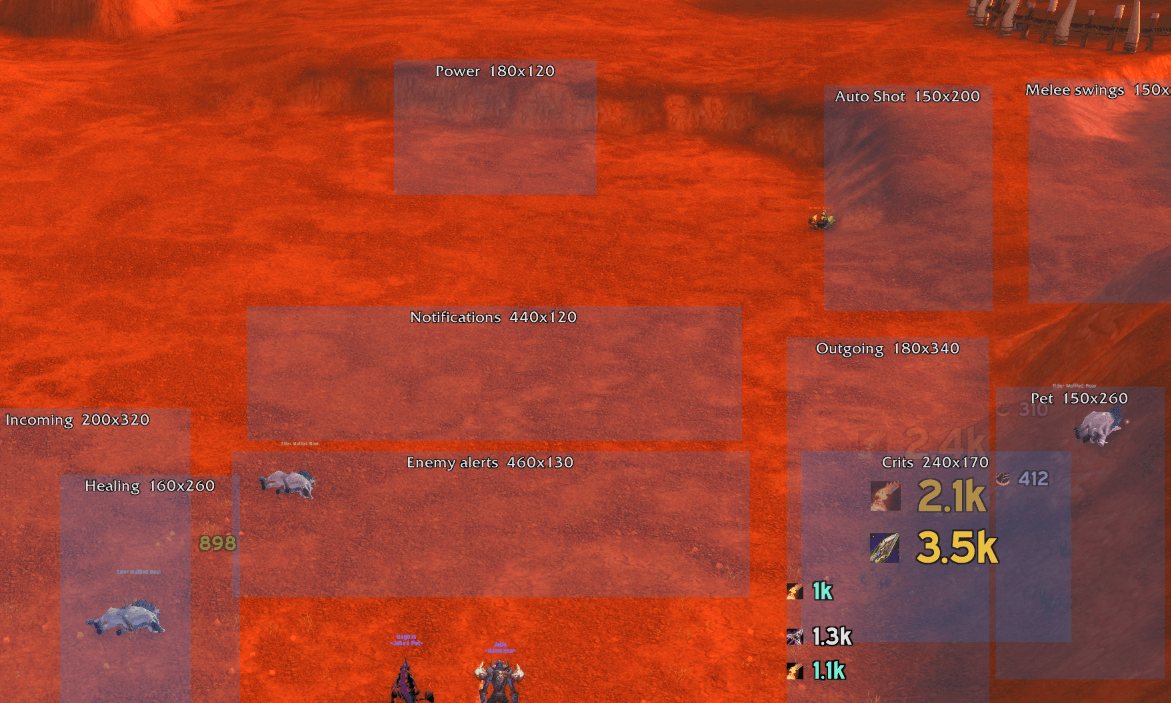
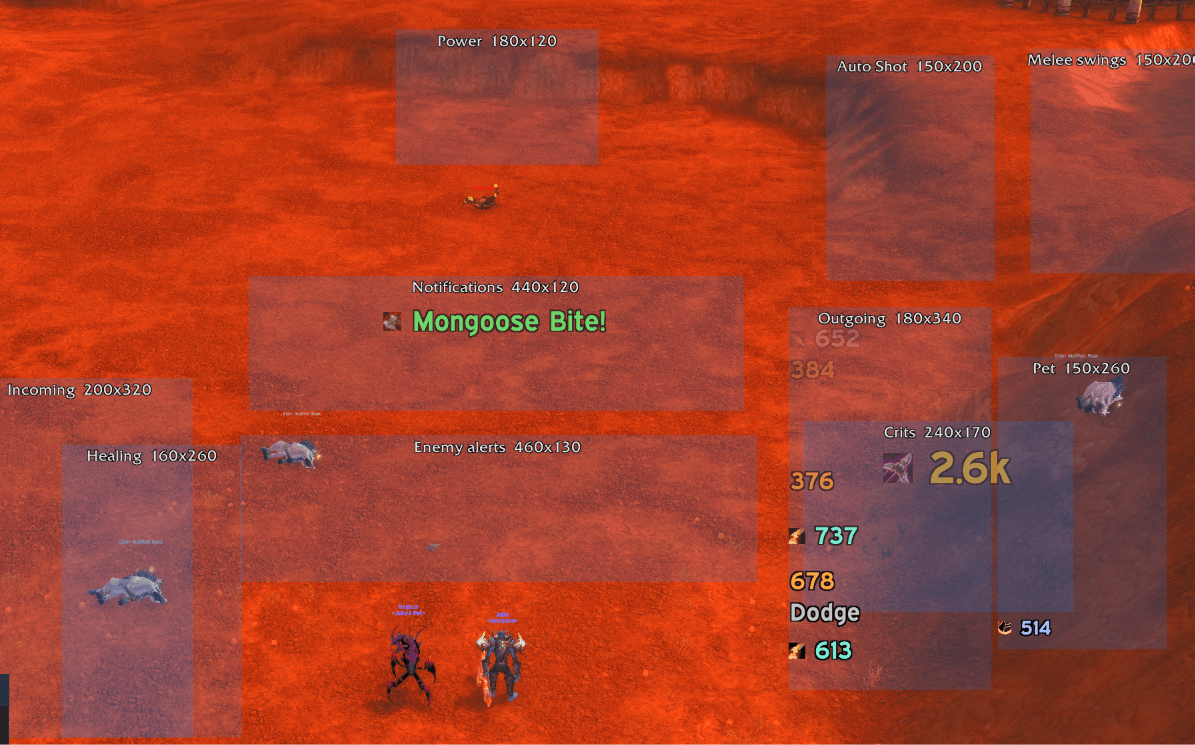
Separately, there are 10 frames — boxes on your screen. Each has its own position, size, font, animation and direction.
You decide which stream goes to which frame. Send everything to one box for a single classic stream. Spread it across ten so each kind of information owns a fixed piece of screen. Put your pet's damage somewhere you can ignore it. Put enemy cooldowns right above your target's nameplate.
That's the whole model. Streams in, frames out, you draw the wiring. Frames you've switched off are marked in the routing dropdowns, so you can't accidentally send messages into the void.
Four layouts to start from
You don't have to wire anything by hand. Pick a preset and adjust from there — presets only move frames and change routing, so they never overwrite your fonts, colours or filters.
| Preset | What it looks like |
|---|---|
| Columns | Separate boxes for outgoing, crits, pet, incoming, healing, power and notifications. You learn where to look instead of parsing one mixed stream. |
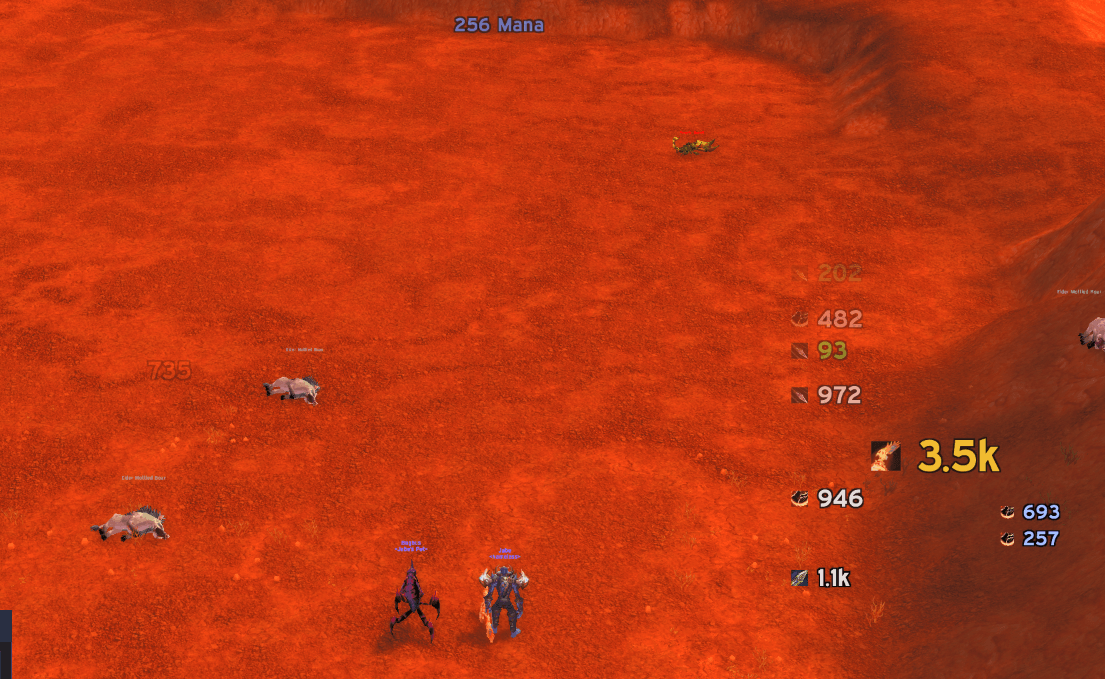
| Classic arcs | The familiar Blizzard shape — everything you do arcs up one side of your character, everything done to you up the other — but with your font, your colours, your speed. |
| Weave | Melee swings and Auto Shot get their own small frames either side of your character. Built for reading attack rhythm. |
| Minimal | Two tight columns. Damage right, damage taken left, everything else folded in. |
Making it yours
Fonts. Seven client fonts built in, plus anything LibSharedMedia has loaded from your other addons — picked up automatically. Drop your own .ttf into the addon folder and one line registers it. Outline, thick outline, monochrome, drop shadow, and per-frame size overrides.
Colours. 25 message colours plus 9 spell-school colours, each with a full colour picker. School colouring can be switched off entirely if you'd rather colour by message type.
Motion. Five paths per frame: scroll up, scroll down, a fountain arc, horizontal, or static stacking. Adjustable lifetime, fade point, crit size multiplier, and a crit "pop" that overshoots and settles.
Placement. Drag frames around with an unlock button, or nudge them with sliders. There's a 32-pixel alignment grid one click away, and positions are stored relative to screen centre so they survive resolution and UI-scale changes.
Reading a fight instead of drowning in it
Raw combat text is unreadable in a raid. Two systems fix that.
Merging collapses repeated hits of the same spell into one growing number — what makes a Volley or a pet's swing stream legible. But it does it without wrecking your sense of timing: the first hit always displays immediately, and only the hits behind it get folded into a follow-up with a count. A single hit is never delayed. Every stream has its own merge window, and any of them can be set to zero.
Spell ranks collapse automatically. In TBC every rank has a separate spell ID, so Steady Shot Rank 3 and Rank 4 would otherwise never merge with each other.
Filters cut the rest. Ten separate thresholds — your hits, your crits, pet hits, pet crits, damage taken, your heals, heals you receive, power gains — because one number can't sensibly cover all of them. Twenty-three content toggles on top. And every spell you've actually seen in combat is listed with a checkbox, so you can silence something without ever looking up an ID.
Thresholds apply after merging, so "hide hits under 500" never eats a tick train that adds up to 5,000.
Know what the enemy just did
JCT watches for 87 curated abilities and tells you when an enemy uses one: PvP trinkets, Escape Artist, Will of the Forsaken, Recklessness, Ice Block, stuns, interrupts, every class's major cooldowns, and the racials worth caring about.
Things that break your control — trinket, Blessing of Freedom, Divine Shield — get their own stream and colour, because "your trap just died" is a different urgency from "they popped a cooldown."
Scoped to your target and focus by default, so a battleground doesn't become a firehose. Widen it when you want to. Every spell is individually toggleable, sorted into four categories.
Matching is by spell name rather than ID, resolved once at login. In TBC every rank of a spell has its own ID, so ID matching would need every rank of every spell listed — and would silently miss any that were wrong.
Abilities that light up
Some abilities only become usable in response to something. JCT reads those from the combat log directly, so they keep working with Blizzard's own combat text switched off.
- Counterattack and Riposte when you parry
- Mongoose Bite when you dodge
- Overpower when your target dodges you
- Revenge on any avoidance, including a partial block — which in TBC is the normal case
- Execute, Hammer of Wrath and Victory Rush when their conditions open up
Only abilities your character actually knows are watched, and it re-checks after a respec. A Beast Mastery hunter gets Mongoose Bite and not Counterattack, because Counterattack is a Survival talent.
Profiles, and moving settings around
Save your whole setup as a named profile — layout, fonts, colours, routing, filters, everything. Profiles are account-wide, so a layout built on one character loads on any other.
Reset takes an automatic snapshot first, so it isn't a one-way door.
You can also export your settings as a block of text and paste them back on another machine, or hand them to someone else. Only what you've changed from the defaults is included, so it stays short.
Your first five minutes
- Install, log in, type
/jct. - General tab — pick a font and size you like.
- General tab — try each of the four presets and see which shape suits you.
- Click Test. Synthetic combat text starts flowing, so you can judge it without finding a target dummy.
- Click Unlock frames and drag things where you want them. Grid helps you line them up.
- Click Lock, then Okay.
- Profiles tab — save what you've built, so experimenting later costs you nothing.
Commands
| Command | Effect |
|---|---|
/jct |
Open the options window |
/jct unlock · lock |
Drag frames into place |
/jct grid |
Alignment grid |
/jct test |
Fake combat text for positioning |
/jct preset <name> |
columns, classic, weave, minimal |
/jct profile save\|load\|delete <name> |
Manage profiles |
/jct export |
Jump to export and import |
/jct block <id> · unblock <id> |
Silence a spell |
/jct debug |
Diagnostic report |
/jct reset |
Back to defaults (snapshots first) |
If something looks wrong
Run /jct debug. It prints your client build and interface version, which combat-text APIs exist on your client, the state of every console variable it suppresses, how many frames are built, and — most usefully — running counters of combat events seen versus messages actually drawn.
If events are climbing but nothing is drawing, it says so and points at the likely cause. Hit something for a few seconds first, or the counters just read zero.
Honest limitations
- The numbers over your target's head can't be restyled by any addon. They're drawn by the game engine, not Lua. JCT turns them off and draws its own; nothing else is possible, for anyone.
- Combat log range is about 100 yards, so enemy alerts are complete in an arena and incomplete in a large battleground.
- A clipped Auto Shot produces no combat log event at all, so it shows up as an absence rather than an event — and absences are harder to notice than things appearing.
- Widening the options window doesn't reflow the controls; extra width becomes margin. Height is where resizing helps.
Requirements
TBC Anniversary (client 2.5.6). No dependencies — LibSharedMedia is used if you have it, and never required.
Install to _anniversary_\Interface\AddOns\JCT. Note that _classic_ is Mists of Pandaria Classic these days, not TBC; installing there is the most common reason an addon doesn't show up.
The Jabe's Combat Text Team