Itinerary
- By
A leveling companion for WoW Forever: route panel, waypoint arrow, map pins and quest automation. Record, edit and share your own routes.
settings-trainer.png
settings-travel.png
settings-general.png
settings-quests.png
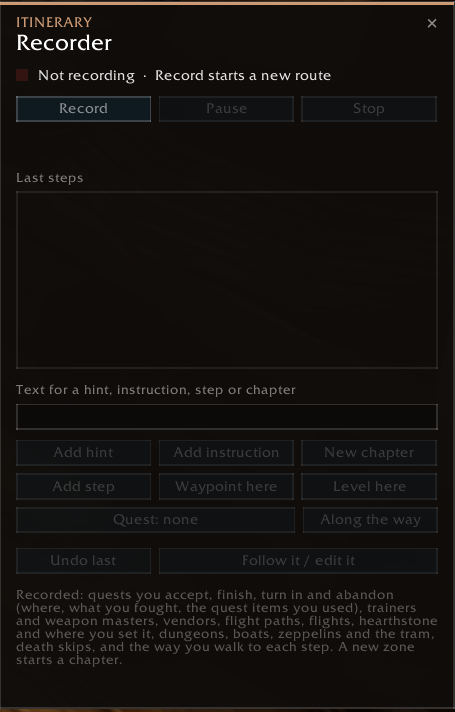
recorder.png
Description
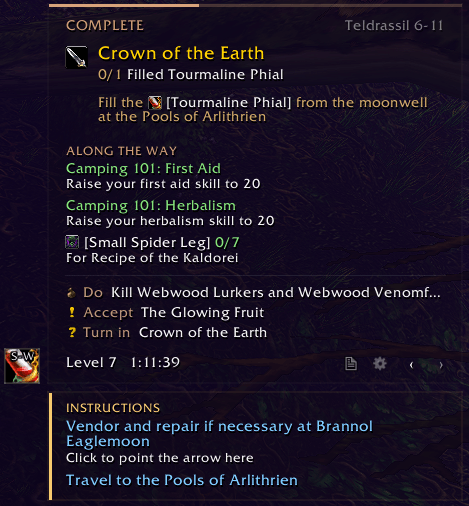
Your leveling route one step at a time: what to do now, where to go, and what to keep doing on the way.
Itinerary is a leveling companion for WoW Forever. A route panel shows the current step with live objective counts, a waypoint arrow leads you there, and a lot of small automation takes care of the busywork in between: quests, dialogue, junk, trainers, professions and flights.
Itinerary ships without routes. Record your own while you play, import one somebody shared with you, or install a route pack (a separate add-on). Everything below works with any of them.
Getting started
- Unzip the download into
Interface\AddOns. You get two folders: Itinerary and Itinerary_Data (where trainers, vendors and gathering spots are). - Log in. The route panel and the waypoint arrow appear, and a new character is asked once which professions it will take.
- No route yet? Open the recorder (
/iti recorder) and press Record, or paste a shared route with/iti import.
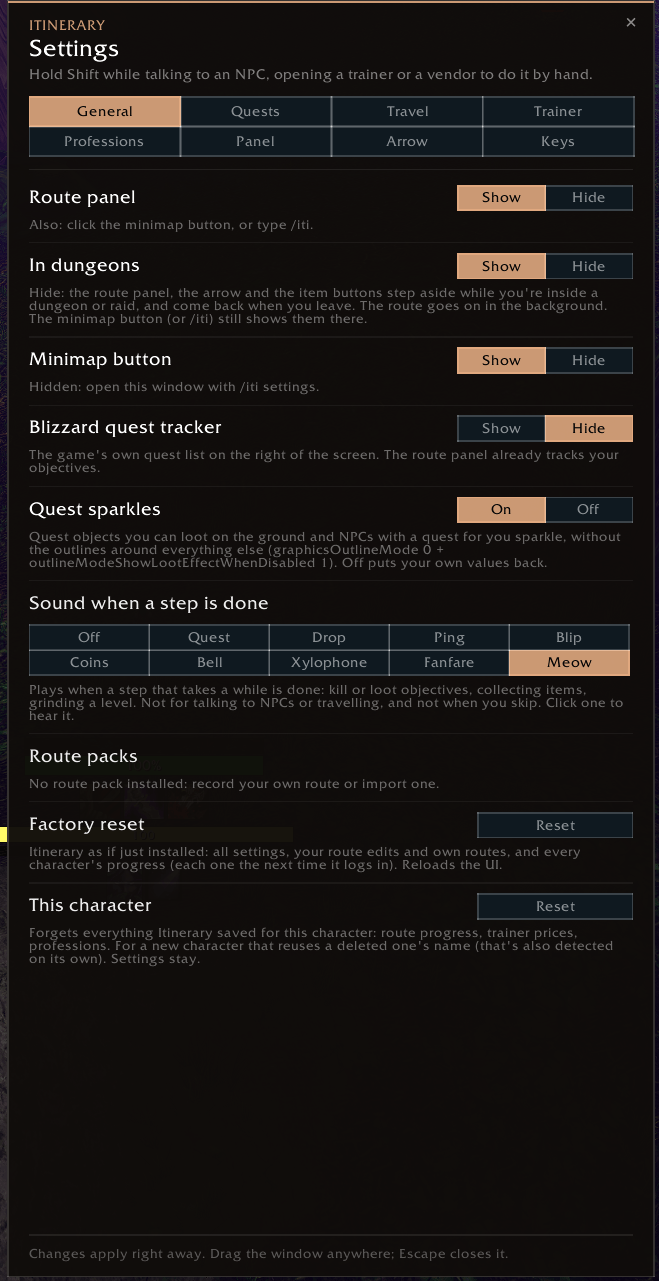
The brass compass on the minimap: click shows or hides the panel, right-click the arrow, Shift + click opens the settings.
The route panel
- The current step (accept, complete, turn in, travel, fly, hearth, train, grind …) with its hints and live objective counts
- An INSTRUCTIONS card for things to keep doing, with clickable trainer and vendor errands
- ALONG THE WAY: side objectives and items to collect while you pass
- The next few steps, skipped quests worth going back for, and your pace against a reference run
- Item and spell names show as coloured links with their icons and tooltips
Arrow, pins and buttons
- A waypoint arrow to the step's NPC, objective area or travel path, with the distance and the instruction above it. Several arrow styles and colour schemes.
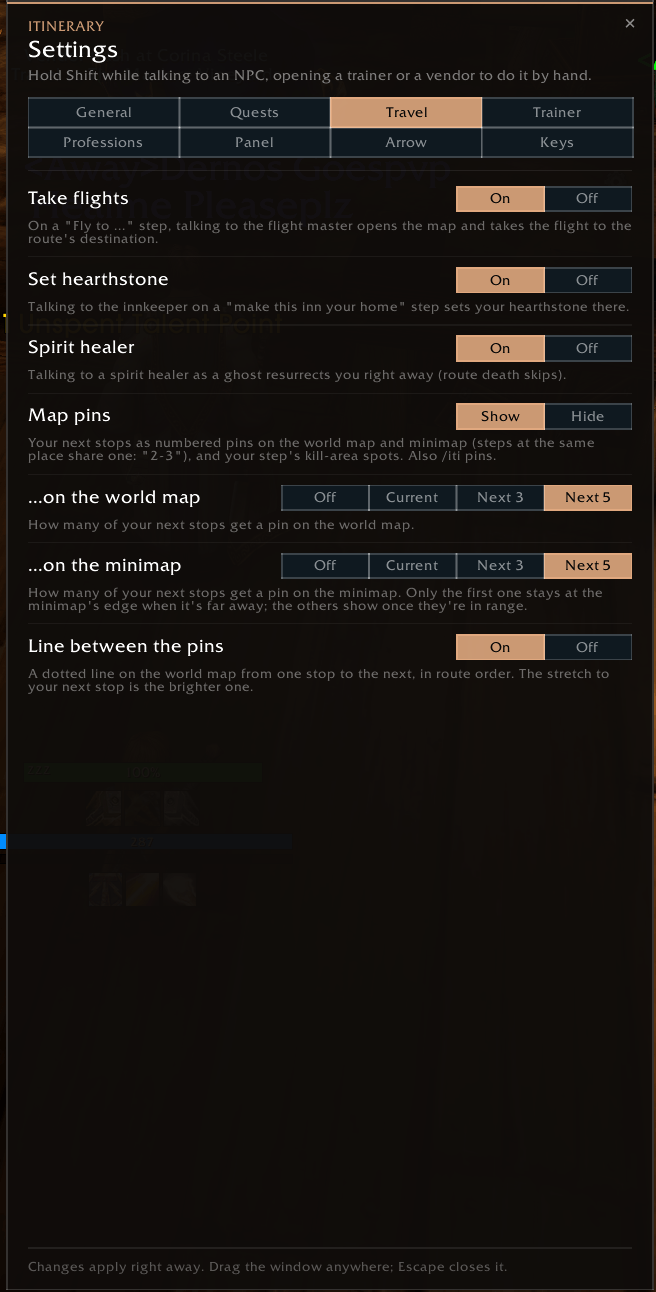
- Your next stops as numbered pins on the world map and minimap, with a dotted line between them
- Quest item buttons for the step's usable items and the hearthstone, and a target button that finds the step's mobs or NPC (key bindings for all of them)
Automation
Every part can be switched off. Hold Shift while talking to an NPC to do things by hand that time.
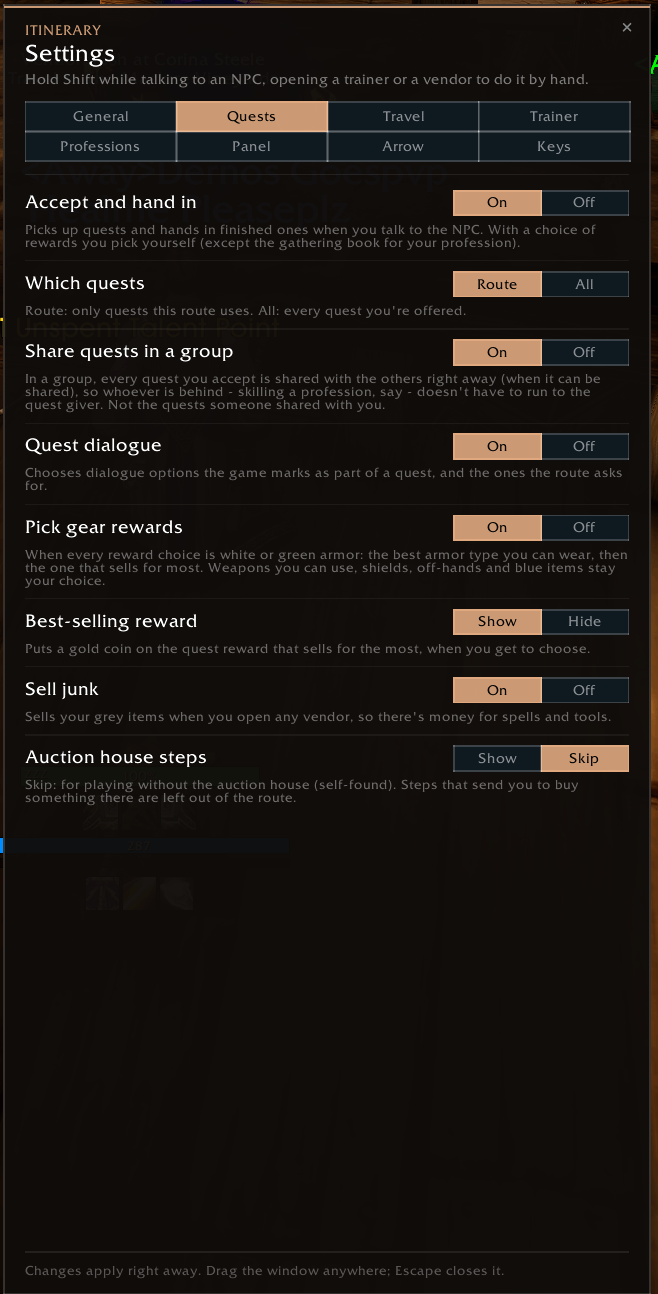
- Quests: accept and hand in the route's quests, click through quest dialogue, a gold coin on the best-selling reward
- Vendors: sell grey items at any vendor
- Travel: take the route's flight, set your hearthstone, resurrect at the spirit healer on death skips
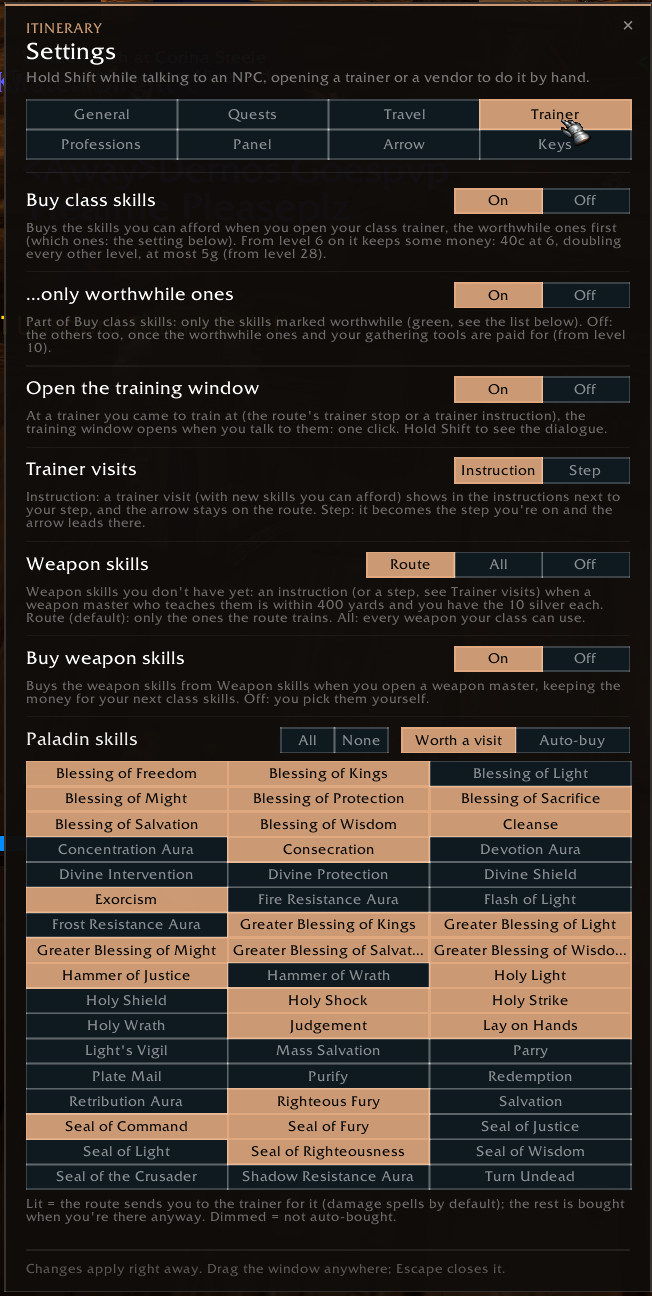
- Trainers: opens the training window where something is waiting; buying class skills (worthwhile ones first, keeping money back) is there when you want it
- Professions: learn your professions at their trainer and buy the gathering tools
- Groups: share every quest you accept with your group (optional)
Trainers and professions
- An instruction when a class trainer, weapon master or profession trainer with something for you is close by, with a tooltip of what's ready to learn and what it costs
- Pick up to two main professions plus secondary ones. Itinerary plans the money for learning them and their tools.
- Gather mode (
/iti gather): a farming route from one herb or ore spawn spot to the next, with map pins. Nodes you find are remembered.
Make your own routes
- The recorder writes a route while you play: quests with where you fought, trainers, vendors, flights, your hearthstone, dungeons, boats and the tram, death skips and the way you walked
- The route editor (
/iti edit) changes any step and everything it can do: every step type, conditions, hints, waypoints and kill areas (drag them on the world map), dialogue and macro buttons - Share a route as a text: Export in the editor, Import on the other side
Commands
/itishow or hide the route panel/iti settingssettings/iti next,/iti backone step forward / back/iti routeslist the routes for your character/iti edit,/iti recorderroute editor, recorder/iti export,/iti importshare a route/iti gathergather mode on/off/iti debugdetails about the current step (for bug reports)
Credits and license
Itinerary is made by Ghaan. All rights reserved: you may install it, use it and read its code, but not pass it on or reuse its parts elsewhere (LICENSE.txt). The libraries and the credited sounds keep their own licenses.
Itinerary_Data comes in the same download but is a separate add-on under the GNU GPL v3. Its positions come from the WoW Forever data of QuestieDB and from what Itinerary players found in game.
World of Warcraft is a trademark of Blizzard Entertainment. Itinerary is not affiliated with or endorsed by Blizzard Entertainment.
Itinerary Team