


Provisions
- By
One button to eat, drink, potion or bandage, always with the best item in your bags.
Provisions keeps a few general macros pointed at the right consumable. When you loot new food, level up or run out of a stack, the buttons update themselves. Put them on your bars once and never think about it again.
Getting started
- Log in. Provisions creates its buttons automatically.
- Type
/provor click the bread icon on your minimap. - On the Item order tab, drag the buttons onto your action bars. Done.
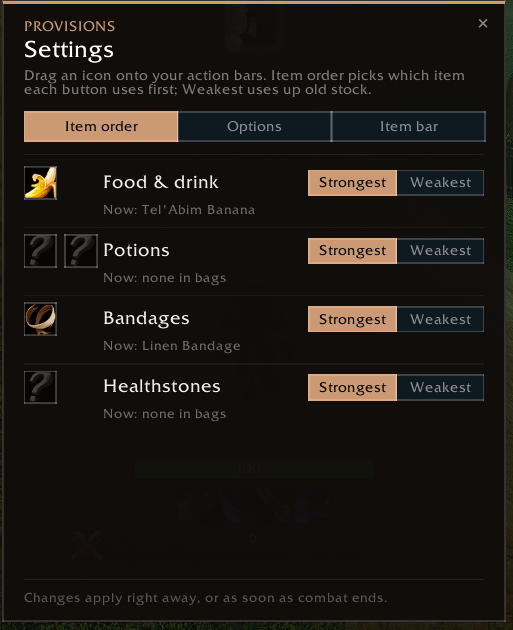
Drag the icons on the left onto your bars. "Now:" shows what each button will use.
The buttons
| EatDrink | Best food and drink in one press, or as separate Eat and Drink buttons |
| HealPot | Best healing potion |
| ManaPot | Best mana potion |
| Bandage | Best bandage your First Aid skill allows |
| Healthstone | Best healthstone |
Smart picks
- Strongest first by default, or weakest first per group to use up old stock
- Conjured food and drink first, since they vanish on logout anyway
- Skips buff food, so your Well Fed food isn't wasted on regen
- Characters without mana never get drinks
The item bar
A small bar shows what each button would use and how many you have left.
- Click an icon to use the item, right-click to pick a specific item for that slot
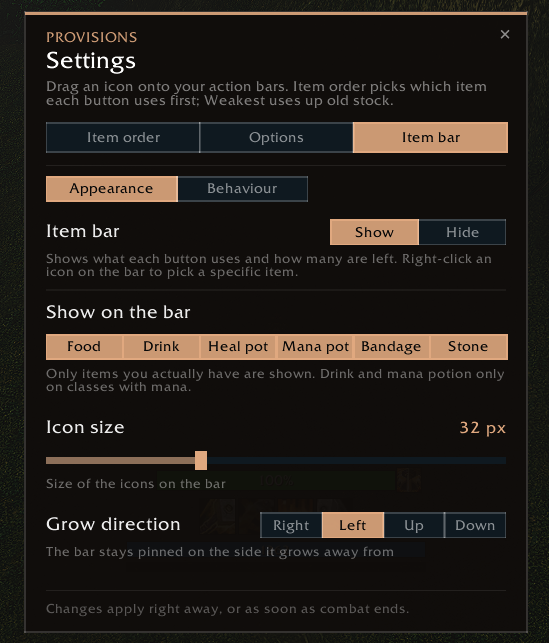
- Choose which item types appear, plus icon size and grow direction
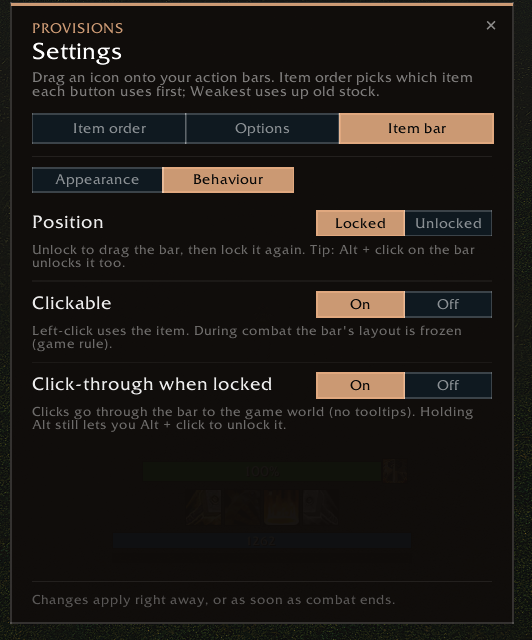
- Lock it or make it click-through. Alt + click unlocks it any time
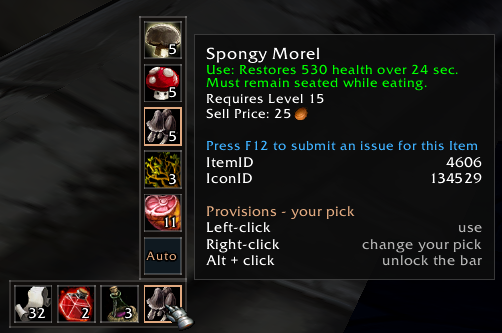
The item bar, with the right-click list open to pick a specific mushroom.
Settings
Everything is in one window: /prov or the minimap button.
- Item order: your buttons to drag onto your bars, and strongest or weakest first per group
- Options: one or two food & drink buttons, conjured first, skip buff food
- Item bar: what the bar shows, how it looks and how it behaves
Options and the bar layout are shared by all your characters. Item order, bar items and right-click picks are saved per character.
Commands
/prov | Open the settings window |
/prov info | Show what each button currently uses |
/prov resetbar | Move the bar back to the centre |
/prov minimap | Show or hide the minimap button |
/prov reset | Factory reset |
Lightweight
It only scans when your bags change and never reads the combat log. Nothing it does in combat can get blocked.
Provisions Team
