ItemRack Forever
- By
Equipment sets, gear-swap buttons and auto queues for WoW Forever, built on ItemRack with the game’s native interface. English and French.
1.png
2.png
Description
ItemRack Forever brings ItemRack to WoW Forever. Build gear sets, swap them in one click, and let your trinkets and other on-use items swap themselves when they go on cooldown. The windows, buttons and menus use the game’s own interface, just like the original ItemRack.
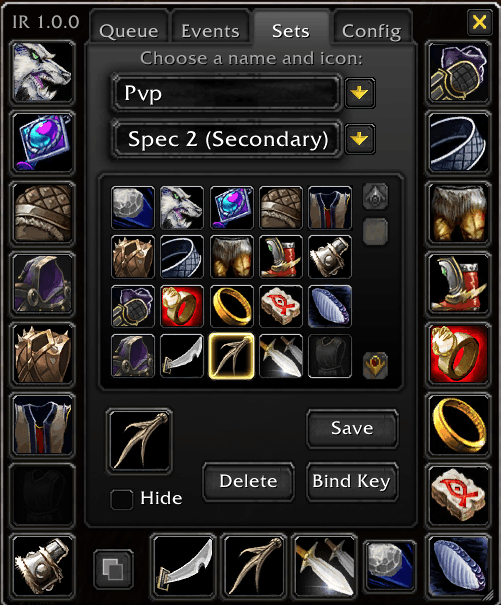
Gear sets
• Save as many sets as you like, each with its own name and icon
• Equip a set from the set button, the minimap button, a key binding or a slash command
• Each set can switch you to spec 1 or spec 2 when it is equipped (dual spec)
• Hide sets you rarely use, show which set an item belongs to in tooltips, and unequip or toggle sets
Slot buttons
• Alt+click any slot on the character sheet to add a button for it to your screen
• Hover a button to get a menu of every item that fits that slot
• Buttons dock together; you can move them, lock them, change their scale and transparency, and show cooldown numbers and key bindings on them
• Character sheet menus: hover a slot on the character sheet to pick an item for it
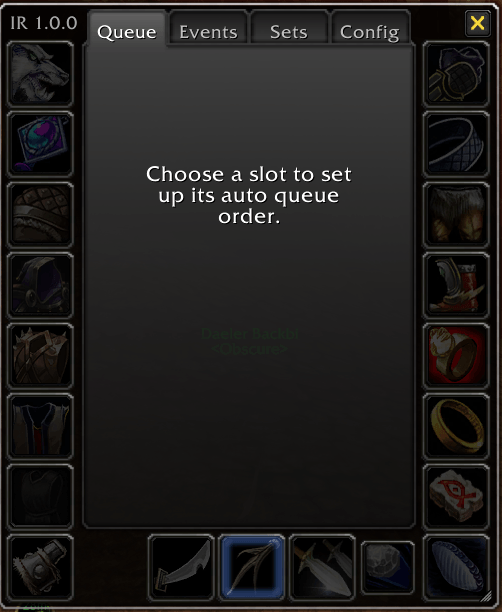
Auto queues
• Put your on-use items for a slot in order of priority
• When the equipped item goes on cooldown, it swaps to the next one that is ready
• For each item you can set a delay, a priority, or a pause of the queue
Events
• Equip sets automatically on a buff, a stance or form, a zone, or your own script
• Default events are included (mounts, Plaguelands, Argent Dawn and more), and you can create your own
Options
• The same options window as ItemRack, with Config, Sets, Events and Queue tabs
• Resize the window from its bottom-right corner
• English or French, chosen in the options
• If you used ItemRack before, your sets, events and settings carry over
Slash commands: /itemrack (or /ir) opens the options. /itemrack equip, unequip, toggle, spec, lock, unlock and reset are also available.
ItemRack Forever Team

Owner