iShadow
- By
iShadow is a simple addon that does one thing: Adding a shadowed border to the UI window
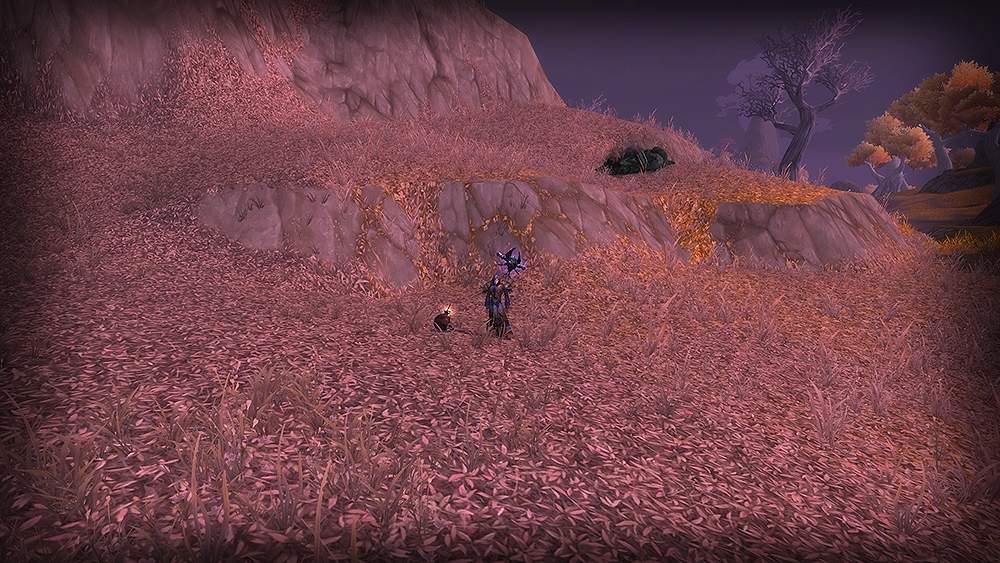
ingame Look
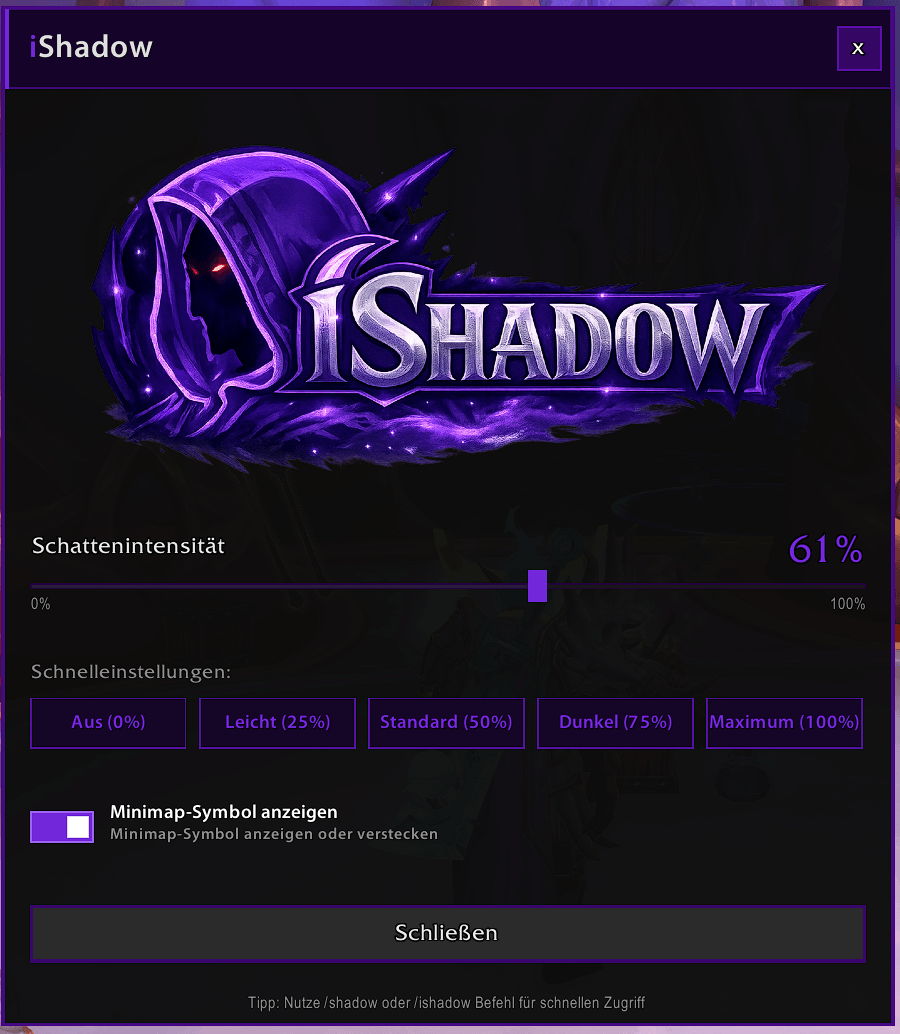
2026-03-07 20_57_40-Discord Overlay.png
Description
iShadow – Screen Shadow Overlay for World of Warcraft
iShadow adds a fully customizable dark shadow overlay to your entire WoW screen. It's a lightweight, no-nonsense addon that works right out of the box — no complicated setup required.
Feature
- Smooth Shadow Intensity Slider (0–100%)
- Quick Preset Buttons
- Graphical Settings Window (/shadowgui)
- Minimap Button (LibDBIcon)
- Localization Support (German & English)
How Does iShadow Change Your Gaming Experience?
The most common use case is late-night or dark-room gaming: many players find WoW's default brightness too intense when playing in a dimly lit environment. iShadow lets you reduce the perceived screen brightness without touching your system display settings or WoW's graphics panel — you can adjust it on the fly, any time, with a single slider or slash command.
It also works great for atmosphere: running a dungeon or raid at 25–40% shadow intensity adds a subtle moodiness to the visuals without compromising your ability to actually see what's happening in the game. The world still looks detailed, but the overall tone feels darker and more immersive.
Streamers and content creators can use iShadow to black out the screen between segments or during breaks by pushing the slider to 100%, giving recordings a clean, intentional cut — no need to alt-tab or use external software.
Because the shadow layer sits beneath every single UI element, gameplay is completely unaffected. Your action bars, cast bars, nameplates, and all other addons remain perfectly accessible at all times.
Slash Commands for Quick Access
/shadow 50 — Instantly sets the shadow to 50%
/shadow 0 — Turns the shadow completely off
/shadow (no number) — Displays the current level and usage examples
Compatibility
Interface Version: 120001 (World of Warcraft: The War Within / current Retail)
Saved Settings: Yes — persists between sessions and restores automatically on login
iShadow Team