Instagear
- By
Equips your upgrades the moment you get them and picks the best quest reward for your spec. Leveling addon for WoW Forever.
Instagear-EN-2-quest-reward.png
Instagear-EN-3-icons.png

Instagear-EN-4-characters.png
Instagear-EN-1-notification.png
Instagear-EN-3-icons.png
Description

Instagear
Your upgrades, equipped the moment you get them.
Instagear is a leveling addon for WoW Forever. It reads every item you get, compares it with what you're wearing for your class and spec, and equips the upgrades for you. When a quest offers you several rewards, it picks the best one for you.
No setup and no stat weights to copy from a website. Just install it and go level.
New in 2.0
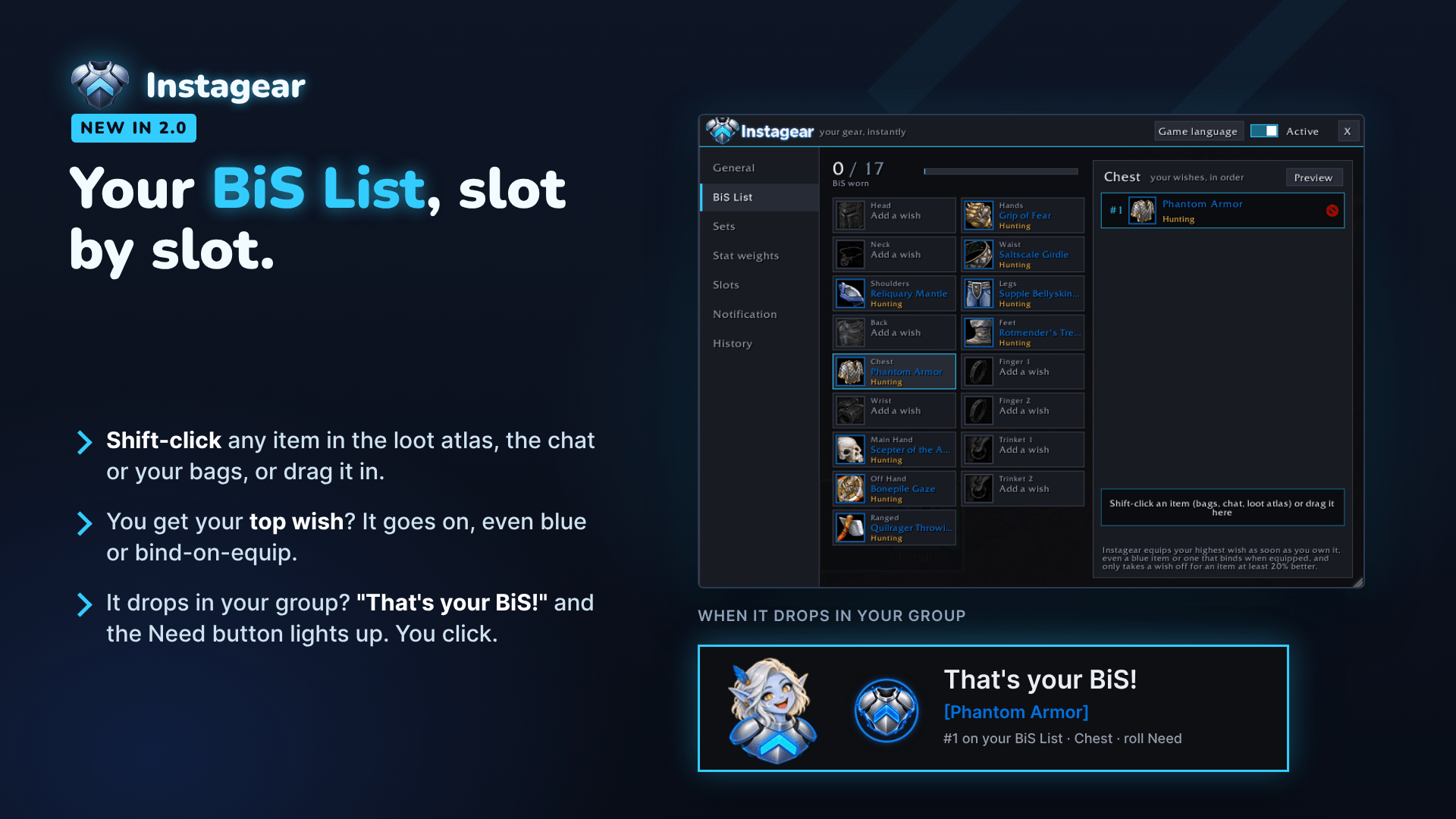
BiS List
- Build your list slot by slot: Shift-click an item in the loot atlas, the chat or your bags, or drag it in.
- Your highest wish goes on as soon as you own it, even blue or bind-on-equip.
- When a wish drops in your group: "That's your BiS!" and the Need button lights up. You click.
Sets
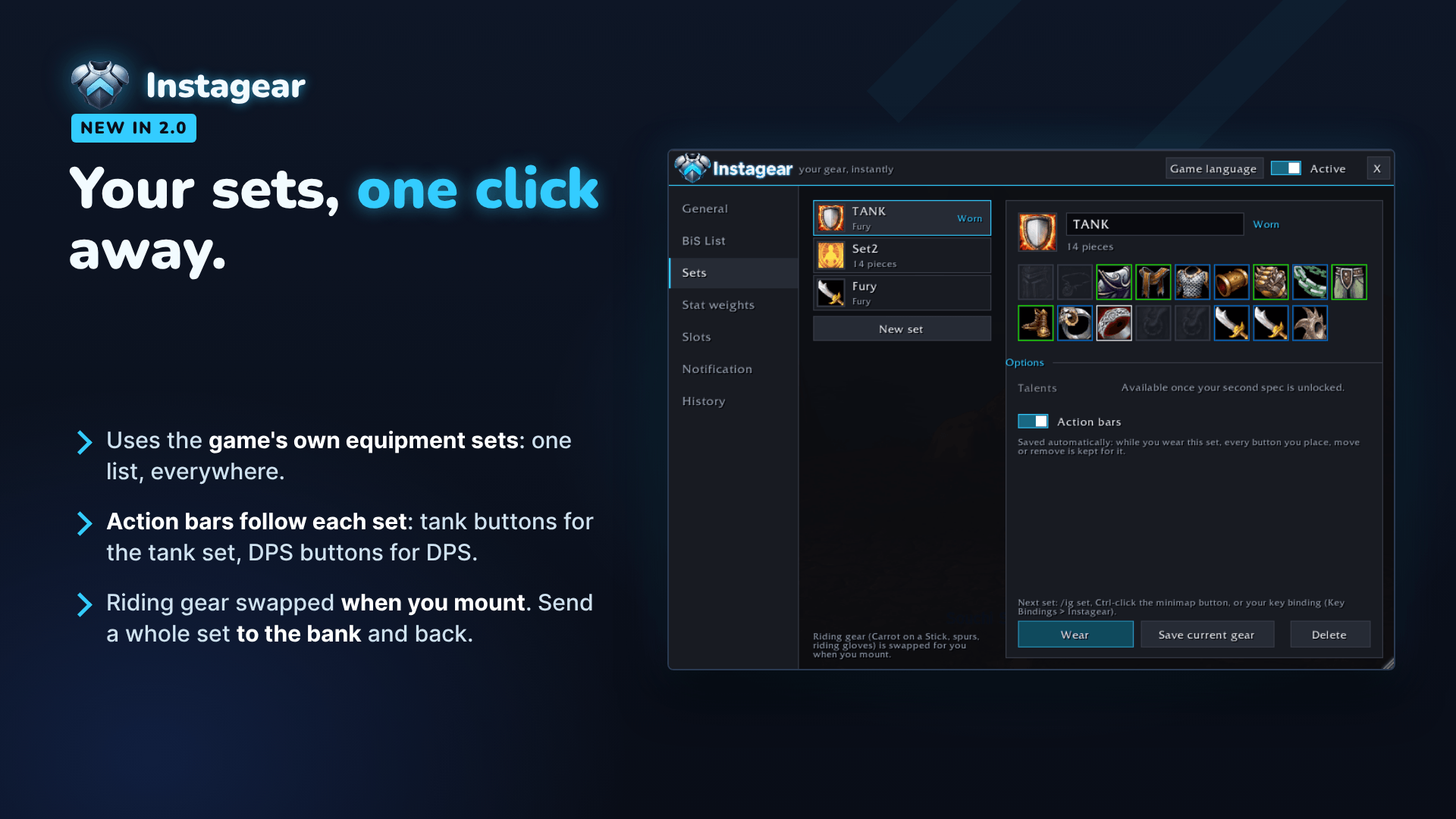
- Uses the game's own equipment sets: one list, in Instagear and in the game.
- Wear a set in one click, with
/ig set, Ctrl-click on the minimap button or a key binding. - Action bars follow each set (option), saved automatically while you wear it.
- Riding gear (Carrot on a Stick, spurs, riding gloves) swapped when you mount.
Bank
- A panel next to your bank: send a whole set To bank or To bags, take out your consumables in one click.
- Farm: frees your bags before a farm, and End farming puts everything back.
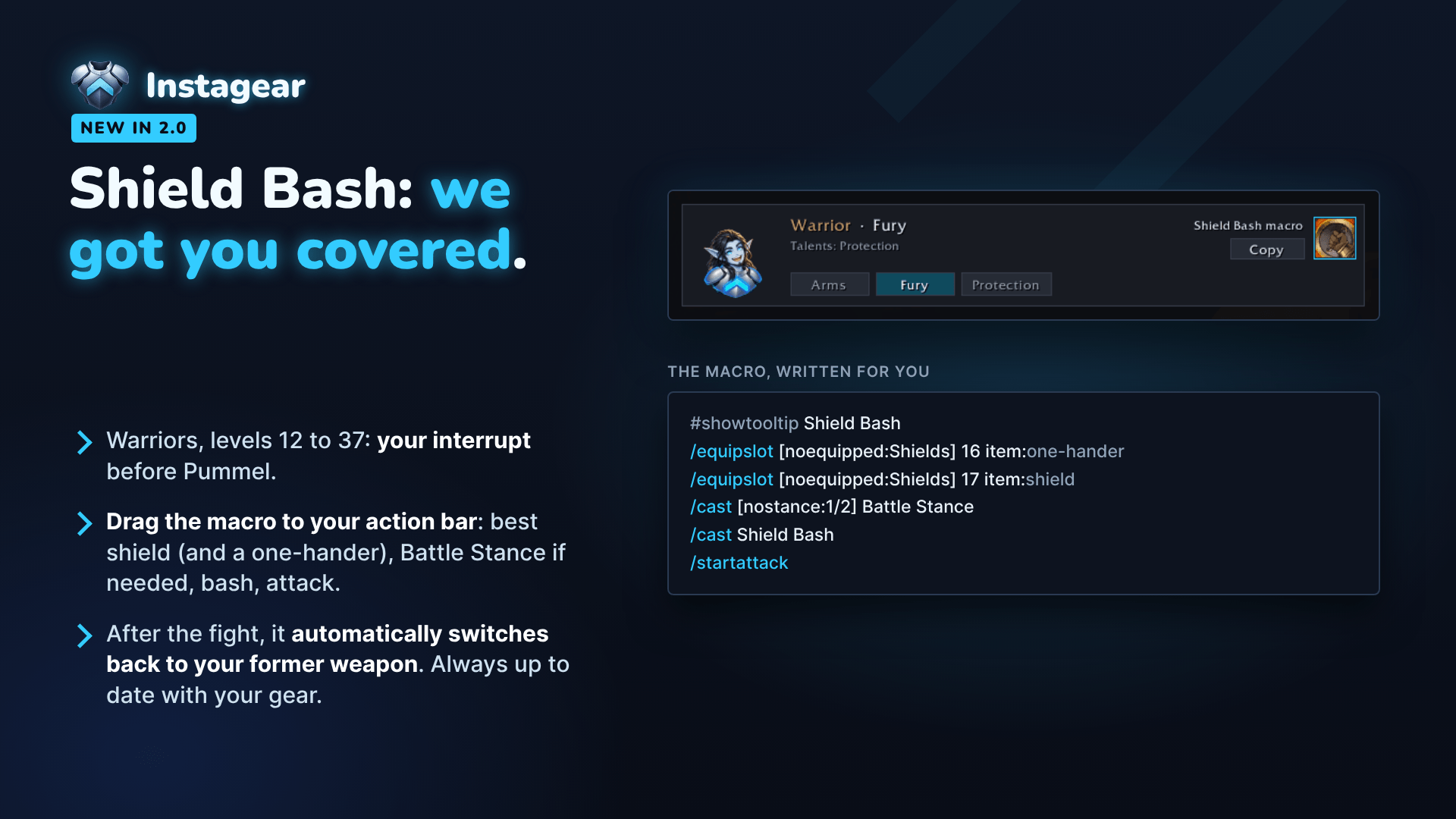
Shield Bash: we got you covered (warriors, levels 12 to 37)
- Drag the macro from the General tab to your action bar. It takes out your best shield (and a one-hander if needed), switches to Battle Stance from Berserker, bashes and attacks.
- After the fight, it automatically switches back to your former weapon. Always up to date with your gear.
What it does
Equips your upgrades instantly
- Quest rewards (any quality) and grey or white items are equipped as soon as they're better.
- Looted green items are equipped too if you want them to be (it's an option).
- Blue and epic loot, and items that bind when equipped, are not equipped automatically (each has its own option, off by default). Blues can still be traded for 2 hours in a group, and bind-on-equip items lose their auction house value once worn, so Instagear only tells you they're an upgrade. You decide.
- An item you take off yourself is never put back on.
Levels up with you
- Items you can't wear yet wait in your bags. The moment you reach their level, they go on, with a little "Level 20!" notification.
- Gearing an alt? Prepare its gear in advance (enchanted weapons, items for level 10, 20…) and mail it. Each item is equipped as soon as your level allows, even blue items or items that bind when equipped (an option, on by default). Auctions that come back unsold are left alone.
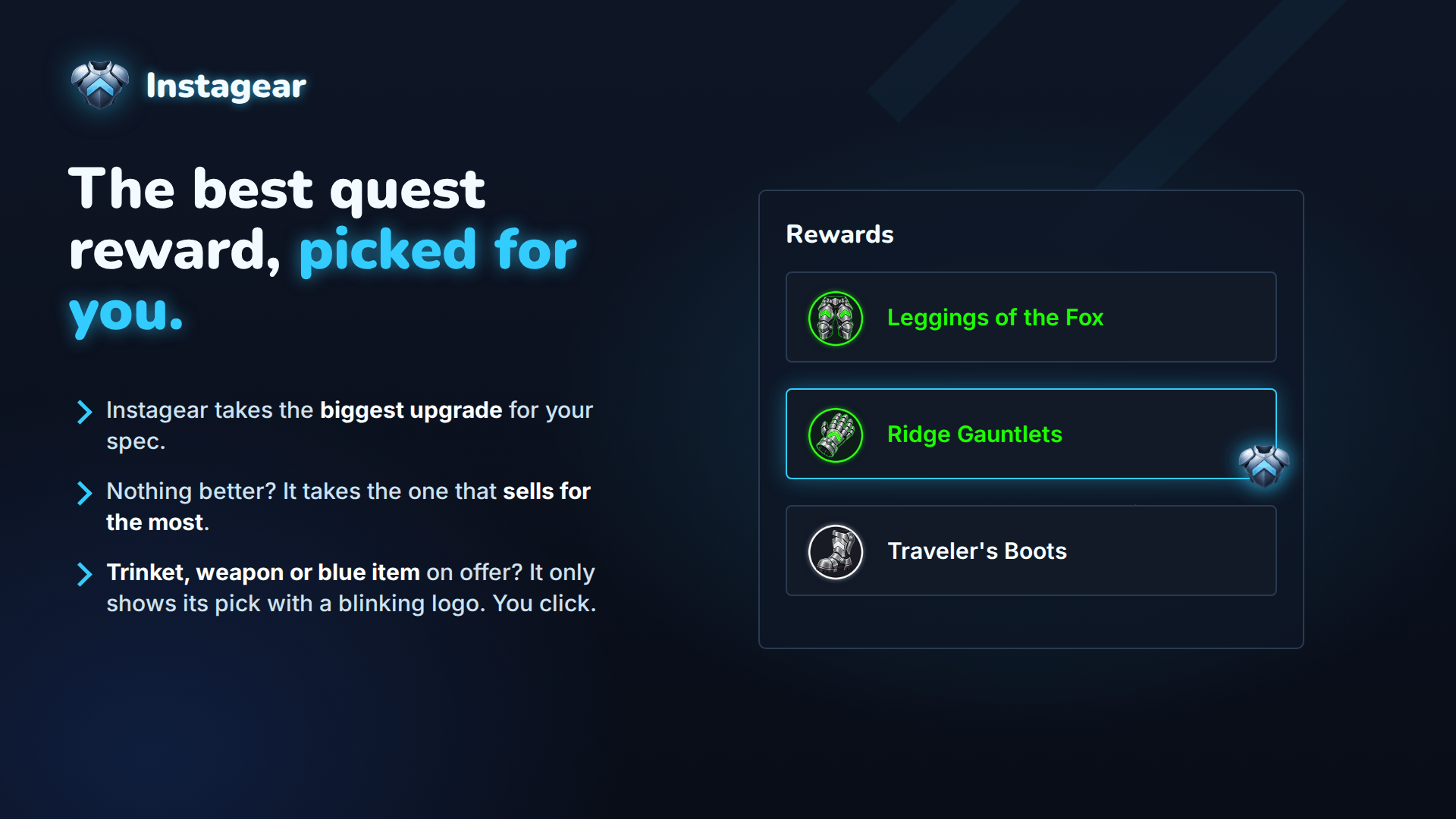
Picks the best quest reward
- Instagear takes the biggest upgrade for your spec (or, if nothing is an upgrade, the reward that sells for the most).
- When a trinket, a weapon or a blue item is offered, it never chooses for you: a small blinking Instagear logo shows its pick, and you click.
Knows your class, spec and role
- Your spec is detected from your talents. You can also pick it yourself.
- One click switches your role: DPS, tank, healer or caster, with spec names (Arms, Fury, Protection, Discipline, and so on).
- Weapons follow your role: two-hander, one-hander and shield, or dual wield. Switching to tank takes the shield out of your bags.
Rates items like a theorycrafter, so you don't have to
- Each class and spec has its own stat weights.
- Hit, crit and expertise follow your real damage: they gain value as you level.
- Every weight can be tuned with a slider if you want to.
A notification you'll actually enjoy
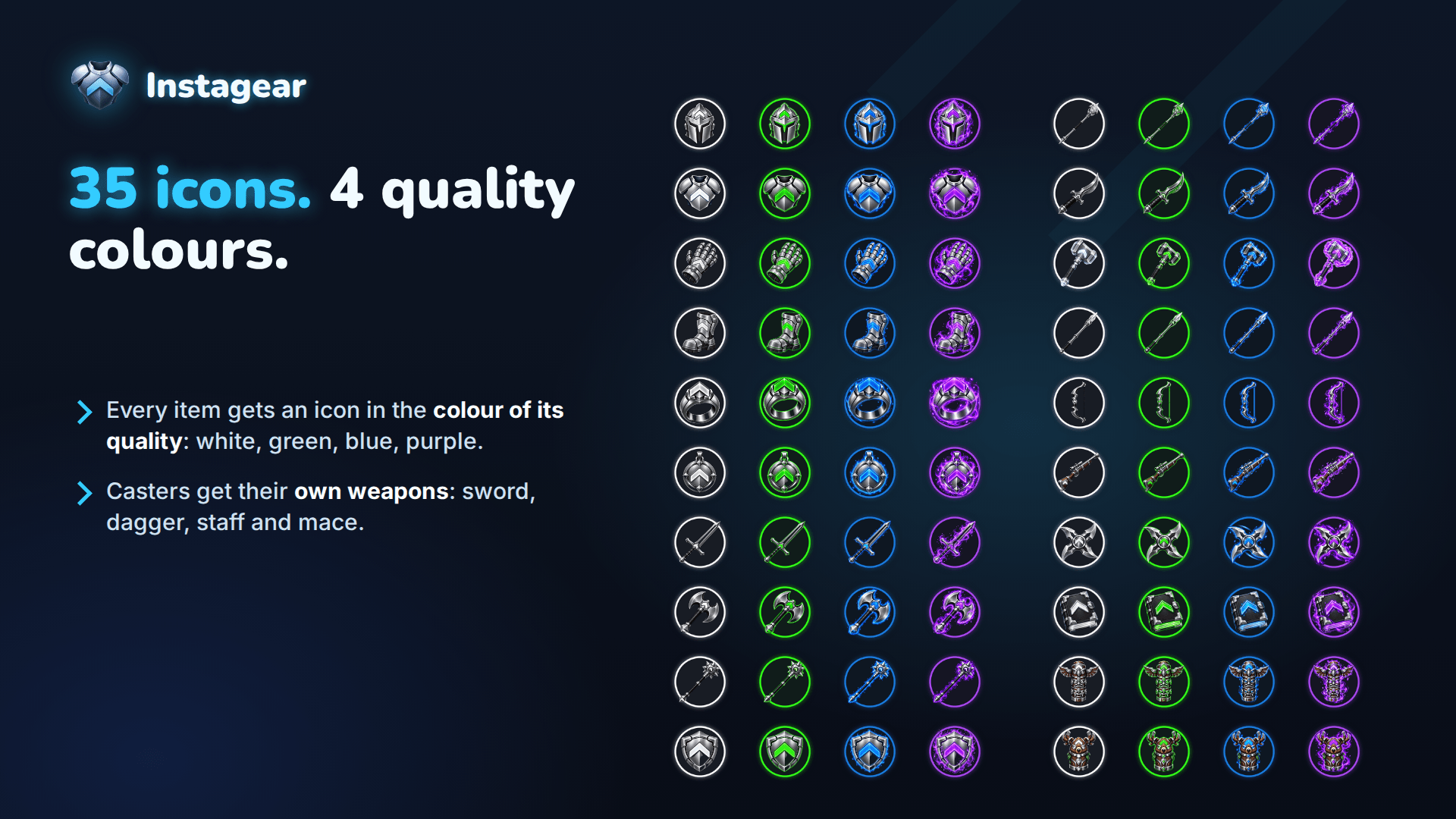
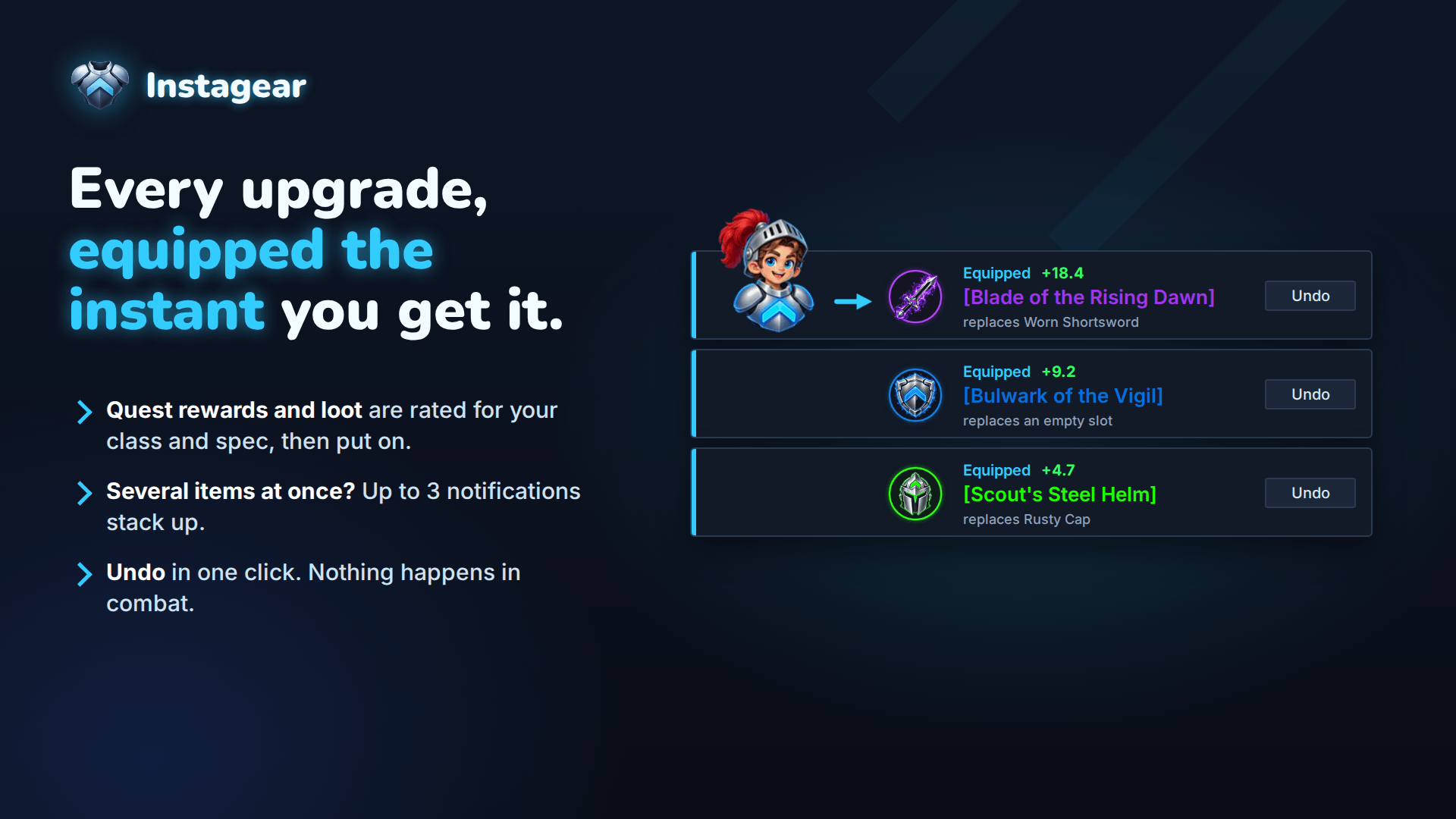
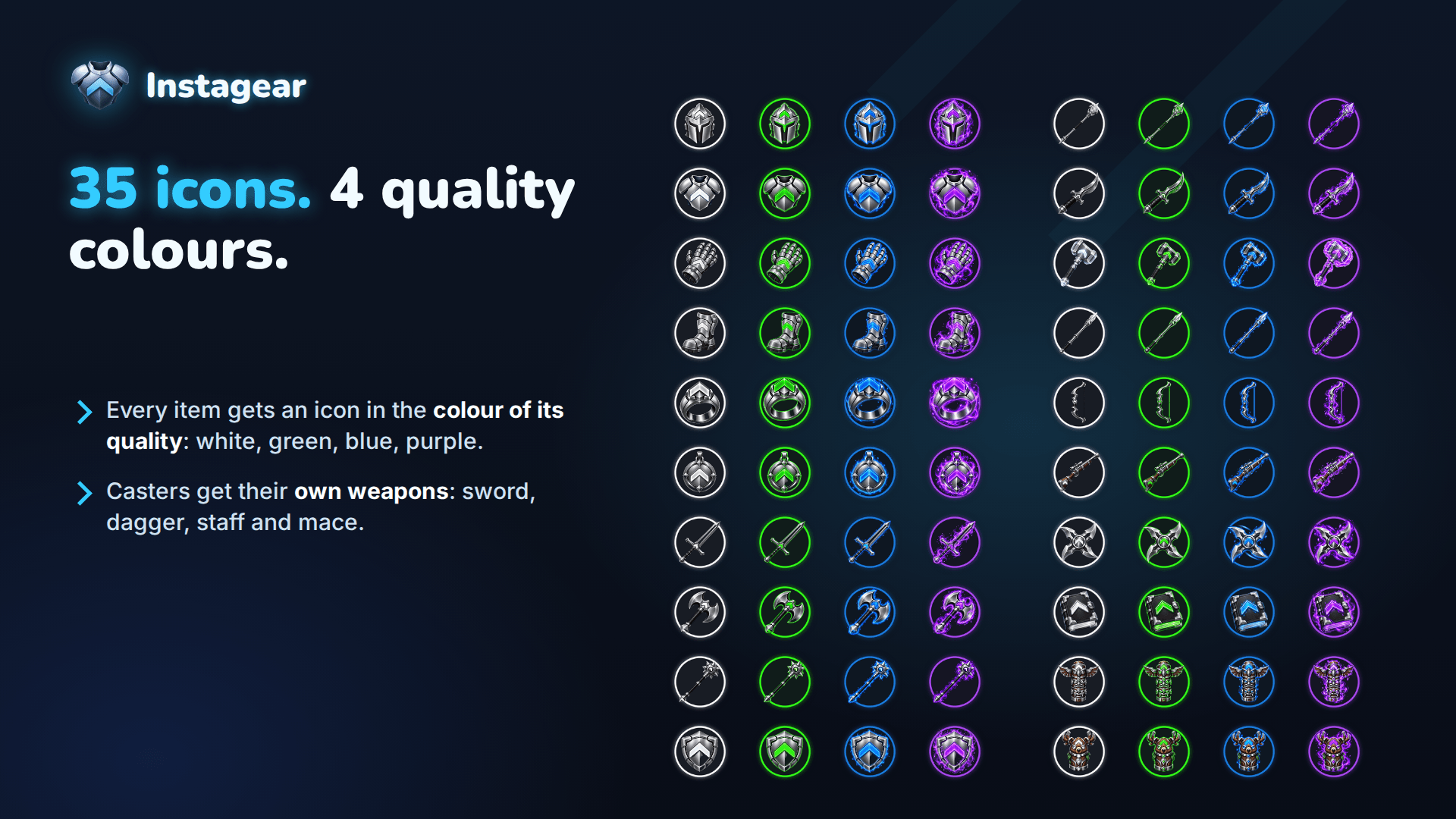
- After each swap, a small window shows the item you just equipped, in a ring the colour of its quality, with an Undo button.
- Your own chibi character (your race, your gender, your faction) pops up next to it.
- Move it, resize it, or turn the character off.
Stays out of your way
- Lock any slot and Instagear will never touch it.
- History of your last swaps.
- Instagear score in item tooltips (optional).
- Minimap button: left-click to open, right-click to pause, Shift-click to switch role.
- Nothing happens in combat. Everything waits until combat ends.
- Never rolls Need or Greed for you. Ever.
Commands
| Command | What it does |
|---|---|
/ig |
Opens the window |
/ig scan |
Checks your bags now and equips the upgrades |
/ig on / /ig off |
Resumes or pauses Instagear |
/ig dps, fury, tank, heal, disc, caster |
Switches your role |
/ig role |
Next role |
/ig set |
Wears your next set (/ig set Tank wears that one) |
/ig bis |
Previews the "That's your BiS!" banner |
/ig bars |
Lists the action buttons that differ from the set you wear |
/ig debug |
Shows how the item under your mouse is rated |
Languages
English, French, German, Spanish, Russian, Italian and Portuguese.
Feedback
If an item is rated strangely, hover over it, type /ig debug and send me the result in the comments. It helps a lot.
Developed by Souchi~SSS. All Rights Reserved. Embedded libraries (LibStub, CallbackHandler-1.0, LibDataBroker-1.1, LibDBIcon-1.0) keep their own licenses.
Instagear Team