InspectFast
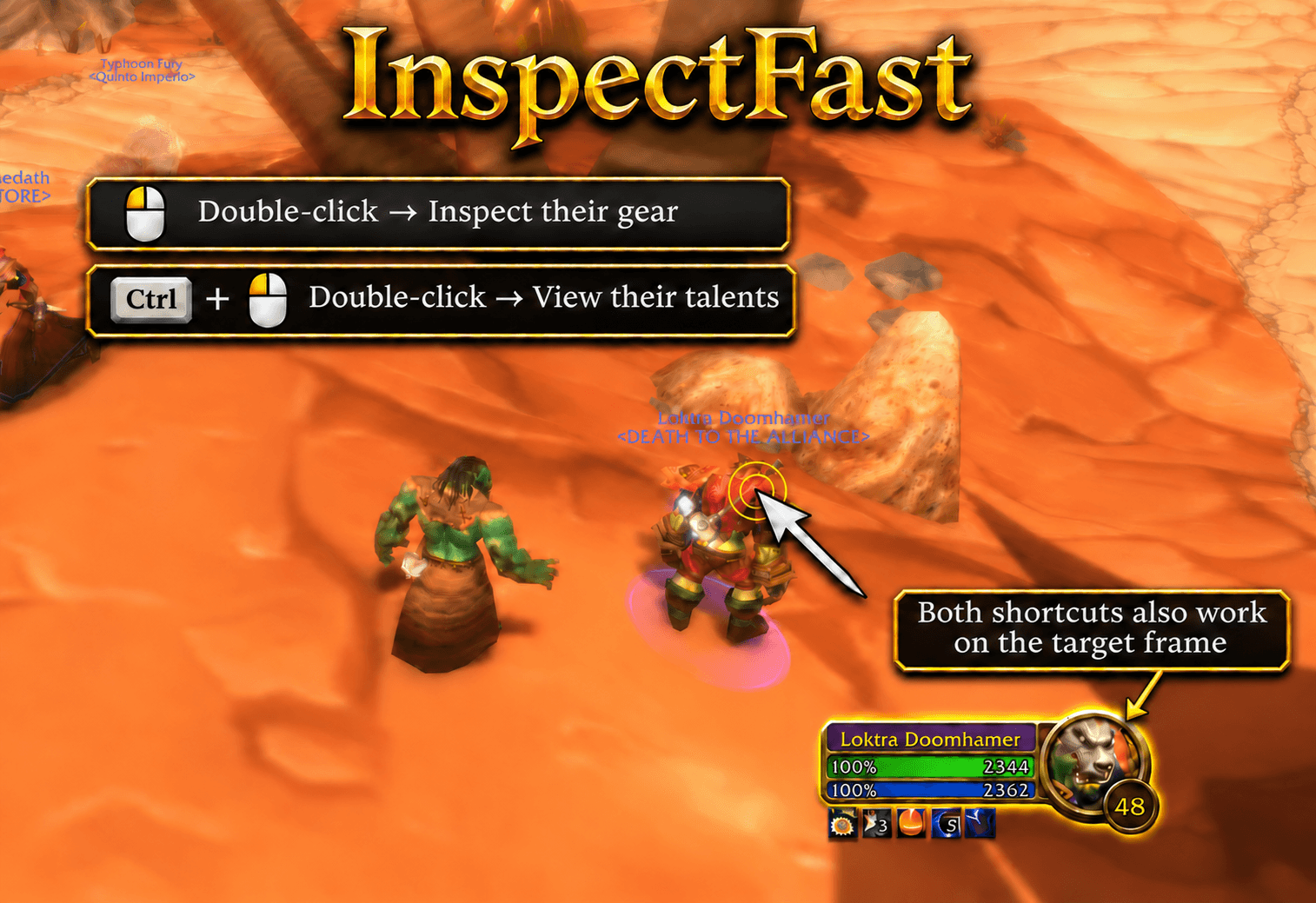
Double-click any friendly player to inspect their gear. Ctrl + double-click to see their talents. Works on unit frames, party/raid frames and in the world.
InspectFast _ réglages et commande _ifast-2.png
InspectFast â inspection des talents WoW-1.png
Description
InspectFast
Inspect anyone in one gesture. No more right-click → Inspect → wait → find the talents.
How it works
- Double-click a friendly player → opens the Inspect window and shows their gear
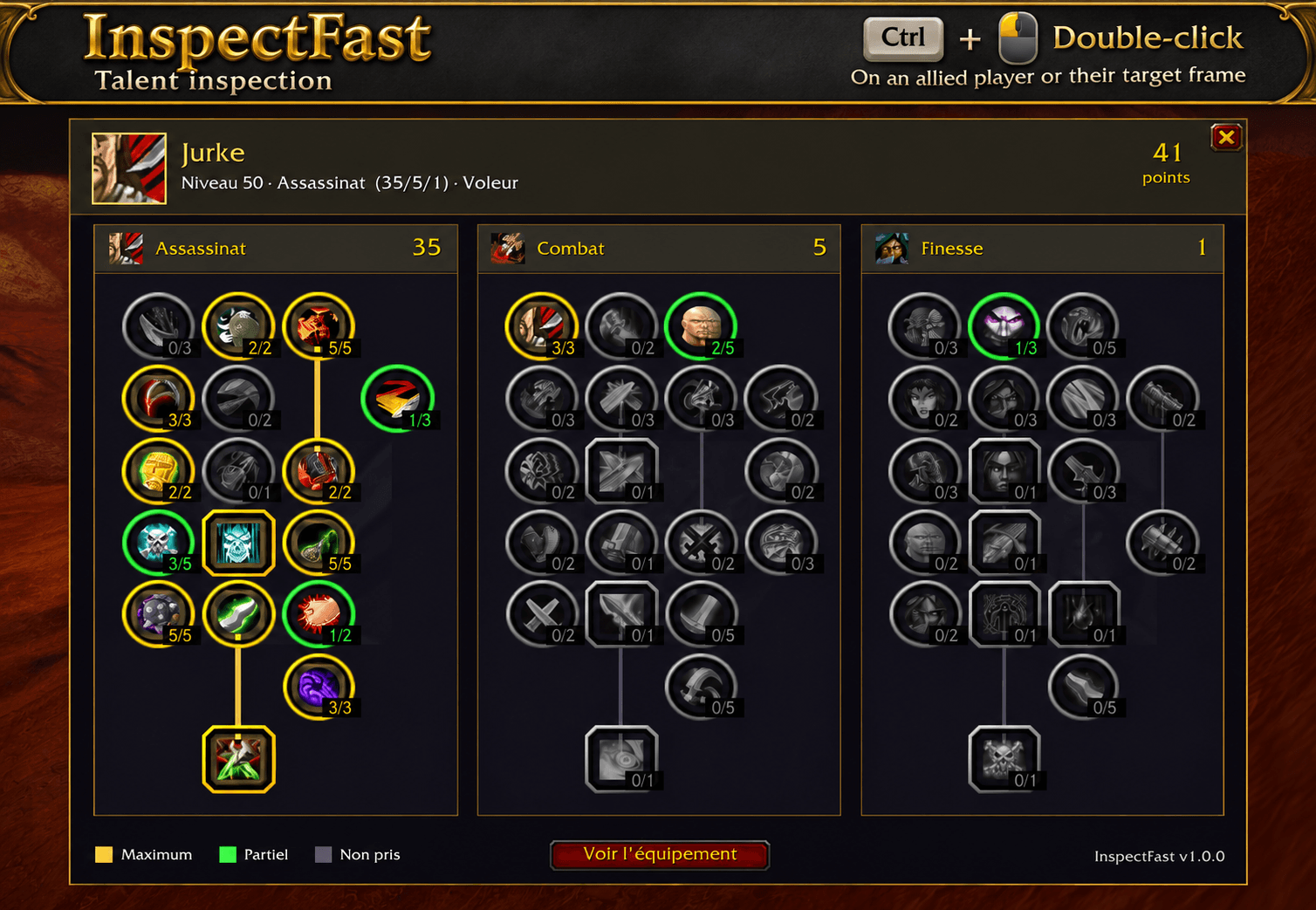
- Ctrl + Double-click a friendly player → their talents open instantly in InspectFast's own window
The talents window
A clean, custom view of the player's build:
- All three trees side by side, with their real names and icons (e.g. Balance / Feral Combat / Restoration)
- The main spec and point split at a glance, classic style: Restoration (11/0/37)
- Every talent with its icon and rank (gold = maxed, green = partial, grey = not taken), and the links between them
- Full spell tooltips on hover
- A View gear button to jump to their equipment
Why its own window? On this client, an addon that opens Blizzard's talent window can break your action bars in combat. InspectFast draws the talents itself, so your UI stays 100% safe.
Your shortcuts, your way
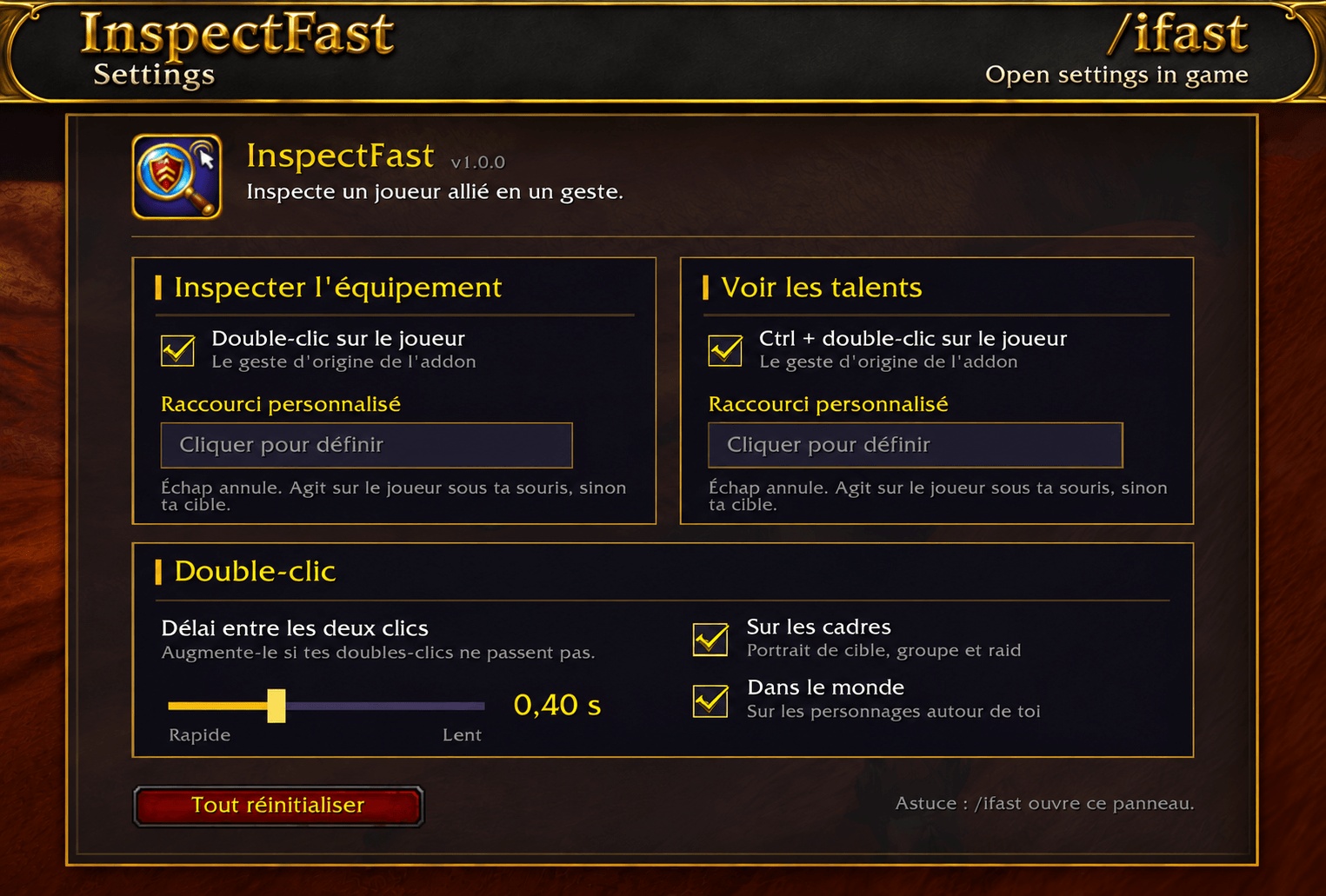
Prefer the keyboard? For each action, you can:
- Keep the built-in gesture (a checkbox for the double-click), or turn it off
- Bind any key or combination you want: click the keybind button, press your key (F, Shift+F, Ctrl+Alt+5, a side mouse button…), done
- Clear a keybind in one click with the × button
- Adjust the double-click speed and choose where it works (unit frames, the world, or both)
Your keybind acts on the player under your mouse, or on your target.
Open the options with Esc → Options → AddOns → InspectFast, or type /ifast.
Where you can double-click
- On the target frame (portrait)
- On party frames and raid frames (Blizzard frames and most unit frame addons)
- Directly on a character in the world: in town, in a dungeon, anywhere
Good to know
- Your first click still targets the player as usual. InspectFast only reacts to the second click.
- Works on friendly players only: enemies, NPCs and yourself are ignored.
- Super light: no libraries, no minimap button.
- English and French.
Compatibility
Made for WoW Classic Forever (Interface 16001).
Feedback
Found a bug or a frame where the double-click doesn't work? Leave a comment with the name of your unit frame addon and I'll take a look.
Français
Inspecte n'importe qui en un geste. Fini le clic droit → Inspecter → attendre → chercher les talents.
- Double-clic sur un joueur allié → ouvre l'inspection de son équipement
- Ctrl + Double-clic → ses talents s'affichent aussitôt dans la fenêtre d'InspectFast : les 3 arbres avec leurs noms, la spé principale et la répartition (ex. Restauration (11/0/37)), chaque talent avec son rang, les info-bulles, et un bouton pour voir son équipement. Sans aucun risque pour tes barres d'action
- Raccourcis personnalisés : garde le double-clic d'origine (une case à cocher) ou assigne n'importe quelle touche ou combinaison au clavier (clique sur le bouton, appuie sur ta touche). Le bouton × efface le raccourci. Il agit sur le joueur sous ta souris, sinon sur ta cible
- Options : Échap → Options → AddOns → InspectFast, ou /ifast
- Marche sur le portrait de cible, les cadres de groupe et de raid, et directement sur les personnages dans le monde
- Le premier clic cible normalement. Ignore les ennemis, les PNJ et toi-même
InspectFast Team