InputSwap
- By
Stop toggling 'Enable Gamepad UI' in the menu every time you switch between controller and mouse and keyboard. InputSwap does it for you.
logo.png
GUI.png
Description
InputSwap
Stop toggling Enable Gamepad UI in the menu every time you switch between controller and mouse and keyboard. InputSwap does it for you.
- Push the left analog stick and the Gamepad UI turns on.
- Press a movement key (WASD, or whatever you have bound) and the regular mouse and keyboard UI comes back.
Only movement counts. Other controller buttons, the right stick, triggers and mouse input are ignored on purpose, so menu bindings on your triggers or shoulder buttons never cause a switch.
Features
- Automatic switching based on how you last moved your character.
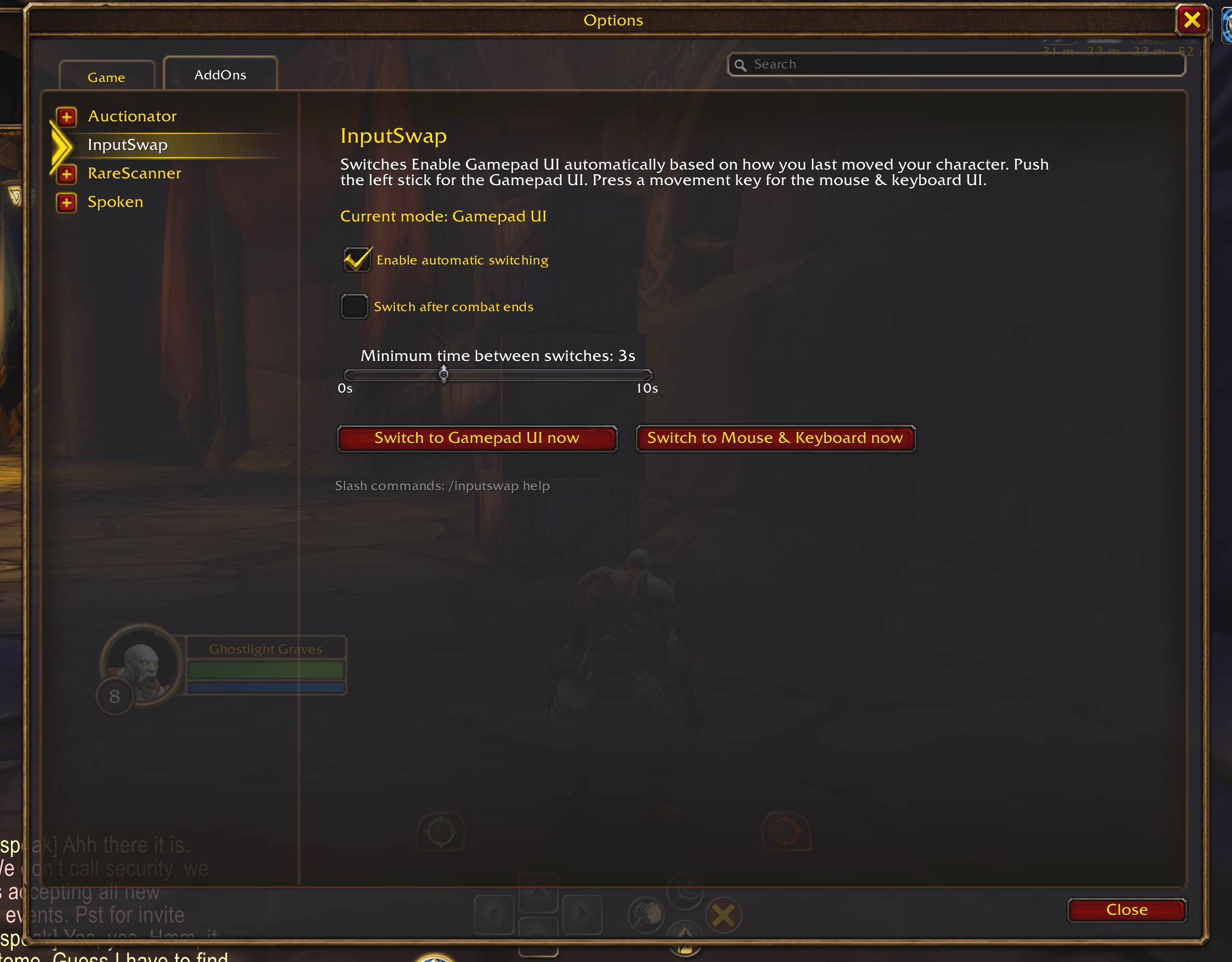
- Minimap button showing the current mode. Left-click to switch now, right-click for options, drag to move it.
- Options panel under Options > AddOns > InputSwap.
- Combat aware: ignore input during combat, or remember it and switch when combat ends.
- Minimum time between switches (default 3 seconds) so a bump of the stick doesn't cause repeated loading screens.
- Reads your actual keybinds, so remapped movement keys work.
Requirements
- World of Warcraft: Forever.
- A controller that WoW sees as a gamepad. If you use Steam, launch WoW through Steam with a Gamepad layout, not a keyboard-and-mouse one.
GamePadEnableturned on (/console GamePadEnable 1). This lets WoW send stick input to addons. InputSwap does not change it.
Commands
/inputswap help lists everything. The main ones:
/inputswapshows status/inputswap on/offenables or disables it/inputswap pad/mkbswitches right now/inputswap combattoggles combat behavior/inputswap minimapshows or hides the minimap button/inputswap configopens the options panel
Good to know
- Changing the Gamepad UI setting reloads the interface behind a loading screen. That is WoW's behavior, not something an addon can avoid.
- WoW doesn't allow the setting to change during combat.
- Gyro aiming that Steam Input presents as mouse movement is ignored, because it can't be told apart from a real mouse.
Links
- Source and issues: https://github.com/bknie1/InputSwap
- License: MIT
Other Addons
ControllerCAM + HUD
CCHUD is my attempt to create a big screen game experience for World of Warcraft. It uses settings from Blizzard's own experimental dynamic action camera. It also has an optional UI module with presets inspired by familiar games: Crossbar, Souls-like, Open World JRPG, and more.
InputSwap Team