ControllerCam + HUD (CCHUD) for Gamepad
- By
Camera profiles for controller play in WoW: Forever. An over-the-shoulder Action camera out of the box, plus Hybrid, Classic and more, per situation. Edit and share profiles.
logo.png
1-flight.jpg
2-broker.jpg
Description
ControllerCam + HUD (CCHUD)
The camera and the interface for controller play in World of Warcraft: Forever.
Two addons in one download, each useful on its own:
- ControllerCam gives you an over-the-shoulder Action camera right away, with a camera profile for every situation.
- ControllerCam: HUD (new in 1.2.0, optional) is a controller interface for the game's Gamepad UI: its own frames, nameplates and cast bar, a screen that gets out of the way, and bags, bank, vendor and auction house you can work from the couch.
The HUD asks before it does anything. The first time it loads you choose Camera + HUD or Camera only, and until you answer, the game's interface is exactly as it was.
ControllerCam: the camera
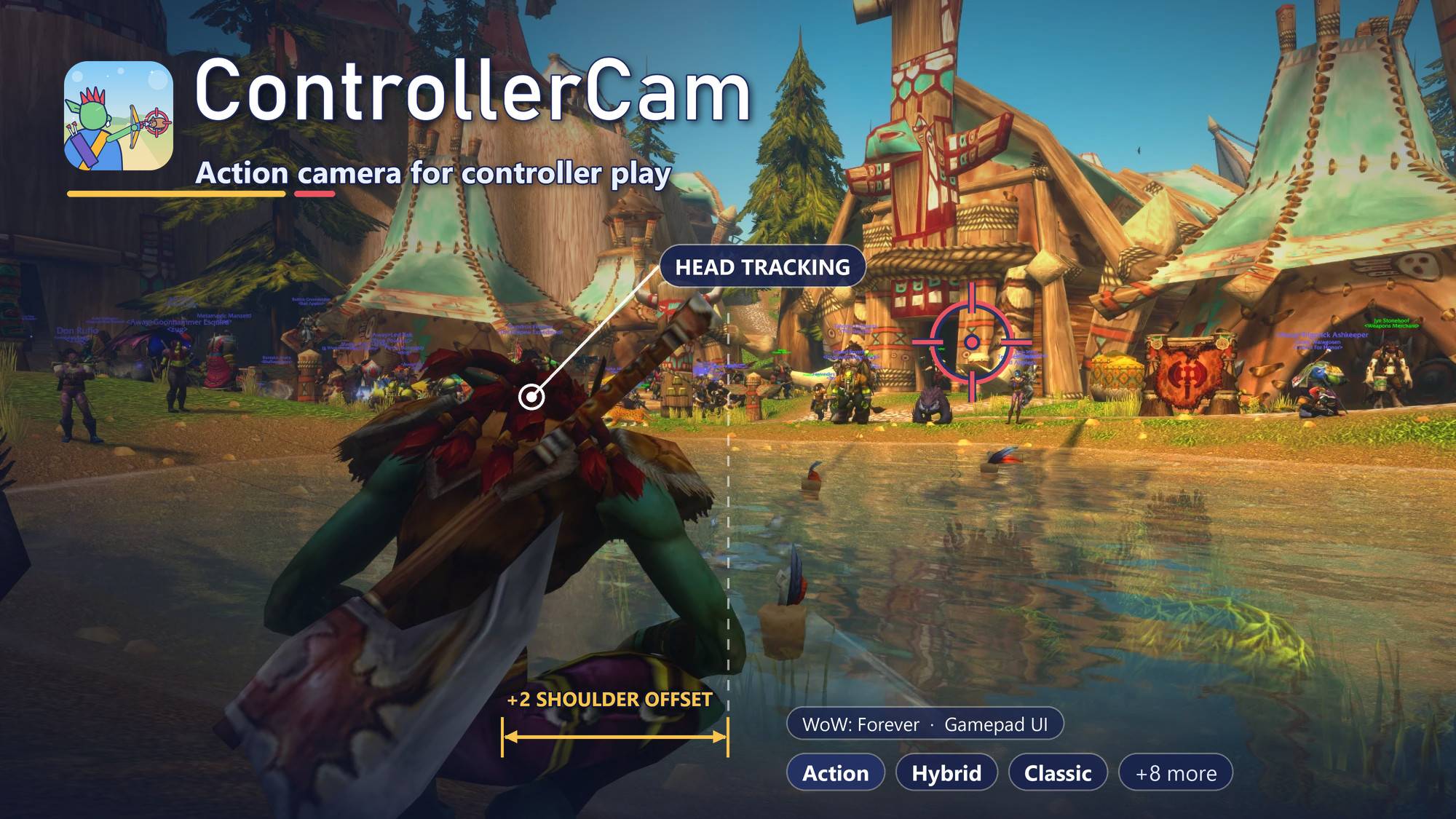
Install it and you get an over-the-shoulder Action camera: a close third-person view with head tracking, a camera that follows where you run, and a character that faces where you move. Want something calmer? One command switches to Hybrid or Classic.
- Action camera out of the box. No setup. A fresh install uses a recommended mix: Action camera, calmer profiles for cities, mounts, flying and raids.
- 11 built-in profiles. Action, Hybrid, Classic, Shooter, Tactical, Cinematic, Target focus, Raid view, Mounted cruise, Flying and Town stroll. Every profile has a description (hover it in the options, or
/ccam describe <profile>). - A camera for each situation. In a vehicle, flying, swimming, mounted, in combat, fishing, in a raid, in a dungeon, indoors, in a city or inn, and everywhere else. You pick the profile for each one.
- Over-the-shoulder offset that follows your zoom. The offset grows with the camera distance, so your character stays in view when you zoom in, and fades out when you zoom far away. Shapeshift forms keep the same framing. Mirror it for the other shoulder with one command.
- Head tracking, dynamic pitch, target and NPC focus as profile settings.
- Edit everything. Copy any profile and change every setting, or switch on Advanced to edit the built-in ones (with Reset to original). Save your current camera as a profile.
- Share profiles. Export a short string, import someone else's. Strings are versioned, checksummed and fully validated: a bad string never changes your settings.
- Built for the Gamepad UI. Settings survive the UI reload that switching to or from the Gamepad UI causes, and settings the game refuses in combat are applied when combat ends. Your original camera settings are saved and restored when you turn the addon off.
ControllerCam: HUD
A controller interface that takes over while the Gamepad UI is in use and gives everything back in the mouse and keyboard UI. Switching it off, or removing it, leaves the game as it was.
On screen
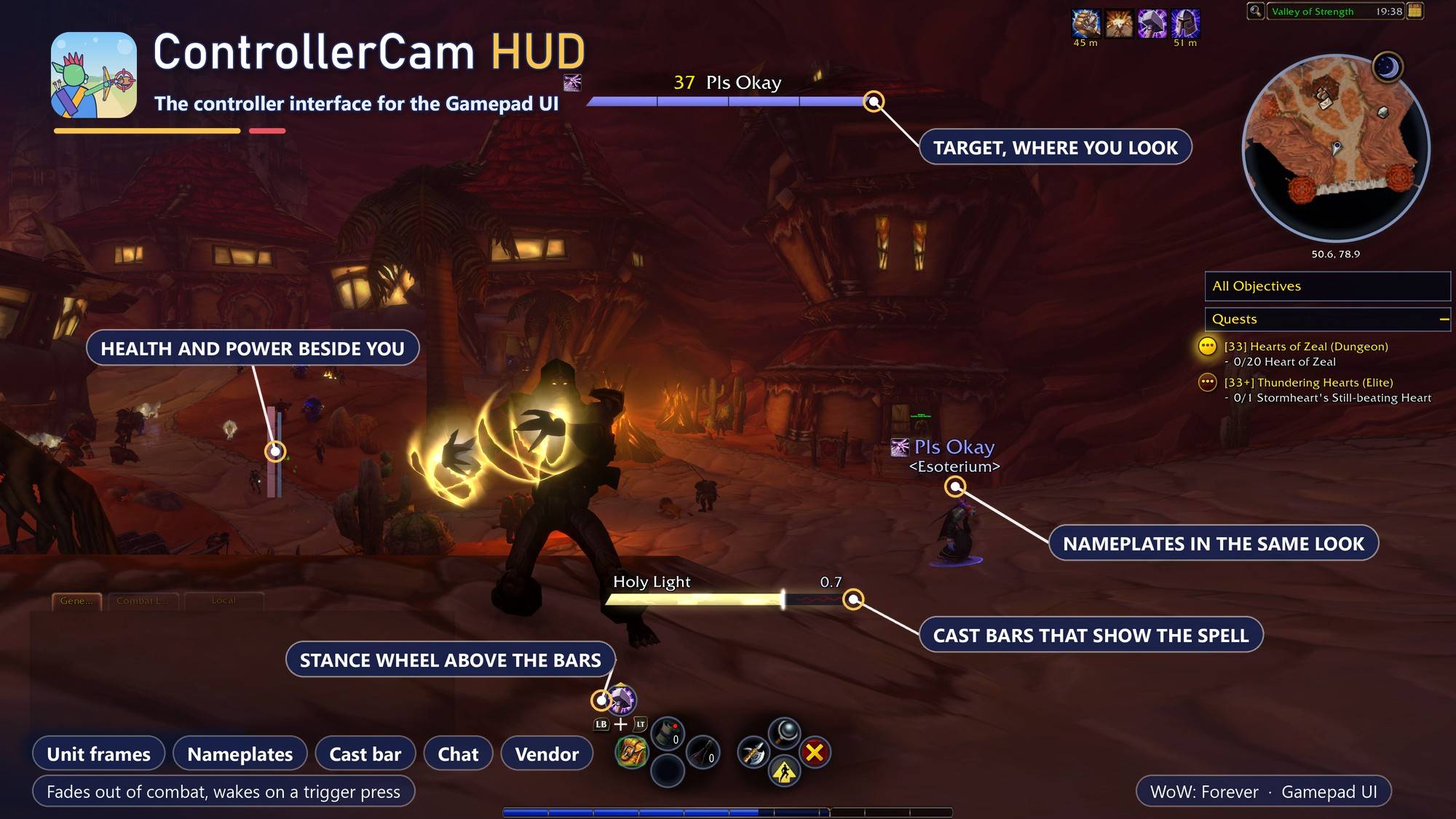
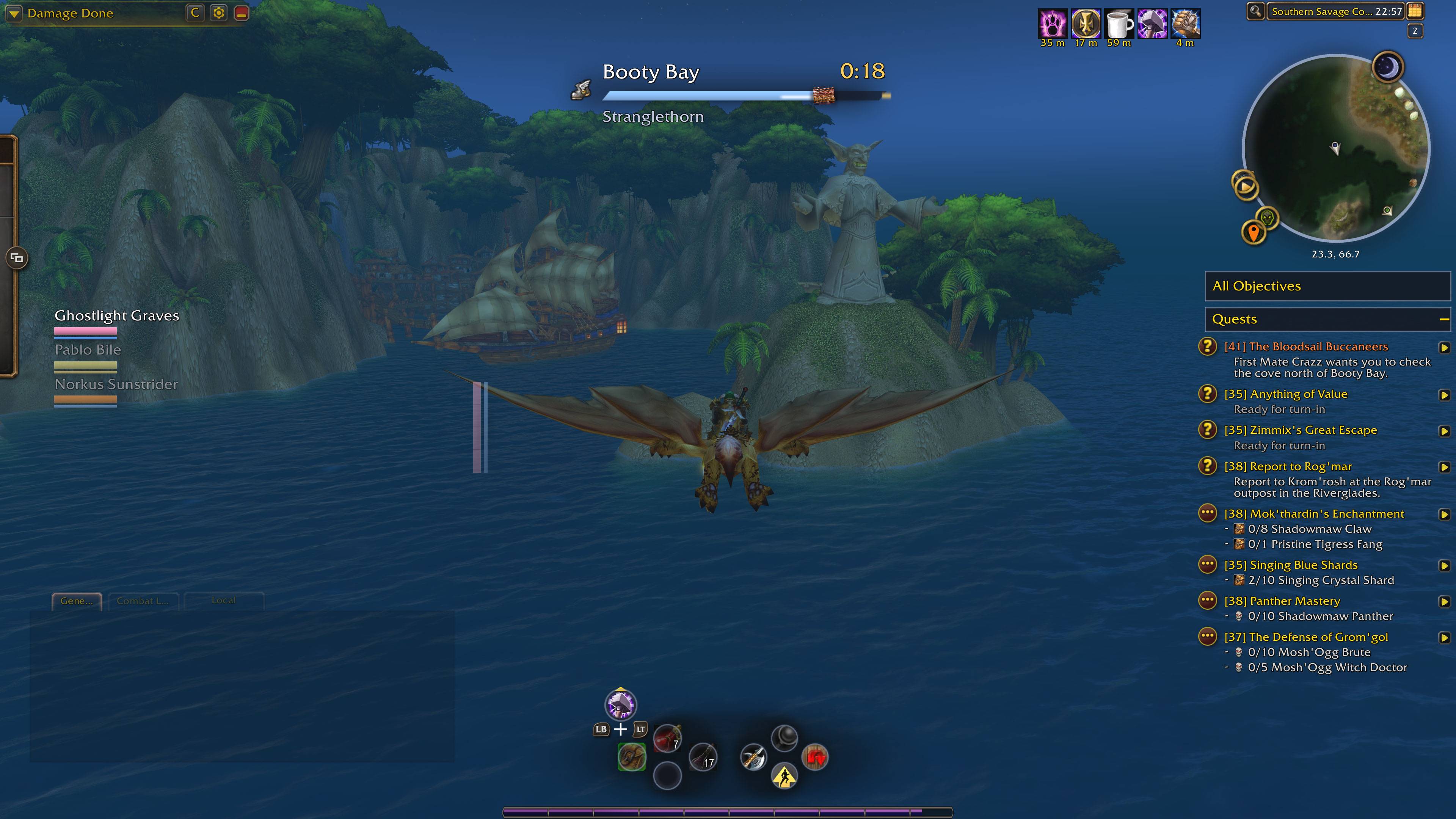
- Your frames. Slim player, pet, target, target-of-target and focus frames with class colours, a damage trail and hit flashes. Or two upright bars beside your character that follow the camera as you zoom. Party and raid frames in the same look. Everything moves in the game's own Edit Mode.
- Nameplates. Names, levels coloured by difficulty, rank art for elites, rares and bosses, threat as a shield and a glow, your debuffs with countdowns, crowd control, quest progress, and enemy casts that get louder until they land.
- A cast bar that shows the spell. Picks chip at it while you mine, lightning runs along it for nature, a vine flowers for a heal, light sears wounds shut for a holy heal, fire kindles and leaps, ice freezes on and shatters, runes take shape for arcane. Fishing turns the bar into a line with a float on it.
- A screen that rests. Out of combat the gamepad bars, minimap, quest list, damage meter, experience bar and cooldown rows fade together. A fight, a target or a pull of a trigger brings them back.
- Eleven presets. Action, Classic, Minimal, Open world, Adventure, Soulslike, Shooter, Crossbar, ARPG, Compass and Raid set the whole HUD at once. Pick a camera profile in ControllerCam and the matching HUD preset follows.
In your hands
- Feedback you can feel. Hits flash and shake in the colour and character of their damage school. Controller vibration for hits, crits, interrupts and low health. A light bar that shows your health.
- Stance and pet wheels that fit. Their buttons sit above the gamepad bars, so the wheel opens fully on screen.
- One-button fishing. With a pole in your hands, your interact button casts when there is nothing to interact with, and hooks the fish when the float bobs.
Around town
- Bags and bank. Sort with a stick button, move the item you point at with the other, deposit what the bank already holds, and see how many of an item every character has.
- Vendor. Junk rules that ask before they sell, with tools, upgrades and anything you marked kept left alone. Automatic repairs.
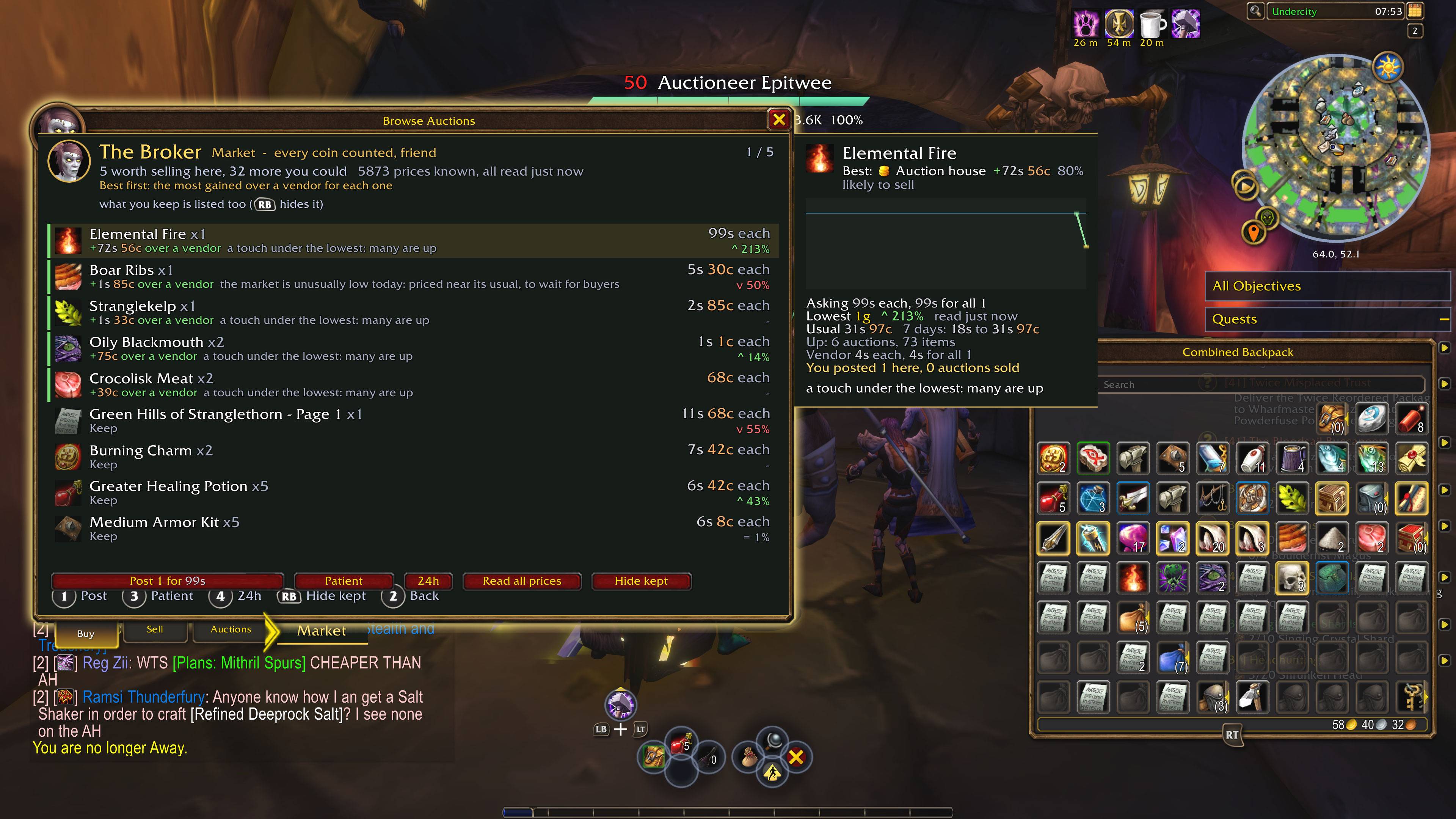
- Auction house. A Market tab you can work with the controller: what in your bags is worth selling, at what price, and why, with a price chart beside it.
- Tooltips. At your cursor, with vendor and auction prices and what each stat is worth to your character.
- Chat.
[class icon level] Name: text, text sized for a TV, and gold sellers and repeated adverts hidden.
Yours to shape
- Sized for where you sit.
/cchud sizefor tvor/cchud sizefor monitor. - One line holds your whole setup.
/cchud exportputs the HUD, the camera setup and the game's Edit Mode layout into one line of text to keep or share;/cchud importreads one back./cchud reset allputs everything back to how it started. - A layout for the game's own frames. Setup offers an Edit Mode layout named CCHUD that keeps the game's cooldown rows clear of the gamepad buttons. You choose it in Edit Mode.
- The game's options stay in charge. Where the game has a setting for something, the HUD's switch flips that setting, and it never forces on what you turned off.
Quick start
| Command | What it does |
|---|---|
/ccam use action |
Action camera everywhere |
/ccam use hybrid |
Between Classic and Action |
/ccam use classic |
The game's own camera |
/ccam starter |
The recommended mix (the default on a new install) |
/ccam set combat shooter |
Use the Shooter profile in combat |
/ccam describe action |
What a profile feels like and every setting it changes |
/ccam off |
Turn off and restore your original camera settings |
/cchud on, /cchud off |
The HUD on or off |
/cchud preset action |
Set the whole HUD to a preset |
/cchud demo |
Watch the frames react to a made-up fight |
/cchud casttest |
Play every cast bar animation once |
/cchud setup |
Offer the CCHUD screen layout again |
/cchud help |
Every HUD command |
Options are under Options > AddOns > ControllerCam, with the HUD's pages beneath it.
Good to know
- The HUD is new. It is large, covered by automated tests and has been played with, but expect rough edges, and please report what you find on GitHub.
- The HUD needs the Gamepad UI. It runs while the game's Gamepad UI is in use and stays out of the way otherwise.
- Turn off other camera and nameplate addons. Two addons changing the same camera settings fight each other; ControllerCam warns you if it finds DynamicCam loaded. The HUD's nameplates step aside when another nameplate addon is loaded.
- The game does not let addons choose an Edit Mode layout. The CCHUD layout is added to your list, and you pick it there.
- The shoulder offset assumes a positive value is the right shoulder. If yours looks like the left, run
/ccam flip.
Languages
English, German, Spanish, French, Italian, Korean, Brazilian Portuguese, Russian, Simplified and Traditional Chinese.
Links
- Source, issues and releases: https://github.com/bknie1/ControllerCam
- Works well alongside InputSwap, which switches the Gamepad UI on and off depending on how you last moved.
License
MIT. Copyright (c) 2026 bknie1. Inspired by DynamicCam (MIT) for the camera and Improved Forever (MIT) for controller quality of life; no code or presets from either are included.
ControllerCam + HUD (CCHUD) for Gamepad Team