Io's Mog Mirror
- By
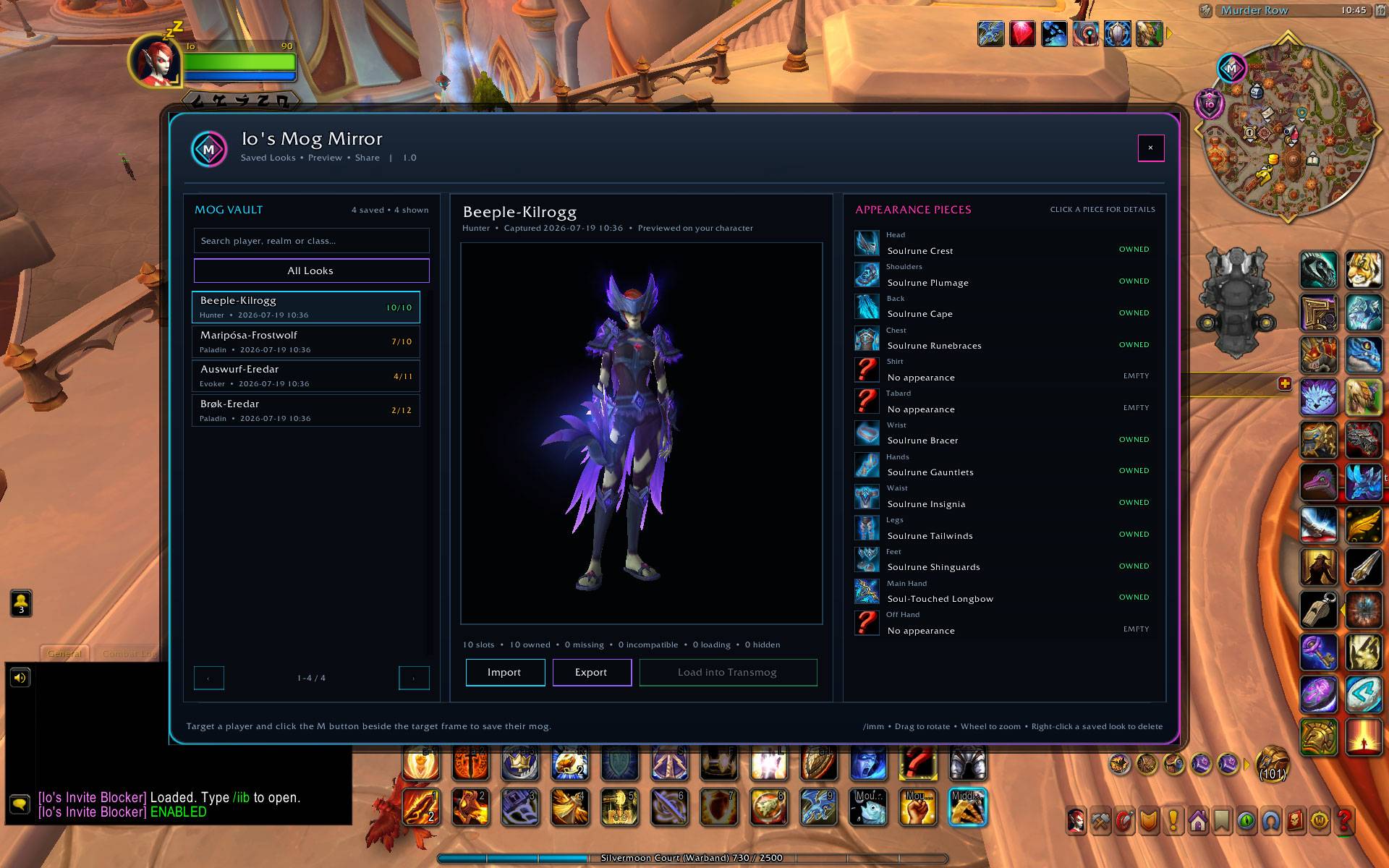
Capture, save, preview and recreate player transmogs with appearance-aware collection checks and direct Transmog integration.
2
3
5
4
1
Description
# Io’s Mog Mirror
Capture the looks that catch your eye and recreate them on your own characters.
Io’s Mog Mirror (IMM) lets you copy the visible transmog of another player, save it in your personal Mog Vault and preview the complete look on your own character.
IMM checks each appearance against your collection, finds compatible alternative sources where possible and helps you load the pieces you can use directly into World of Warcraft’s Transmog interface.
---
## Capture Player Transmogs
See a player wearing a great outfit?
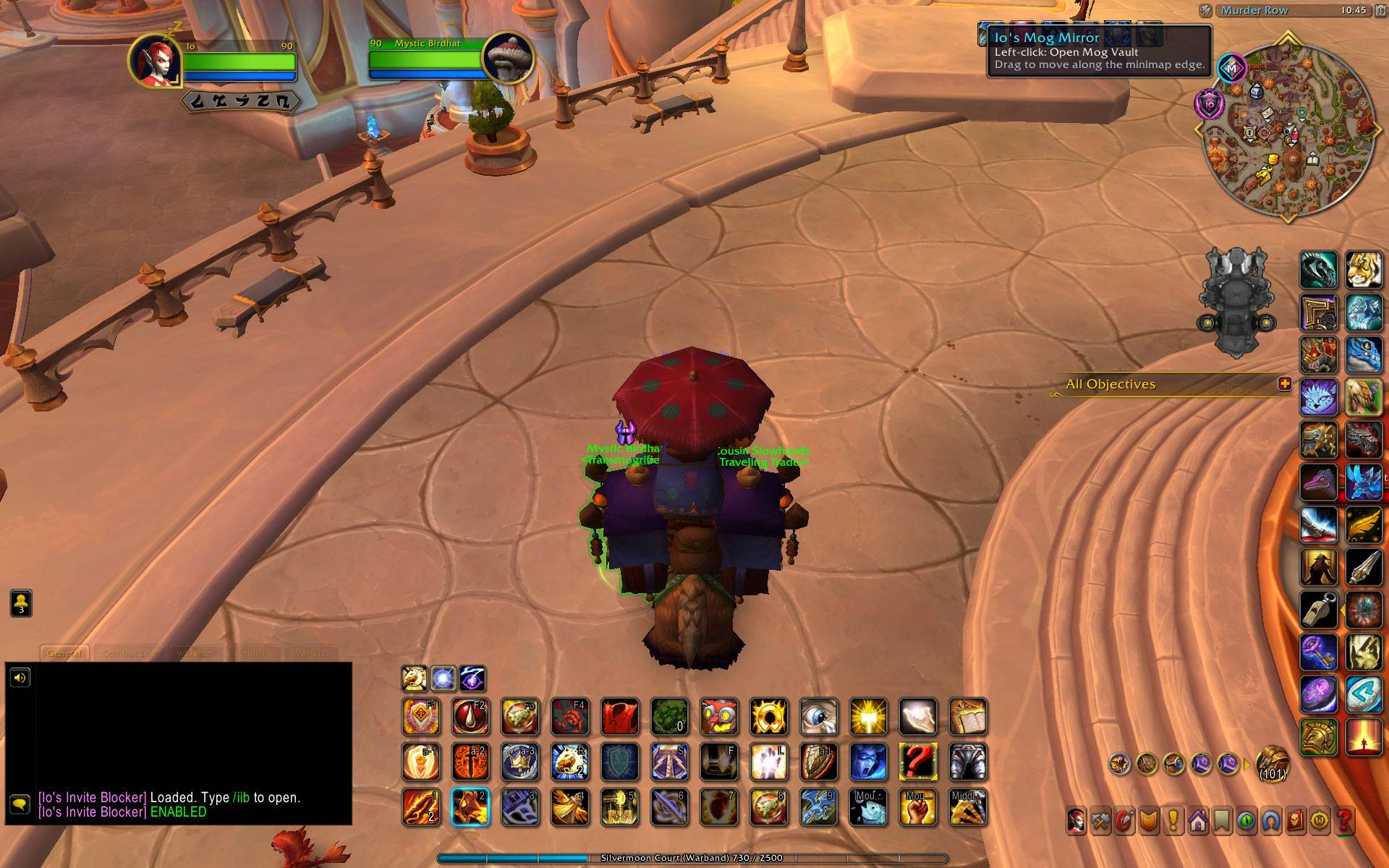
Target the player and click the round **M button** beside the Target Frame. IMM captures the visible transmog and stores it in your Mog Vault.
Capturing the same player again updates the existing saved look instead of creating unnecessary duplicates.
---
## Personal Mog Vault
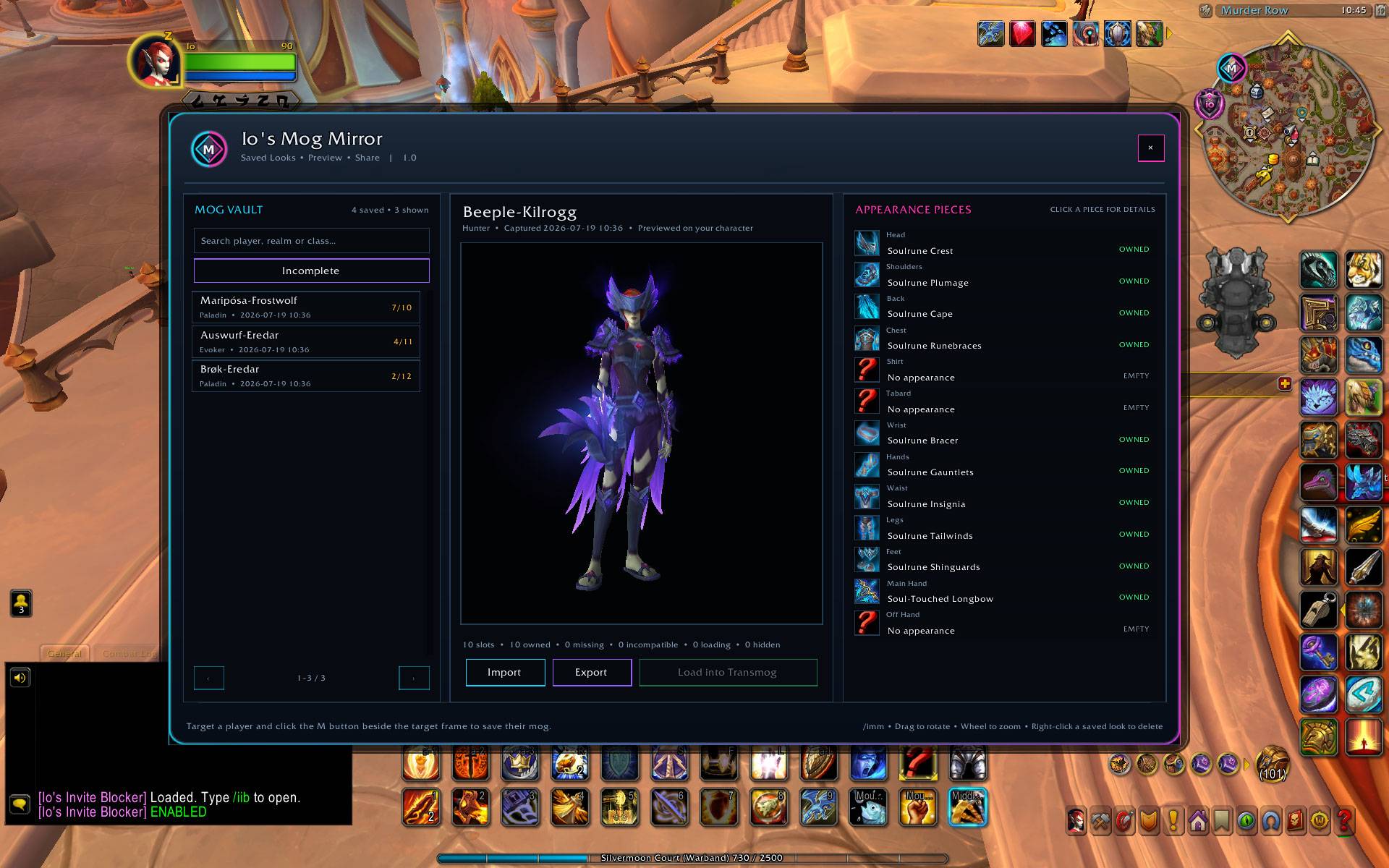
The Mog Vault keeps your captured looks organized and available across play sessions.
Each saved look includes:
- Player name, realm and class
- Capture date and time
- A complete rotatable 3D preview
- Individual appearance pieces by equipment slot
- Collection and compatibility information
- Search and pagination for larger collections
- Import and export support
Saved looks can be selected for preview or removed directly from the vault.
---
## Appearance-Aware Collection Checks
IMM evaluates the actual appearance rather than relying only on the exact item worn by the captured player.
This allows the addon to recognize when you own a different compatible item that grants the same visual appearance.
Appearance pieces are displayed with clear collection states:
- **OWNED** – The captured source is collected and usable
- **ALT OWNED** – A compatible alternative source with the same appearance is collected
- **MISSING** – The appearance is usable but has not been collected
- **INCOMPATIBLE** – No compatible source is available for the current character
- **LOADING** – Collection or item information is still being retrieved
- **EMPTY** – No appearance is used in the slot
- **HIDDEN** – The slot was intentionally hidden
Delayed item and collection data is automatically re-evaluated without requiring constant background processing.
---
## Transmog Integration
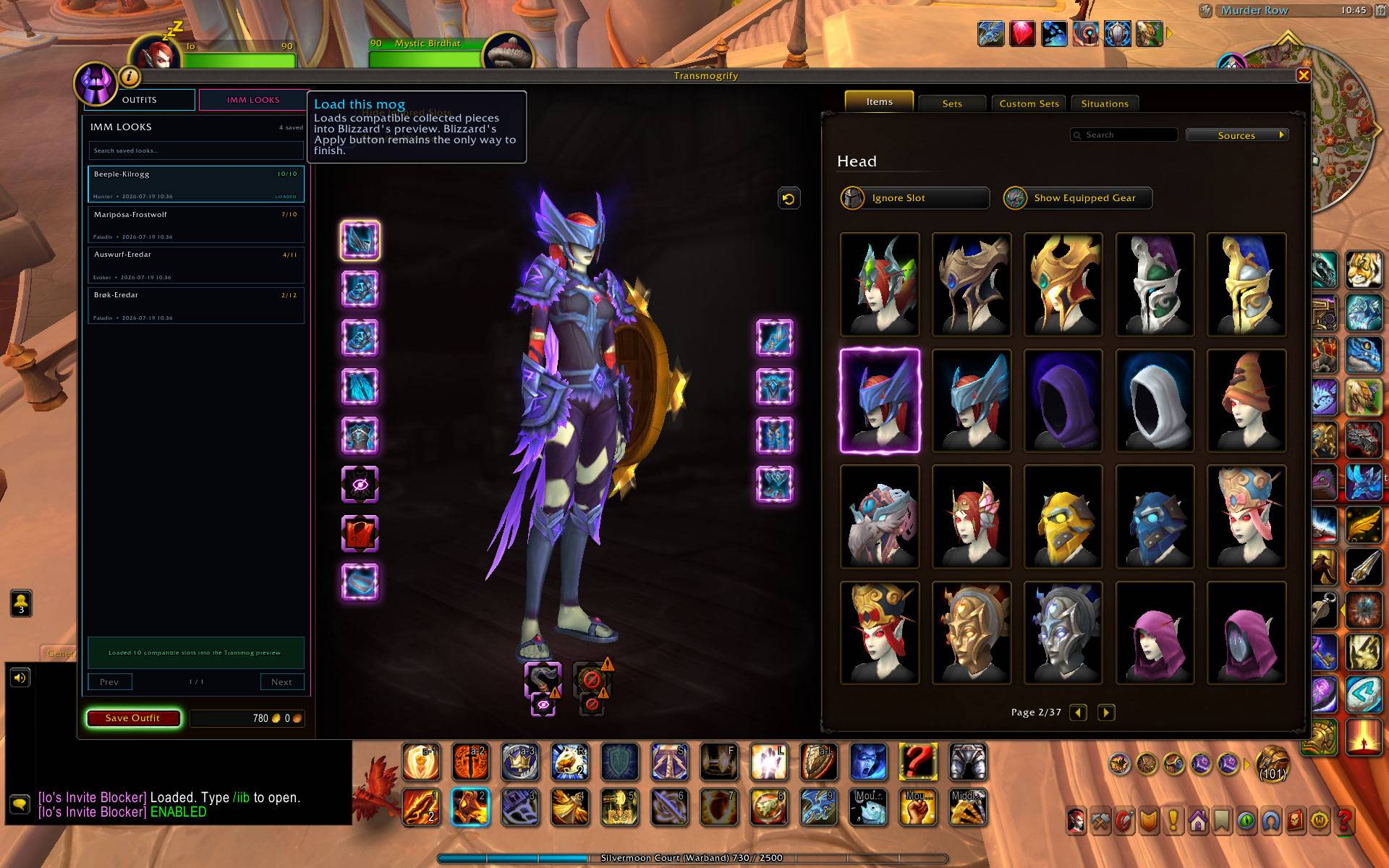
Visit a transmogrifier and select a saved look to load its collected and compatible pieces into the Transmog preview.
IMM can transfer:
- Armor appearances
- Main-hand appearances
- Off-hand appearances
- Compatible alternative sources
- Weapon illusions
- Hidden equipment slots
You remain free to inspect and adjust the result before completing the outfit through World of Warcraft’s normal Transmog controls.
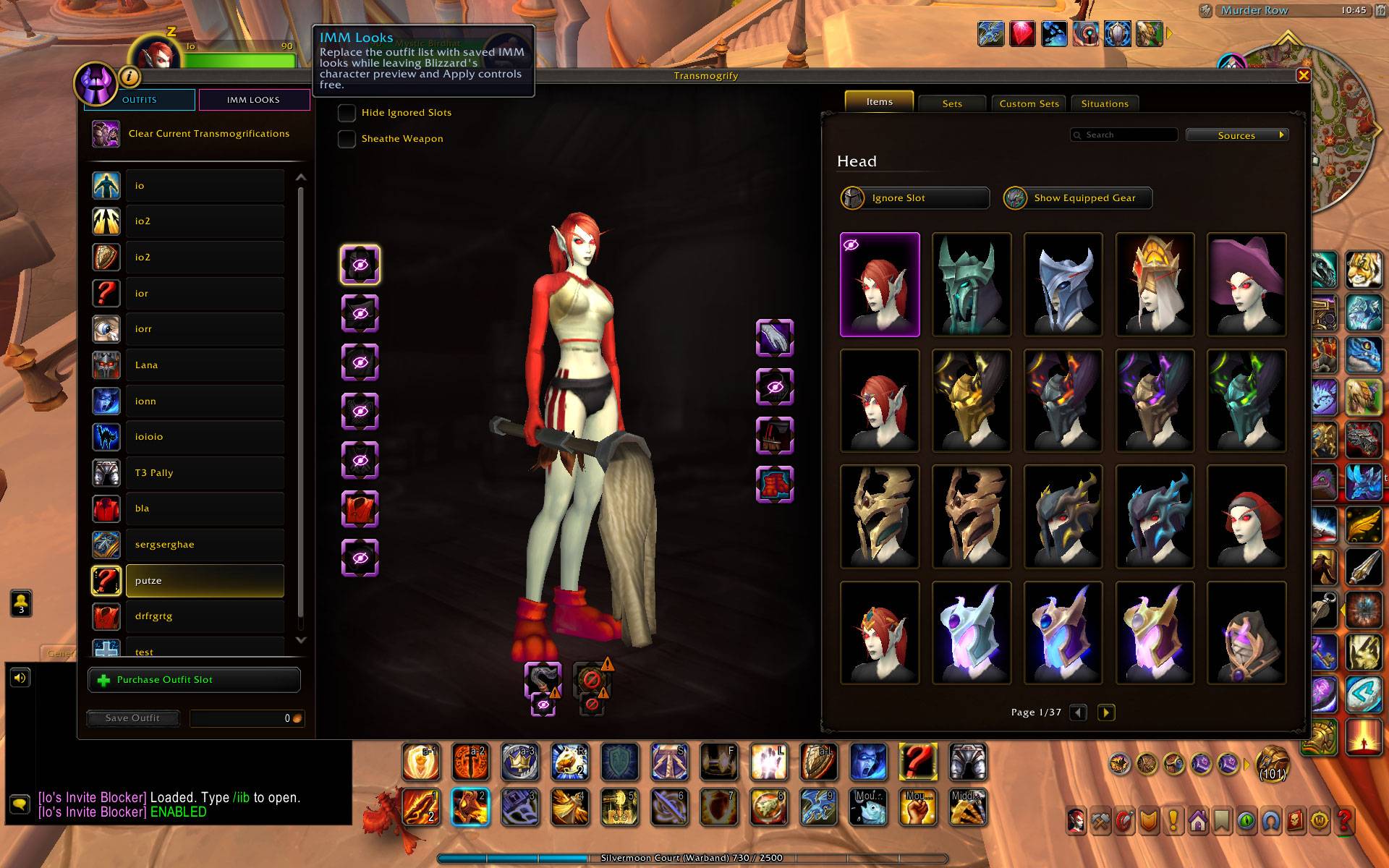
Where supported, IMM also adds an **IMM LOOKS** view to the Transmog outfit area for quick access to saved looks.
---
## Main Features
- Capture another player’s visible transmog from the Target Frame
- Searchable personal Mog Vault
- Rotatable and zoomable 3D character preview
- Appearance-level collection checks
- Support for compatible alternative sources
- Armor, weapon and weapon-illusion capture
- Direct loading into the Transmog preview
- Integrated IMM LOOKS browser
- Import and export saved looks
- Automatic updating of previously captured players
- Movable minimap button
- Compact custom interface
---
## Clean and Lightweight
IMM is designed to remain responsive while providing detailed appearance information.
- No external libraries
- No permanent model rendering while interfaces are hidden
- No constant background scanning
- Built specifically for World of Warcraft Retail
---
## How to Use
1. Target another player.
2. Click the round **M button** beside the Target Frame.
3. Open the Mog Vault through the minimap button or `/imm`.
4. Select a saved look to preview it on your character.
5. Visit a transmogrifier.
6. Load the selected look into the Transmog preview.
7. Review or adjust the outfit before applying it.
---
## Commands
- `/imm` – Open or close the Mog Vault
- `/imm import` – Open the import window
- `/imm reset` – Reset the Mog Vault window position
---
Discover a great transmog, save it for later and see how much of the look you can recreate on your own character.
The Io's Mog Mirror Team