HunterSphere Forever
- By
A compact Hunter companion for WoW Forever, with quick access to aspects, tracking, traps and pet abilities, plus a buff helper, ammo counter and automatic restocking.
Description
HunterSphere Forever
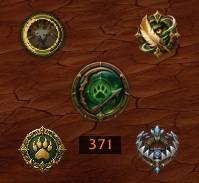
A compact companion for hunters in World of Warcraft: Forever. Keep aspects, tracking, traps and pet abilities close at hand with a movable sphere and configurable flyout menus, freeing up space on your action bars.
Version: 1.2.0
Author: Issoo
Target client: Forever 1.60.1, Interface 16001
Compatibility and validation
HunterSphere targets Forever and its modern addon APIs. Lua syntax, API adapters, options navigation, scale input and combat-deferred resizing have passed automated checks using a simulated game environment. These checks do not replace testing in the actual client; gameplay features and protected actions still require further in-game verification.
Features
- Movable, lockable sphere with four categories: aspects, tracking, traps and pet abilities.
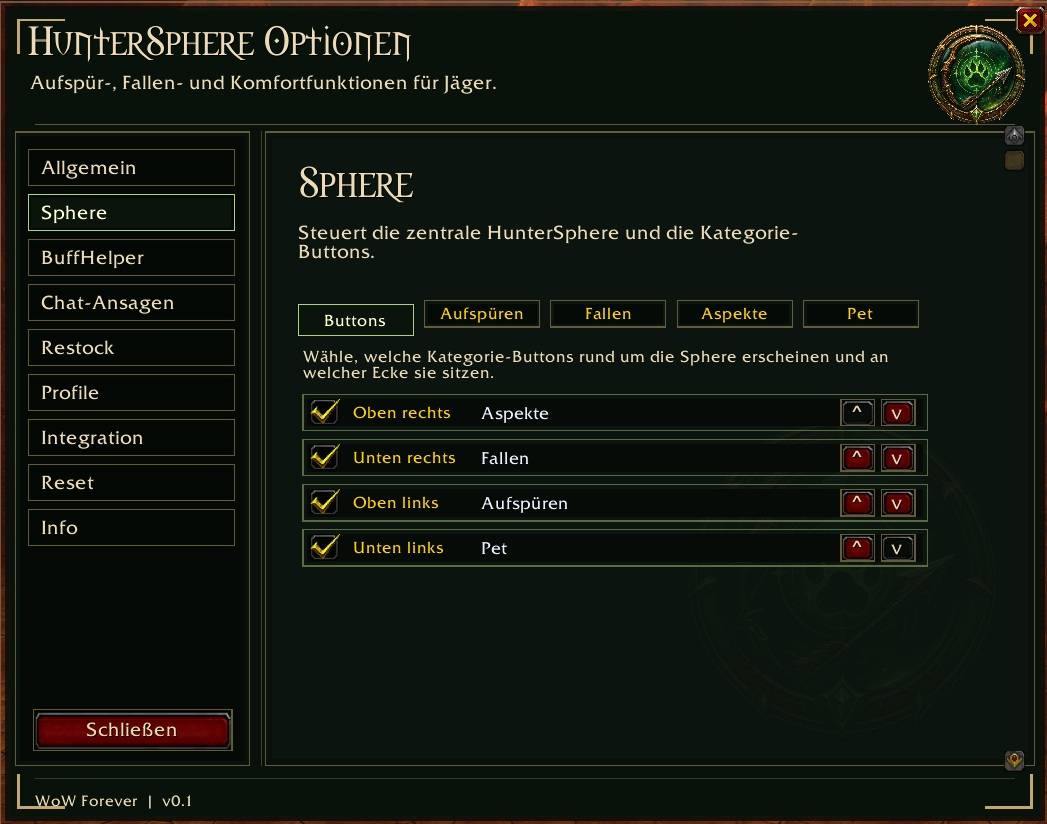
- Configurable category positions and flyout entries, with checkboxes, drag-to-reorder controls and ordering arrows.
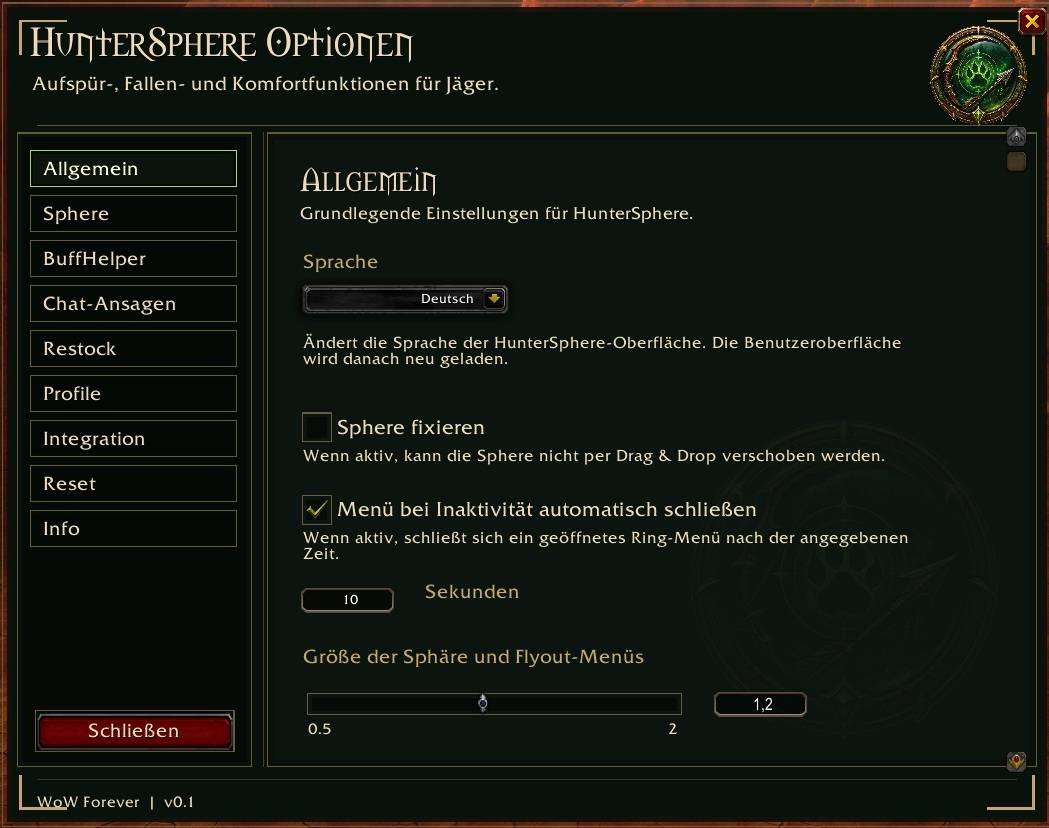
- Shared size control for the sphere, category buttons, ammunition display and spell flyouts.
- Configurable automatic closing of inactive flyout menus.
- Ammo counter with a tooltip showing totals, individual ammunition types and capacity information when available.
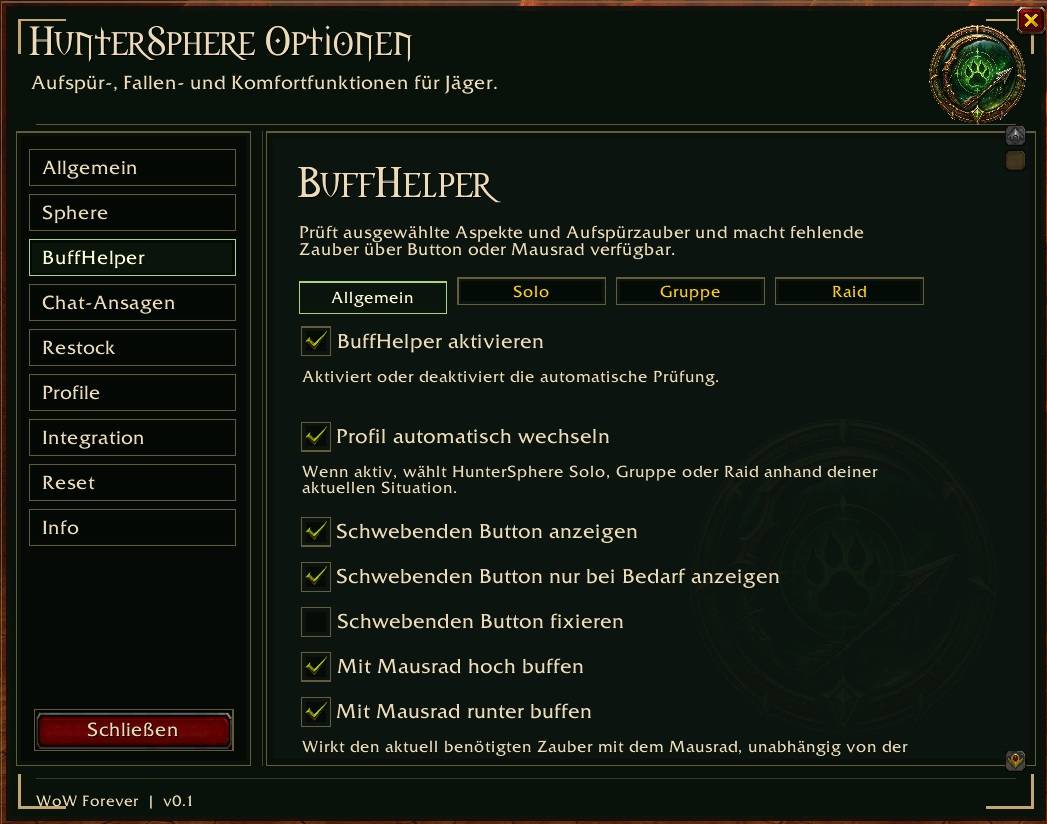
- BuffHelper for selected aspects and tracking spells, with solo, group and raid configurations.
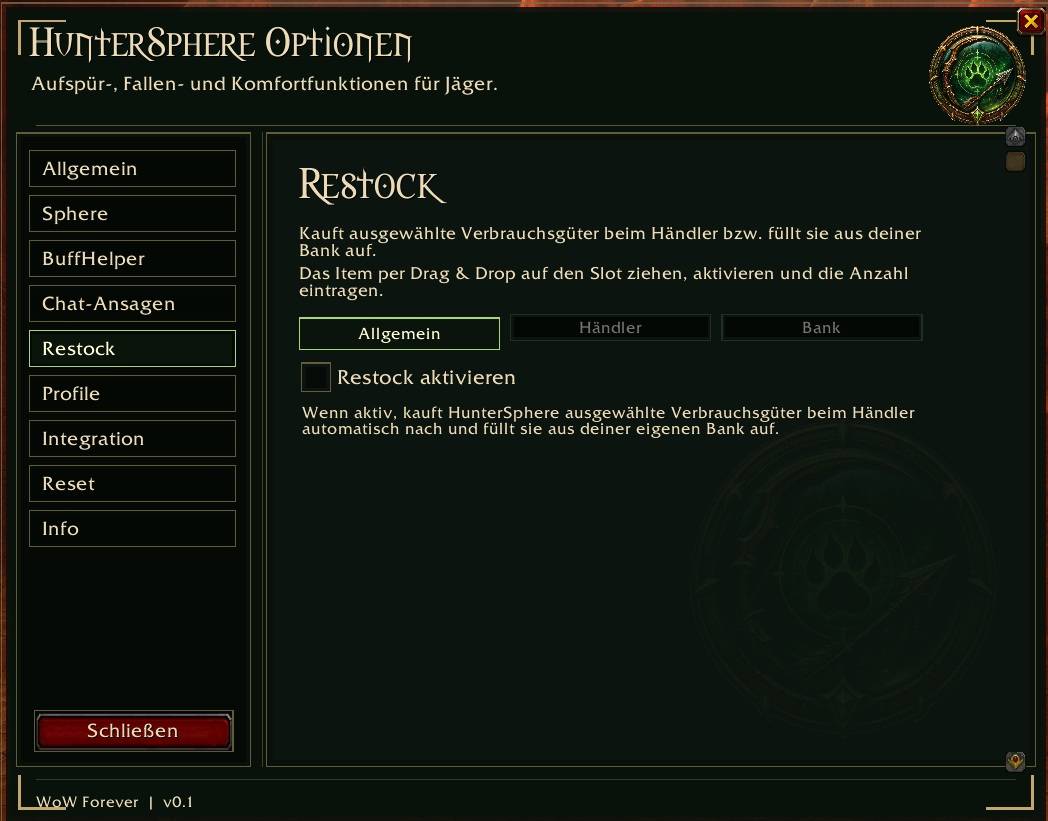
- Merchant restocking and personal-bank refill settings with configurable items and target quantities.
- Custom pet training window when the required Craft API is available.
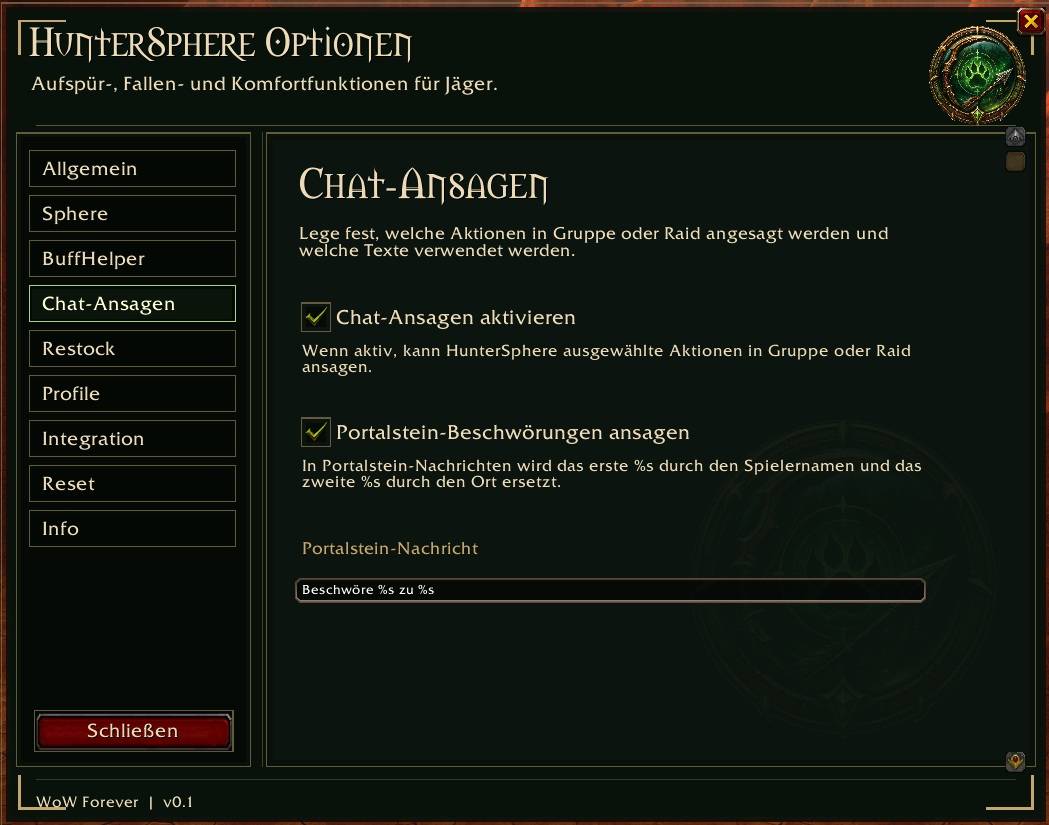
- Configurable group announcements for summoning-stone summons.
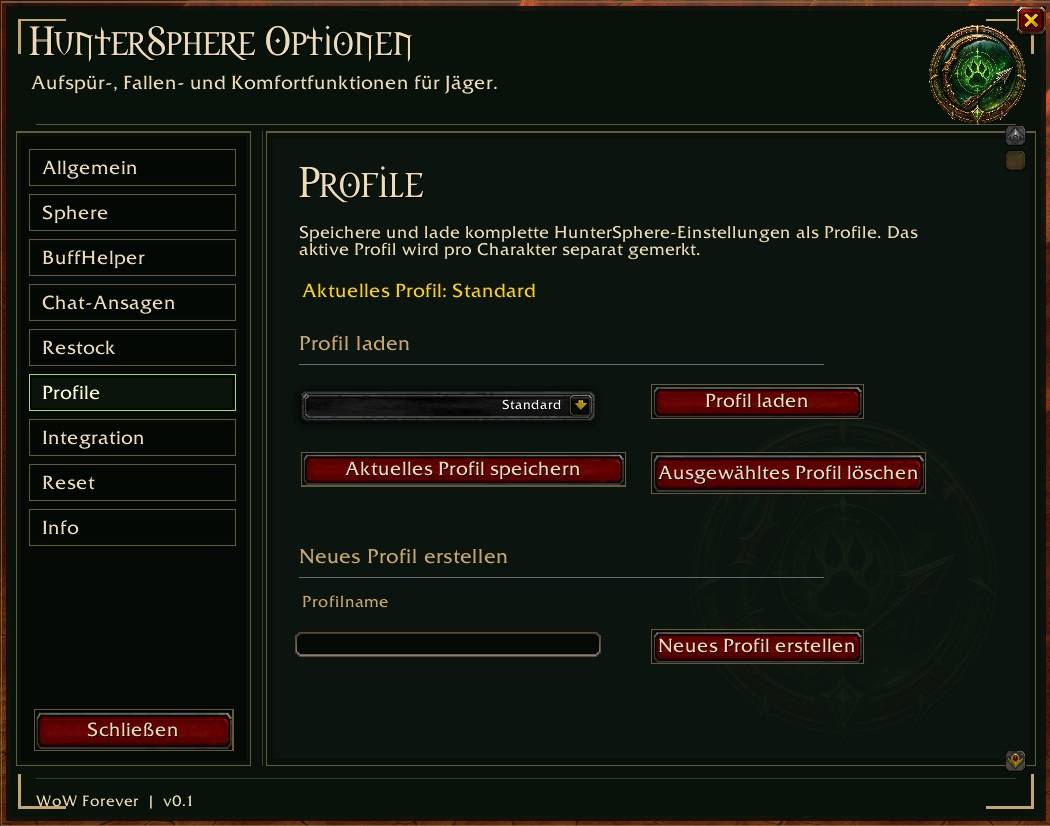
- Named settings profiles, with the active profile remembered separately for each character.
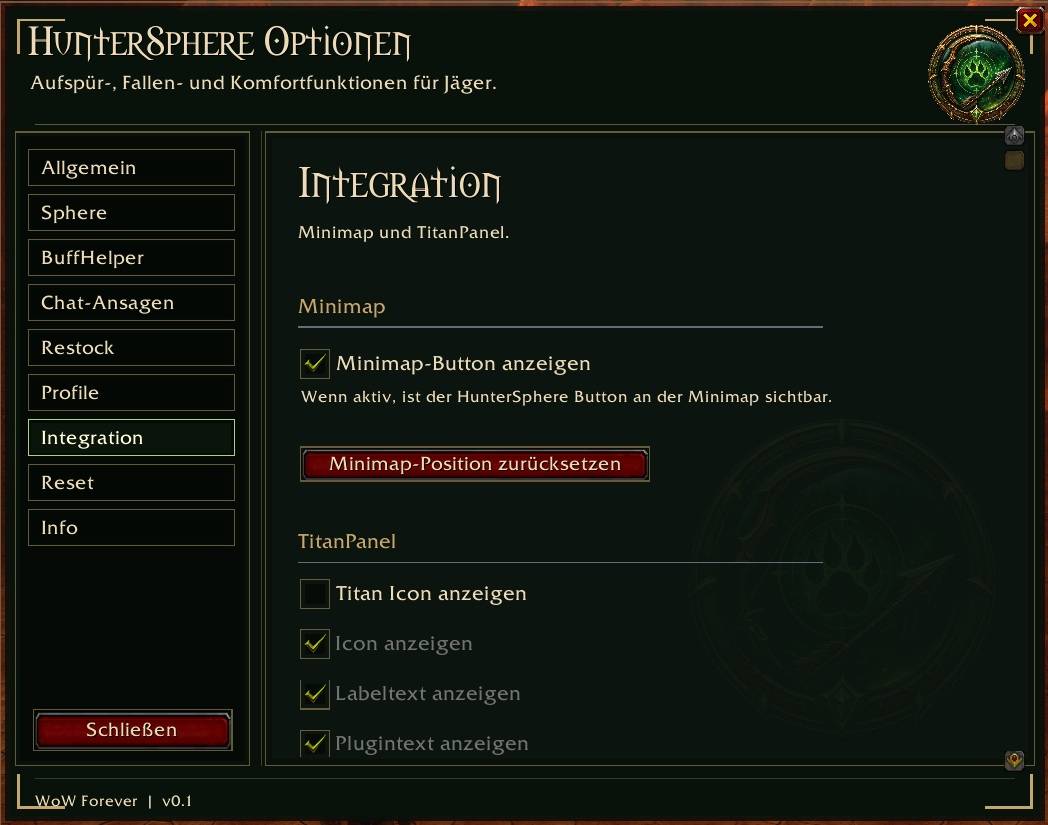
- Minimap launcher and optional Titan Panel integration.
- English interface by default, with German available under General. Existing language selections are preserved.
- MageSphere-inspired options with forest-green panels, warm natural tones and brass accents.
- Listed under Class (Klassen) in the addon list, with the HunterSphere icon.
Spell availability depends on what your character has learned and what the Forever client provides. Catalogue entries alone do not guarantee that a spell is available in Forever.
Controls
| Action | Result |
|---|---|
| Hover over the sphere | Show category buttons |
| Left-click the sphere | Open or close options |
| Right-click the sphere | Open the launcher menu |
| Left-drag the unlocked sphere | Move it |
| Click a category button | Open its spell flyout |
| Click a spell button | Use the selected ability |
| Hover over the ammo counter | Show ammunition details |
| Left-click the minimap button | Open or close options |
| Right-click the minimap button | Open the launcher menu |
| Left-drag the minimap button | Move it around the minimap |
Configure positions and spell menus outside combat. The client restricts changes to protected spell buttons during combat.
Using abilities in combat
HunterSphere prepares a separate set of secure spell buttons outside combat, using your enabled categories, learned spells, flyout order and scale. In combat, enabled categories with available spells stay visible around the sphere. Left-click a category to open or close its flyout; selecting another category switches menus. Left-click a spell to cast and close the flyout. Right-click a category to close the combat flyouts.
Combat menus do not use the ordinary inactivity timer. They close through the clicks above or when combat ends. Spell, layout and profile changes made during combat are applied to the combat controls afterwards. Slash commands and the launcher menu cannot open combat flyouts; use the visible category buttons. Normal spell restrictions, cooldowns and requirements still apply.
This combat-menu implementation has not yet been validated in the Forever client. It does not change the BuffHelper's aura-access restrictions or provide automatic spell selection during combat.
Options and customization
Open options with /hs, /huntersphere or the minimap button.
Changing the interface language under General immediately updates HunterSphere’s option labels and menus without a reload. Your selection is saved. Game-provided spell and item names remain in the client language; custom chat messages and profile names are preserved.
| Section | Settings |
|---|---|
| General | Interface language, sphere lock, menu auto-hide delay and size |
| Sphere | Category placement, visible spell entries and flyout order |
| BuffHelper | Enable the helper, select buffs, configure profiles, button and mouse-wheel controls |
| Chat announcements | Enable summoning-stone announcements and edit their message |
| Restock | Merchant and personal-bank refill items and quantities |
| Profiles | Create, save, load and delete settings profiles |
| Integration | Minimap visibility and Titan Panel display options |
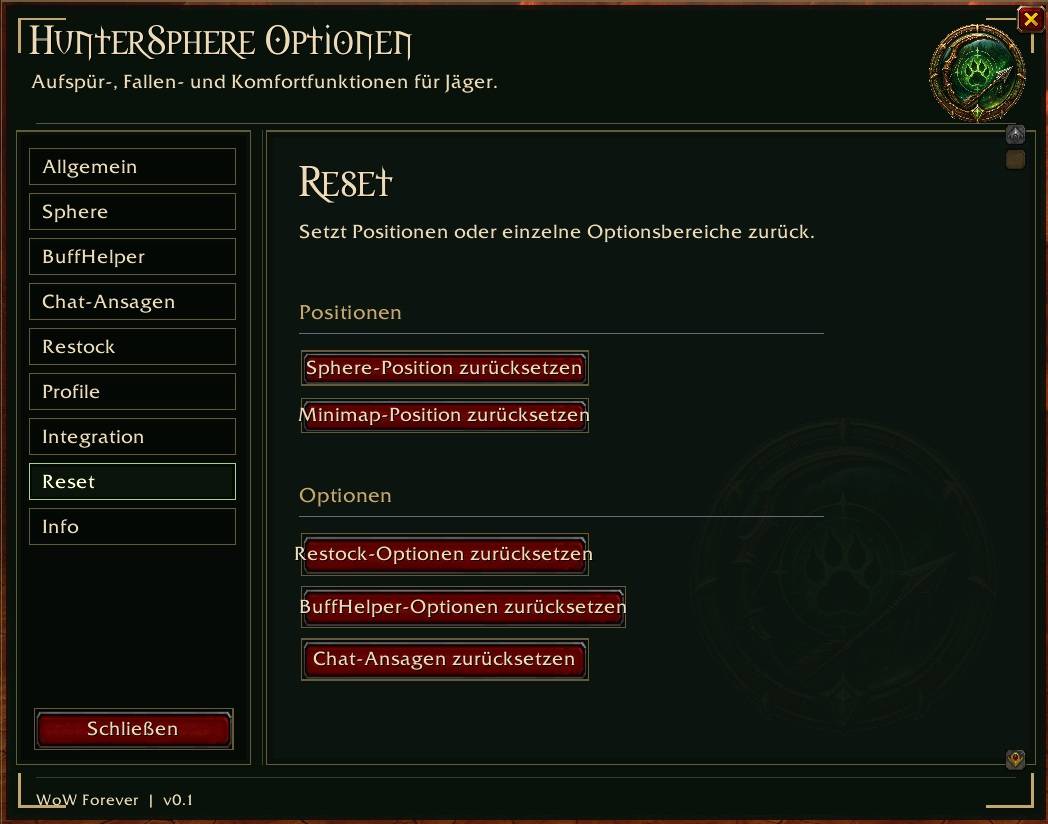
| Reset | Reset sphere/minimap positions or individual restock, BuffHelper and chat settings |
| Info | Addon information |
Sphere and flyout size
Under General, use the slider or input field to set a scale from 0.5 to 2. 1 is the original size; 0.5 is half size and 2 is double size. Decimal commas and decimal points are accepted.
The setting is saved per profile and applies to the sphere, category buttons, ammunition display and spell flyouts. Changes made during combat are applied after combat ends.
Profiles
Create named profiles for different setups, save changes to the current profile or load another configuration. The active profile is remembered per character. At least one profile must remain; the last profile cannot be deleted.
The BuffHelper's solo/group/raid configurations are separate from these named settings profiles. They determine which aspects and tracking spells the helper checks in each situation.
Helpers and current limitations
BuffHelper
Select the aspects and tracking spells you want to maintain for solo, group and raid play. Automatic profile selection can follow your group status, or you can select a configuration manually. Mutually exclusive selections are handled within each configuration.
The floating button offers the currently recommended spell on left-click. Hold the right mouse button and drag to move it when unlocked. Optional mouse-wheel-up and mouse-wheel-down bindings provide another way to activate the prepared spell; these bindings can replace the wheel's usual behavior while a recommendation is active.
Recommendations depend on readable aura data. When the client restricts that information, the helper pauses recommendations and reports that aura data is unavailable. Protected button actions are prepared outside combat; the helper cannot continuously reconfigure its spell action during a fight. Use your normal ability buttons when necessary.
Ammunition
The counter displays ammunition found in your bags. Its tooltip lists totals and individual ammunition types, with capacity information when available. Results depend on the ammunition and bag information exposed by the client.
Pet training
The custom training window includes ability and rank information, training costs, search and family filters, and an option to move learned or unavailable entries to the bottom. It requires the client's Craft API. When that API is unavailable, the custom window is not activated; use the game's native pet-training interface where available.
Restocking
In Restock, add a merchant or bank slot, drag an item from your bags onto it, enable the slot and enter the desired quantity.
- Merchant slots buy available items up to the configured bag quantity when you visit a vendor.
- Bank slots refill items from your own bank when it is opened. They do not use the guild bank.
- Hold Shift when opening the merchant or bank to skip automatic restocking.
Purchases require the vendor to stock the item, sufficient funds and bag space. Bank refills require accessible items and room in your bags. Merchant and bank behavior still need further validation in the Forever client.
Chat announcements
Summoning-stone announcements can be enabled for party or raid chat. In the message template, the first %s represents the summoned player's name and the second represents the destination. Detection depends on the spellcast and target information the client makes available.
Installation
Extract the release archive into your Forever client's Interface/AddOns directory. The resulting path must be:
Interface/AddOns/HunterSphere/HunterSphere.tocRestart WoW after the first installation or after adding new files. For updates to existing Lua files, use /reload. Settings are stored in HunterSphereDB; keep your SavedVariables if you want to retain your profiles.
Titan Panel is optional. HunterSphere can be used without it.
Commands
| Command | Action |
|---|---|
/hs or /huntersphere |
Toggle options |
/hs aspects |
Toggle the aspects flyout |
/hs tracking |
Toggle the tracking flyout |
/hs traps |
Toggle the traps flyout |
/hs pet |
Toggle the pet abilities flyout |
/hs reset |
Reset the sphere position |
/hs debug tracking |
Print tracking information for troubleshooting |
/hs debug casts |
Toggle spellcast debug output |
/hs debug pettraining |
Toggle pet-training debug output and logging |
/hs debug pettraining clear |
Clear the pet-training debug log |
On non-hunter characters, the options and minimap launcher remain available; hunter-specific sphere menus and the ammunition display are not created.
Reporting a problem
Please include your HunterSphere version, Forever client build, interface language, the steps that caused the problem, whether you were in combat, and the exact Lua error if available. A screenshot is helpful for layout problems.
Use /console scriptErrors 1 to enable the game's error display. For tracking problems, include the output from /hs debug tracking. For pet-training problems, enable /hs debug pettraining before reproducing the issue; its log is stored in HunterSphereDB.debugPetTrainingLog. Toggle the debug command again when finished.
Release notes
See CHANGELOG.md for release history. Version 1.2.0 adds immediate language switching without a reload and makes English the default for new settings. Automated syntax, compatibility and mocked UI checks cover the changes; in-game confirmation of language switching and combat menus is still pending.
HunterSphere Forever Team